IPv6 Embedded IPv4 Address Calculator
Create and decode IPv4-in-IPv6 transition addresses for NAT64, 6to4, Teredo, ISATAP, IPv4-mapped sockets, 6rd, and lab documentation.
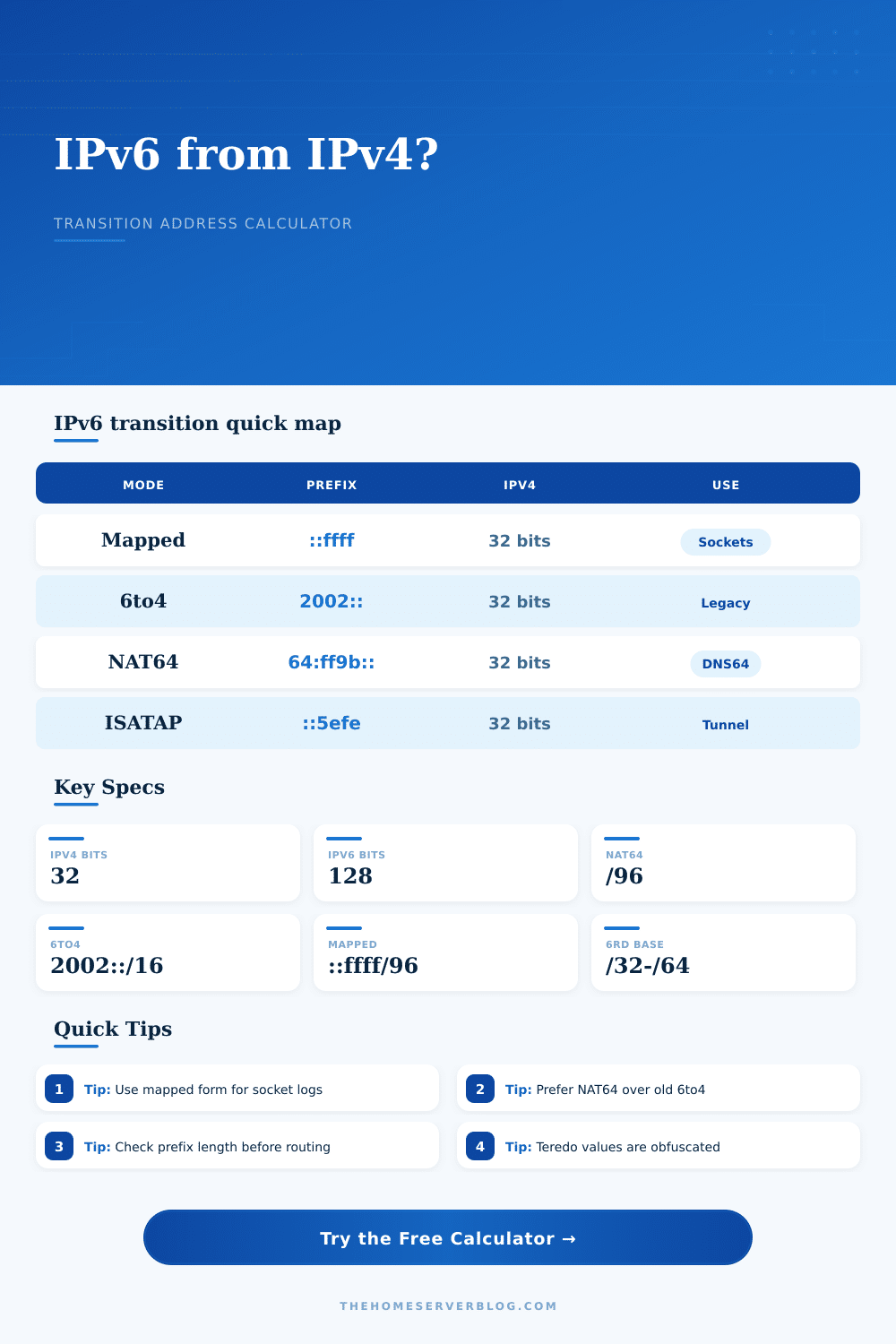
| Transition format | Address pattern | Embedded IPv4 position | Home lab use |
|---|---|---|---|
| IPv4-mapped IPv6 | ::ffff:w.x.y.z | Last 32 bits | Application sockets and log normalization |
| NAT64 well-known prefix | 64:ff9b::w.x.y.z | Last 32 bits with /96 prefix | IPv6-only clients reaching IPv4 services |
| 6to4 | 2002:V4HEX::/48 | Bits 17 through 48 | Legacy tunnel identification and old configs |
| ISATAP | prefix::5efe:w.x.y.z | Interface identifier | Legacy internal IPv6 transition testing |
| Teredo | 2001:0000:server:flags:port:client | Server plus obfuscated client fields | Packet capture decoding and incident notes |
| Equipment profile | Best match | Spec to check | Calculation note |
|---|---|---|---|
| Linux server | Mapped, NAT64, SIIT logs | Kernel IPv6 module and nftables rules | Use the full address in service logs |
| RouterOS gateway | 6to4, 6rd, NAT64 routes | Prefix length and route distance | Verify advertised route length |
| OPNsense or pfSense | NAT64, DNS64, firewall aliases | Firewall family and alias expansion | Document the translated IPv4 endpoint |
| OpenWrt router | DS-Lite, 6rd, NAT64 | odhcp6c, MAP, and relay package support | Provider prefixes often change after renewals |
| DNS64 resolver | 64:ff9b::/96 or custom /96 | Synthesis prefix and excluded zones | Keep split-horizon names explicit |
| Container host | Mapped address log parsing | Runtime network driver and proxy mode | Normalize IPv4-mapped entries before alerts |
| Prefix choice | Standard or source | Route size | Practical limit |
|---|---|---|---|
| 64:ff9b::/96 | RFC 6052 well-known NAT64 prefix | One IPv4 address per IPv6 host suffix | Use only for translation, not general LAN numbering |
| 2002::/16 | RFC 3056 6to4 | /48 per public IPv4 address | Deprecated for production Internet paths |
| ::ffff:0:0/96 | IPv4-mapped socket representation | One mapped IPv6 value per IPv4 host | Not a routable IPv6 transition prefix |
| 2001::/32 | Teredo allocation | Encodes server, flags, port, and client IPv4 | Useful mainly for decoding old captures |
| Provider 6rd /32 to /64 | ISP delegated transition prefix | Depends on copied IPv4 mask bits | Route length must match provider design |
| Scenario | Example input | Expected result | Secondary check |
|---|---|---|---|
| Home NAS log entry | 10.0.20.8 mapped | ::ffff:10.0.20.8 | Client should still be treated as IPv4 |
| IPv6-only lab client | 203.0.113.10 via NAT64 | 64:ff9b::203.0.113.10 | DNS64 must synthesize AAAA records |
| Legacy 6to4 tunnel | 198.51.100.77 | 2002:c633:644d::/48 | Requires public IPv4, not RFC 1918 |
| ISATAP inventory | 192.168.88.23 | prefix::5efe:192.168.88.23 | Usually internal only |
| 6rd provider handoff | 203.0.113.64 with /32 | Provider prefix plus copied IPv4 bits | Confirm IPv4 mask bits with ISP docs |
Unless you use them all the time, you probably don’t think about all the basic communication protocols that devices engage in. As we move towards more moddern networking with IPv6 addresses, it’s easy to see why IPv4 is still needed.
Only then do you get a glimpse of just how much magic goes on in the background when something goes wrong. Suddenly, your server log has an IP address and you’re wondering why it’s in mapped IPv4 format. Or you might wonder why the tunnel dropped the packet because the prefix length wasn’t right. In those instances, the abstraction layer falls away and instead you’re staring at lines of hex code trying to figure out where the hell the data went.
How to Understand IPv6 Address Tools
The calculator above lets you plug in your parameters, calculates results, and gives you a clear picture of what’s going on under the hood. Really it comes down to the trade-off between correct and compatible.
In the case of IPv4-mapped addresses, where a 128-bit IPv6 structure is extended with a 32-bit IPv4 address at the tail-end, it’s a clever trick for sockets and application logs because it lets dual-stack software treat everything as IPv6 without rewriting parsing logic. Dual-stack applications can assumes they’re dealing with IPv6 everywhere, so they don’t have to update their parsing logic.
“But it isn’t a route. So if you stick it into your routing table and think that traffic will magically start flowing, then you are mistaken. Treating an IPv4-mapped IPv6 address as a routable prefix is a mistake that will break connectivity.
The tool distinguishes another class of addresses. This prevents users from wasting time troubleshooting a routing problem when it is actualy an application layer issue.
Today, most people use NAT64 to bridge IPv6-only clients to IPv4-only servers. By default it uses the well known prefix 64:ff9b::, but large networks often use their own prefix as well. Depending on if you picked a short or long prefix (e.g. If you pick a /96 prefix, the way an IPv4 address maps onto the IPv6 space will be differenter. In particular, for logging and firewall rules, you may want to map fewer bits of the original address, and thus have fewer bits left over for the IPv4 part. The calculator does math for you, displaying both effective route and just how many usable mappings there are. So you can see the impact of your prefix selection on the number of addresses you actually get.
If you look through network captures, you’ll still see older transition technologies such as Teredo and 6to4. For 6to4, each public IPv4 address gets its own /48 subnet with the IPv4 address encoded directly into the initial 32 bits of the IPv6 payload. In theory it’s elegant but in practice it was broken due to poor path selection and support. Even worse, Teredo is downright mysterious, packing port, flag and server IP info right into the address itself. This is most useful today for reading old packet captures or determining how legacy clients behave. If you find either in your log files, you probably don’t want to be deploying them. However, you may want to know what you’re seeing.
The page has a nice reference table to help you figure that out: is it a legit tunnel or simply historical noise?
But then there’s the actual work. Namely the planning stage. Whether you’re setting up your own little office network or a home lab, what do you do with devices that don’t speak both protocols? Chances are if you’re on a consumer router your options will be either DS-Lite or simply NAT64. On enterprise gear, you can get a bit more detailed control of what gets advertised and how long the prefixes should be.
The calculator allows you to try various profiles (from firewall appliance to Linux server) and see how they interpret this embedded address. It is not just about getting an address, but how that address behaves out in the wild. This is where mistakes get expensive, and they’re quiet. You can configure a NAT64 prefix incorrectly that passes along DNS resolution but doesn’t actually route any traffic, leaving you wondering what went wrong. Or set a 6rd prefix with an incorrect length that fragments your subnetting in a way you didn’t expect. With this tool, you know you’ve checked it off against known standards before making your configuration live. No more room for interpretation.
So how do we get there? Clarity. What’s my network doing? How do I make it do something else? Knowing how embedded addresses work makes you confident about what your network is doing. This applies to an individual socket map or a complete translation environment.
The calculator does the math for you (and you’re welcome!), but what does it all mean? That’s up to you to figure out within context. And the more basic the better. Check your own prefix ranges. Not every IPv6 address is the same. It’s all about knowing what you’re really measuring.