Kafka Cluster Size Calculator
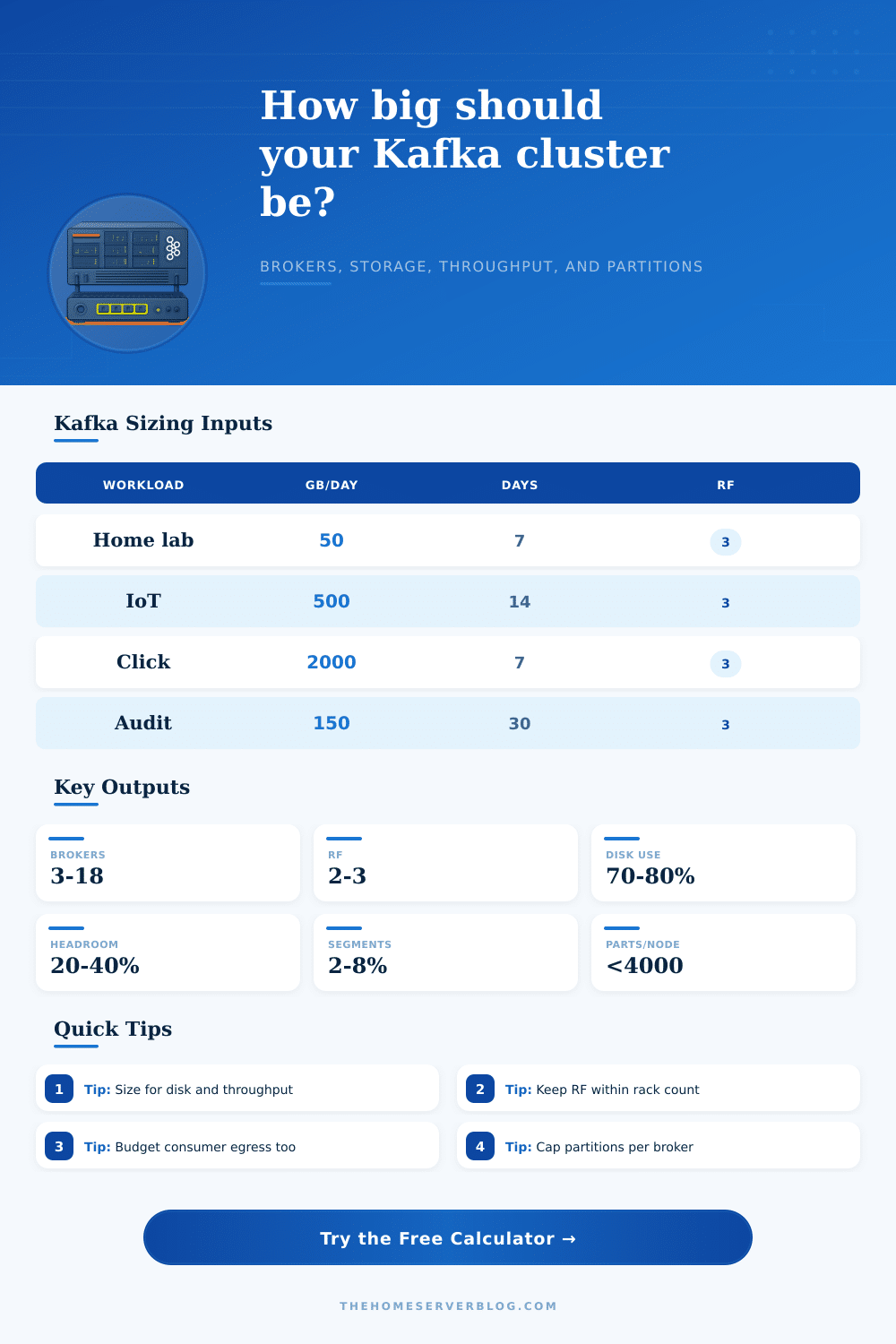
Estimate broker count, replicated storage, network throughput, and partition density from daily ingest, retention, replication, compaction, rack awareness, segment overhead, and broker limits.
Kafka cluster sizing results
80 MB/s sustained
1 GbE to 2.5 GbE
Small KRaft or dev cluster
250 MB/s sustained
10 GbE preferred
General production default
700 MB/s sustained
25 GbE preferred
High ingest and replay
220 MB/s sustained
10 GbE minimum
Long retention archives
| Workload preset | Typical input | Retention pattern | Sizing watch point |
|---|---|---|---|
| Home lab events | 50 to 200 GB/day | 3 to 14 days | Keep at least 3 brokers for RF 3 testing. |
| IoT telemetry | 300 to 1000 GB/day | 7 to 30 days | Many topics can raise partition metadata load. |
| CDC pipeline | 500 to 3000 GB/day | 3 to 14 days | Compaction reduces storage but not peak ingest. |
| Audit archive | 50 to 500 GB/day | 30 to 365 days | Disk capacity usually dominates broker count. |
| Kafka factor | Planning value | What it affects | Practical limit |
|---|---|---|---|
| Replication factor | 3 in production | Storage, inter-broker traffic, availability | Broker count must be at least RF. |
| Rack awareness | 2 to 3 racks/zones | Failure domain spread | Use at least as many brokers as active racks. |
| Disk usable percent | 70% to 80% | Capacity before expansion | Avoid running Kafka disks near full. |
| Segment overhead | 2% to 8% | Log index and slack storage | Higher with many small topics or segments. |
| Partitions per broker | 1000 to 4000 replicas | Controller, heap, recovery time | Test higher counts before production use. |
| Network component | Formula used | Example meaning | Why it matters |
|---|---|---|---|
| Producer ingress | Daily GB / 86400 seconds | Average write rate | Producer spikes require extra headroom. |
| Replica traffic | Ingress x (RF - 1) | Follower fetch traffic | Cross-rack traffic can be the real bottleneck. |
| Consumer egress | Ingress x read copies | Replay and analytics reads | Multiple groups can exceed producer writes. |
| Total broker budget | Ingress + replicas + egress | Cluster aggregate MB/s | Broker count must satisfy throughput and disk. |
| Cluster size | Good fit | Storage posture | Operational note |
|---|---|---|---|
| 3 brokers | Small production, home lab HA | Limited failure and expansion room | RF 3 works, but maintenance is tight. |
| 5 to 6 brokers | Balanced team platform | Better leader spread and rolling work | Common starting point for serious workloads. |
| 9 to 12 brokers | High ingest or mixed consumers | More room for reassignments | Watch controller metadata and partition count. |
| 18+ brokers | Large platform or long retention | Expansion by rack or storage tier | Automate placement, quotas, and monitoring. |
The art of sizing a Kafka cluster isn’t as much about raw power as it is about handling constraints. “You’re not buying disks; you’re buying operational sanity, throughput headroom and resilience.” Most engineering teams early on make mistake of sizing strictly for peak ingest at the expense of silent costs of index overhead, replication and consumer replay. Those hidden loads add up and then your brokers will hit disk limits long before they hit network limits.
First, start with retention policy, since it determines your storage footprint. How much can you store in a three-broker cluster? You can only store what will fit if your daily volume is small and you need to keep data for thirty days. It’s not difficult arithmetic, but it’s merciless arithmetic. Your daily ingest times your desired retention period. Times your replication factor. For production, a factor of three is normal: it protects against loss from failure of one broker while preserving availability. That triples your storage requirement right away.
How to Size Your Kafka Cluster
And most folks overlook the fact that this replicated data creates network traffic too. Followers has to acknowledge every write. Inter-broker traffic therefore grows linear with your replication factor. Disk speed isn’t always limiting factor, it’s frequently network throughput. Data is written into Kafka by producers, then read from it by consumers. Typically there are more readers (and they typicaly read more) than writers. Downstream applications may have their own independent offsets; stream processors and analytics engines may play back topics several times over. Your network load will double if your consumer traffic matches your producer traffic, not counting replication traffic across racks. To account for this, the calculator lets you specify headroom percentages and consumer read copies. This can be a helpful way of visualizing how much exit bandwidth you actualy require compared to what you thought was required purely from ingest.
The other silent killer is partition density. The partitions are what give you parallelism, but each one also takes up memory on the broker side. There’s metadata overhead for every single one. You don’t want too many partitions per broker or else the Java virtual machine will spend more time managing its heap space than it does moving data. The rule of thumb here is that you should of keep the number of replicas per broker below four thousand. Want massive parallelism with high throughput? Then you’re going to need more brokers (not necessarily bigger ones). By adding more brokers, you spread out the partition load and make the controller responsible for fewer bits of metadata at a given point in time.
In practice, this is where plans break down. Never let your Kafka disk get full. Never. Leave room for the operating system to rotate segment files, expand index files, and retain data just-in-case of an unexpected traffic spike. Seventy-five percent is plenty of slack. It’s enough for you to rebalance partitions and move leaders around without risking getting hit with a disk-full error partway through. And it provides some wiggle-room for basic maintenance tasks like adding a new node.
There is another wrinkle called rack awareness. With a three-rack setup and a three-replica (replication factor), you can have one replica per rack, where each rack holds one leader and two followers for different sets of partition. You distribute the load across all racks. But with a three-replication-factor and just two racks, one rack ends up with more replicas than the others, leading to uneven loads across both networks and disks. These planning tools here let you test these constraints and avoid building out an uneven cluster which ends up fighting itself at scale.
So, at the end of the day, what is a Kafka cluster? It is a trade-off engine. Trade network bandwidth to get safe replication, brokers for parallelism, and disks for retention. Sizing is more about managing constraints than raw power, there isn’t a perfect size. It is just the right size for today’s set of constraints. Take these as an initial estimate and confirm it by testing out actual latencies in production. Better to slightly over provision day one then rearchitect later when the traffic arrives.