Memory Bandwidth Calculator
Estimate theoretical and effective DDR memory throughput for home servers, workstations, NAS builds, virtualization hosts, and NUMA-aware lab clusters.
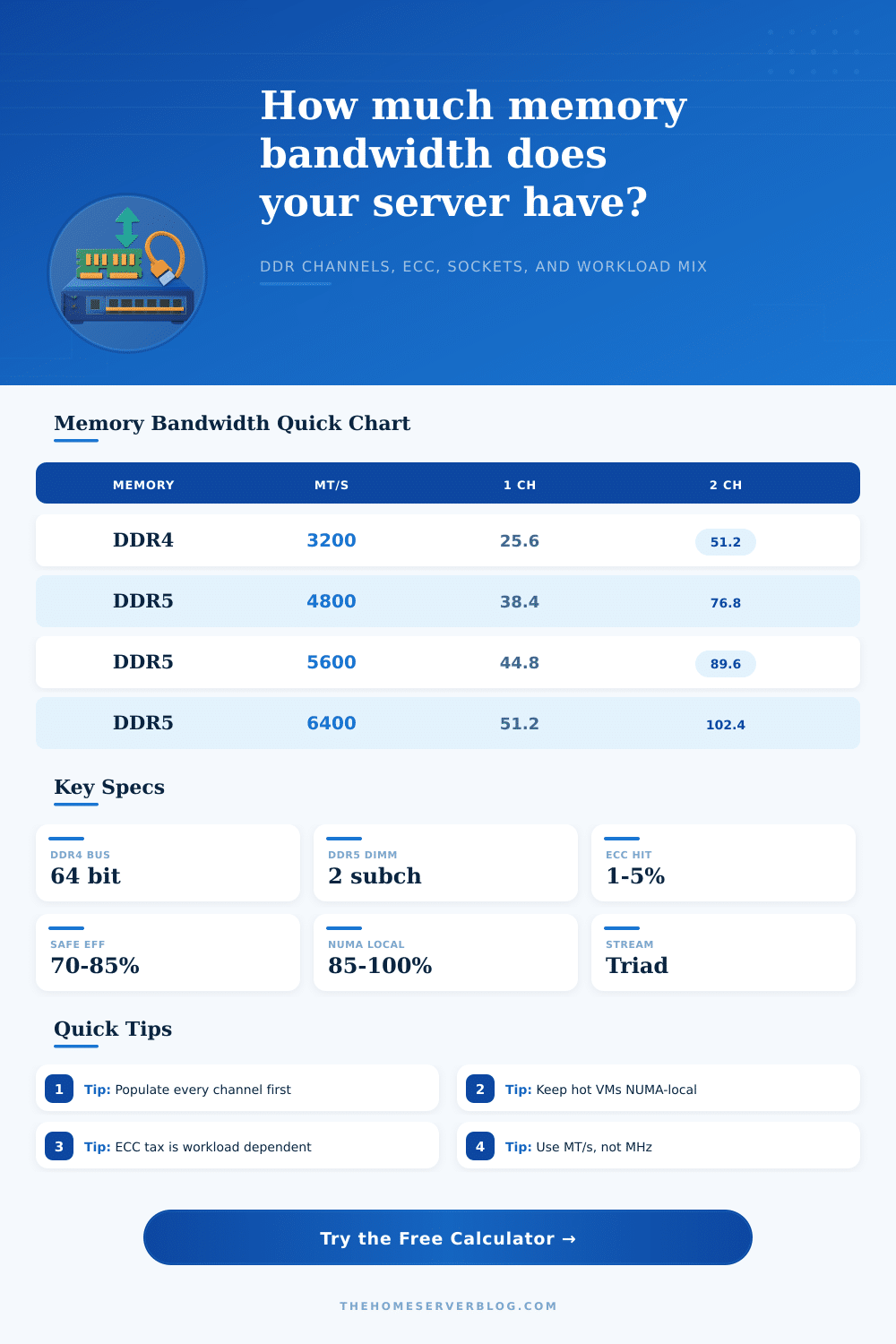
Common DDR per-channel peak bandwidth
| Memory rating | Transfer rate | Usable bus | Per-channel peak | Notes for home servers |
|---|---|---|---|---|
| DDR3-1600 | 1600 MT/s | 64 bit | 12.8 GB/s | Older lab nodes, low-cost NAS boards, and legacy Xeon systems. |
| DDR4-2400 | 2400 MT/s | 64 bit | 19.2 GB/s | Common in first-generation scalable Xeon and many ECC UDIMM boards. |
| DDR4-3200 | 3200 MT/s | 64 bit | 25.6 GB/s | Strong baseline for Ryzen, EPYC, and later Xeon home lab systems. |
| DDR5-4800 | 4800 MT/s | 64 bit | 38.4 GB/s | Entry DDR5 server and workstation speed with two 32-bit subchannels per DIMM. |
| DDR5-5600 | 5600 MT/s | 64 bit | 44.8 GB/s | Current mainstream ECC DDR5 planning value for balanced hosts. |
| DDR5-6400 | 6400 MT/s | 64 bit | 51.2 GB/s | High-speed desktop and workstation kits, board support dependent. |
Channel population and platform capacity examples
| Platform shape | Channels | DDR4-3200 peak | DDR5-5600 peak | Planning comment |
|---|---|---|---|---|
| Single-channel mini PC | 1 | 25.6 GB/s | 44.8 GB/s | Fine for routing, light containers, and basic media services. |
| Dual-channel desktop server | 2 | 51.2 GB/s | 89.6 GB/s | Best common home lab baseline; populate both channels first. |
| Quad-channel workstation | 4 | 102.4 GB/s | 179.2 GB/s | Useful for many VMs, compilation, ZFS, and CPU rendering. |
| Six-channel Xeon class | 6 | 153.6 GB/s | 268.8 GB/s | Good fit for dense virtualization and in-memory databases. |
| Eight-channel EPYC class | 8 | 204.8 GB/s | 358.4 GB/s | Large NUMA hosts benefit when memory is evenly populated. |
| Dual-socket 8-channel each | 16 | 409.6 GB/s | 716.8 GB/s | Aggregate is high, but remote socket access can reduce effective bandwidth. |
Workload efficiency planning factors
| Workload | Typical factor | Pressure pattern | What to watch | First tuning move |
|---|---|---|---|---|
| STREAM copy/triad | 80-92% | Long sequential reads and writes | Channel count and sustained clocks | Enable full channel interleave. |
| Virtualization | 62-78% | Mixed VM working sets | NUMA placement and noisy neighbors | Pin large VMs to local memory. |
| ZFS ARC | 58-74% | Checksums, compression, cache hits | ARC size, record size, and CPU cache misses | Balance ARC with VM memory. |
| Database scans | 66-82% | Large buffer pool reads | Read/write mix and lock contention | Keep buffer pools NUMA-aware. |
| Compiler farm | 54-72% | Many small files and symbols | Cache misses, filesystem metadata, and parallel jobs | Limit jobs when bandwidth flattens. |
| Pointer chasing | 28-48% | Random dependent loads | Latency dominates bandwidth | Improve locality before adding speed. |
ECC, DIMM, and NUMA planning adjustments
| Adjustment | Common range | Calculator field | Why it matters | Practical home lab rule |
|---|---|---|---|---|
| ECC and patrol scrub | 1-5% | ECC overhead | Background RAS operations and memory checks can consume cycles. | Use 3% unless you have measured platform data. |
| Two DIMMs per channel | 2-8% | DIMMs per channel | Electrical loading may reduce stable transfer rate or timing margin. | Prefer one DIMM per channel for peak speed. |
| Remote NUMA reads | 10-45% | NUMA locality | Remote socket memory crosses an interconnect before reaching the core. | Pin memory-heavy services to local nodes. |
| Write-heavy traffic | 3-12% | Read share | Write allocation, flushes, and store ordering can reduce useful throughput. | Model write-heavy databases below 60% read share. |
| Planning reserve | 5-20% | Reserve | Leaves margin for background jobs, bursty VMs, and measurement error. | Use 10% for normal lab builds, 20% for shared hosts. |
Memory bandwidth are a critical factor when building a server. Memory bandwidth impacts many of the decisions you must make. Even with the fastest CPU and the best storage available, the system will stall if the memory subsystem cant keep up with the demands of the CPU and the storage drives.
The speed printed on the DIMMs is the theoretical number of transfer per second that can occur. The theoretical number do not tell the whole story of the DIMMs performance. Other factors that impact the performance of memory include the number of channels populated, the workload, and the amount of theoretical speed that is lost to overhead.
How to Plan Memory Bandwidth for a Server
The calculator do math based off the platform specifications and the workload. The base transfer rate and bus width is used to start the calculation. The calculator add the number of populated channels to this base calculation.
Factors like the efficiency of the memory controller, the impact of ECC memory checks, NUMA distance, and read/write cycles are also accounted for in the calculation. The result of the calculation is not a single figure but a series of values that represents the memory bandwidth that the system will sustain. These values can be used to size a virtualization host or a compile node.
Many will notice a difference between the calculated peak memory bandwidth and the sustained memory bandwidth. Even with a high theoretical peak memory bandwidth, real applications will report around a 20 to 30 percent drop in the available bandwidth. This drop is due to refresh cycles and command overhead for the memory controller.
Bandwidth will also drop due to the nature of the workload. A test that keeps every memory channel busy will show the most performance for the memory modules. Workloads that involve tasks like database pointer chasing or virtual machines will show a drop in calculated memory bandwidth.
The factors that change memory bandwidth are important to understand. One of the most important is the number of channels populated. Four DIMMS on four channels will usually provide better performance than two DIMMS on two channels.
Using two memory modules on each channel will increase the electrical loading on the memory controller. High electrical loading force the memory controller to reduce the memory transfer rate. For these reasons, one DIMM per channel is preferred for maximum memory bandwidth.
The workload profile impact the memory bandwidth calculation. The workload profile may be surprising to many. The memory bandwidth calculator allows you to enter different workload profiles.
Different workloads use memory differently. A storage node that use memory for ARC hits will use it differently than a build server that need memory for object files. The efficiency of the memory is not a feature of the DIMMs but an estimate of how the memory will serve the chosen workload.
NUMA locality only matters on systems with more than one processor socket. Each processor have its own memory subsystem. NUMA locality impacts the bandwidth that can be available to a specific task.
The total memory bandwidth on a dual socket machine may appear high. However, the bandwidth available to a virtual machine on the wrong socket may be much less. The memory bandwidth calculator allows you to adjust the percentage of locality.
Setting this to 100 percent will give you the memory bandwidth available to a task on the same processor socket as its system memory. This will prevent memory-intensive services from losing bandwidth due to NUMA locality issues. The reference tables shows the memory bandwidth of DDR4 and DDR5 memory speeds.
These tables also show the bandwidth for different numbers of channels. Finally, the tables show typical efficiency values. These efficiency values can help you decide if the calculated memory bandwidth is realistic for your use case.
The reference tables are not a replacement for measuring memory bandwidth. However, they will prevent you from making the mistake of assuming every memory channel will provide the same performance improvement. The memory bandwidth calculator also feature the planning reserve setting.
The planning reserve is a margin for extra bandwidth. Ten or fifteen percent of the calculated memory bandwidth should of been left as a planning reserve for background processes and virtual machines that might surge in memory use at the same time as the main process. The value of calculating memory bandwidth before purchasing the parts for the machine is in avoiding the mistake of optimization for the wrong component.
The calculation can tell you if adding another memory channel or using the next generation of memory will help your system. The calculation can also tell you if the bottleneck of your system is it’s memory or its distribution of tasks across processor sockets. Understanding what will impact the result of this calculation allows you to use it as a planning tool.
You can enter your system specifications and see if your planned system can handle the workload. This will tell you if you have a sufficient margin before purchasing the hardware.