HomeServerBlog VoIP quality tool
MOS Score Calculator
Estimate conversational voice quality with an E-model-style MOS score from delay, jitter, random and burst packet loss, codec impairment, echo, playout buffering, network type, and loss concealment.
MOS impairment breakdown
Network latency plus configured playout buffer delay.
Jitter left after the buffer has absorbed arrival variation.
Random loss adjusted for burstiness and concealment quality.
Selected codec baseline and packet loss behavior.
Delay traded for smoother packet arrival and fewer late drops.
Talker echo, acoustic leak, and cancellation quality estimate.
Stability adjustment for wired, wireless, mobile, VPN, or congested paths.
Safe loss result is solved against a MOS 4.0 business-call target.
G.711 PCM
Very low codec impairment and simple troubleshooting, but it needs steady packets and bandwidth.
Cap 4.40Opus
Wideband quality, adaptive bitrate, and strong concealment make it forgiving on WAN and Wi-Fi links.
Cap 4.50G.722
Wideband enterprise voice with high clarity on LAN, SIP trunks, and managed WAN paths.
Cap 4.45G.729
Low bandwidth and predictable payload size, but compression artifacts and loss sensitivity reduce headroom.
Cap 4.05| MOS range | Quality class | User experience | Operations note |
|---|---|---|---|
| 4.30 to 4.50 | Excellent | Clear voice, little audible impairment | Suitable for executive calls, contact centers, and SIP trunk acceptance |
| 4.00 to 4.29 | Good | Normal business call quality with minor artifacts | Healthy target for most production VoIP paths |
| 3.60 to 3.99 | Fair | Usable, but clipping, delay, or rough audio may be noticed | Investigate burst loss, Wi-Fi contention, or WAN queueing |
| 3.10 to 3.59 | Poor | Frequent repeats, dropouts, or awkward talk-over | Escalate QoS, buffer tuning, codec choice, and packet path checks |
| Below 3.10 | Bad | Conversation quality is likely unacceptable | Treat as an incident, especially for call center and emergency voice paths |
| Path metric | Excellent | Good | Risk zone | What to tune |
|---|---|---|---|---|
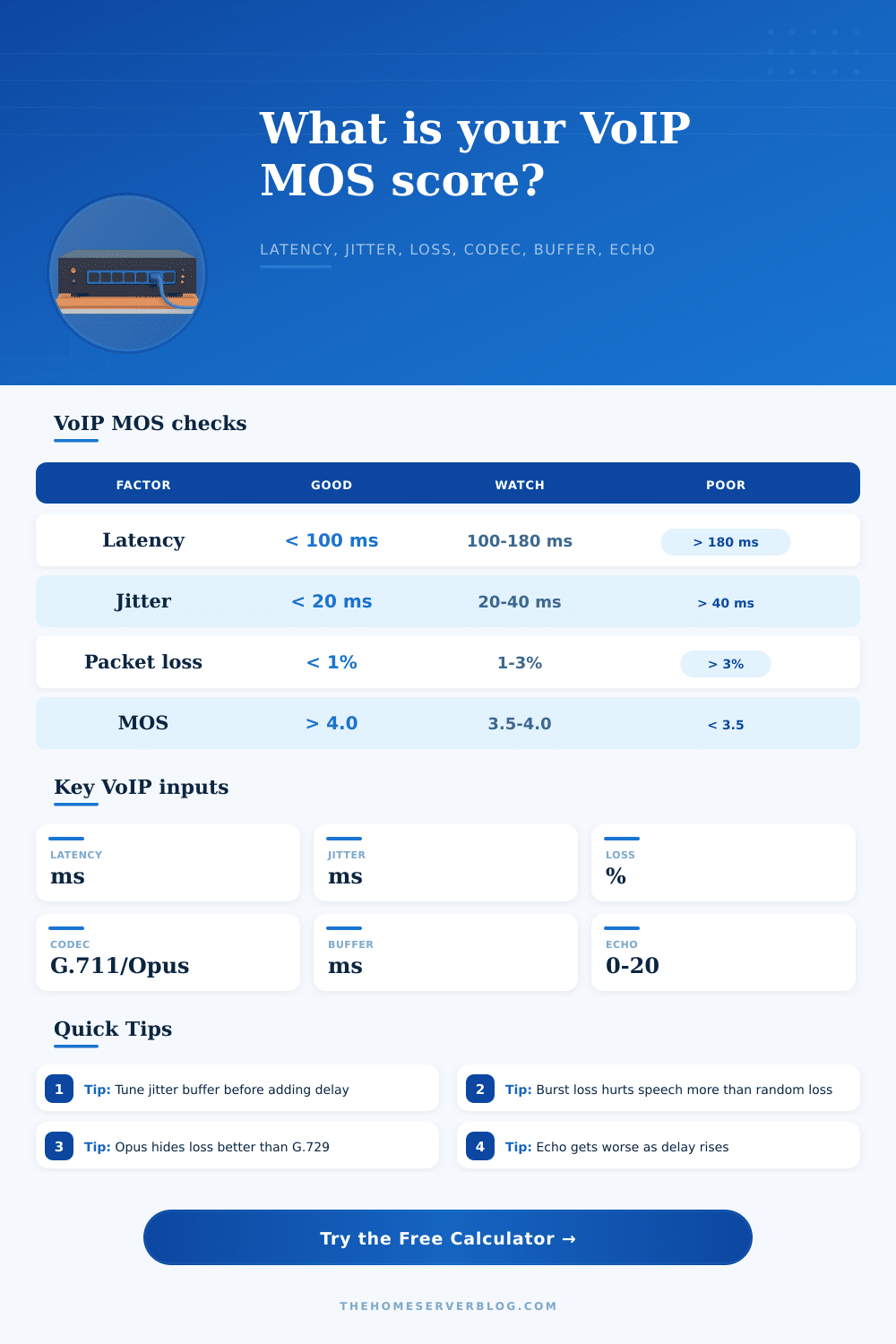
| One-way latency | Under 80 ms | 80 to 150 ms | Over 180 ms | Routing, WAN path, VPN exit, media relay location |
| Jitter | Under 10 ms | 10 to 25 ms | Over 40 ms | QoS queues, Wi-Fi airtime, uplink saturation, buffer size |
| Playout buffer | 20 to 40 ms | 40 to 80 ms | Over 120 ms | Adaptive buffer policy and endpoint jitter tolerance |
| Talk-over feel | Natural | Slight hesitation | Double-talk and interruption | Shorten media path before increasing buffer further |
| Loss pattern | Typical source | Codec impact | MOS action |
|---|---|---|---|
| Random under 1% | Light WAN or Wi-Fi retries | Often hidden by modern PLC | Usually acceptable if latency is low |
| Random 1% to 3% | Queue drops, weak RF, small uplink | Codec-dependent artifacts appear | Prefer Opus/iLBC, fix QoS, check buffers |
| Burst loss | Bufferbloat, roaming, radio fades, policers | More damaging than same average random loss | Fix congestion and roaming before raising buffer too far |
| Late loss | Jitter exceeds playout window | Sounds like packet loss even when network counters are clean | Compare RTP late drops with interface drops |
| Network type | Model penalty | Why it matters | Best first check |
|---|---|---|---|
| Wired LAN | 0 R points | Low contention and predictable switching | Duplex, VLAN QoS, endpoint CPU |
| Managed WAN / SD-WAN | 2 R points | Longer route with usually controlled queues | Class-map, SLA probes, provider handoff |
| Wi-Fi client | 5 R points | Airtime contention, retries, roaming, power save | RSSI, channel use, WMM, roaming logs |
| LTE / 5G remote | 7 R points | Radio scheduling and variable uplink latency | Signal quality, carrier NAT, uplink load |
| VPN tunnel | 4 R points | Encapsulation, MTU, CPU, and longer media path | MSS/MTU, split tunnel media, tunnel CPU |
| Congested best-effort WAN | 11 R points | Competing queues turn small RTP packets into drops and jitter | Bufferbloat test, QoS shaping, WAN saturation |
Sometimes you’re in the middle of a video call and everything sounds great for a couple of seconds and then goes quiet or turns robotic. It is frustrating enough by itself. But when it happen while pitching a client or delivering an important status update to your remote team? It is a professional disaster. And if it’s happening, you know it’s not good… but without digging deep into technical specifics, which would require you to stop driving the car, so to speak, is it codec selection, packet loss, jitter, or latency?
Enter MOS: Mean Opinion Score. The idea behind MOS are to take all the subjective aspects about voice quality and try to reduce them to one number that tells network engineers and IT managers how annoying a given call will sound to a human ear. MOS scores is based off some old telecommunication studies which found out that the technical metrics don’t paint the full picture. A connection with no packet loss may still sound terrible because latency make it feel like people are talking over each other all the time.
What Is Mean Opinion Score?
So what they came up with was this sort of formula where you start with a perfect score and add penalties to factors that degrade voice quality. That way you can take into account multiple factor and the math is done for you by the calculator above (you just need to put in your environmental variables). You don’t have to remember complicated formulas or guesstimate coefficients.
The intuitive sense that missing a few packets means you’re missing a few words (or letters) makes most folks fixate heavily on packet loss statistics. That’s true, but it’s also important to consider how and when those packets is being lost. Random scattered loss hurts speech intelligibility less than burst loss. Think about having each third word dropped out of a sentence versus having one random letter dropped out of a paragraph. The first kills comprehension instantly; the second is annoying but manageable.
When setting up Quality of Service policies on your routers, this difference are critical: not all dropped packets hurt equally in ears of the listener. Many underestimate the equally important factor of codec choice. G.711 delivers perfect audio quality at practically zero processing overhead but is great for stable, wired LAN environments in which bandwidth is plentiful and cheap. There’s little wiggle room. If there is any minimal loss or jitter introduced by the network, there is no masking; G.711 will pass along these impairments to the person listening.
More moddern codecs like Opus take a small hit in theoretical max audio clarity while picking up robustness. These codecs uses advanced packet loss concealment algorithms that fill in the blanks of lost audio data based on surrounding context. The end result: a call that sounds just a bit less clear, but still conversational and understandable even during network malfunctions.
Speaking of latency: Human conversation is based on rapid turn-taking. We do this without thinking about it. Beyond 150 milliseconds one-way delay, humans tend to start cutting each other off more often. Even with good audio quality, this introduces a bit of subconscious psychological friction that causes the caller to feel like they’re being rushed, not heard.
There’s no free lunch when it comes to network engineering; the increase of your “playout buffer” setting is an attempt to help smooth out packet jitter by holding onto packets for just a little while longer before playing them out. Increasing the play-out buffer only replaces jitter with delay. Your particular use case will determine which is the lesser evil: Can you live with more glitches, or can you live with more lag?
Acoustic echo is typically caused by software configuration problems within the audio processing stack rather than faulty hardware, yet it’s easy to blame the problem on crappy hardware. The way it happens is when the speaker sound bounce back into the microphone and is heard by the remote party as a reflection of his or her own voice with a slight time delay. It’s a distraction and if you’re not careful, it could of kill a call immediately. Any serious VoIP setup requires proper echo cancellation regardless of whether the network metrics appear perfect on paper.
In the end, it’s all about balancing and striking a good MOS score. Using strong codecs and properly managing user expectations doesn’t require a fiber optic backbone to each person’s desk. Understanding how codec choices, loss, and latency affect one another will allow you to troubleshoot the actual cause instead of just throwing hardware at the problem. Begin with knowing your real world network conditions, find out which variable is negatively impacting the MOS score the most, then tweak that. Communication begins well before anyone lifts the telephone.