Rack Weight Capacity Calculator
Estimate practical rack load, remaining capacity, rack units used, and equipment weight before stacking servers, UPS units, switches, storage, and cable management.
Rack Capacity Results
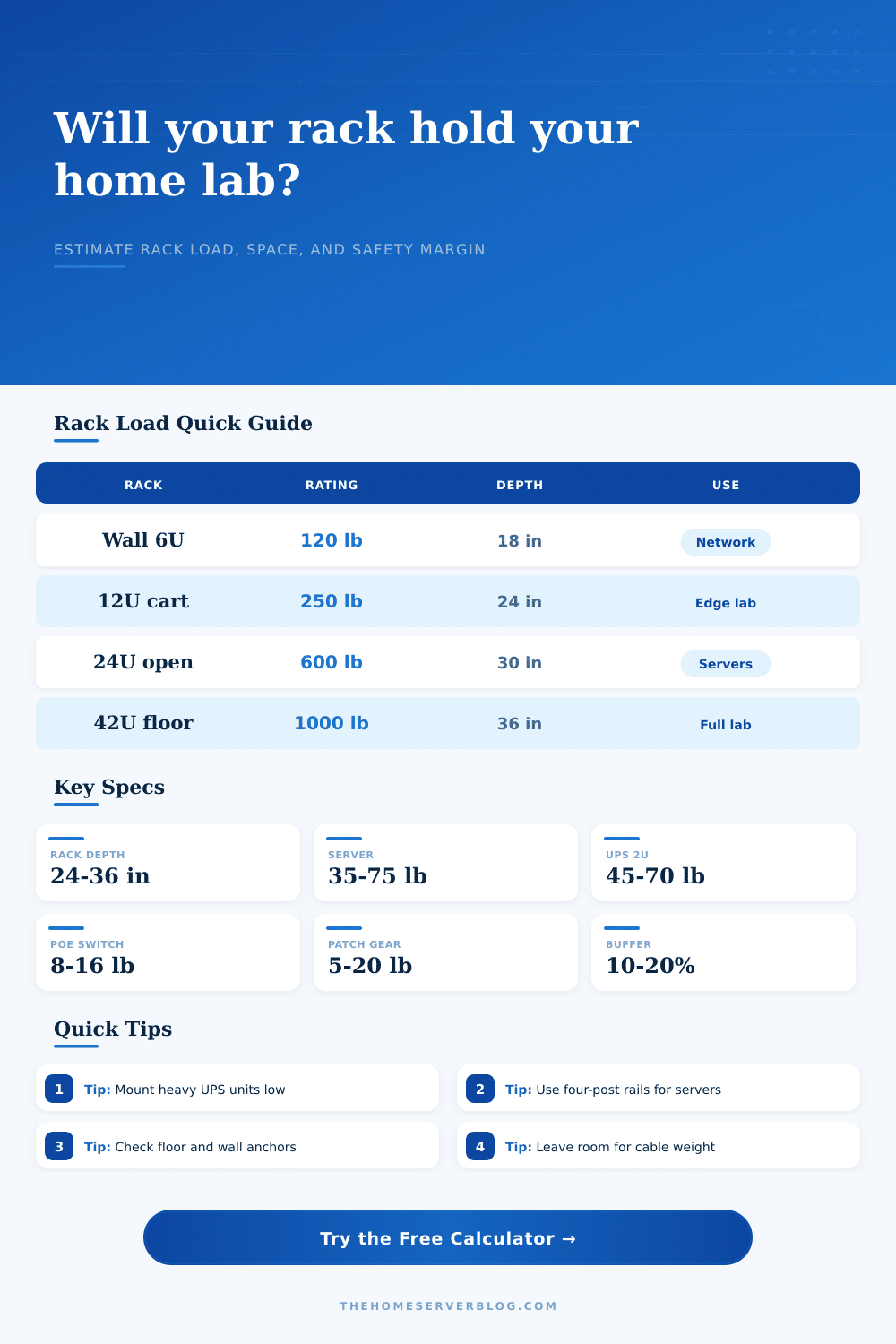
| Rack configuration | Typical published rating | Practical derating used | Best-fit home lab use |
|---|---|---|---|
| Wall-mount 6U to 12U | 75 to 200 lb static | 45% to 55% when loaded deep | Patch panels, gateway, switch, small UPS |
| Two-post relay rack | 300 to 600 lb static | 65% to 70% for balanced front load | Network switching, patching, light shelves |
| Open-frame four-post | 500 to 1000 lb static | 80% to 85% for mixed servers | Home lab clusters and storage shelves |
| Enclosed four-post floor rack | 800 to 3000 lb static | 85% to 90% after airflow and access margin | Full-depth servers, UPS units, dense storage |
| Equipment class | Typical rack units | Weight range | Capacity note |
|---|---|---|---|
| 1U router, firewall, or mini server | 1U | 6 to 25 lb | Depth and rear support matter more than height. |
| Enterprise 2U server | 2U | 35 to 75 lb | Use four-post rails, especially with sliding kits. |
| 4U storage server | 4U | 55 to 110 lb | Loaded drives can exceed empty chassis specs. |
| 2U rack UPS | 2U | 45 to 80 lb | Install low and verify rail load separately. |
| Standard or conversion | Value | Metric equivalent | Why it matters |
|---|---|---|---|
| Rack unit height | 1U = 1.75 in | 44.45 mm | Converts hardware count into occupied rack space. |
| 19-inch rack width | EIA-310 rail spacing | 482.6 mm nominal | Most servers, switches, shelves, and panels follow it. |
| Pounds to kilograms | 1 lb = 0.4536 kg | 1 kg = 2.2046 lb | Manufacturer sheets may publish either system. |
| Recommended planning buffer | 10% to 20% | Same ratio | Allows for rails, PDUs, cable bundles, and upgrades. |
| Common project size | Typical rack | Estimated equipment load | Planning concern |
|---|---|---|---|
| Small wall network closet | 6U to 9U wall rack | 35 to 90 lb | Wall anchoring and UPS placement. |
| Office home lab | 12U to 18U floor rack | 120 to 260 lb | Casters, floor loading, and acoustic isolation. |
| Three-node virtualization cluster | 18U to 24U four-post | 250 to 500 lb | Rails, UPS mass, and remaining upgrade space. |
| Dense NAS or backup rack | 24U to 42U floor rack | 450 to 900 lb | Drive shelves, anti-tip anchoring, and low mounting. |
The second enterprise server slides right into your rack. You look down and realize the floor isn’t the only thing holding that weight anymore. It’s structural integrity of the cabinet, the wall anchors, and the rails. The cabinet likely wasn’t built to support two-hundred pounds of spinning metal and lithium batteries. When home lab builders obsess over RAM latency and CPU cores they often overlook weight capacity until it’s too late.
The cabinet door closes with a dangerous swing. Weight capacity is something people get wrong. Structural failure in a home lab are rarely about the hardware breaking; it’s about the mounting system giving up. It’s about mounting system giving up.
Why Rack Weight Matters for Your Home Lab
Above is the calculator. It calculates the numbers for you. By taking into account how many pieces of equipment you’ll use plus some extra wiggle room, it removes the guesswork. Each manufacturer has their own max load rating. That number is a theoretical max and assumes no vibration and ideal conditions.
In real life, there are heavy power distribution units and cable management arms. There is also reality of hanging Ethernet cables which always hang down. So the tool takes those factors in consideration. If you’ve got an enclosed four post floor rack, it will handle the load different than if you’re using a cheap two post wall mount. The tool knows that and applies a derating factor based off the type of rack. It’s a minor difference but one that can save you from the disaster of tipping over because you treated a wall mount as if it were a floor rack.
The other silent killer with rack planning is depth. An eighteen-inch rack may look great on paper, however, it may not be able to handle heavy and deep servers because they puts more stress on the front rails of the lever arm. Mounting a seventy-five pound storage server in an eighteen-inch rack isn’t just piling on weight. It’s also piling on torque. You can specify usable depth as part of the calculation which will affect the amount of load the mounting hardware can reasonably hold. Running a dense NAS set up or a Proxmox cluster? If you ignore depth, your rack becomes a pendulum. Where things go is just as important than how many there are.
There’s no getting around gravity, but you do get to choose how to use it. These include disk shelves, UPS units, and other items. Anything heavy should of been mounted in the lower third of the rack. That brings down the center of gravity. The whole thing becomes more stable, less stress on the upper mounts. It’s not magic; it’s simply mechanics.
You know what happens when you try to reach for a cable up top and knock everything off? Headaches. If you stack all your heavy stuff at the top, you ask for trouble each time someone tries to grab a cable from below. And don’t forget what’s not there. Rails, cable managers, and patch panels all add up. One 1U server might be only thirty pounds. But add on the cable bundles snaking out the back, the PDU, and side-mounting rails and now you’re easily looking at another ten to fifteen pounds per unit. There is an option for a buffer here in the calculator that will let you estimate the overhead like this. Otherwise, you may think you’ve got tons of room left over. By the time you plug everything in, you may have gone past the safe limit.
And wall mounts are especially unkind. It’s amazing how much weight residential studs will support. But that assumes you are actualy bolting straight in and using the right lag bolts. A fully loaded rack isn’t going to stand up on drywall anchors. A small UPS + switch + gateway should be fine (keep it at less than one hundred pounds or so just to be safe). Anything more? Rack ’em on the floor where they belong.
Not cramming is not the goal. The goal is keeping it all there without making your server room look like a hazardous zone. Knowing what the practical limits are and how they differ from published ratings will help you build a lasting lab. Test your anchors. Keep heavy stuff low on racks. Believe the numbers, not your gut. Better safe and half-empty than sorry and full of fear.