RDS Server Sizing Calculator
Estimate Remote Desktop Services session-host count, per-host vCPU, memory, profile storage, IOPS, and N+1 spare capacity for home labs, small offices, classrooms, app farms, and hybrid virtual desktop deployments.
Formula Breakdown
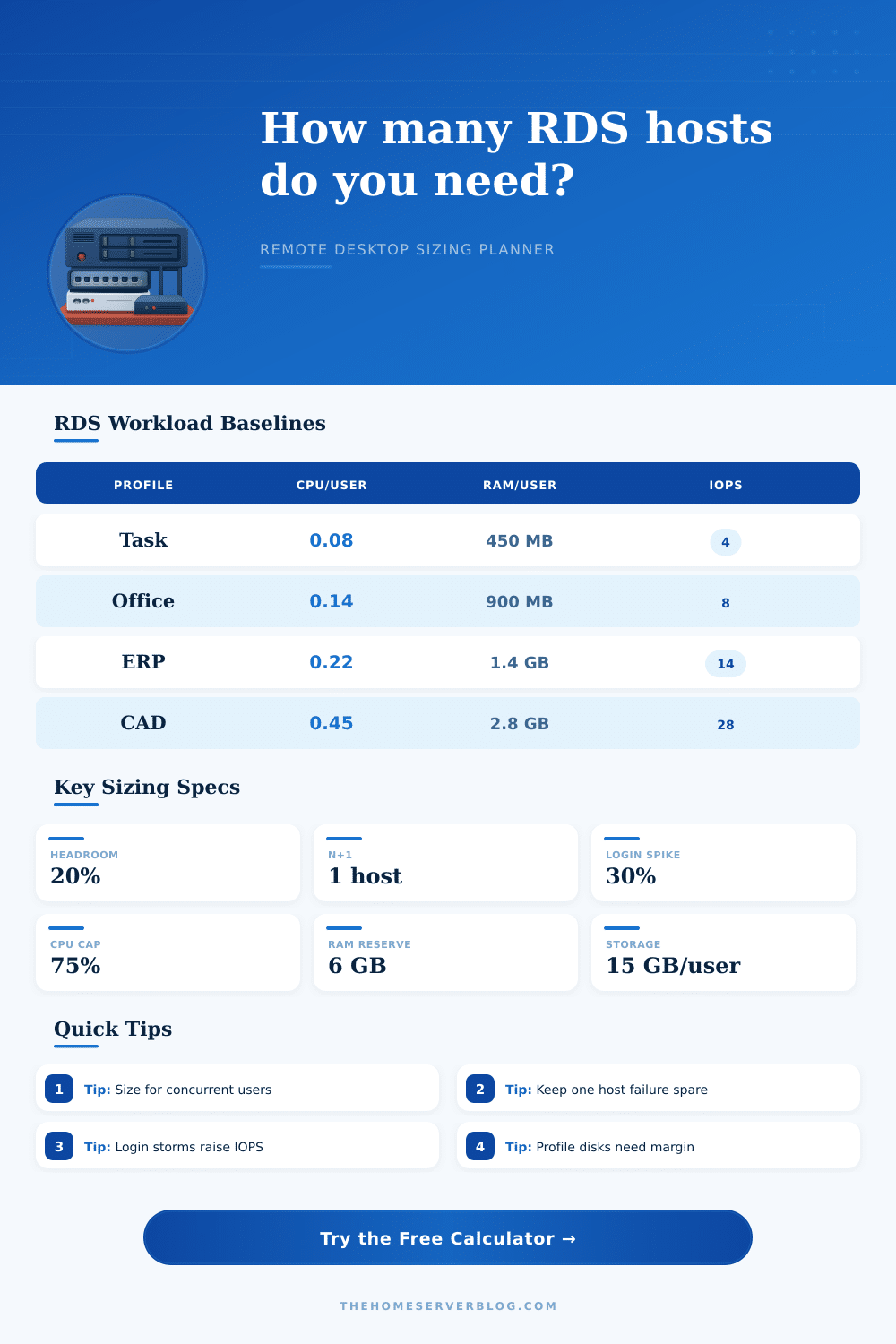
| Workload profile | vCPU per active user | RAM per active user | Storage and IOPS note |
|---|---|---|---|
| Task worker or scanner app | 0.06 to 0.10 vCPU | 0.35 to 0.60 GB | Low profile churn, often 3 to 6 IOPS per active session. |
| Office productivity desktop | 0.10 to 0.18 vCPU | 0.70 to 1.20 GB | Browser tabs and document previews usually drive memory more than CPU. |
| ERP, EHR, or accounting app | 0.18 to 0.30 vCPU | 1.20 to 1.80 GB | Database clients and report exports create short CPU and I/O bursts. |
| Developer or admin tooling | 0.25 to 0.40 vCPU | 1.80 to 2.50 GB | Management consoles, scripts, and browser-heavy portals need more RAM. |
| Light CAD or GPU application | 0.35 to 0.70 vCPU | 2.50 to 4.00 GB | Validate GPU, graphics policy, and storage throughput with a pilot group. |
| Formula | Expression | Used for | Planning detail |
|---|---|---|---|
| Active sessions | named users x concurrency | Core session count | Use measured broker logs when available instead of a survey guess. |
| CPU-limited sessions | host vCPU x CPU ceiling / CPU per user | Maximum CPU fit per host | Virtual mode multiplies assignable vCPU by the oversubscription ratio. |
| RAM-limited sessions | (host RAM - base reserve) / RAM per user | Maximum memory fit per host | Memory pressure creates paging, which then increases storage latency. |
| Host count | active sessions / lower session limit | Required session hosts | The calculator adds headroom before rounding and then applies HA reserve. |
| Peak IOPS | active users x IOPS x login multiplier | Storage burst target | Morning sign-in periods can be much higher than steady-state usage. |
| Host class | Typical resources | Best fit | Watch point |
|---|---|---|---|
| Mini PC or lab node | 8 cores, 64 GB RAM | Pilot pools, admin desktops, and small offices | Consumer storage can bottleneck during profile logons. |
| Tower server | 16 cores, 128 GB RAM | Single-site business app farms | Plan remote management and spare disk bays before production. |
| 1U or 2U rack host | 24 to 32 cores, 192 to 256 GB RAM | Balanced multi-host RDS farm | NUMA layout and memory population affect consistency. |
| Dense virtualization node | 48 cores, 384 GB RAM | Keep many RDS VMs on shared hypervisors | Avoid storage latency hidden behind high CPU capacity. |
| Cloud VM session host | 8 to 32 vCPU, 64 to 256 GB RAM | Elastic pools, temporary migration, hybrid users | Instance disk, network, and profile share limits can dominate. |
| Deployment size | Inputs to collect | Primary result | Secondary check |
|---|---|---|---|
| 10 to 25 user home office | Concurrency, app profile, RAM per session | One or two hosts depending on HA need | Whether a single host outage is acceptable. |
| 30 to 100 user small business | Broker logs, app mix, profile container size | Two to five balanced session hosts | FSLogix share IOPS and antivirus exclusions. |
| Classroom or lab | Login time, simultaneous class size, reset method | Enough peak IOPS for sign-in storms | Golden image updates and profile cleanup rhythm. |
| Department app farm | Report export peaks, print drivers, DB client cache | CPU and RAM per published-app host | Printer mapping and redirected drive overhead. |
| Hybrid remote workforce | VPN capacity, session hours, bandwidth per user | Host count plus gateway capacity | WAN latency, DNS, MFA, and certificate expiry paths. |
This calculator is a planning aid. Validate production RDS builds with a pilot group, real application telemetry, profile container growth, storage latency graphs, antivirus policy checks, and failover testing.
To determine the numbers of cores and RAM that a farm should have, you must determine the number of concurrent session that will occur at the same time. Each concurrent session consume CPU cycles, memory, and storage IOPS from the same host. Should the host run out of any of these resource, the experience for all of the users of that farm will collapse.
Many farms are sized incorrectly because they use the total number of accounts in Active Directory as the basis for sizing the farm, rather than the number of concurrent session that will occur at the same time. The calculator will provide a mathematical result for the number of sessions that each host can carry based off the workload type, concurrency percentage, and the class of each host. The calculator will also determine the number of session that each host can carry before the CPU or memory of the host become a limiting factor for that server.
How to Size Servers for Concurrent Users with CPU, RAM and Storage
Headroom and an N+1 spare are added to that number to provide for the event of one of the hosts failing. While you can skip the N+1 spare to reduce the total cost of ownership for the farm, it is a preventative measure to avoid outages that will affect all users of the farm. Workload types range from those of a task worker to those of a CAD/CADD user.
A task worker will only require half of a processor core and half of a gigabyte of RAM. A CAD user will require twice as much of each of these resource. The calculator allows users to select between each of these workloads, and each of these workloads will result in a different number of host server being calculated for that farm.
Additionally, not all departments in an organization will have the same type of workload. Departments like accounting may have vastly different workloads from departments like sales. Concurrency is a variable that is used in the calculation of the number of required host server for a farm.
Many organizations use the number of named user that are licensed for their organization to calculate the number of required host server. However, named users is not an accurate measurement for determining the number of host server that are required. It is possible for few named users to be logged in at the same time.
For this same reason, host server must also be provided for the login storm that may occur at the same time every day. The login-spike multiplier that is included in the calculator will help account for this login storm, or “rush” as it is sometimes referred to in relation to RDS farms. Beyond calculating the number of gigabytes of storage that are required for the data of each user, another constraint for RDS host is IOPS (input/output operations per second).
IOPS are required for profile and cache files to be accessed quickly by the host. Additionally, if Roaming Profiles and FSLogix containers are used, there will be IOPS bursts during the logon process that could make the login slow if there are not enough IOPS for that logon process. To account for this, the calculator will add a headroom factor for profile storage, and it will scale the peak IOPS by the login multiplier.
This will provide an accurate number of IOPS that are required to support the user during the busiest time of the day. The type of storage that is used for the profile share, whether spinning disks, flash drives, or a cloud file service will also impact the sizing of the farm. RDS host can be physical or virtual machines.
If they are virtual machines, the hypervisor and oversubscription will reduce the number of resources available for the RDS host. The calculator will provide a different effective core count if virtual mode is used. Additionally, the calculator will warn users of oversubscription levels that would cause the CPU utilization of the RDS host to go above the target ceiling.
Physical host will not have the overhead of a hypervisor, but they will be less flexible in performing maintenance on those host. Headroom percentages are used to account for the changes in workloads over time. Antivirus software updates, print job, and an overload of open browser tabs can take up resource of a user.
The design-headroom selector allows users to select the amount of buffer that should be allowed for the users in the farm. The calculated number of required host will reflect the headroom that is selected. Many farms use 15 to 30% headroom so as to allow for the growth of that organization’s user without having to constantly resize the farm.
The calculator will output a number of constraint that must be met by the RDS farm that is to be built. The constraints include the number of sessions that each host should be able to handle, the peak IOPS that will be required for that farm, and the total number of user that will be logged into the farm at a time. If the number of sessions per host is too high for the application that are to be used by the users, the concurrency percentage can be lowered.
If the peak IOPS requirement is higher than what the environment can store, there will need to be an investment in faster disk for that environment. These constraints will help to ensure that there are no surprises with the RDS farm that is built. The calculator should of been revisited should there be any change to either the users or the applications.