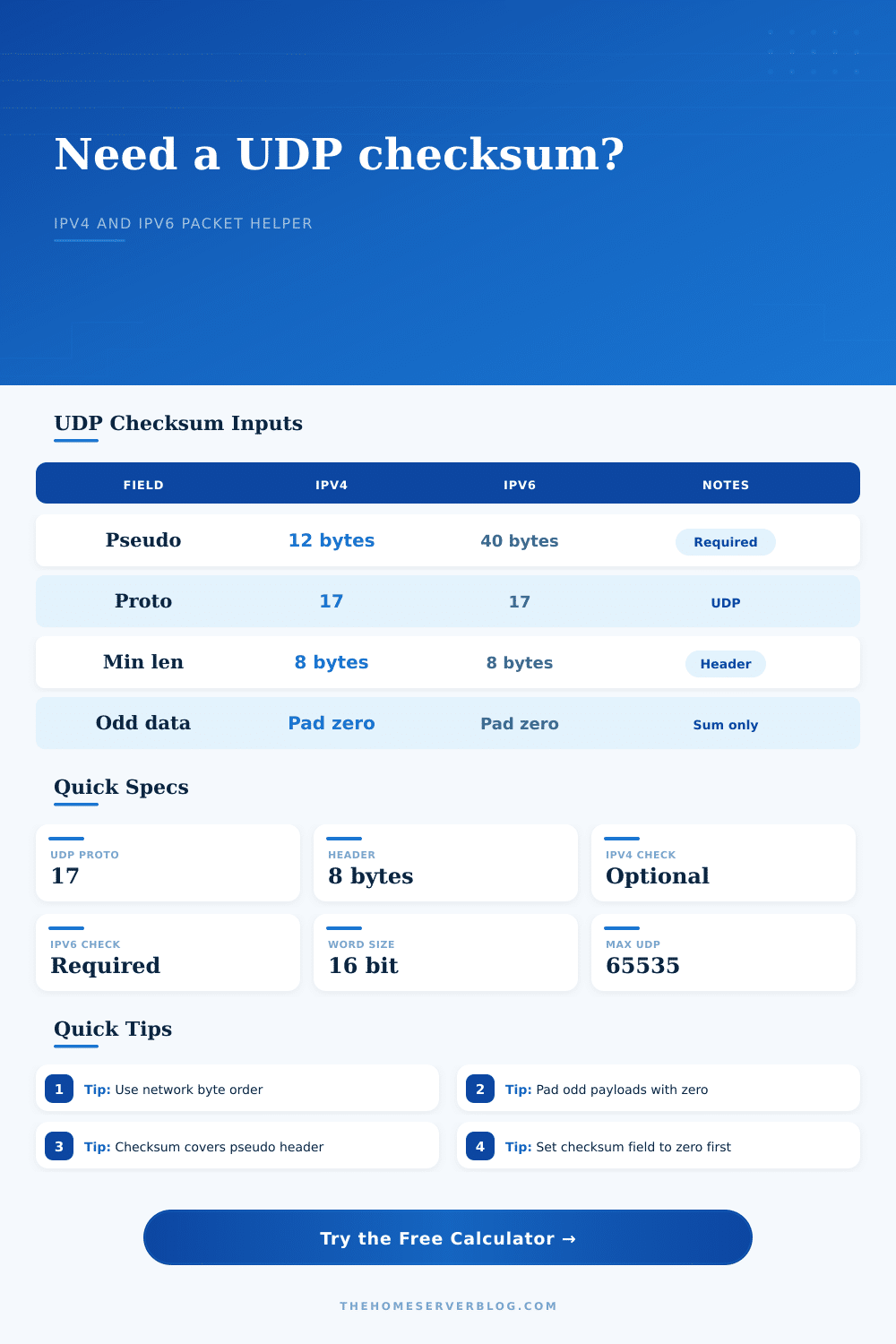
UDP Checksum Calculator
Compute or verify UDP checksums using the source and destination IP pseudo-header, UDP ports, payload bytes, and checksum rules for IPv4 or IPv6.
Full checksum breakdown
Packet captures from a sending host can look wrong when checksum offload is enabled. Capture on a mirrored switch port or receiving host when you need the transmitted checksum.
| Checksum Component | IPv4 UDP | IPv6 UDP | Why It Matters |
|---|---|---|---|
| Source address | 4 bytes | 16 bytes | Catches delivery to the wrong host address. |
| Destination address | 4 bytes | 16 bytes | Included through the IP-layer pseudo-header. |
| Protocol marker | 0x0011 | Next header 17 | Prevents accepting the segment as another transport protocol. |
| UDP length | 16-bit field | 32-bit pseudo length plus UDP field | Ties payload size to the checksum calculation. |
| UDP checksum field | Zero while calculating | Zero while calculating | The final value is inserted after the sum is inverted. |
| UDP Use Case | Typical Port | Common Payload Size | Checksum Watch Point |
|---|---|---|---|
| DNS query | 53 | 25 to 60 bytes | Transaction ID and question bytes change the checksum. |
| NTP request | 123 | 48 bytes | Client transmit timestamp changes per request. |
| Syslog | 514 | 60 to 480 bytes | ASCII message text is included byte for byte. |
| WireGuard | 51820 | Handshake or data frame | Outer UDP checksum changes after NAT rewriting. |
| QUIC or HTTP/3 | 443 | 1200 bytes common initial | Large UDP payloads still use the same 16-bit sum. |
| Value or Rule | Number | Applies To | Practical Limit |
|---|---|---|---|
| UDP protocol number | 17 / 0x11 | IPv4 and IPv6 | Stored in pseudo-header, not the UDP header. |
| UDP header length | 8 bytes | Every UDP datagram | Minimum UDP length value is 8. |
| Maximum UDP length field | 65535 bytes | Normal UDP | Includes the 8-byte UDP header. |
| Checksum arithmetic | 16-bit words | Header and payload | Carry bits wrap around into the low 16 bits. |
| Odd byte payload | Pad 0x00 | Checksum sum only | The pad byte is not transmitted as payload. |
| Result Pattern | Meaning | Likely Cause | Next Check |
|---|---|---|---|
| Matches capture | Packet fields align | Payload and pseudo-header entered correctly | Confirm capture point is after offload. |
| Off by IP rewrite | NAT changed pseudo-header | Source or destination IP differs on wire | Use post-NAT addresses. |
| Off by port rewrite | NAT changed UDP header | Source port remapped | Use translated UDP ports. |
| Zero in IPv4 | Checksum disabled | Allowed for IPv4 UDP | Do not use zero for normal IPv6 UDP. |
| Looks invalid locally | Checksum offload artifact | NIC has not filled checksum yet | Disable offload or capture externally. |
You’re doing local packet captures and see UDP checksum failures highlighted in red on Wireshark. Your application doesn’t break. Often the packet go through just fine at the receiving end. What’s happening?
It’s not that your network interface card isn’t working yet: it’s still finishing up its work. In fact, it wait as long as it can to calculate the checksum. When your capture tool looks at the packet, the sum isn’t there yet or it’s zeroed out. What you’re seeing is a packet before hardware is done with it.
How UDP Checksums Work
Knowing that will help you debug networking problems. A UDP checksum are used to check for errors in data being sent. They work by summing the pseudo-header (containing port numbers and IP addresses), the header, and the payload. This is done using sixteen-bit word. One’s complement addition is used for the math which means it wraps any overflow carry bits and adds them back in. Finally, the result are inverted to create the checksum itself.
This includes both the payload bytes plus the UDP header along with context from the IP layer that makes sure the packet goes to the right place and for the right protocol. That’s what the calculator models: how does that sender calculate it? Simply type in port number on each end (and even the IP address of each end), and it will tell you exactly what it expects to see as a checksum value. Compare that to what you see in your network capture, and if it matches, congrats, your packet is fine from a structural standpoint. If not, that is where you should of start investigating.
The other difference is how IPv4 handles checksums different than IPv6. Early systems didn’t calculate checksums because they could simply set a UDP checksum to 0 and signal that no checksum had been applied. IPv4 accepts that as a valid checksum. IPv6 doesn’t cut any corners and requires a non-zero checksum. A zero mean an error, which aids in ensuring data integrity in todays network environments. The calculator automaticly recognizes these variations and returns the correct answer for both versions of IP.
These are common pitfall with tunneling protocols and NAT devices. Network Address Translation (NAT) modifies either port numbers or IP addresses, which invalidates the original checksum. Before it forward the packet, the router needs to calculate new checksum. When troubleshooting a multi-layered network that uses NAT, tracking those recalculated checksums is critical. Tunnel encapsulation adds additional headers, requiring correct accounting of them.
The other thing that will trip people up is how payloads is formatted. The actual byte sequence of what you send matters. You can pass raw hex values straight into the tool (it’ll turn ASCII text into bytes) and it just works. That means making small edits to your payload will give a totally new checksum. While this make the checksum very effective at detecting errors, it also requires attention to detail when entering data. It’s worth double checking the payload bytes against whatever data source you’re using. In short, confirm that your transmitted data matches what arrives.
It’s an easy protection against most transmission error and is called a checksum. If you understand how it works, then you’re getting a small look behind the curtain at what happens in your network. While knowing that a checksum failed isn’t as good as knowing why it did, it help explain the cause of the problem and makes an error message less confusing. Less confusion means you have fewer problems you don’t know how to solve. This means you can fix the problem instead of worrying about it.