UPS Battery Runtime Calculator
Estimate how long a UPS battery bank can keep routers, NAS systems, PoE switches, mini PCs, and rack servers online after battery age, load growth, inverter losses, reserve minutes, and temperature derating.
⚡Home Lab Presets
🔧Battery and Load Inputs
Pick a profile, then overwrite watts with your measured wall draw.
Use a watt meter, PDU reading, UPS display, or smart plug reading.
For two 12 V 9 Ah blocks in series, enter 24 V and 9 Ah.
Use the UPS runtime chart value near 50% rated watt load.
The calculator fits a curve through the half and full load points.
0
minutes after reserve0
minutes above target0%
of watt rating0
watt-hours after derating📊Calculated Spec Grid
🔌Battery Bank Reference
| Battery arrangement | Nominal energy | Common UPS size | Home lab interpretation |
|---|---|---|---|
| 1 x 12 V 7 Ah VRLA | 84 Wh before losses | 350-650 VA desktop | Best for modem, ONT, router, and a low-power switch. |
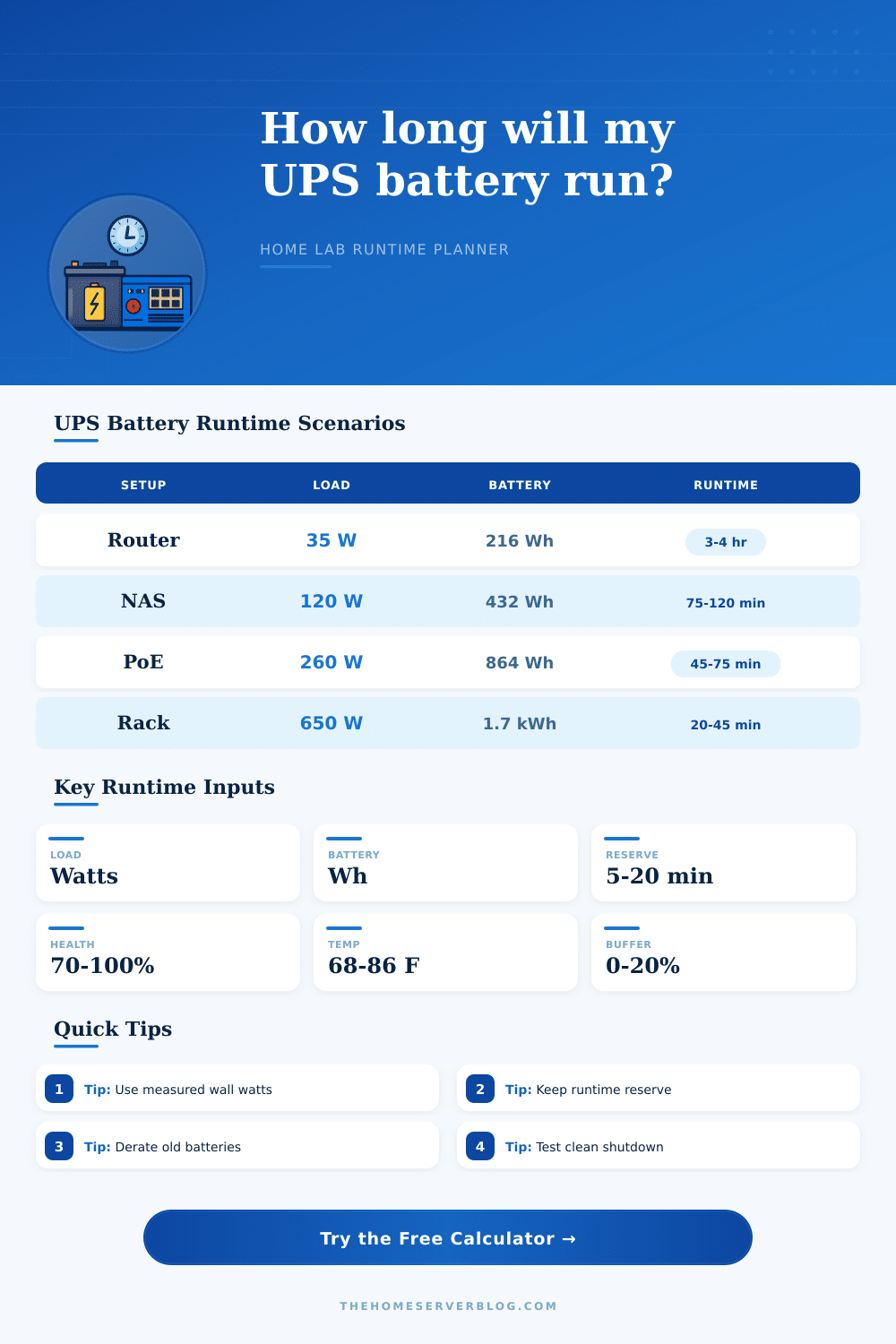
| 2 x 12 V 9 Ah in series | 216 Wh before losses | 1000-1500 VA tower | Common for NAS shelves, small PoE loads, and mini servers. |
| 4 x 12 V 9 Ah in series | 432 Wh before losses | 1500-2200 VA rack | Good for a shallow rack with switch, NAS, router, and one node. |
| 48 V 18 Ah external pack | 864 Wh before losses | Extended runtime UPS | Used when the network core must survive longer utility outages. |
| 48 V 40 Ah LiFePO4 bank | 1920 Wh before losses | DC UPS or custom inverter | Long-holdover lab power with deeper usable discharge. |
🖥Typical Home Server Loads
| Protected equipment | Typical watts | Power factor range | Runtime planning note |
|---|---|---|---|
| Fiber ONT, router, and small switch | 18-45 W | 0.55-0.80 | Low draw means battery self-consumption and inverter losses matter. |
| Wi-Fi access points on PoE | 8-18 W each | 0.70-0.90 | Count PoE budget at the switch input, not only AP nameplate power. |
| 2-bay or 4-bay NAS | 45-140 W | 0.75-0.95 | Disk spin-up can briefly exceed idle or scrub power. |
| Mini PC virtualization node | 18-85 W | 0.80-0.98 | Average load can be low, but shutdown margin should cover peaks. |
| Rack server or storage shelf | 180-700 W | 0.90-0.99 | Use a larger UPS class and automate shutdown early. |
⚙Runtime Derating Factors
| Runtime factor | Calculator treatment | Why it changes runtime | Practical warning sign |
|---|---|---|---|
| Battery health | Multiplies usable Wh | Older VRLA packs lose capacity and sag under high current. | UPS passes self-test but runtime drops faster than expected. |
| Temperature | Derates above and below 77°F | Heat shortens life; cold reduces available discharge capacity. | UPS lives in an unvented closet or garage. |
| Peukert effect | Load-ratio curve on VRLA | Small lead-acid batteries deliver less energy at high current. | Runtime collapses near full rated load. |
| Inverter efficiency | Applies topology loss | AC output wastes energy as heat inside the UPS. | Very light loads do not scale linearly. |
| Reserve minutes | Subtracts from raw runtime | Protects against delayed shutdown, stale readings, and battery sag. | Systems shut down at the same time the UPS dies. |
📝Common Project Sizes
| Project name | Modeled load | Battery class | Planning target |
|---|---|---|---|
| Internet during outage | 25-45 W | 12 V or 24 V desktop UPS | Keep WAN, router, and one switch alive for hours. |
| NAS clean shutdown | 80-180 W | 24 V line-interactive UPS | Trigger shutdown with 10-20 minutes of reserve left. |
| PoE camera recording | 180-400 W | 48 V rack UPS or EBM | Choose between camera holdover and server shutdown first. |
| Virtualization lab rack | 350-900 W | 1500-3000 VA rack UPS | Use runtime for graceful automation, not full outage survival. |
💡Runtime Planning Tips
An Uninterruptible Power Supply, or UPS, is a device that provides power to the equipment in the home lab in the case that the main power fails. A UPS is important to include in a home lab to ensure that the equipment can continue to run in the case of a power outage. Many people experiences problems during a power outage due to there equipment shutting down.
If the equipment shuts down unexpected, there is a chance for data to be corrupted or for the equipment to experience error. Using a UPS to provide enough time for the equipment to perform a controlled shutdown can avoid these problems. In order to determine how long a UPS will last, it is important to understand the way that the UPS function.
How Long a UPS Will Run for Your Home Lab
A UPS does not simply store electricity for the equipment within the UPS. Instead, the UPS also converts the DC electricity to AC electricity that can be used by the equipment. In the process of performing this conversion, however, some of the electricity is lost.
Thus, the amount of time that a UPS will provide power to the connected equipment is dependent upon the total wattage of the equipment, the age of the batteries within the UPS, and the temperature at which the UPS is functioning. A user can use a calculator to determine these variables to allow the user to accurately calculate the length of time that the UPS will last. The load of the UPS is the amount of electrical power that each of the pieces of equipment that are connected to the UPS draws.
In determining the load of the equipment, many people make mistake. For instance, the nameplate rating for the equipment may not be the same as the power that is drawn by the equipment. Many people may calculate the power draw of their equipment using a meter to ensure accuracy.
Knowing the actual load of the equipment will allow a user to determine which of the pieces of equipment are necessary for operation and which can be turned off to extend the life of the UPS batteries. The type of batteries that are utilized within the UPS can also have an impact upon the length of time that the UPS will run. For instance, lead-acid batteries within a UPS can lose their capacity to hold that much power as the batteries age.
Additionally, the same lead-acid batteries can lose that capacity at a faster rate if they are being utilized in high discharge rate. Additionally, lithium batteries hold more of their capacity than lead-acid batteries, but only within specific temperature limits. The calculator for determining the length of time that a UPS will last can apply factor for both the age of the batteries and the temperature at which the batteries are being utilized.
These variables will provide a more realistic length of time for the UPS batteries to last compared to the length of time printed on the batteries themselves. In planning for a power outage, it is also important to provide some amount of reserve time for the UPS batteries. The voltage within the UPS batteries decreases as the batteries are becoming empty of the electricity that is required to power the connected equipment.
Thus, reserve time allows for the shutdown scripts for the connected equipment to be performed. If there is no buffer provided for the scripts, the connected equipment may crash when the UPS batteries dies. Additionally, many UPS units also include trigger delay setting to allow for the UPS to not respond to power flickers, but to long outages of power.
The temperature at which the UPS batteries are present and functioning can also impact the length of time that the batteries will run. Heat reduces the capacity of the batteries to hold power, as well as shortens the lifespan of those batteries. Cold temperatures can also impact the chemistry of the batteries, but in a different way than heat.
Both of these factor can lead to shorter lives of the batteries, but also can be remedied by either moving the UPS to a better ventilated location, or by adding a fan to the location of the UPS itself. The tables that are included within this article outline the types of battery arrangements that are common with UPS units, as well as the types of electrical loads that those batteries can support. These tables are not list of the equipment that should be purchased for a home lab.
Instead, they are a means of comparing the equipment in one’s own lab to the examples of the other individuals’ labs. Each individual can use these tables to determine if their calculated load of equipment will be too much for the UPS with the batteries with which they intend to supply power to their lab equipment. If the load is too great for the UPS, an individual can purchase additional batteries, or some of the equipment can be turned off before the power failure.
There are some mistakes that many individuals make when planning for a power outage. For instance, individuals may use the half-load rating of the UPS batteries, but the half-load rating is provided for a different type of load than the actual load of the equipment in the lab. Additionally, many people do not account for the difference between VA and watts, which can create a tripping of the UPS.
Additionally, many individuals treat the batteries as if they are new, even after losing twenty percent of there initial capacity. Plugging the UPS into the computer before a power outage occurs to input realistic variables into the calculator can avoid these mistakes. The actual goal for which individuals purchase a UPS for their home labs is to provide enough time to save any work that may be occurring on the computers and other equipment in the lab.
Additionally, individuals can use this time to ensure that any services that are running on the systems are stopped in the appropriate order to avoid data corruption. Once an individual has provided enough time to complete these actions, the rest of the lab can remain turned off until power is restored to the home and the lab itself. Thus, the calculator allows an individual to plan for a controlled shutdown of the equipment in their home lab, instead of a sudden and unexpected power failure.