HomeServerBlog Wi-Fi planning tool
Wi-Fi Clients Per AP Calculator
Estimate practical wireless client density by combining AP count, client activity, per-client demand, Wi-Fi generation, channel width, spatial streams, airtime overhead, and band steering into a single airtime and capacity plan.
Capacity breakdown
Wi-Fi 4
Lower densityGood for basic IoT and legacy coverage, but airtime is consumed quickly by slower modulation and older clients.
Wi-Fi 5
Fast 5 GHzStrong for normal home and cafe traffic. Client count still suffers when many devices contend at once.
Wi-Fi 6 / 6E
High densityOFDMA, better scheduling, and cleaner 6 GHz channels improve busy offices, classrooms, and conference rooms.
Wi-Fi 7
Very high PHYBest when clients support it and channel planning allows wide channels without crushing reuse.
| Metric | Current Design | Recommended Design | Planning Meaning |
|---|---|---|---|
| Clients per AP | 0 | 0 | Lower is better for roaming, retries, and burst traffic. |
| Active demand | 0 Mbps | 0 Mbps | Aggregate useful traffic from active clients. |
| Airtime load | 0% | 0% | Busy airtime after overhead, density, and steering factors. |
| Usable capacity | 0 Mbps | 0 Mbps | Modeled usable payload capacity across APs. |
| Preset | APs / Clients | Active Use | Capacity Intent |
|---|---|---|---|
| Home Office 25 Devices | 1 AP / 25 clients | 40% at 3 Mbps | Video calls, phones, laptops, and smart home devices. |
| Classroom 30 Clients | 1 AP / 30 clients | 75% at 2.5 Mbps | Many tablets or laptops active during the same lesson. |
| Cafe Guest Wi-Fi | 2 AP / 80 clients | 35% at 2 Mbps | Casual browsing with roaming and guest isolation. |
| Warehouse Scanners | 4 AP / 120 clients | 20% at 0.3 Mbps | Low bandwidth but roaming and coverage reliability matter. |
| IoT Sensor VLAN | 3 AP / 180 clients | 10% at 0.05 Mbps | Low throughput devices that can still add association overhead. |
| Wi-Fi 6 Office | 6 AP / 220 clients | 45% at 4 Mbps | Dense office mix of meetings, SaaS, and file sync. |
| Conference Room Burst | 2 AP / 90 clients | 85% at 3 Mbps | High simultaneous demand during meetings and events. |
| Apartment Mesh | 3 AP / 55 clients | 45% at 5 Mbps | Consumer mesh where backhaul and channel reuse reduce margin. |
| Outdoor Patio AP | 1 AP / 45 clients | 30% at 1.5 Mbps | Guest browsing with weatherproof AP coverage and mixed signal quality. |
| Generation | Planning Strength | Typical Client Density | Capacity Note |
|---|---|---|---|
| Wi-Fi 4 / 802.11n | Legacy compatibility | 15-35 clients/AP | Use narrow channels and avoid mixing slow clients with important traffic. |
| Wi-Fi 5 / 802.11ac | Fast 5 GHz throughput | 25-55 clients/AP | Good baseline for homes and guest networks with moderate active use. |
| Wi-Fi 6 / 802.11ax | High density scheduling | 35-75 clients/AP | OFDMA and target wake time help busy client populations. |
| Wi-Fi 6E / 6 GHz | Cleaner spectrum | 35-80 clients/AP | Great for supported laptops and phones when 6 GHz coverage is strong. |
| Wi-Fi 7 / 802.11be | Wide channels and MLO | 45-95 clients/AP | Capacity gains depend on client support and careful channel reuse. |
| Channel Width | Best Use | Capacity Tradeoff | HomeServerBlog Planning Note |
|---|---|---|---|
| 20 MHz | Dense 2.4 GHz, IoT, warehouses | Lower peak speed, strongest channel reuse | Often best for many APs and low-bandwidth clients. |
| 40 MHz | Balanced 5 GHz or light 2.4 GHz | Moderate speed, moderate reuse | Good default when neighboring APs or apartments are nearby. |
| 80 MHz | Homes, small offices, high-demand laptops | Higher PHY, fewer clean channels | Watch airtime overlap when AP count rises. |
| 160 MHz | Low-AP-count high speed areas | Very high PHY, poor reuse | Use only when spectrum is clean and client count is modest. |
| 320 MHz | Wi-Fi 7 6 GHz performance cells | Maximum PHY, very limited reuse | Plan as a premium cell, not a universal density setting. |
| Environment | Reasonable Clients/AP | Target Airtime Load | Design Warning |
|---|---|---|---|
| Home or small office | 20-40 | Under 60% | Smart devices count, but video calls drive the real airtime. |
| Classroom or training room | 20-30 | Under 55% | Everyone becoming active at once is the hard case. |
| Cafe or guest area | 30-60 | Under 70% | Use rate limits and guest isolation to reduce unfair usage. |
| Warehouse scanners | 30-70 | Under 50% | Roaming, RSSI, and retry behavior matter more than Mbps. |
| IoT sensor VLAN | 50-100 | Under 45% | Association, power-save behavior, and multicast control can dominate. |
This calculator is a planning estimator. Validate final AP placement with a site survey, measured retry rates, channel utilization, and real client mix.
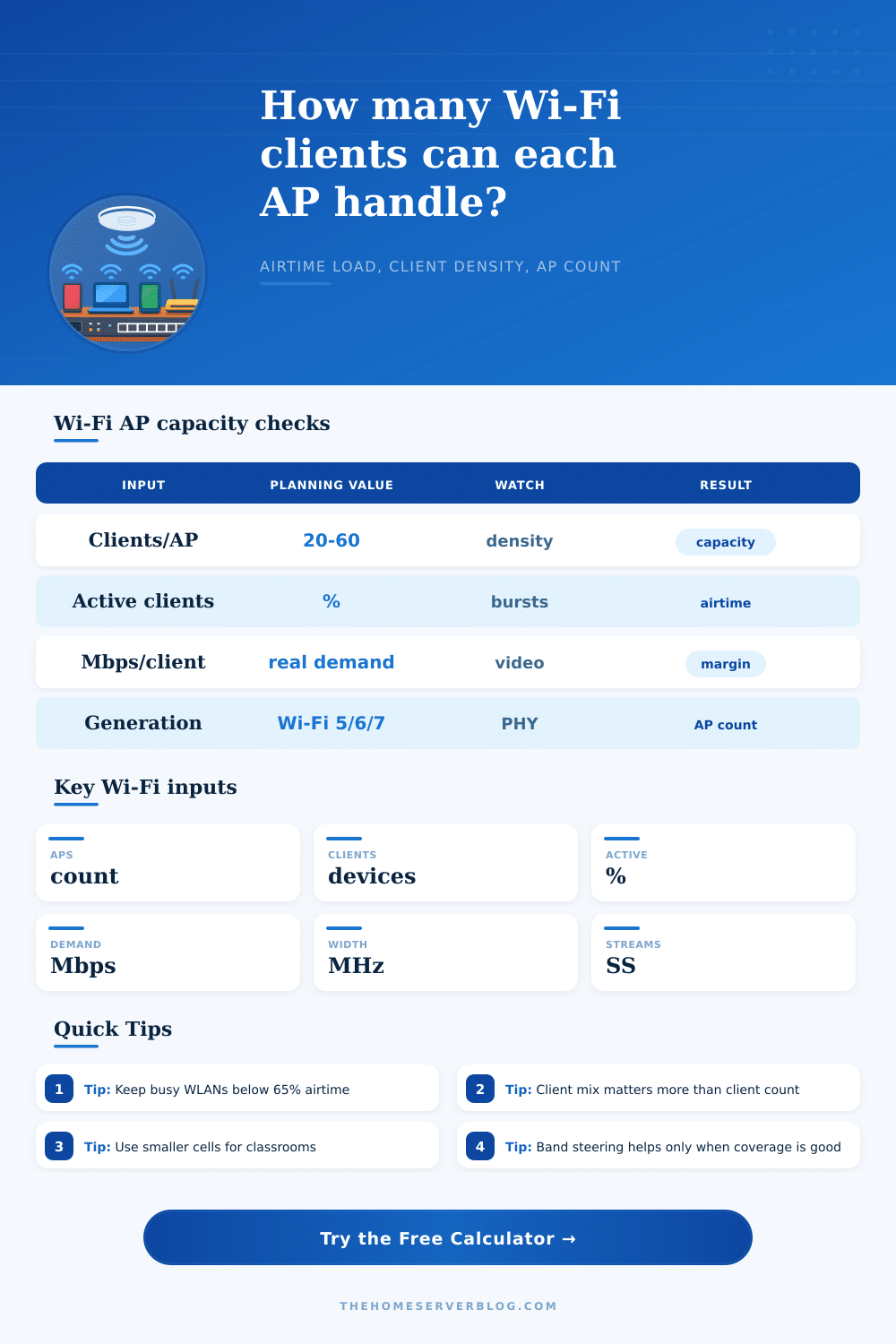
Above this, latency, retries, and airtime fairness problems become easier to notice.
Most real client fleets do not benefit from every AP spatial stream.
Band steering helps when clients can hear the higher band clearly.
More APs help only when their channels and cell sizes are planned cleanly.
The brochure told you these were powerful: You installed three enterprise-grade access points in your new home office. So you sat down for a video call…only to watch the connection stutter. You check out signal bars on your laptop and they’re full. That wasn’t a coverage issue. That was a capacity issue.
Too many people purchase Wi-Fi as if it’s like buying lightbulbs: More hardware mean better performance, right? Unfortunately wireless doesn’t work that way. It’s a shared medium, with each device getting a turn to speak. Too many devices trying to speak simultaneously makes the network a crowded room, with everyone shouting but nobody being able to hear anyone else.
How to Plan Your Wi-Fi Network
To avoid having to guess how many devices your existing set-up can handle during a busy Tuesday morning, define what sort of crowd you’ll be hosting, and the calculator will take care of the math for you. The first thing you have to know is: Counting clients is a trap. Yes, manufacturers will say their access point can support two-hundred associations. And yes, technically they’re right, and practically irrelevant.
An IoT thermostat pings three small packets per hour. A laptop streaming 4K video hogs up the airtime for minutes on end. Both those devices count as one each in an association table, yet they consume very different amounts of resource. You must distinguish between how many active users there are versus how many total device there are.
Why does the calculator ask for the active client percentage? Because that’s what most planners miss. In a school, only maybe seventy percent of students may even open their laptops while the teacher kicks off a lesson. In a warehouse, perhaps all scanners is inactive half the day and then spew out a ton of data as inventory shifts. That difference between real demand and idle presence are the source of everything.
Wi-Fi operates on a currency: airtime. Airtime is finite. It is unforgiving. For every bit of data sent, there is a handshake. This involves a wait time and an acknowledgment. And then there’s the protocol overhead; all that eating up your bandwidth before a single user data bit ever hits the chip.
The bandwidth you choose with this tool is a choice between space and speed. A wider channel means more data travels faster on a given device, but also means less overlapping frequencies remain open for nearby access points. Run too many wide channels in a small office and they’ll eat each other, interference becoming noise that ruins performance for everyone.
A narrower channel might be slower by itself but it lets more cells operate at once, none interfering because they’re routed to different non-overlapping frequencies. One wide highway vs. Multiple narrow roads can move more traffic as long as they are routed right.
If your clients is old, they care more about the quality of their Wi-Fi experience than what generation it’s on. That means you could of invested in a Wi-Fi 7 access point. However, half your clients’ devices won’t be able to connect fast enough to use that, so it’ll operate at Wi-Fi 5 speeds. Only devices on both ends of the conversation need to speak same language for the tech to help them.
To address this, band steering tries to push devices off the noisier but slower two-point-four gigahertz band onto the clearer five or six gigahertz frequency bands. If your clients’ devices has decent signal strength and support moddern standards, then it does a fine job. But if a client doesn’t have sufficient signal to hear the faster band, it stays on the slower one. In response, the tool lets you estimate how many devices can realy get bumped off onto a cleaner spectrum.
Humility is the first step towards planning. Physics can’t be eliminated, but it can be worked with. During busy periods, limit airtime loading to under sixty-five percent. This reserves headroom for roaming and error. It is better to have more small cells than fewer, more powerful ones: They reduce signal paths and the interference that comes with them.
No model of user behavior matches reality exacty (or wall absorption of radio waves), so check your models against the world. Aim for smooth experience, not just maximum theoretical throughput. Why? Because that crowded room analogy applies again. You don’t want everyone talking at the same time. You want everyone speaking clearly, taking turns in an organized way.