Backup Retention Calculator
Estimate how many restore points your home server can keep, how much backup storage is required, and whether your retention policy has enough immutability, archive, and growth buffer.
Current used data before compression or deduplication.
The calculator converts everything to tebibyte-style TB for planning.
Used for realistic dedupe, verification, and churn guidance.
Different methods change full-copy overhead and retained deltas.
Short rollback window for mistakes, bad updates, and deleted files.
Useful for catching slow corruption or missed weekly checks.
A practical audit and milestone layer for home servers.
Long archive points for tax, family, project, or compliance records.
Average daily churn as a percentage of protected data.
Estimated storage reduction after compression and block dedupe.
Growth applied across the longest retention horizon.
Days that backup sets remain locked against deletion or tampering.
Counts local, offsite, cloud, and offline copies you intend to keep.
Extra capacity for catalog metadata, missed pruning, and growth spikes.
Retention Breakdown
| Workload | Typical Change | Reduction Range | Retention Note |
|---|---|---|---|
| Documents and configs | 0.5% to 2% daily | 45% to 70% | Small deltas make long GFS retention inexpensive. |
| Photos and home videos | 0.2% to 1.5% daily | 5% to 20% | Already-compressed media needs archive depth more than dedupe. |
| VMs and containers | 2% to 8% daily | 35% to 65% | Block dedupe helps, but active disks can create wide delta chains. |
| Databases and app data | 5% to 20% daily | 20% to 55% | Use application-aware backup plus log retention where supported. |
| Media library | 0.1% to 1% daily | 0% to 10% | Focus on catalog integrity, checksums, and offsite copy coverage. |
| Scheme | Formula Used | Best Fit | Storage Behavior |
|---|---|---|---|
| Incremental forever | Seed + retained deltas | NAS, VMs, desktops | Efficient, catalog health matters most. |
| Weekly synthetic full | Seed + deltas + 8% full factor | Home lab repositories | More repository churn, easier restore chains. |
| Monthly active full | Seed + deltas + 20% full factor | Critical file servers | Higher capacity use, independent full checkpoints. |
| Snapshot replication | Seed + changed blocks | ZFS, Btrfs, appliances | Fast rollback, same-platform restore dependency. |
| Mirror plus archive | Mirror seed + archive deltas | Media and photo stores | Great current copy, weaker accidental-delete history unless archived. |
| Target | Common Value | Calculator Field | Practical Limit |
|---|---|---|---|
| 3-2-1 backup rule | 3 copies, 2 media, 1 offsite | Backup copies | One copy should resist local admin mistakes. |
| RPO for home data | 12 to 24 hours | Daily restore points | Increase cadence for active projects and databases. |
| Immutable window | 14 to 30 days | Object-lock days | Must exceed likely discovery time for ransomware. |
| Capacity headroom | 10% to 20% | Capacity buffer | Repositories perform poorly when nearly full. |
| Restore testing | Monthly or quarterly | Policy stance | Untested backups are assumptions, not evidence. |
| Project | Protected Data | Retention Mix | Planning Result |
|---|---|---|---|
| Starter NAS | 4 TB mixed files | 14 daily, 8 weekly, 12 monthly | Usually fits an 8 to 12 TB repository with two copies. |
| Proxmox lab | 2 TB VM disks | 10 daily, 6 weekly, 6 monthly | High churn makes dedupe and pruning more important. |
| Photo archive | 6 TB media | 30 daily, 12 monthly, 5 yearly | Low dedupe means offsite storage should track full data size. |
| Small office NAS | 8 TB shares | 30 daily, 12 weekly, 24 monthly | Object lock and restore tests matter as much as raw capacity. |
| Media server | 12 TB library | 7 daily, 4 weekly, 3 monthly | Mirror plus separate catalog backups can reduce archive load. |
A home server could contains data in the form of stored photos, stored document, and even virtual machines. Due to the way that a home server functions, it is possible for that system to experience various type of failures that could impact the drives that contains that data. Should the home server experience a failure, it will be necesary to have access to a previous version of the data.
Most individuals has likely not thought deeply about the retention rules that they have established for their data backup software too late, and the rules that are established regarding which previous version of that data are to be retained is referred to as the backup retention rules. One of the main considerations for an individual that is establishing backup retention rules for their data is the balance between the data history that they wish to maintain relative than the cost of maintaining those backups. Data history can be represented as the number of different backup point that are established within the backup software.
Simple Backup Rules for Your Home Server
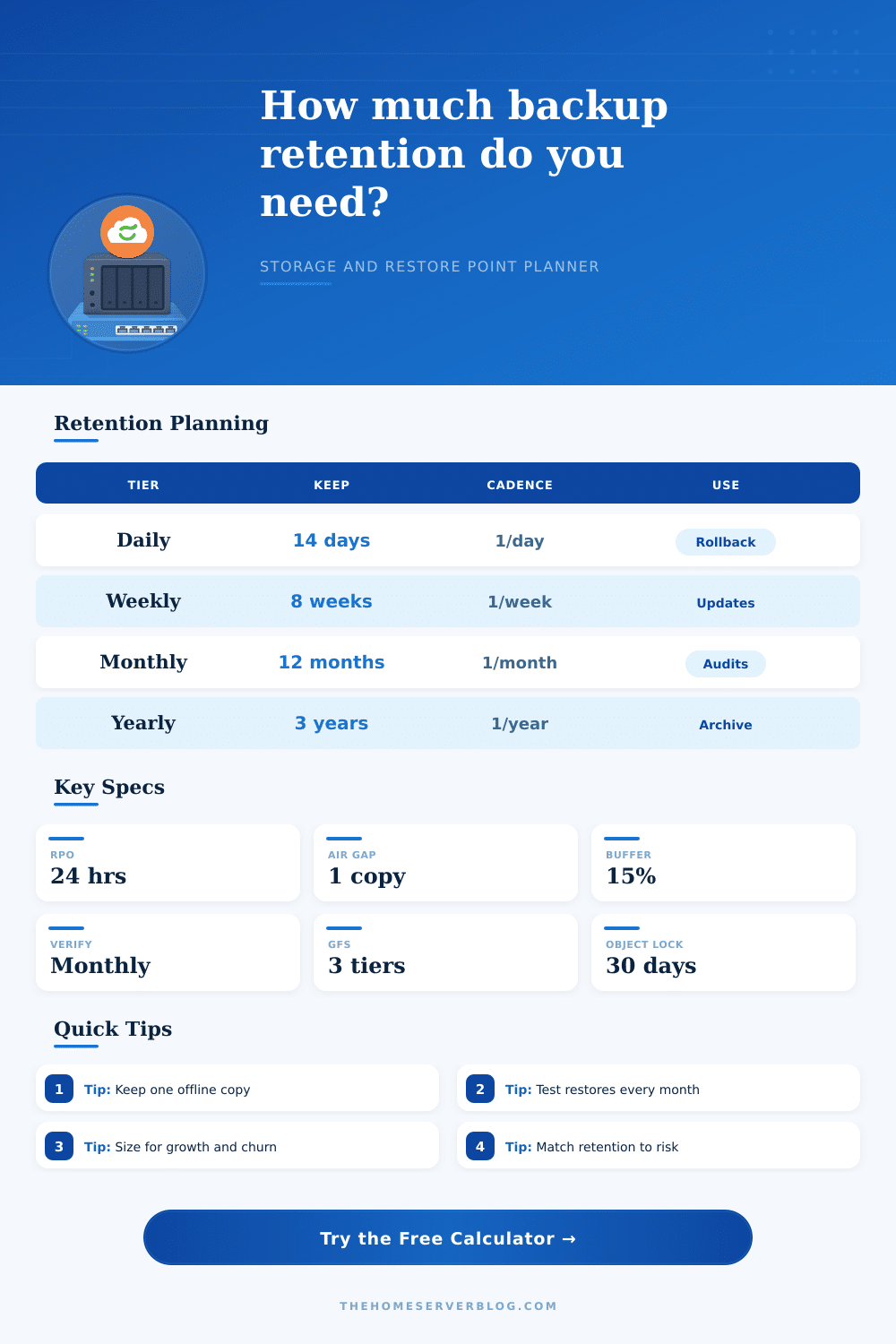
Daily backup point can help to prevent data loss that result from human error, but weekly backup point help to prevent data loss that result from data corruption that isnt immediately noticeable. Data can be backed up monthly to help prepare for taxes or records, and yearly data backups help to prevent the loss of an entire archive of the data that is stored on that home server. The cost of backing up that data will increase as the amount of data that is stored on the server changes every day.
The rate at which the data changes is referred to as the data churn for that system. Data churn is one of the variable that can impact the cost of establishing a backup retention plan. Data that change infrequently will have a lower backup retention cost than data that changes more frequently.
Data archives of photos will exhibit low data churn, whereas a data backup of a virtual machine lab will exhibit high data churn. Thus, high data churn will increase the amount of space that is required for each restore point for that data backup software. High data churn will cost more to back up than low data churn data.
In addition to the factors that relate to the data that is to be backed up are factor related to the copy of that data and the immutability of those backed up data point. One consideration is how many copies of the data will be created. The 3-2-1 rule recommend making copies of the data such that at least one copy exist outside of the house or outside of the users normal login to the system.
Additionally, you can set those backup data point to be immutable such that either the person or an attacker cannot delete the backups for that system for a specific period. This period should last longer than the time it takes for an individual to realize that their data has been lost. Another factor to consider for data backup retention is how the data grow over time.
A small rate of data growth each month may seem minimal, but over several years, the data will have grown to a much larger size. It is important to plan for the future growth of that data to ensure that there is always enough storage space on the home server to back up that data. The method in which data is backed up can also have an impact upon the amount of storage space that will be required to back up that data.
Incremental forever backups only back up the data block that have changed. Thus, this backup method is efficient but requires the home server to have a healthy catalog system. Alternatively, you can establish weekly synthetic full backups that will rebuild the full image of the data weekly.
Such a method is easy to back up but can take up more storage space. Finally, snapshot replication is a method that work within a single storage platform but ties the data to that platform. Most individuals make mistake when implementing backup retention rules.
For example, establishing thirty daily backup point but never backing up old files results in data loss if a file from the last year is corrupted. Additionally, backing up many files yearly but making only one copy of those files means that should one drive fail, all of the yearly backed up data will be lost. It is important to test the data backup plan.
Each individual should back up a single file each month or a single virtual machine to ensure that the back up software is functioning properly. Backups that are not tested is assumptions about the softwares abilities. Assumptions can fail.
Individuals should not aim to back up every version of every file that is created on the server. Rather, there should be a goal to create a backup retention plan that back up only the versions of the data that will save the owner of the home server in the case of a data failure. Additionally, there should be a goal to determine the amount of storage space that those backup version will require.
Through calculating these factor for the data in the homes database, an individual will have a goal for backup retention instead of an assumption. They should of planned better.