Backup Storage Calculator
Estimate usable and raw backup capacity for home servers, NAS shares, VM hosts, photos, laptops, and 3-2-1 backup plans.
This planner estimates storage capacity, not backup software licensing, hardware cost, or cloud pricing.
Capacity breakdown
| Backup target | Typical usable efficiency | Best fit | Planning note |
|---|---|---|---|
| Single disk or USB target | 100% before filesystem reserve | Small offline copies | Simple, portable, but no device fault tolerance. |
| Mirror pair | 50% | Important home server backups | Easy restore path and simple replacement behavior. |
| RAIDZ1 / single parity | About 75% with four disks | Moderate backup pools | More efficient than mirrors, but weaker during rebuilds. |
| RAIDZ2 / dual parity | About 67% with six disks | Large disks and NAS backups | Good fit when restore media must survive disk failure. |
| Object storage bucket | 100% logical capacity | Offsite immutable copy | Capacity planning follows logical stored backup size. |
| Retention plan | Daily points | Weekly points | Monthly points | When it makes sense |
|---|---|---|---|---|
| Short rollback | 7 | 4 | 0 | Scratch VMs, replaceable media processing, temporary lab hosts. |
| Home NAS standard | 14 | 8 | 6 | Files, documents, photos, and ordinary household devices. |
| Server rollback | 30 | 12 | 12 | Small business services, VM hosts, and config-heavy servers. |
| Archive detection | 30 | 26 | 24 | Slow corruption, ransomware discovery, and long edit history. |
| Workload | Typical dedupe | Typical compression | Daily change signal |
|---|---|---|---|
| VM images and containers | 1.4x to 3.0x | 1.2x to 1.8x | Patch cycles and database files drive most growth. |
| Media library | 1.0x to 1.1x | 1.0x to 1.05x | New imports matter more than modified blocks. |
| Photos and documents | 1.05x to 1.5x | 1.0x to 1.4x | Catalog edits, RAW imports, and document revisions. |
| Databases | 1.0x to 1.4x | 1.2x to 2.5x | Log churn can exceed data growth on busy services. |
| Workstations | 1.1x to 2.0x | 1.1x to 1.6x | Profile caches and project folders create uneven spikes. |
| Project | Protected data | Retention shape | Likely usable need | Practical target |
|---|---|---|---|---|
| Small home lab | 1 TB to 3 TB | 7 daily, 4 weekly | 2 TB to 6 TB | One 8 TB USB disk or mirror pair. |
| Family NAS | 4 TB to 10 TB | 14 daily, 8 weekly, 6 monthly | 8 TB to 24 TB | Mirror pair, RAIDZ1, or separate backup NAS. |
| VM host | 3 TB to 12 TB | 30 daily, 12 weekly | 10 TB to 40 TB | RAIDZ2 backup pool with fast restore network. |
| Photo archive | 2 TB to 20 TB | 30 daily, 12 monthly | 3 TB to 30 TB | Local copy plus offline or object-store copy. |
Backup storage planning begin with the need to protect your data. Backup storage planning quickly become complicated due to the need for a specific amount of space to store your data. You have several different types of data that you may want to back up, such as family photo, virtual machine, and documents.
The usable capacity for backup storage isnt the same than the raw drive space for your backup storage device. The usable capacity must account for data retention rule and layouts. The calculator will perform the math for you for how much usable backup storage you will need based on the size of your data, the number of full data copies that you want to store, and the rate of change that your data experience daily.
How to Plan Backup Storage
The calculator will account for deduplication and compression ratio and the effect of mirror pair and RAID configurations on the usable data capacity of your backup storage devices. The calculator will tell you the usable capacity that your data will require, as well as the raw drive count that you will need to purchase for your backup storage. Data retention point determine how far back in time you can restore your data.
If you choose fourteen daily point, you will be able to restore your data to two week of changes. Weekly and monthly point will allow you to restore your data to even further date in the past. However, because the space that these restore point take up is calculated with a churn factor, these restore point will take up less space than a full copy of the original data.
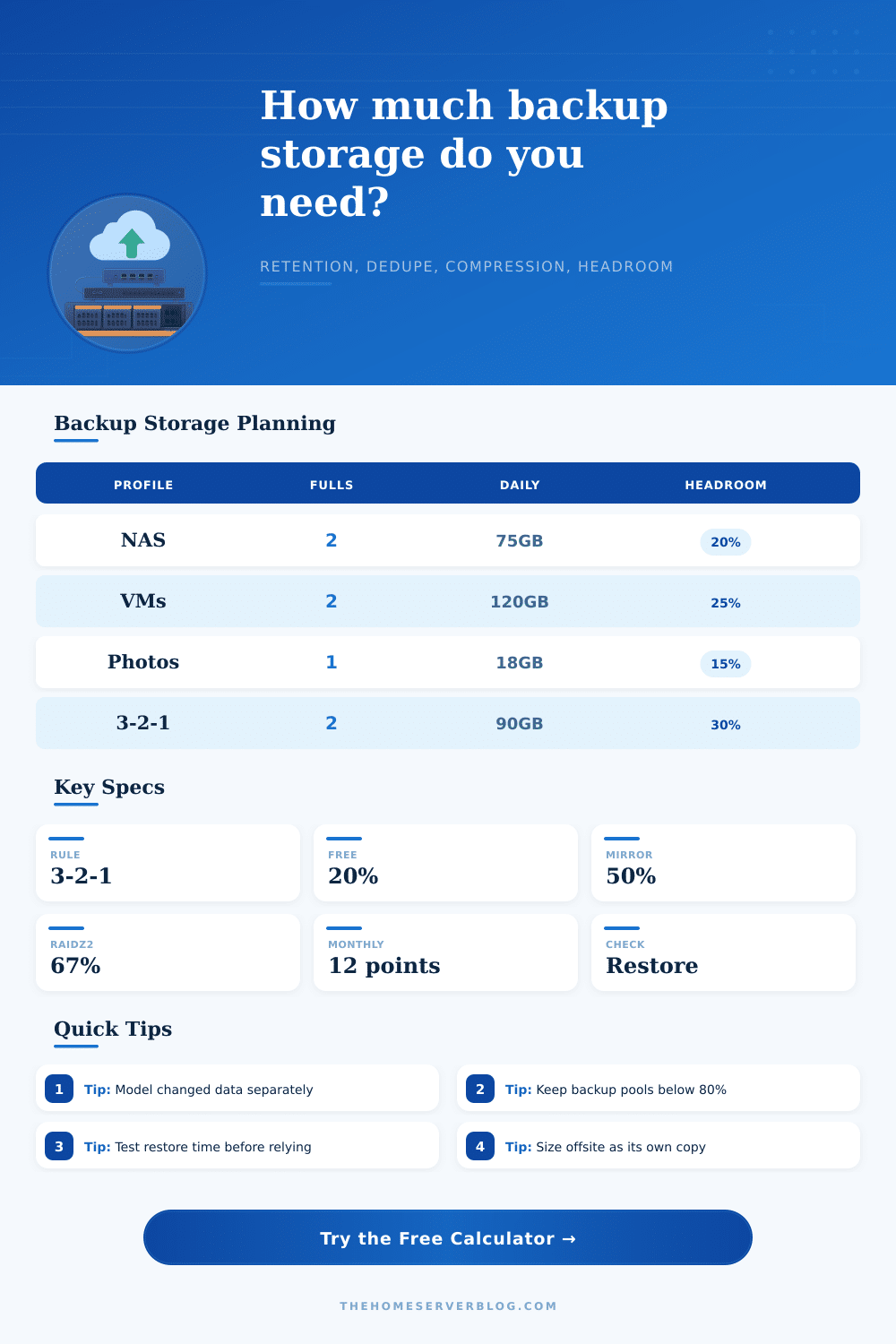
Headroom refers to extra storage space that is required beyond the backup storage that is calculated for your need. By selecting a percentage for headroom, the backup storage calculator will add that percentage to your calculated storage need. This percentage will ensure that your storage target will not be filled to ninety-five percent with your data on a normal day.
You will also be able to account for temporary spike in the amount of data that must be stored. Offsite copy are a second copy of your data that is stored in a different location to your data storage device. Offsite copy will satisfy the 3-2-1 rule for data storage.
Offsite copy will require an additional amount of storage to back up your data, which the calculator can account for by allowing you to add one or two extra offsite storage allowance to your backup storage device need. In some case, an offsite backup plan will require a separate budget for storage because offsite storage may require more space than onsite backup storage. The restore speed that you enter into the backup storage device calculator will determine how long it will take to restore your data to its original state.
The throughput of your data will determine the number of hour that it will take to restore your data. This value is important because it will help to determine whether or not a single gigabit network link will provide you with the restore speed that you require. The capacity of your backup storage device is not the same as the restore speed of your data.
Depending on the data that you are backing up, deduplication and compression ratio will change. Data such as virtual machine image will have high deduplication because the virtual machine are similar. Media file, however, will not deduplicate as well because they are already compressed.
Depending on what type of data you have, the backup storage device calculator will allow you to select a profile for the data that will change the size of the backup storage device that are calculated for your backup need. You can also directly adjust the reduction ratio if you have experience with your data and know the deduplication and compression ratio of your data set. The type of target layout that you choose for the backup storage device will determine how much raw backup storage device capacity you have to purchase to account for the usable capacity of your data.
If you choose mirror pair, for example, your data will have fifty percent efficiency in terms of raw device capacity. RAIDZ2 will require more raw storage device to back up your data than mirror pair but offer better redundancy. A single disk target layout provides no protection for your data but may be used to back up small amount of data to a storage device that is offline from the rest of your network.
Common mistake when calculating the amount of backup storage device that you will need to purchase for your data includes treating every restore point as if it is a full copy of the data set, and not accounting for the fact that deduplication ratio decrease for data that is not repetitive. The backup storage device calculator account for these mistake in its calculations. As time pass and your data change, the calculation that are provided will eventually become out of date.
Thus, you will want to rerun the calculation if your data increases by more than twenty percent or if you introduce a new type of workload to your data storage environment. By rerunning the backup storage device calculation, you ensure that your backup storage environment is aligned with your data storage need and that you do not over- or under-provision your backup storage device. The goal is to ensure that your backup storage device has enough usable data capacity to restore your data to its original state without suffering from any new data failure.
It could of been better if you checked teh math twice. You should of verified the storages size. You’ll want to make sure youre ready.
Actualy, it isnt hard if you follow the steps. You can recieve a lot of help from the guide. Dont forget to check your settings.