Data Rate Calculator
Estimate sustained throughput, transfer windows, stream loads, recording rates, and usable link headroom for home servers and home labs.
Calculated Data Rate Plan
| Link or Standard | Raw Rate | Ideal Payload | Practical Home Lab Use |
|---|---|---|---|
| 100 MbE | 100 Mb/s | 12.5 MB/s | Management, IPMI, printers, low-rate IoT |
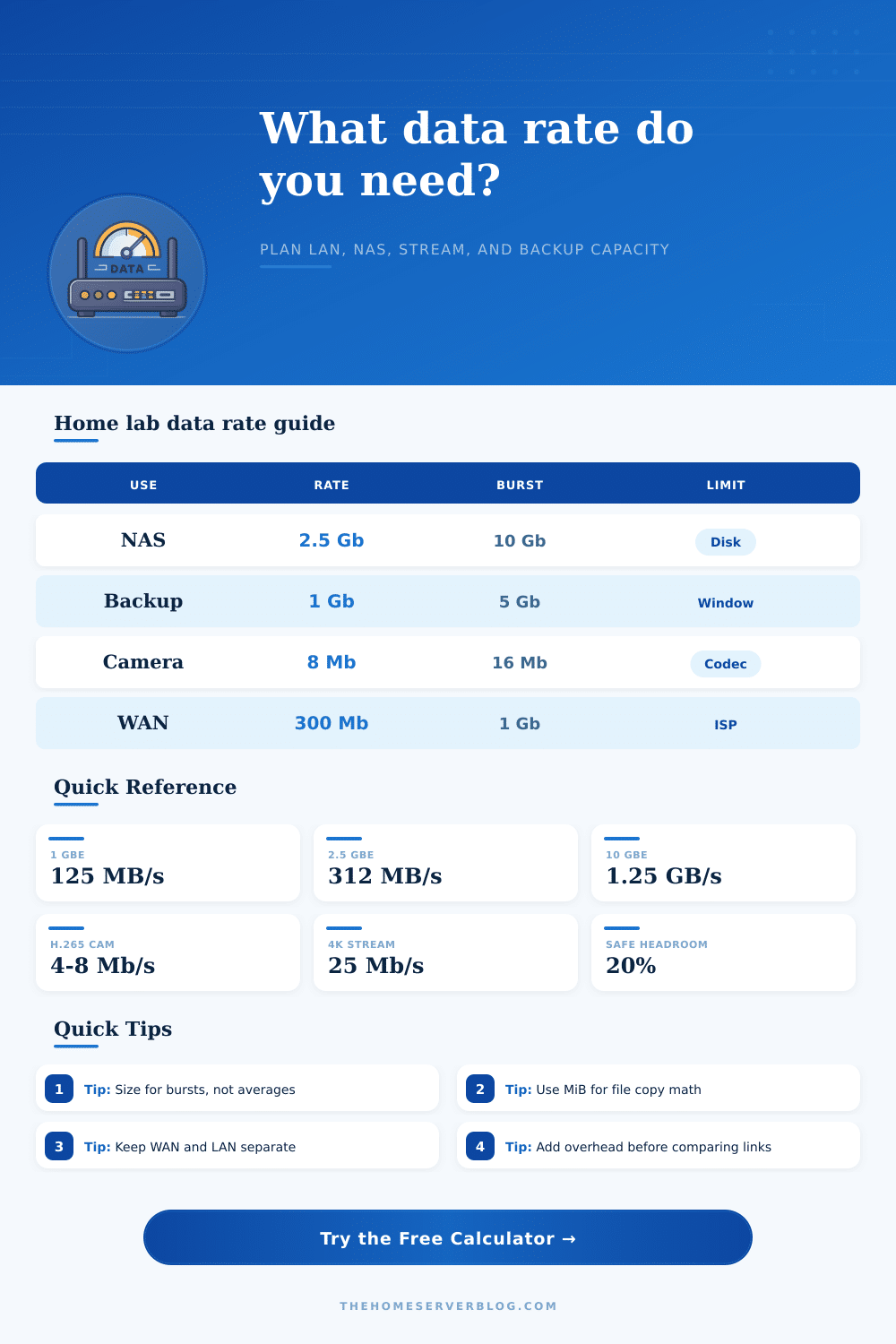
| 1 GbE | 1000 Mb/s | 125 MB/s | General NAS, basic backups, light VM hosts |
| 2.5 GbE | 2500 Mb/s | 312.5 MB/s | Modern NAS, desktop editing, multiple 4K streams |
| 5 GbE | 5000 Mb/s | 625 MB/s | Fast workstations and SSD-backed file shares |
| 10 GbE | 10000 Mb/s | 1250 MB/s | VM storage, large restores, video projects, replication |
| 25 GbE | 25000 Mb/s | 3125 MB/s | NVMe storage labs and dense hypervisor clusters |
| Workload Type | Typical Rate | Planning Headroom | What Usually Bottlenecks First |
|---|---|---|---|
| H.265 IP camera | 4-8 Mb/s each | 20% for motion bursts | NVR disk write speed or PoE switch uplink |
| 4K media stream | 15-40 Mb/s each | 15% for peaks | Transcode CPU, Wi-Fi airtime, or WAN upload |
| SMB file copy | 70-95% of link | 10% for protocol variance | Disk pool read/write and client storage |
| Image backup | Depends on window | 20% for retries | Backup target, encryption, dedupe, WAN cap |
| VM replication | Change rate based | 20% for snapshots | Storage latency and replication schedule overlap |
| iSCSI storage | Low latency demand | 15% for queue depth | Switch buffering, MTU mismatch, disk latency |
| Data Unit | Decimal Value | Binary Value | Calculator Use |
|---|---|---|---|
| Mb/s | 1,000,000 bits/s | 1,048,576 bits/s as Mib/s | Network links are normally sold in decimal bits |
| MB/s | 8 Mb/s per MB/s | 8 Mib/s per MiB/s | File copies often display bytes per second |
| GB | 1,000 MB | 0.931 GiB | Drive vendors usually quote decimal capacity |
| GiB | 1.074 GB | 1,024 MiB | Operating systems often show binary capacity |
| Overhead | 5-20% | Same ratio | Add after base demand, before link comparison |
| Efficiency | 70-95% | Same ratio | Apply to raw link to estimate usable throughput |
| Common Project | Input Example | Minimum Data Rate | Recommended Link |
|---|---|---|---|
| Home NAS photos | 500 GB in 6 hours | 185 Mb/s before buffer | 1 GbE or better |
| Eight IP cameras | 8 feeds at 8 Mb/s | 64 Mb/s before buffer | 1 GbE uplink with PoE switch |
| 4K media server | 5 streams at 25 Mb/s | 125 Mb/s before buffer | 1 GbE wired, 2.5 GbE preferred |
| VM host backup | 2 TB in 5 hours | 889 Mb/s before buffer | 2.5 GbE minimum, 10 GbE preferred |
| SSD video share | 3 editors at 180 MB/s | 4320 Mb/s before buffer | 10 GbE switch fabric |
| WAN offsite sync | 250 GB overnight | 58 Mb/s over 10 hours | Fiber upload sized with ISP cap |
A data rate calculator allows you to calculate the actual speeds that is required for a network. Many peoples has experience how the actual speed in which a device can move data is more slower than the speed that is represented by the products in the boxes. The reason for the difference in these two speed is that the box speed represent the raw bits that travel on the wire, while the workload speed is calculated with the inclusion of protocol chatter and disk limit.
A data rate calculator allows one to determine the actual speed required for a network prior to the purchase of required hardware or the scheduling of backup job. To determine the data rate required for a network, it is first important to understand the type of data that will be demanded of the network. For instance, if the data that is to be moved is files of large size, then the demand will be upon the network to move a certain amount of gigabytes within a given time period.
How to Use a Data Rate Calculator
Alternately, if the data to be moved is live stream, the network may be required to support a certain number of live streams simultaneously. These two different types of demand can be entered into the data rate calculator, which will help determine which of the demands will impact the design of the network. In addition to understanding the demands of the network, it is also necessary to understand how much of the link will survive the removal of overhead.
Data rate are lost to protocols like TCP, SMB, encryption protocols, and Wi-Fi airtime. The efficiency of the link can be entered into the data rate calculator to factor in these protocols, which prevents the need for memorizing the header size for each of these protocols. If the efficiency is low, the data rate will need to be higher than the size of the data that is to be transferred.
Thus, the efficiency entry allows for the network to be sized according to the data’s delivered rate rather than the advertised data transfer speed of the network. In addition to accounting for the overhead protocols, it is important to also account for headroom within the network. Even if the data that is being transferred on average is at a certain data rate, there may be periods in which the average data rate are exceeded.
For instance, while the average speed of a camera feed may be eight megabits per second, there may be periods in which the feed contains more motion than other. Additionally, there may be conflict in the network between the backup of data and other network traffic. By entering a percentage for headroom within the data rate calculator, networks and data transfer speeds can be sized to account for these potential spikes in the required data rate.
The headroom percentage is entered after the data is entered for the data demand, and the resulting data will show the rate at which the data demand increases with these potential additional data rates. Another important function of the data rate calculator is the ability to enter the unit in which the data rate is to be represented. Data transfer speeds for network hardware are often represented in decimal bits, while operating system typically use binary multipliers for there displayed file sizes.
Thus, the user can select the unit mode for the data rate calculator to prevent error in the representation of the size of the files that are to be transferred. Once the unit is selected, the data rate calculator will remain consistent in its calculation, removing the guesswork as to the exact data rate that is required for the network. A reference table is often provided for the data rate calculator.
These tables allow for the data that is calculated to be compared to common hardware for the network. For instance, a reference table may show that a two-point-five gigabit link will fall somewhere between a one-gigabit link and a ten-gigabit link. These reference tables allow individuals to make decision regarding whether or not hardware upgrade for the network are necessary.
Furthermore, the reference tables can also make clear the different demands of networks with camera link versus those with live stream links compared to networks with backups or storage data links, making it easier for individuals to purchase the correct hardware. In addition to the factor that may be entered into the data rate calculator, there are also some complication to the network that cannot be represented in the data rate calculator. For example, the speed of the disk that the data travels through, the buffer depth for network switch, and the quality of the Ethernet cable that are used for the network are all potential limitation to the network that are outside of the data rate calculator.
However, it is still important to enter these data rates into the data rate calculator to determine whether or not the network is the limiting factor; if the data calculations indicate that the network is the limit, then increasing the speeds of the disk will not help to increase the data transfer speeds. Another recommendation is for the data rate calculator to be used to calculate the larger of the two demand of the network rather than the average of the two. For instance, if a network is to support both large data backups as well as live camera feed, the link will be limited by the demand of the larger amount of data.
Thus, by entering both demand into the data rate calculator, individuals can be certain that the network is not under-specified in its requirement for the data link. The data rate calculator will output the data rate that is required for the network, as well as a percentage that indicates the margin for error within the network. The margin for error is the amount of data that can still pass through the network without the network becoming a limiting factor.
If the margin is high, additional device or data can be added to the network. However, if the margin is low, the addition of device or data will require an upgrade to the network. Thus, the margin for error is another data rate that can be referenced in the planning of the network.
The overall purpose of using a data rate calculator is not to find the highest data rate for a network, but to ensure that the link to the data that is bought for the network match the data that is to be transferred. Thus, small change to the network can be made without creating network outage. You should of used a calculator to avoid errors when you are setting up your modern network.
If you dont use one, you might find that the speeds is not what you expected. It is actualy a very useful tool for any network administater.