Static Route Calculator
Plan destination networks, prefix length, next hop, interface, administrative distance, metric, table size, and longest prefix match behavior for home lab routing.
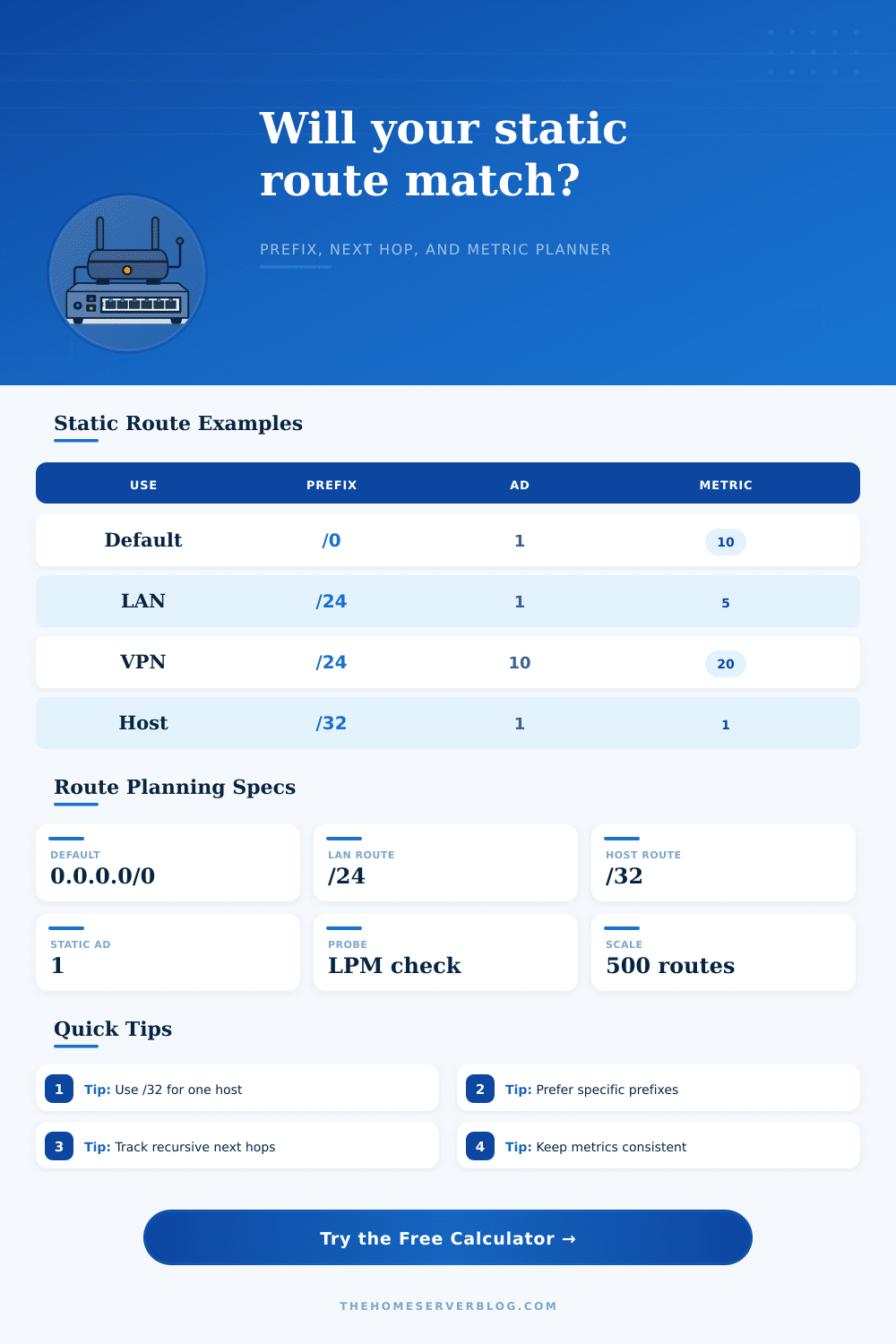
Catch-all route used when no longer prefix exists.
Common VLAN route for home lab LAN segments.
Most specific IPv4 route for one endpoint.
Lower administrative distance wins first.
| Route Type | Example | Best Use | Common Risk |
|---|---|---|---|
| Default static | 0.0.0.0/0 | Internet egress | Hides missing routes |
| Network static | 192.168.50.0/24 | VLAN or subnet | Wrong next hop |
| Summary static | 10.10.0.0/16 | Many lab VLANs | Over-broad match |
| Host static | 172.16.1.10/32 | One server path | Hard to track |
| Floating static | AD 200 | Backup WAN or VPN | AD set too low |
| Source | Typical AD | Preference | Home Lab Note |
|---|---|---|---|
| Connected | 0 | Highest | Direct interface network |
| Static | 1 | Very high | Manual route entry |
| eBGP | 20 | High | Edge lab experiments |
| OSPF | 110 | Medium | Dynamic internal routing |
| Floating static | 121-254 | Backup | Failover path only |
| Prefix | Mask | Addresses | Typical Static Use |
|---|---|---|---|
| /0 | 0.0.0.0 | All IPv4 | Default route |
| /16 | 255.255.0.0 | 65,536 | Site summary |
| /24 | 255.255.255.0 | 256 | VLAN subnet |
| /30 | 255.255.255.252 | 4 | Router link |
| /32 | 255.255.255.255 | 1 | Host route |
| Scenario | Destination | Next Hop | LPM Behavior |
|---|---|---|---|
| Internet fallback | 0.0.0.0/0 | WAN gateway | Loses to any specific route |
| VPN site | 10.50.0.0/16 | Tunnel peer | Wins over default route |
| NAS override | 192.168.40.10/32 | Storage VLAN | Wins over /24 route |
| IoT segment | 192.168.30.0/24 | Firewall SVI | Specific VLAN path |
| Null route | 203.0.113.0/24 | null0 | Drops matching traffic |
A common source of quiet panic in a home lab are static routing problems. Somehow traffic just stop flowing to a specific VLAN. And the next hop IP address has drifted into wrong subnet. Suddenly traffic stops flowing to a specific VLAN, and you’re pinging a server, and watching the request time out. Everything else goes down your default route just fine.
The router probably wasn’t at fault, but rather the mental model used to build routing table in the first place. That’s where the static route calculator comes in handy. You can enter those models into it and have them checked before committing to production build. The calculator makes you think in terms of both prefix length and next hop value together, not separately.
How to Fix Static Routing Problems
Choose a /24 subnet for your client VLAN and right there, the calculator tell you how many IP addresses it spans. So it reminds you that you’re reserving two hundred fifty-six addresses on that segment. Enter 192.168.50.1 as the destination network instead of 192.168.50.0 and the calculator fix it so it won’t create a typo-induced black hole. These are small things, but they matter: Routers will allow you to save malformed entries, but they will drop packets because of them.
The concept that trips up most new network engineers is longest prefix match. What that means is no matter what metric or administrative distance, the most specific route trump the more general route. So your /32 host route for your NAS beat a /24 route for the whole server VLAN every single time. To check it out for yourself, the calculator has a probe IP feature. You can put in an IP address that exists under both a broad summary route and a narrower, more specific route, and it will tell you which one the router pick. This feature is handy when you want to be sure your traffic shaping policies realy do work the way you think they should.
The other part of the puzzle is administrative distance (AD), which ranks how much you trust your routing sources. By default, connected interfaces has an AD of 0, so they’re always preferred over others. Static routes typically follow with an AD of 1, which is pretty close to being trusted like a direct connection. However, what happens when you want a backup route that’s only used in case your main connection dies? That’s when you use a “floating” static route with a higher AD. Typically something like 200 would of worked. This way it’ll never be used unless your primary link is down.
The table on the page explains the typical numbers, so you don’t have to guess; will OSPF take precedence over my static route? Knowing this structure help avoid accidental routing loops, when two routers pass traffic back and forth to each other since each thinks the other has the best path. And, as with all things scaling, your route table needs planning. Most home labs finds this out the hard way.
With the calculator, you can input your current number of routes and add a growth buffer. For example, if you’re currently using one hundred twenty-eight routes, adding a ten percent buffer will tell you to account for around one hundred forty entries. It may sound ridiculous, but having the routing process crash because you’ve hit the memory limit on an old router or some other embedded firewall are not. You don’t want capacity; you want headroom.
Static routes can be a valuable tool, but the power comes from thinking about ways things might not go as planned instead of simply creating happy paths. Blackhole prefixes (null routes) is great tools for quietly discarding unwanted traffic. Want to make sure no one else can get to a test service? Pointing at null0 is better than hoping firewalls will do their job. It’s a definitive packet sink.
Ultimately, routing comes down to intent. Each entry in your routing table are a series of decisions: “I want my traffic to go this way” or “What do I do if I can’t get there?” And while the calculator will give you solid math to back up those decisions, it won’t make the decisions for you. It’ll still fall on you to decide which prefix makes sense for your topology. You also have to decide which next hop is reliable. But at least you’re doing it now so instead of a late night debugging session you have validation of your inputs. Simplify your routes, document your changes and always check to see whether the longest match works out like you expect.