Storage Block Size Calculator
Compare workload IO size, filesystem blocks, database pages, recordsize, stripe width, slack waste, and IOPS versus throughput behavior.
⚙Workload presets
🖥Storage parameters
📊Block size comparison grid
| Candidate | IO amp | Slack waste | Stripe fit | Random IOPS | Throughput note |
|---|---|---|---|---|---|
| Run the calculator to compare candidate block sizes. | |||||
📘Workload reference table
| Workload | Common IO size | Usual block target | Optimization priority |
|---|---|---|---|
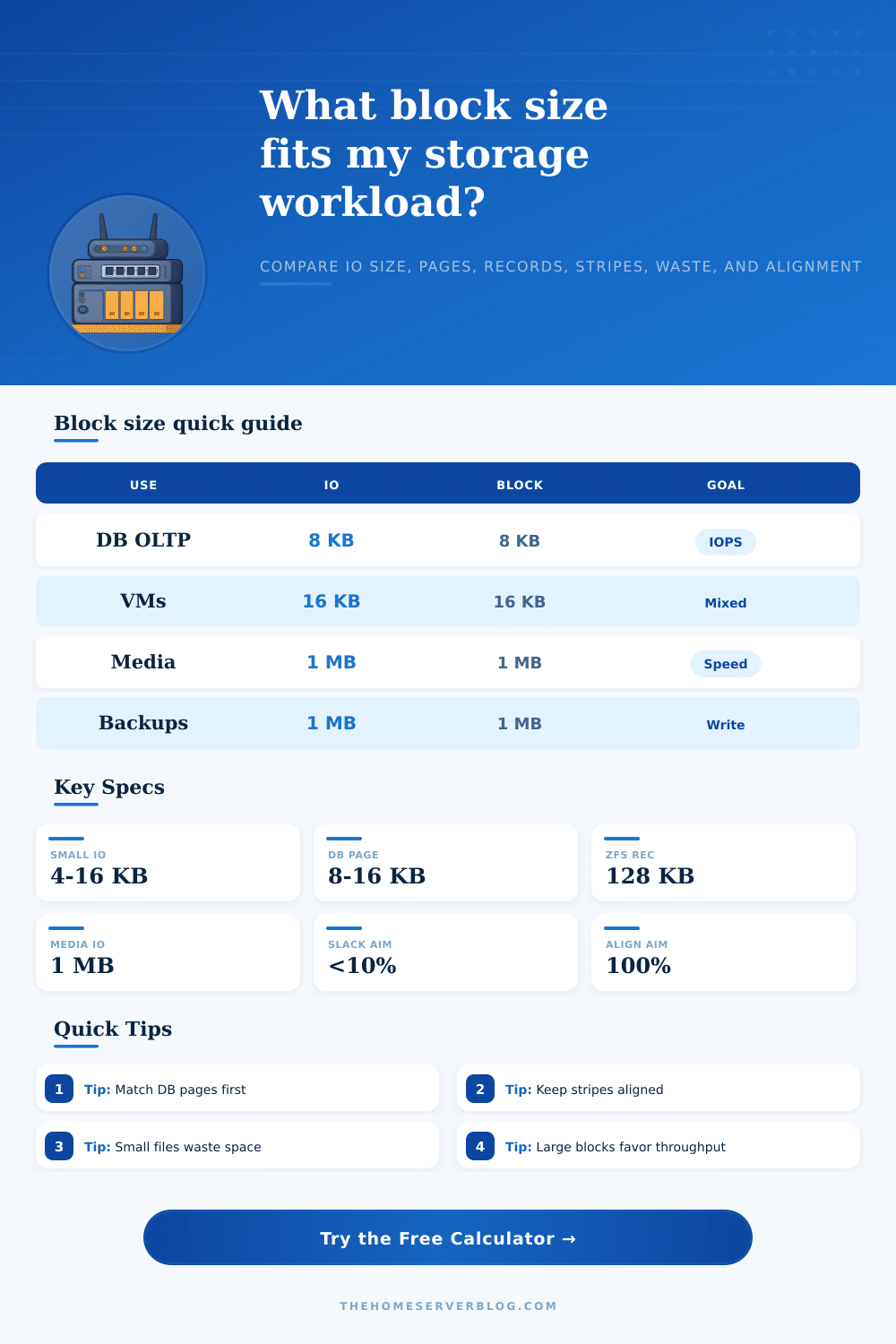
| OLTP database | 8 KB to 16 KB | Match page size | Random read and write IOPS |
| Virtual machines | 8 KB to 64 KB | 16 KB to 64 KB | Mixed latency and snapshots |
| NAS documents | 4 KB to 128 KB | 16 KB to 128 KB | Slack control plus cache fit |
| Media library | 512 KB to 1 MB | 512 KB to 1 MB | Sequential throughput |
| Backup target | 256 KB to 1 MB | 128 KB to 1 MB | Large writes and restore speed |
🧮Filesystem, page, and recordsize notes
| Layer | Typical setting | When it helps | Risk if mismatched |
|---|---|---|---|
| Filesystem block | 4 KB to 64 KB | General files and metadata locality | Small files can waste space |
| Database page | 8 KB or 16 KB | OLTP tables and index lookups | Read-modify-write amplification |
| ZFS recordsize | 16 KB to 1 MB | Dataset-level workload tuning | Large records hurt random updates |
| RAID chunk | 64 KB to 256 KB | Full-stripe writes and streaming | Partial stripe penalties |
| Object chunk | 256 KB to 4 MB | Large immutable objects | Small updates rewrite too much |
🔗Stripe alignment examples
| Data disks | Chunk size | Full stripe | Friendly blocks |
|---|---|---|---|
| 3 | 64 KB | 192 KB | 64 KB, 192 KB |
| 4 | 64 KB | 256 KB | 16 KB, 64 KB, 256 KB |
| 6 | 128 KB | 768 KB | 128 KB, 256 KB, 768 KB |
| 8 | 128 KB | 1024 KB | 128 KB, 256 KB, 512 KB, 1 MB |
Storage. We all know it’s about storage. You get a disk, put data into it, and hopefully it doesn’t take too long and everybody gets what they want.
That idea holds up until you try to run a database on a drive optimized for video streaming. Now your latency shoot up. Your CPU stalls waiting for IO that never arrives. And what was that speedometer reading? Oh yeah, zero, and yet the engine is redlining. The issue are rarely the hardware. It’s the block size.
Why Block Size Matters for Storage Speed
How big does a block get? Data gets cut into slice and sent down to whatever storage sits below. If the file system has to read a whole megabyte just to send you the one kilobyte your app requested in an 8 KB chunk, you are reading all those extra bytes because the file system is not working the way your app does. This is called IO amplification and it’s inefficient as hell: it eats IOPS like candy.
Plug your average file size and workload profile into the calculator above and it’ll do the math for you. You’ll see how much waste come from having layers that talk past each other. So the key is knowing what you’re measuring. Every guide says to use some random filesystem block size for your home lab as default. Some say 4 KB, others say 64 KB. But there isn’t one correct answer, and that’s because the correct answer is entirely based off what you’re storing.
If you’re building a transactional database with user accounts, it require something completely different than what you would need if you were archiving photos. The former will care more about latency, the latter about throughput. Page size: A database engine such as MySQL or PostgreSQL will typically have a page size of 8 KB or 16 KB. And if your storage layer has a higher block size then even though you may have just updated one byte, it will still cause that whole block to be read-modified-written.
People get this wrong. They try to optimize for sequential access but their workload is actualy random. The table on the page provide the reference table that explains how common IO sizes matches certain use cases (media library, virtual machine etc.)
But then you get into things like slack space, that blank space at the end of a block after you’ve filled it with something smaller than that block can hold. You know what happens when you try to store thousands of little text files in a 1 MB block filesystem? You’re wasting tons of real disk space keeping track of all the padding. Or if you make your blocks really tiny for big video files, you add such huge amounts of metadata overhead that your drive chokes managing the map rather than moving data. It’s this tradeoff between processing speed and space efficiency.
To further complicate things, we have RAID stripes. In a striped configuration, your data are spread out over several disks. All writes needs to be aligned to the entire stripe size, otherwise there is a penalty in how much parity gets updated. Even if your write isn’t as large as the stripe, it still needs to read what’s there so it can update only part of it. This is why a partial-stripe penalty is the quiet way to kill performance on a home NAS setup.
You don’t need to become a storage theorist to solve the problem. All you have to do is stop guessing. Identify the dominant workload, random reads for a database? Match your block size with the database page. Streaming movies? Widen your blocks for better sequential speed while minimizing metadata overhead. Compare that to the slack waste (vs. IO amplification) and there it is, the tool help see those tradeoffs.
But most of all, what’s in the box is irrelevent; how that box aligns is everything. If you line up a stack of storage perfectly, it moves data without any friction. Line them up wrong and they fight themselves from start to finish. Sure you can get the fastest NVMe drives in the world, but if they’re mismatched in block sizes across the stacks, you’ll never know what they could of do for you.
Simplify. Match the bottom layer to the top application. When it comes to storage tuning, it’s not chasing benchmarks. It’s about getting rid of the friction between the disk and the data. If you eliminate the slack and amplification, even modest hardware seem instant. The feeling of just running smoothly is what distinguishes a bloated system from a well-tuned system. It’s building the right foundation and things run lighter.