ZFS ARC Size Calculator
Estimate realistic ZFS ARC minimum and maximum targets after OS reserve, VM and container memory, workload shape, metadata pressure, recordsize, dataset working set, and optional L2ARC overhead.
ZFS ARC Recommendation
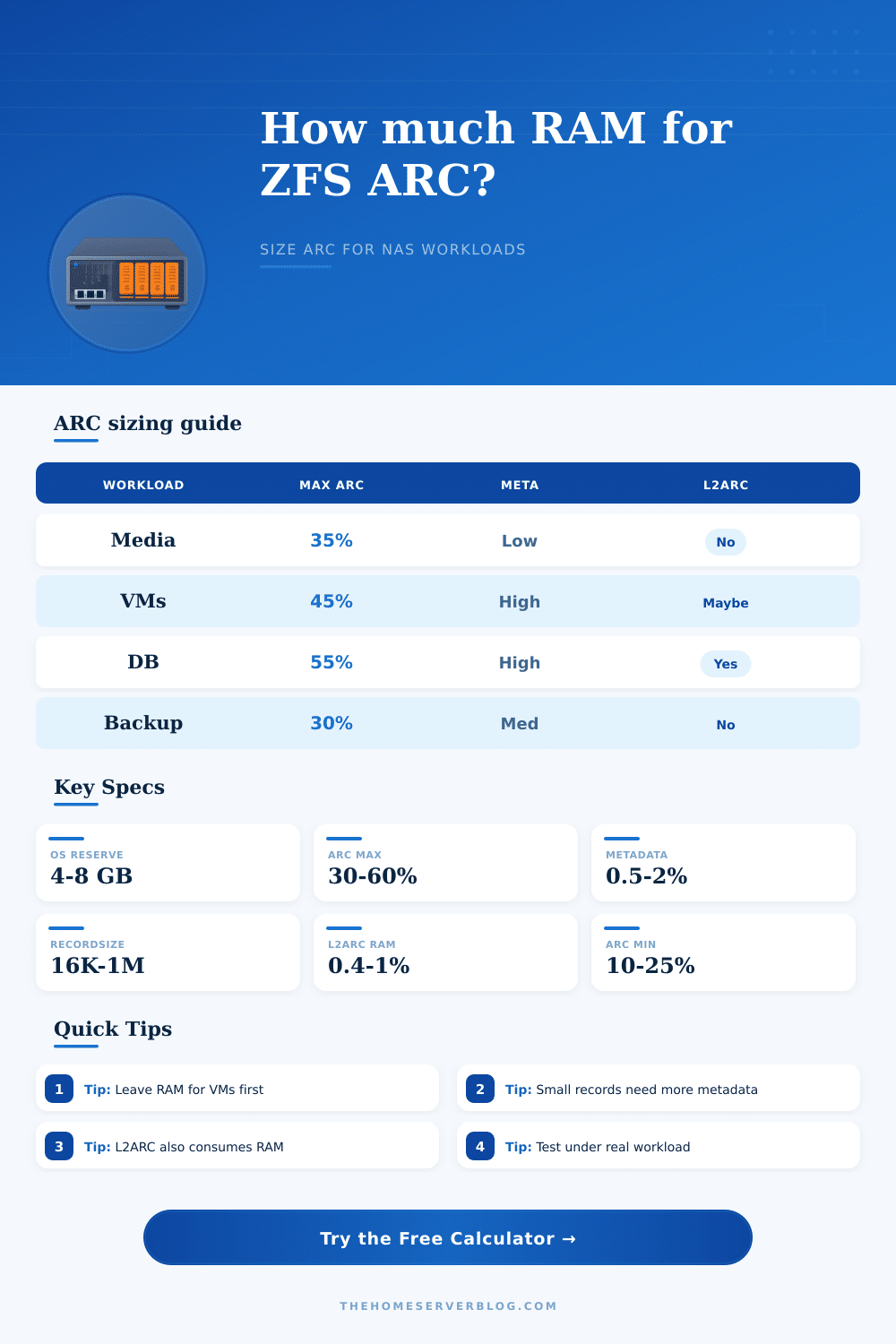
| Workload | Typical ARC Max | Metadata Pattern | Home Server Note |
|---|---|---|---|
| Media NAS and large files | 25-40% of RAM | Low metadata, high streaming | More ARC helps directories and repeated browsing, but sequential reads often miss less painfully. |
| General mixed home server | 35-50% of RAM | Medium metadata | Good default for SMB shares, photos, containers, light sync jobs, and dashboards. |
| VM datastore and zvols | 40-55% of RAM | High metadata and random reads | Guest memory reserve matters more than chasing a very large ARC ceiling. |
| Database or app data | 45-60% of RAM | High to extreme metadata | Coordinate with the database buffer cache so memory is not double-committed. |
| Backup target | 20-35% of RAM | Medium metadata, high scans | Large ingest jobs usually benefit from safe headroom more than huge ARC. |
| Dominant Recordsize | Common Use | ARC Metadata Pressure | Sizing Adjustment |
|---|---|---|---|
| 16K | Databases, small random I/O, special VM datasets | Very high | Add 12-18% to ARC need when many files or snapshots exist. |
| 32K | Mixed app data and sync folders | High | Add 8-12% for metadata-heavy pools. |
| 64K | VM images, zvol-like access, active projects | Medium-high | Add 4-8% unless the dataset is mostly sequential. |
| 128K | Default ZFS datasets and general NAS shares | Medium | Baseline recommendation used by the calculator. |
| 1M | Media, backups, large archives | Low | ARC can be smaller if the working set is not repeatedly reread. |
| L2ARC Device Class | Usual Size | RAM Overhead Estimate | When It Helps |
|---|---|---|---|
| No L2ARC | 0 GiB | None | Best default for small RAM systems and simple media storage. |
| Small NVMe L2ARC | 128-512 GiB | About 0.4-0.6% of L2ARC | Useful when reads repeat and ARC misses are measurable. |
| Large NVMe L2ARC | 1-4 TiB | About 0.6-0.8% of L2ARC | Works better on systems with spare RAM and stable hot sets. |
| Persistent L2ARC | 4 TiB+ | About 0.8-1.0% of L2ARC | Consider for read-heavy pools after primary ARC sizing is healthy. |
| System | Installed RAM | Common ARC Max | Primary Constraint |
|---|---|---|---|
| 2-bay or 4-bay NAS | 8-16 GiB | 3-8 GiB | OS reserve and services leave limited memory for ARC. |
| TrueNAS media tower | 32-64 GiB | 12-32 GiB | Large files need directory and metadata cache more than full-file cache. |
| Proxmox plus ZFS | 64-128 GiB | 20-56 GiB | VM reservation should be set before ARC targets. |
| All-flash lab node | 128-256 GiB | 56-140 GiB | Random read workloads can use more ARC, but guest RAM still wins. |
Best for hypervisors, small RAM NAS builds, and hosts with many containers. Leaves more space for applications, page cache, and temporary spikes.
Good for mixed SMB, NFS, sync, media, and light VM workloads. This is the safest starting range for many home servers.
Fits dedicated ZFS storage nodes, databases tuned around ARC, and high read reuse. Watch VM pressure, swap, and application caches closely.
According to tech forums, ZFS eats a lot of memory, so you go out and purchase a tower case that can hold eight drives and fill it with sixty-four gigabytes of RAM. You boot the operating system and marvel as the ARC cache expands, filling nearly every bit of RAM. Next thing you know, you want to run a backup or fire up a virtual machine. The system grind to a halt. You’re staring at an empty machine with plenty of resources, but the storage engine are using them all.
That’s what happens to home servers. And the answer isn’t to add more RAM. The answer is to teach yourself how to restrict cache correctly.
How to Limit ZFS Cache Memory
The ZFS Adaptive Replacement Cache stores previously read data to allow fast access on later reads, and it grow quickly until it reaches a limit. With no limit, your applications don’t get any memory. Setting minimum and maximum limits for this cache ensures that all parts of your system. Such as the operating system, containers, and virtual machines; always gets their share of memory. Once you set those limits, the calculator do the math for you, saving you from having to guess at where the limit should be.
Metadata changes memory use, a lot of people don’t even think about that. Does it matter if you have ten movies in a single file, or one million photos in individual folders? It may be the exact same amount of data, but the folder structure consume a lot of space. This folder layout information is stored in RAM by ZFS.
Want to run a system with millions of little files, say a database? Or maybe something like Plex, which will index a bunch of movies into a library? Your cache has to also contain all those pointers, not just copies of the actual files. A thousand little things will consume more memory per gigabyte of data than a couple of big video files will. Record size and metadata intensity makes a difference. You shouldn’t treat a Plex library the same as a huge dev build cache.
Then there’s virtualization. In that case, the primary resource is guest memory. The RAM used by your virtual machines should be fast and ready when needed. Virtual machines do not gets to wait while ZFS fetches a page from disk “later.” Deduct the memory allocated to your containers and virtual machines and then you can start thinking about how much you have for caching purposes. That’s what the ARC has access to.
Again, it seems easy enough but this is one of the biggest mistakes people make on their home lab. They allow cache to grow to where they only have two gigabytes left for host OS and then things crash when it’s under heavy load.
Finally, a common source of confusion for newcomers is L2ARC which is essentially an additional layer of caching sitting between RAM and spinning disks. On paper, it seems like a no brainer: just throw in a speedy drive! But there’s a catch, you need some memory in the system’s RAM to track what data lives in L2ARC. Adding more L2ARC will consume more of your primary pool (overhead). Depending on how much free RAM you started with and what pattern your reads follow, throwing in a cache device can also end up slowing you down by causing the system to swap out important kernel structures. It’s not something that usually helps unless you’re starting with a lot of free RAM and a very particular read pattern.
What we see is that all these options and their settings are realistic for real world use cases, not theoretical maxes. The requirements for a Nextcloud instance syncing thousands of documents will be different than those of a media server. Directory caching makes sense for media streaming; but the actual videos themselves tend to be large enough that they don’t really belong in RAM at all. For document sync, the random read performance on small data chunks is very important. Knowing that will help you decide how aggressive or conservative your ARC should be.
You can choose to maximize hit rate with the risk of occasional memory pressure, or leave some margin for spikes. It’s not one-and-done tuning. As workloads change over time, you may have some processes that temporarily consume all available resources and kick useful stuff out of the cache. The min/max settings are guard rails. When your other services need to breathe, these keep the cache from collapsing.
Finding the sweet spot is key. You need to make your most frequently used stuff feel instant while still allowing big jobs for less frequent things. It is about prioritizing what really matters in day-to-day usage.
First off, find out what your largest memory consumers are (besides storage). Set aside that one first. Next, see how many tiny files you interact with every day. Lastly, leave the rest to caching, but bound it with your calculations. With a limit on who’s getting the next byte of RAM, your server won’t have to fight so hard for smooth operations. Build the fence first, let the grass grow within it.