IPv6 Expand Address Calculator
Paste a compressed IPv6 address, choose the context, and expand it into full eight-hextet notation with validation, zero-fill detail, subnet math, and binary visibility.
| Compressed Input | Expanded Form | Inserted Hextets | Typical Use |
|---|---|---|---|
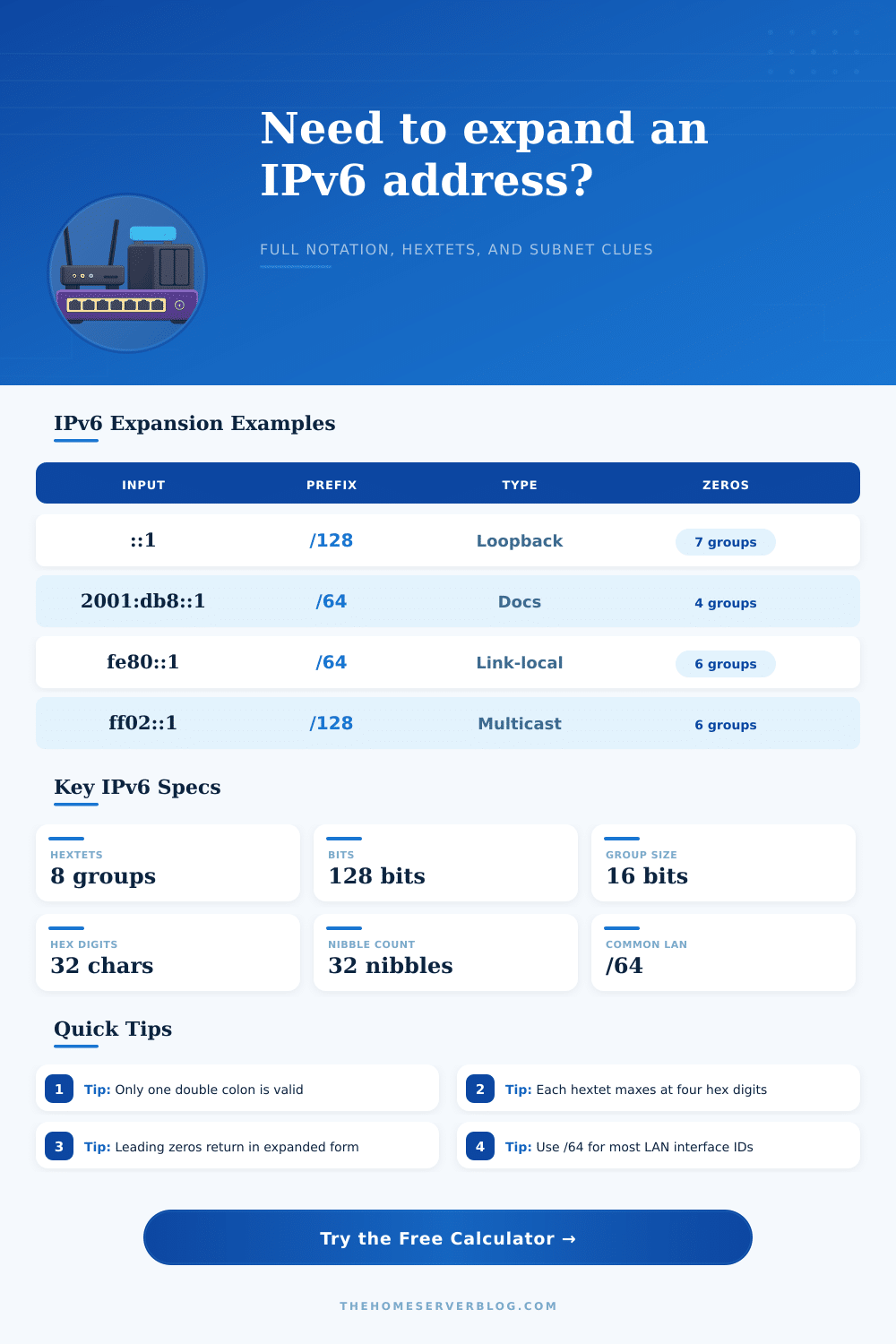
| ::1 | 0000:0000:0000:0000:0000:0000:0000:0001 | 7 zero groups | Loopback stack test |
| 2001:db8::1 | 2001:0db8:0000:0000:0000:0000:0000:0001 | 5 zero groups | Documentation prefix |
| fe80::a00:27ff:fe4e:66a1 | fe80:0000:0000:0000:0a00:27ff:fe4e:66a1 | 3 zero groups | Link-local interface |
| ::ffff:192.0.2.128 | 0000:0000:0000:0000:0000:ffff:c000:0280 | 5 zero groups | IPv4-mapped address |
| Prefix Range | Address Family | Expansion Clue | Home Lab Meaning |
|---|---|---|---|
| 2000::/3 | Global unicast | Starts 2xxx or 3xxx | Routable ISP or tunnel space |
| fc00::/7 | Unique local | Starts fc or fd | Private internal addressing |
| fe80::/10 | Link-local | Starts fe8, fe9, fea, feb | Neighbor discovery on one link |
| ff00::/8 | Multicast | Starts ff | Groups such as all nodes |
| Prefix Length | Network Bits | Interface Bits | Common Planning Use |
|---|---|---|---|
| /48 | 48 | 80 | Site allocation with many /64 LANs |
| /56 | 56 | 72 | Residential delegation with 256 /64s |
| /64 | 64 | 64 | Standard LAN interface subnet |
| /128 | 128 | 0 | Single host route or loopback |
| Validation Rule | Valid Example | Invalid Example | Calculator Check |
|---|---|---|---|
| Only one double colon | 2001:db8::1 | 2001::db8::1 | Rejects repeated compression |
| Four hex digits max | 0db8 | 00db8 | Checks every hextet |
| Eight hextets after expansion | 2001:db8::10 | 2001:db8:1:2:3:4:5:6:7 | Counts final groups |
| IPv4 tail uses dotted decimal | ::ffff:192.0.2.1 | ::ffff:300.0.2.1 | Converts to two hextets |
Is it a long phone number? Is it a network prefix? You stare at a string of hex digits in disbelief. “I don’t know what that is.” It’s an IPv6 address. There are eight groups of four hexadecimal numbers with colons between them. There are thirty-two characters where a typo could happen.
To make IPv6 addresses readable, engineers came up with some compression rules. These rules also make IPv6 addresses ambiguous. Just the kind of situation where you want precision!
Why Use an IPv6 Calculator?
Here’s why: the double colon. It is used to save space on the screen and replaces one or more group of zeros. Great for saving space on the screen, but it obscures structure from your eyes. And that’s important when you’re documenting your home lab, or when you’re looking through a routing table trying to troubleshoot things.
After plugging-in your compressed string, the calculator do the math for you. You do not need to manually convert between binary and hexadecimal boundaries or guess at missing zero groups. Every expanded address returns to its fully-eight-hextet state, removing all of the confusion. And while it may look nicer, it also shows you exactly what’s the network prefix and what isn’t part of it, where the interface identifier starts.
Without this clarity, you’re left to guess which bits are part of your ISP’s network and which bits uniquely identify your particular laptop. Those answers tell you how traffic will flow through your setup and how subnets is used. Take the familiar example of /64 subnets. For most home routers a /64 is used for the network part with the last sixty-four bits set aside for device addressing. Because the middle section has all zeros, it’s usually not visible when written out, but the tool show you those invisible sets so you can observe where things end and begin.
You can alter the prefix length (e.g. To /48 or even /56) and the calculator will update the network bits as needed. That way you know if your address represents a small residential delegation or a larger site allocation. This can prevent unnecessary misconfiguration that opens up a private segment or blocks legitimate traffic.
The other thing to consider is different kinds of addresses. In IPv6 we have link-local (used for discovering neighbors on a given segment), unique local (reserved for internal use by private networks), and globally routable, or public, unicast addresses. There’s a distinct set of hex prefixes used at the beginning of each kind of address. The tool figures this out for you, without any memorization of ranges from some RFC document.
So if the first part of an IP address begins with fe80 then that address will forever be link-local… Meaning it’ll never be routed outside the immediate network segment. If the address begins with something like 2001:db8, it’s reserved for documentation purposes and will never appear anywhere on the public internet. Learning to spot these clues sooner saves you a lot of time running around in circles looking for things that aren’t even there in your routing table.
Validation is the other quiet enabler. There’s more than one way to write an IPv6 address in IPv6 syntax, and not all of them are created equal. For example, some contain embedded IPv4 addresses (for transition purposes), and some adhere to regular hex groupings. And there are some very common mistakes, such as having two consecutive sets of ::… This will result in an invalid address because the number of zeroes isn’t clear. An error also occurs if a hextet exceed the four hex digits allowed per address. The calculator catches all of those so you can catch them before they’re deployed. Heads would of been saved later.
There’s also an extra wrinkle: reverse DNS records. With IPv4, you only need to reverse the groups of hex digits, but with IPv6 you need to reverse each individual hex digit (the nibbles). This nibble-by-nibble reversal is presented as text by the tool; it’s tedious to manually type up yourself, but necessary if domains are going to properly resolve. You might not use it every day, but when you do, it will save you minutes of effort.
In the end, this comes down to structure and scale. We don’t have to worry about conserving IPs anymore because there are plenty of them! The real problem now becomes one of organization. When you expand your addresses back out to their original form, you get that sense of being able to see what designer was thinking when they made those choices in those bits. That allows you to trust the math and understand why something works (or not) whether it’s on a tiny little office network or if you’re cramming for that certification test. You stop being afraid of the colons; you begin to understand the network.