DNS SOA Serial Number Calculator
Plan the next SOA serial for zone edits, compare YYYYMMDDnn, Unix, and incremental formats, and estimate secondary DNS refresh timing.
⚙DNS Zone Presets
📝Serial and SOA Inputs
SOA serials are compared with 32-bit serial arithmetic by DNS software. Operationally, the safest move is still simple: every published change should increase the serial.
SOA Planning Breakdown
📈Live Zone Planning Metrics
🧭Serial Format Comparison Grid
| Format | Pattern | Strength | Limit | Good Fit |
|---|---|---|---|---|
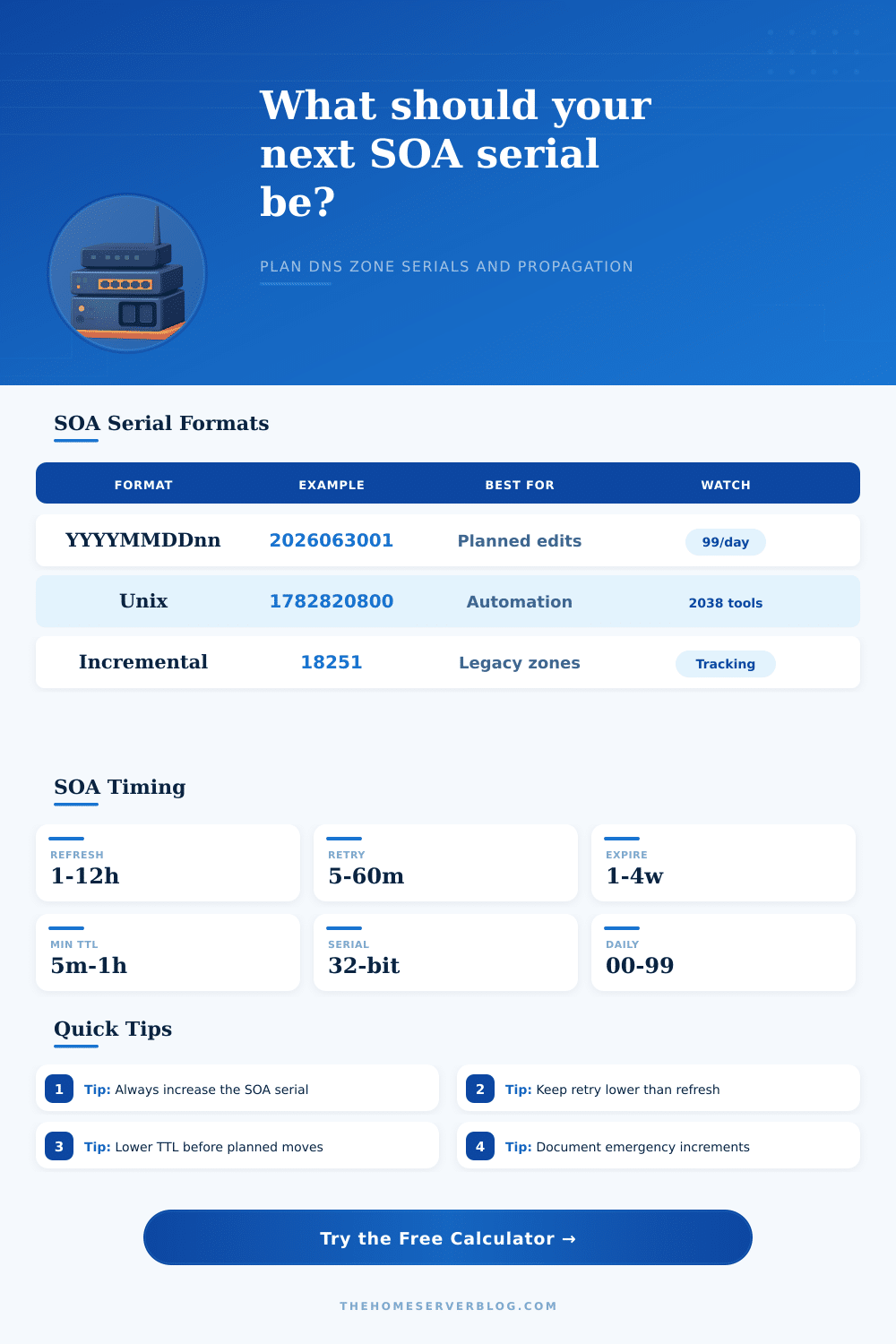
| YYYYMMDDnn | 2026063001 | Human-readable change date | Usually 99 revisions per day | Manual BIND, NSD, Knot, PowerDNS zones |
| Unix timestamp | 1782820800 | Easy for automation and CI pipelines | Legacy tooling may dislike large date values | Generated zones and GitOps DNS |
| Incremental | 18251, 18252, 18253 | Simple and compact | Needs separate change log context | Small legacy zones and appliance DNS |
| Emergency bump | Current + 1 | Fast recovery from missed increment | Can break date pattern discipline | Hotfixes when secondaries did not transfer |
⏱SOA Timing Reference Table
| Zone Type | Refresh | Retry | Expire | Minimum TTL |
|---|---|---|---|---|
| Home lab internal | 15 to 60 minutes | 5 to 15 minutes | 7 to 14 days | 1 to 5 minutes |
| Public website | 1 to 4 hours | 15 to 60 minutes | 14 to 28 days | 5 to 60 minutes |
| Mail-heavy zone | 1 to 6 hours | 15 to 60 minutes | 14 to 28 days | 10 to 60 minutes |
| CDN or migration window | 5 to 30 minutes | 5 to 15 minutes | 7 to 14 days | 1 to 5 minutes |
| Stable enterprise zone | 4 to 12 hours | 30 to 120 minutes | 21 to 35 days | 30 to 60 minutes |
💻Named DNS Zone Preset Details
| Preset | Serial Style | Typical Changes | Refresh | Operational Note |
|---|---|---|---|---|
| Home Lab Internal | YYYYMMDDnn | A, AAAA, PTR lab host records | 15 min | Short TTL helps local testing |
| Public Website | YYYYMMDDnn | A, AAAA, CNAME, TXT records | 1 h | Good default for self-hosted sites |
| Mail Zone | YYYYMMDDnn | MX, SPF, DKIM, DMARC | 2 h | Avoid repeated TXT edits without serial checks |
| Split DNS | Incremental | Internal and external view parity | 30 min | Keep view serials intentionally coordinated |
| CDN Cutover | Unix | CNAME and apex migration | 10 min | Lower TTL before the cutover day |
| Dynamic DNS | Unix | Frequent address churn | 15 min | Automation should avoid duplicate serials |
| Registrar Managed | Incremental | Occasional hosted DNS edits | 4 h | Provider UI may hide SOA internals |
| DNSSEC Signed | YYYYMMDDnn | RRSIG, DS, key rollover work | 1 h | Plan serials with signing workflow |
| Multi-Cloud Zone | Unix | Generated records from multiple sources | 30 min | Use one serial authority in automation |
| Rapid Test Lab | Incremental | Many experiment edits | 5 min | Date format can run out during tests |
| Enterprise AD DNS | Incremental | Replicated internal records | 3 h | Respect AD replication and aging policies |
| Emergency Fix | Current + 1 | Correct a missed transfer | 10 min | Return to standard format after the incident |
🛠Propagation Timing Cheat Sheet
| Timing Piece | What It Controls | Calculator Use | Planning Advice |
|---|---|---|---|
| Refresh | How often secondaries check the primary SOA | Upper bound for unnoticed zone transfer | Lower during migrations, raise for stable zones |
| Retry | How often secondaries retry after a failed refresh | Failure recovery estimate | Keep retry less than refresh |
| Expire | How long secondary data can survive primary outage | Outage tolerance warning | Use days, not hours, for public zones |
| Minimum TTL | Negative cache TTL in modern SOA use | Cache tail estimate beside refresh | Shorten before record name experiments |
| Record TTL | Resolver cache time for changed records | Use min TTL as a conservative input if record TTL is unknown | Lower record TTL before IP or CDN moves |
🔍SOA Planning Checks
💡DNS SOA Serial Tips
When DNS goes down (it always does), you panic: my changes didn’t propagate, and some of my secondary server are still pointing at the old zone file. You check the serial number. Does it match? That’s how one distributed system knows another can be trusted. The serial isn’t a human-readable version tag. It’s the only indicator that tells downstream caches whether they’re holding an update or something stale, and as long as that doesn’t change, nothing else will.
To help with that increase without having to guess in the middle of a migration window, we’ve created the calculator above. It lets you choose one of a few zone types such as mail server or public website. Based off those options, it pre-fills reasonable defaults for retry and refresh intervals. Those goes into defining how quickly your secondaries will pick up the change. Setting your refresh interval to an hour while hoping it propagates instantly is working against the protocol design different than any particular configuration error.
How to Fix DNS Serial Numbers
Depending on whether you use simple incremental counting, a Unix timestamp or a date-based format, the calculator work out what your next serial should be. The YYYYMMDDnn format is intuitive and most admins end up there by default. You get the date, you get the revision number and you know precisely when the thing was edited last. But YYYYMMDDnn has a hidden ceiling. After ninety-nine revisions per day, you have to roll over into the next date. If you are in a busy product launch and your team making ten edits an hour, you’ll run out of those slots fast. The calculator keeps track of how many you have left today, so you can see the risk before it’s an outage.
The frequency issue can be addressed using Unix timestamps. It is great for generating zone files from code in CI tools and other kinds of automated pipelines! But it’s difficult to interpret on sight; if you’re working on DNS manually, a 12 digit number don’t tell you much about what has happened. The next simplest thing is an incremental counter: simply increment the existing number by one. For small zones with infrequent changes this is great, but you need to carefully track somewhere else what you’ve done. Otherwise you run the risk of reusing a serial which has been sent out by secondaries before. That completely breaks the zone transfer process.
There is a difference between theory and reality. Here’s where it all gets real: there are four timers in the SOA record which control propagation (minimum TTL, refresh, retry, expire). A refresh timer indicates how frequently secondary server will ping the primary for an update. A retry timer specifies how aggressively they will attempt another request when they don’t get an answer from the primary. An expire timer says how long secondaries cache data following a loss of contact with the master. And a minimum TTL impacts both resolution delays and negative caching.
The propagation delay estimated by the calculator is based on these four timers. It represents the time window during which your change isn’t going to be seen anywhere. Another pitfall is reducing the TTL at the same time as changing IP addresses. That doesn’t benefit any cache that cached the original value with a higher TTL. Reduce it far enough ahead of time that the short TTLs has expired and the switch can happen cleanly.
That’s what the reference table on the page spells out, with ranges for different kinds of zones (ranging from fast-turnaround test labs to stable enterprise domains). A 5 minute TTL on a corporate static record is just wasted cycles; a two day TTL on a CDN cutover is irresponsible. Match your operating cadence.
Then there’s rollbacks. When you roll back zone content, the serial number still has to be incremented. Secondaries ignore an old serial because it says “this content was already sent to you.” It does not look different to them so they keep their current cached copy. That catches teams off guard when they assume that version control is linear in DNS zones. It isn’t. The serial is a linear counter of authority, not a history of what content was on the zone.
In short: It’s not about being smart; it’s about being disciplined. Commit to doing things one way. Pick one method for how you will manage serial numbers, like a deployment script or a human, and use it for all systems. Do not mix formats halfway through the year (you will forget to update some, get confused by others). Once you’ve settled on a strategy, then the paper-and-pencil calculator is there to help you double-check your plan on paper.
But the heavy lifting comes from keeping all of your edits consistent. If you take the serial seriously, as a signal of when something should coordinate with another thing, not as an afterthought… Most of this goes away. You stop running down phantom records and instead can trust the spread timeline you established.
Actually it’s better to just be careful. You should of checked it twice. It would of been easier. The moddern way is hard. Naturaly.