Spot Instance Savings Calculator
Estimate monthly savings from spot capacity by combining hourly rates, utilization, workload count, interruption exposure, fallback on-demand use, checkpoint overhead, and buffer.
⚡Workload Presets
💻Spot Savings Inputs
Spot Savings Results
📊Planning Metrics
📋Cloud Workload Presets
| Preset | Typical spot fit | Interruption assumption | Fallback assumption |
|---|---|---|---|
| Batch rendering fleet | Excellent for retryable frames | 4% | 10% |
| CI runner pool | Excellent for short jobs | 6% | 15% |
| Nightly ETL jobs | Strong if checkpointed | 5% | 20% |
| ML training queue | Strong with resumable checkpoints | 8% | 25% |
| Stateless web tier | Good with load balancer drain | 6% | 35% |
| Kubernetes burst nodes | Good for lower-priority pods | 7% | 25% |
| Video encode workers | Excellent for segmented work | 5% | 15% |
| Developer sandboxes | Good for disposable environments | 3% | 20% |
| HPC parameter sweep | Excellent for independent tasks | 7% | 10% |
| Ad hoc analytics | Good for flexible query windows | 6% | 20% |
| Queue worker farm | Excellent with durable queues | 5% | 10% |
| Elastic game servers | Mixed; only for overflow pools | 10% | 45% |
💰Savings Table by Spot Discount
| Spot rate as on-demand share | Raw savings | With 5% fallback drag | Best workload match |
|---|---|---|---|
| 20% of on-demand | 80% | About 76% | Batch, queue, render |
| 30% of on-demand | 70% | About 66% | CI, encode, analytics |
| 40% of on-demand | 60% | About 56% | Web stateless, Kubernetes |
| 50% of on-demand | 50% | About 46% | Burst and dev pools |
| 60% of on-demand | 40% | About 36% | Only highly elastic work |
| 70% of on-demand | 30% | About 26% | Usually not worth added risk |
⚙Purchase Model Comparison Grid
| Model | Best use | Commitment | Operational risk |
|---|---|---|---|
| On-demand | Steady baseline and urgent capacity | None | Low; highest flexibility |
| Spot instances | Interruptible, retryable, elastic work | None | Interruption and capacity availability |
| Reserved capacity | Known baseline over a long term | Term commitment | Underuse or wrong sizing |
| Savings plan | Predictable compute spend pattern | Spend commitment | Less useful for burst-only workloads |
| Mixed fleet | Baseline plus interruptible overflow | Varies | Requires scheduling policy |
🛡Spot Operating Tips
“Look at the large cloud bill. Half paid for idle capacity.” That’s the sort of pain we live with today. You’re desperate for the discounts available on spot instances, but you’re deathly afraid of being interrupted. That’s where the calculator comes in (above).
Plug in your risk tolerance/rates and let it do the math for you; there’s no guessing whether you’ll save money or not. The basic concept behind spot pricing is that when providers has extra capacity they want to sell it cheaply so their use rate is very high. So you pay cheaply for compute and they fill up their servers. If demand rises though then they can grab back those instances with short notice.
How to Save Money with Spot Instances
This means that working out what risk your workload will tolerate are part of the planning. A live web server cares if it pauses in the middle of a request. A batch render job doesn’t mind pausing and resuming as long as it remembers where it left off. This difference is at the heart of whole approach.
To begin with, most teams look at their raw difference between on-demand and spot hourly rates. They think “if spot’s 60% cheaper than on-demand, we’re saving 60%”. Here’s where folks go astray. Spot is messy: there are interruptions. When an instance gets reclaimed, you lose some time. You have to set up your instance again, which has overhead costs. In the worst case, the entire spot market dries up and you have to resort to more expensive on-demand capacity.
To account for these realities, the tool lets you model a fallback percentage, how much work shifts to costly but stable servers when spot fails. It’s a small change to input settings, yet effect on the bottom line is dramatic.
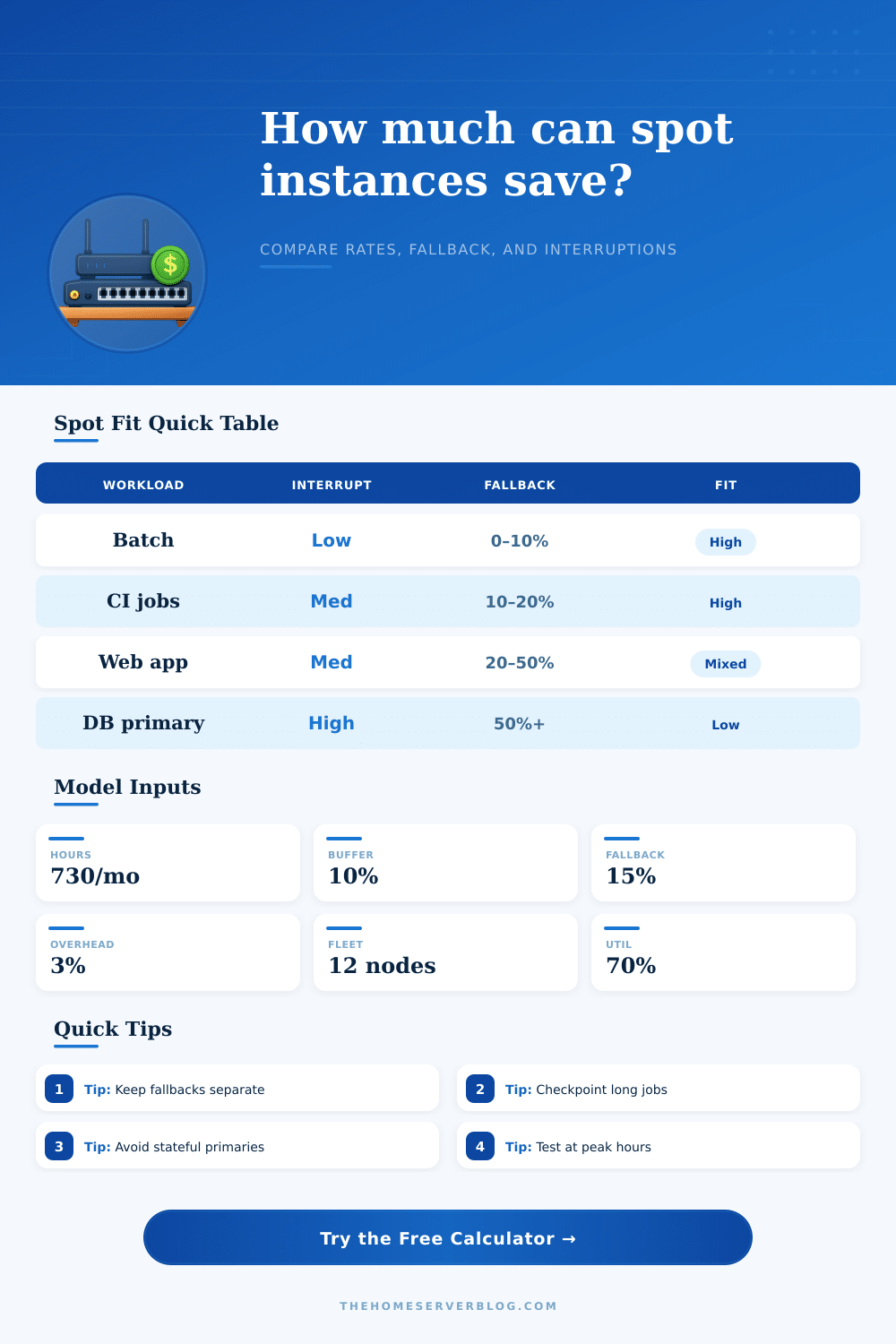
Before you start plugging in numbers, think about profile of your workload. Is it sensitive transaction processing? Are they stateful databases? Probably don’t do that on the spot. The financial reward isn’t worth the operational headache. Does it involve a lot of large-scale data analytics or video encoding or CI/CD runners? Those tend to be parallel jobs and tolerate being paused. Splitting them up into smaller chunks and restarting them quickly won’t lose too much progress. That’s where there might be some saving.
There’s also this thing called a capacity buffer that everyone forgets about… Unless it bites you! Scale events and retries require extra capacity. Otherwise, your system will have no slack to absorb a minor hiccup in available spots which results in a major outage. For this reason, the presets in the calculator provide reasonable defaults based off common industry patterns. Something like a dev sandbox is less prone to interruptions than a machine learning training queue. So trust those baselines but adjust according to your own experience.
Saving state matters because this world requires checkpoints. Not saving state regularly? You’re not ready for spot instances. Each minute of compute spent waiting on your long-running job to restart is directly eating away at your discount. That’s the cost captured by the overhead percentage field. Left unchecked (at zero), this is a silent killer of savings. Be honest with yourself about how much time your jobs actualy require to recover.
Beyond price: diversity matters. Across availability zones? Check. Across instance families? Check. Spreading them out makes it less likely they will go down during a particular supply shortage. Basic risk management. If you have all your eggs in one basket (one availability zone, one instance family), then you’ll be disproportionately impacted by a capacity crunch, price spike, etc.
The page has a nice reference table that lays it out for various kinds of workloads. Finally, spot instances aren’t free money. They’re discount money that takes discipline. If you don’t have a system to deal with failure then spot instances won’t help you. You should of expected that they will fail. Have them handled gracefully.
And when you do, the savings pile up quickly. Just take care to maintain your baseline so that the volatile stuff can use extra capacity. Spot isn’t meant for everything. It’s meant for where it makes sense without breaking the rest of the infrastructure.