Database and API pagination planning
Offset Pagination Calculator
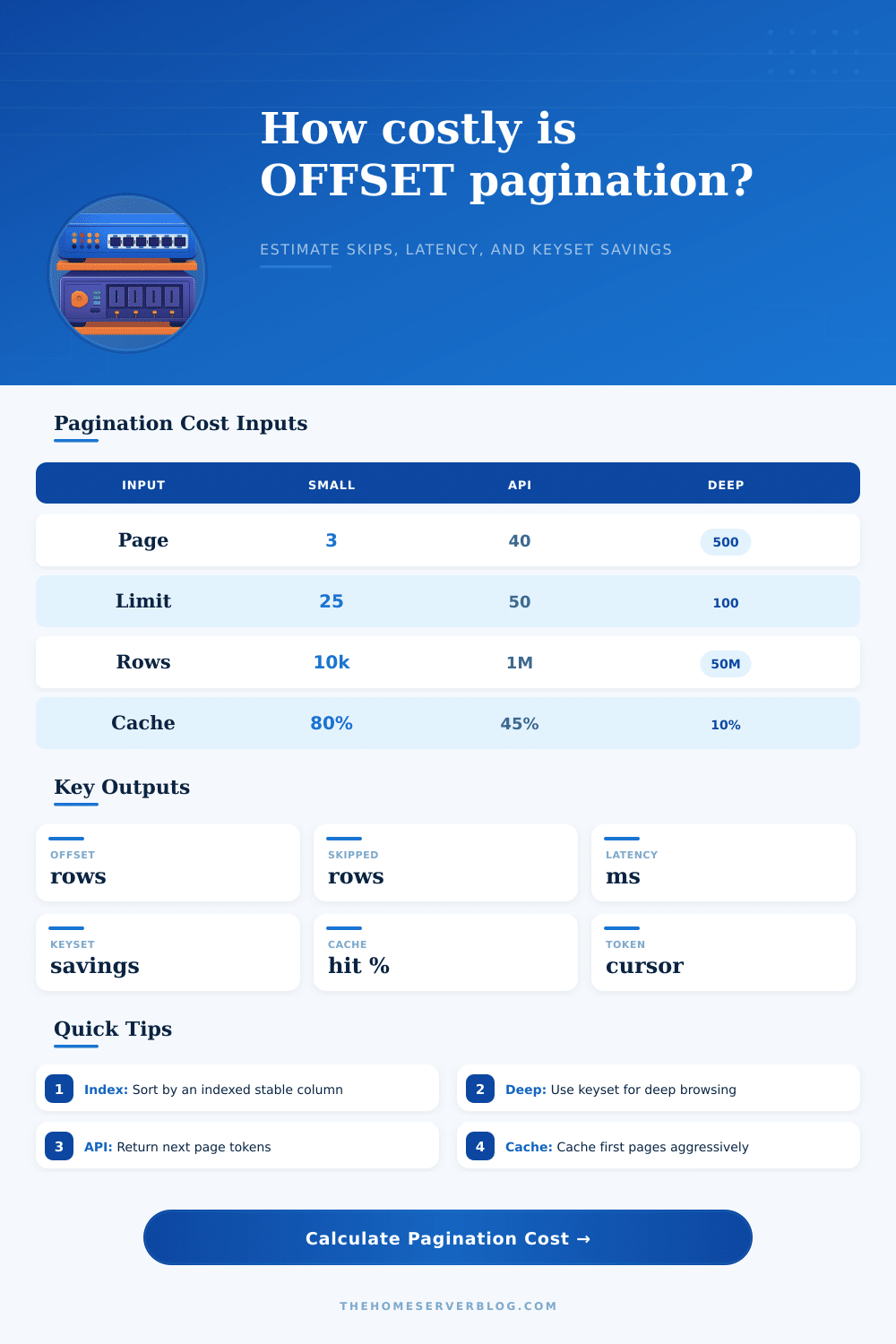
Estimate OFFSET values, skipped rows, query latency, cache-adjusted response time, and the expected savings from switching deep pages to keyset pagination with a stable page token.
Formula breakdown
Operational risk signal
PostgreSQL
OFFSET discards rows after scanning or sorting them. A covering index on the ORDER BY columns helps, but deep pages still grow roughly with offset depth.
MySQL
LIMIT offset, count can force scans through skipped index entries, and non-covering indexes may add table lookups for rows that never reach the client.
SQL Server
OFFSET FETCH works well for shallow ordered grids, but sort spills and lookups can make page 500 much more expensive than page 1.
Document stores
Skip-based pagination in MongoDB or search APIs usually degrades with depth. Prefer range filters, search_after, or a service-issued next token.
Offset pagination
Best for admin grids, direct page jumps, and small filtered result sets. It is easy to reason about because page 40 always maps to OFFSET 1950 when limit is 50.
Keyset pagination
Best for feeds, logs, search-after flows, and infinite scroll. It uses WHERE sort_column < last_seen_value or a token rather than counting skipped rows.
Hybrid approach
Use offset for the first few pages and switch to cursor tokens after a threshold. This keeps direct navigation while protecting deep-page performance.
| Database or API | Common offset syntax | Keyset alternative | Practical warning sign |
|---|---|---|---|
| PostgreSQL | LIMIT 50 OFFSET 1950 | WHERE (created_at,id) < ($1,$2) | Large sort or heap fetch count in EXPLAIN ANALYZE |
| MySQL / MariaDB | LIMIT 1950, 50 | WHERE id > last_id ORDER BY id LIMIT 50 | Using filesort or many rows examined per row returned |
| SQL Server | OFFSET 1950 ROWS FETCH NEXT 50 | WHERE sort_key > @last_key | Sort spill, key lookup storm, or high logical reads |
| MongoDB | find().skip(1950).limit(50) | find({_id: {$gt: lastId}}).limit(50) | Skip grows linearly on large collections |
| Elasticsearch | from: 1950, size: 50 | search_after with point-in-time | Deep from+size windows hit max result window |
| DynamoDB | Client-side offset emulation | LastEvaluatedKey | Offset requires reading and discarding pages |
| GraphQL | offset and limit arguments | Relay after cursor and first | Unstable order duplicates items during writes |
| REST API | ?page=40&limit=50 | ?page_token=opaque_token | High p95 latency after page 20 or 50 |
| Use case | Recommended pattern | Why | Implementation tip |
|---|---|---|---|
| Admin table with page jump | Offset first, keyset optional | Operators need deterministic page numbers | Cap maximum page depth or add filters |
| Activity feed | Keyset | Users move next/previous, not to page 873 | Cursor should include timestamp and id |
| Audit log | Keyset with time filters | Logs grow fast and deep pages are common | Add created_at range filters to every query |
| Search results | Search-after token | Result ranking can change between requests | Use stable PIT or snapshot when supported |
| CSV export | Chunk by key range | Offset export repeats growing skip work | Persist the last exported primary key |
| Public API | Opaque page token | Token hides sort details and migration paths | Encode filters, sort, last key, and expiry |
Is this page one of your product list? No problem, it loads immediatly. What about page five? It’s only a second longer so you don’t really even notice.
But then someone wants page four hundred. Your server goes into spin cycle as it crunches through millions of rows to find the half-hundred that should be included in this particuler sliver of data. That’s the pitfall here.
Why Skipping Rows Makes Your Database Slow
It is easy to think of pagination as just a way to find information on a shelf, but behind the scenes, your relational database treats OFFSET like a form of walking exercise. Before it hand you what you need, engine has to clamber all the way up from base of the pile.
This is why I have created a calculator (on this page). Often our intuitions fail us here. We all tend to think that going from page one to page ten are ten times as expensive. Often, it’s not ten times as bad: it gets exponentially worse when you’re using an unstable sort column, or when your indexes is thin.
That’s where the tool comes into play. Visualizing the cost of the skipped rows can help you see what’s realy going on there. After you plug in your row limit and page number, it does more than just calculate the offset value. It also tries to estimate how much data will actualy be scanned, taking into account engine-specific overhead and index selectivity.
The gotcha variable here is index selectivity. Low-variety columns (such as type and status) don’t allow the database to use the index to avoid reading so many rows. It has to read them all. The penalty gets modeled in the calculator. When you have low selectivity, latency jumps because query planner concludes it’s cheaper to just scan some amount of data rather than jump around on disk pages.
That’s the bit that most people don’t get. They tune for the happy path. Assuming the index can covers everything perfectly, but real world queries almost never exist in that empty world.
Another important thing is that there’s a cache layer. Maybe first couple of pages are served at light speed because they’re in memory, and the rest of it doesn’t really matter because you don’t even notice that it’s taking 3 seconds for each page to come back because the app just serves them as fast as it gets ’em (the tool accounts for cache hit rate and shows you what the difference is between “what you think” vs “actual db load”).
Then when your traffic scales up, those cached deep pages dissapears. The raw query cost appears. And that’s when your API begin timing out under modest load.
The answer is always: if the numbers stink, then keyset pagination (aka cursor-based pagination) is your friend. Rather than saying “skip me N rows,” you say “give me stuff older/newer than such-and-such a timestamp/ID.” Here’s the calculator’s estimate of the saving from making the switch. You see the big drop in latency. Now engine doesn’t have to plod along by skipping row by row. It just seeks to where it starts and runs from there.
Offsets work fine for admin pages where people jump to page fifty, but they does not work for audit logs or infinite-scroll feeds. Cursors are essential, or you die.
The tool came with reference tables of syntax differences between engines. For example, limits is handled differently underneath the hood by Postgres vs MySQL. Sort spills are another quirk unique to SQL Server. Tuning inputs depends on knowing how your engine behave. The calculator can predict high logical reads based on your depth settings. A red flag is high logical reads in an execution plan.
To sum up, then: there’s a built-in tradeoff here between stability in the system and convenience for developers. Offsets can be easily reasoned about, and they’re also easy to implement. Cursors involve dealing with opaque tokens and managing state, adding complexity to your API design. That complexity, however, would of pay for itself as your dataset grows. You don’t want this to just work well enough now. You want it to stand the test of time so that when your users triple next year, your endpoint doesn’t collapse under its own weight.
First, experiment on some lower-numbered pages with what you’ve got. Next, increase the page number in the simulator till the latency figures become unfriendly. That limit will tell you when to switch from cursor to offset. Don’t wait until your app goes into production and starts alerting you about how much row skipping is costing you. Measure it beforehand so it doesn’t cost you downtime. It’s a simple equation, but the pain of not paying attention to it is far more small.