Webhook Retry Backoff Calculator
Model exponential retry schedules with jitter, timeout budget, queue pressure, and expected recovery probability for home lab and self-hosted webhook receivers.
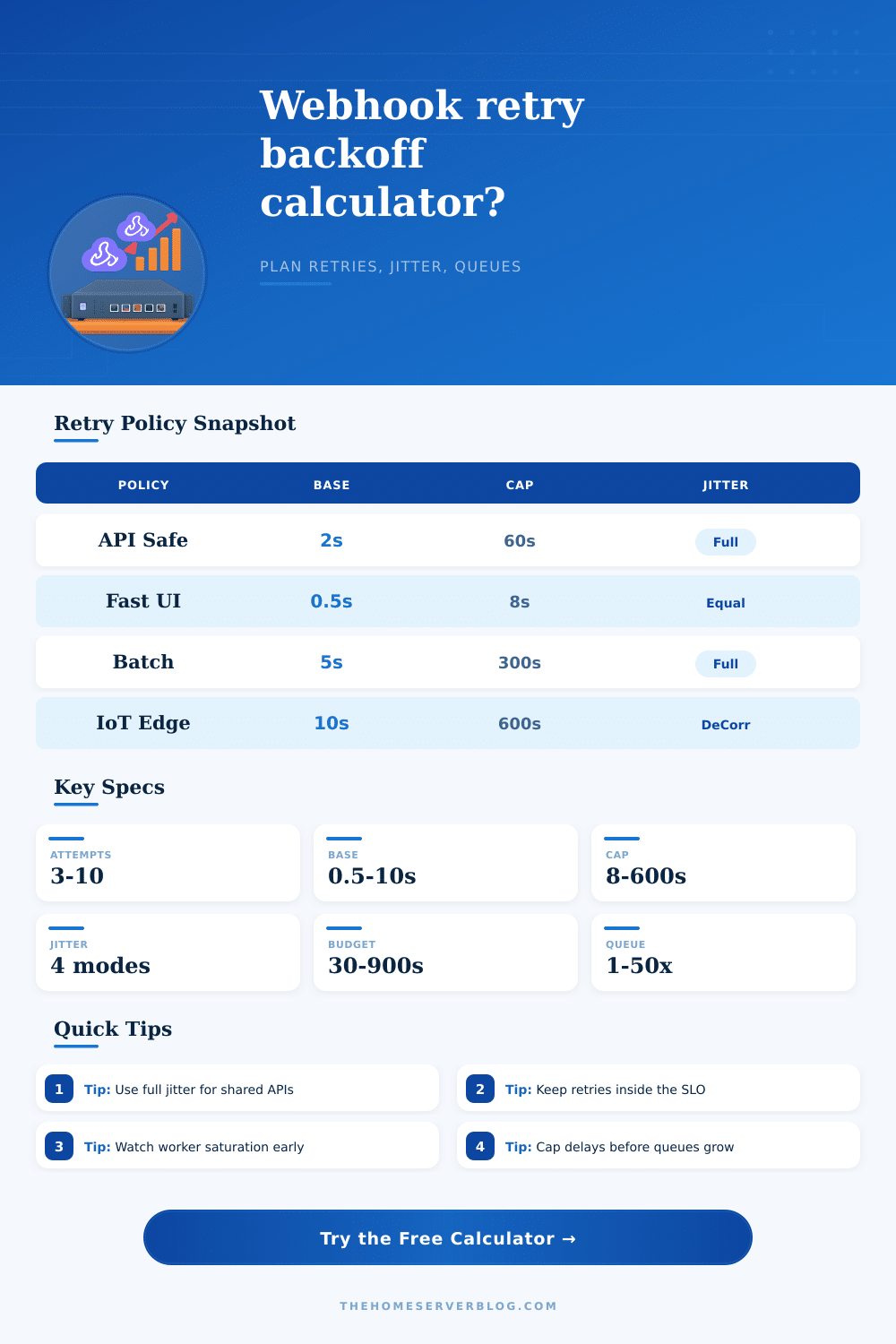
| Policy | Base | Multiplier | Cap | Jitter |
|---|---|---|---|---|
| API-safe full jitter | 2 seconds | 2.0x | 60 seconds | Full jitter lowers retry herds |
| Latency-sensitive equal jitter | 0.5 seconds | 2.0x | 8 seconds | Equal jitter keeps response faster |
| Queue-light capped backoff | 1 second | 1.6x | 30 seconds | Full jitter with gentler growth |
| Batch drain full jitter | 5 seconds | 2.0x | 300 seconds | Full jitter for large retry waves |
| IoT edge decorrelated jitter | 10 seconds | 1.8x | 600 seconds | Decorrelated jitter avoids lockstep |
| Local LAN short retry | 0.25 seconds | 2.0x | 4 seconds | No jitter for private lab services |
| Strict timeout window | 1 second | 2.0x | 12 seconds | Equal jitter inside tight budgets |
| Long-haul recovery | 15 seconds | 2.0x | 900 seconds | Full jitter for remote endpoints |
| Pressure | Worker state | Retry behavior | Practical action |
|---|---|---|---|
| Under 40% | Comfortable | Retries clear between bursts | Current workers are likely enough |
| 40% to 70% | Warm | Queue absorbs normal noise | Watch p95 delivery age |
| 70% to 90% | Busy | Incident bursts can stack up | Add workers or raise backoff |
| Over 90% | Saturated | Retry wave may self-amplify | Throttle, shed, or pause retries |
| Project | Typical failures | Suggested attempts | Budget |
|---|---|---|---|
| Home checkout relay | 20 to 150 per minute | 5 to 7 attempts | 2 to 5 minutes |
| Git event receiver | 5 to 80 per minute | 4 to 6 attempts | 1 to 3 minutes |
| Monitoring alert fanout | 10 to 300 per minute | 3 to 5 attempts | 30 to 120 seconds |
| IoT gateway callback | 60 to 1000 per minute | 6 to 10 attempts | 5 to 30 minutes |
| Attempt | Nominal delay | Expected jittered delay | Cumulative time |
|---|---|---|---|
| Run calculation | -- | -- | -- |
In the world of home labs, a single broken webhook becomes a retry storm. Your server sends another request a few seconds later, then another, then another, because a single payment service keep timing out. You feel like this is what you should of be doing; after all, you’re trying again. But it’s making the outage worse.
That’s where backoff logic saves the day. It doesn’t simply resend the failed message. It does so without using up your own resources or crashing the remote service.
How to Set Up Better Retry Logic
After plugging in your number of workers and their failure rates into this calculator (above), it do the math for you. No need to do guesswork about conversion factors or coefficients. The hard part is knowing what all that means.
And exponential backoff? Turns out there’s a good reason it’s the standard. It begins with small delays so that transient glitches can be caught rapidy. And as time goes by, it space attempts farther apart. Why? It has nothing to do with capacity. Instead, it gives the remote server time to recover while also respecting its limits.
Hammering away at some fixed interval create a thundering herd problem. Everyone tries again at the same time, so the server remains down longer and everyone fails again. But jitter prevents that synchronization. You spread out your retry traffic by randomizing the delay inside each backoff window. When everyone rushes for the door at once, it’s chaos. But when they trickle out at slightly different times, flow improves dramaticly.
For shared APIs where you don’t control the other side, full jitter works well. And for internal services where latency matter more than absolute randomness, equal jitter keeps things tighter. The wrong jitter profile can make the difference between a quick recovery or a prolonged deadlock.
The other thing that folks tend to overlook and then notice after it’s too late is queue pressure. “More retries = greater success rate” right? Sure, up to a point. Beyond that point, it will merely fill your local queue with dead weight. The tool will tell you how many workers are needed to prevent the backlog from spiraling out of control.
When worker use reaches its limit, nothing you can do with retries matter; your system isn’t working anymore, it’s waiting. And this is what folks fail to see. They’ll optimize for successful delivery, without accounting for cost of it.
You also need to consider timeout budgets. Sure, maybe it can succeed with a retry sequence in twenty minutes, but by then you need that data two minutes ago. Don’t set your timeout budget based off what’s technically possible; instead, set it based on what your users expect. “Hey, I’m trying to check out. Where is my confirmation?” Answer: The customer walked away.
Set sensible timeouts. Make hard choices about being both practical and persistent. Failing fast beats succeeding late. It’s laid out clearly in that reference table on the page, which compares different profile sides by side. For example, you can contrast a long-haul recovery strategy with a strict timeout window. Start with these presets, then tune them to your own traffic patterns.
Perhaps there should be three attempts within thirty seconds for an important monitoring alert. Maybe you could wait 10 minutes before retrying an IoT sensor reading and nobody would notice. Policy is context. Add some safety buffer to that calculation. The real world isn’t perfect. Networks get weird. You need a bit of leeway so edge cases don’t bring down your system. Better to overestimate a bit than be surprised when there is a spike.
Monitor your metrics once those retry policies go live. When you notice latency increasing, pull in the reins. When you notice an excessive number of permanent errors, increase attempts or decrease the base delay.
When done right, good retry logic is invisible. Your services is resilient to hiccups and no one notices anything wrong. No more embarrassing overload of your downstream partners and no more panic over sudden outages. It’s not easy and takes time to tune and understand, but when tuned correctly, it makes for a stable, peaceful service. Set some sane defaults, let your system operate, and tweak incrementally.
Understanding what gets measured is the trick here. When you understand the resource usage, speed, and reliability tradeoffs, you’ll learn to stop fighting the retries and instead let them work for you. Your home lab will run smoother. You’ll sleep more comfortabley. Those retry storms will finaly calm down.