Mailbox clients, IDLE, polling, reconnect storms, proxy pools
IMAP Connection Calculator
Estimate active IMAP sessions, login attempts per minute, proxy pool pressure, and safe server headroom before tuning connection limits on Dovecot, Cyrus, webmail, or hosted mail stacks.
Long-lived IDLE sessions plus active polling and burst load.
Polling logins plus mobile reconnects and burst pressure.
Peak sessions divided across the proxy or webmail pool.
Remaining capacity compared with the server max connection limit.
Connection breakdown
| Workload profile | Typical clients/user | IDLE share | Polling interval | What it means |
|---|---|---|---|---|
| Light personal mail | 1 to 2 | 30% to 55% | 10 to 30 min | Mostly one desktop app and one phone, with relaxed polling. |
| Home or family domain | 1.5 to 3 | 45% to 75% | 5 to 15 min | Mixed mobile, laptop, and tablet clients with moderate push behavior. |
| Office desktop pool | 2 to 4 | 55% to 85% | 2 to 10 min | Desktop clients stay online all day and mobile devices reconnect often. |
| Mobile-heavy users | 3 to 6 | 75% to 95% | 1 to 5 min | Phones and tablets dominate, so IDLE sessions and reconnect storms matter. |
| Migration or sync tooling | 1 to 8 | 10% to 40% | 0.5 to 2 min | Short sessions, repeated folder scans, and burst multipliers drive load. |
| Connection source | Calculator signal | Formula used | Primary pressure |
|---|
| Preset | Users / clients | Idle / poll | Burst / proxy | Typical tuning focus |
|---|---|---|---|---|
| Small Dovecot VPS | 25 / 2.2 | 70% / 5 min | 1.4x / 2 | Keep Dovecot mail_max_userip_connections and process limits aligned. |
| Family Mail Server | 8 / 2.8 | 75% / 10 min | 1.2x / 1 | Avoid tiny limits because every phone keeps a long-lived session. |
| Office 50 Users | 50 / 3.2 | 65% / 5 min | 1.5x / 2 | Balance desktop IDLE sessions with morning login waves. |
| Mobile Heavy IMAP | 120 / 4.6 | 90% / 3 min | 1.8x / 3 | Protect auth workers and proxy nodes from reconnect storms. |
| Thunderbird Desktop Pool | 80 / 2.5 | 55% / 4 min | 1.6x / 2 | Desktop folder subscriptions increase active selected-mailbox sessions. |
| Webmail Proxy | 350 / 1.4 | 35% / 2 min | 2.0x / 4 | Front-end pool sizing matters more than per-person client count. |
| Migration Sync Burst | 600 / 1.1 | 10% / 1 min | 4.0x / 6 | Short-lived scans push logins per minute and backend file descriptors. |
| Shared Hosting Mail | 1500 / 2.1 | 60% / 8 min | 1.7x / 8 | Tenant unevenness means buffers and per-IP limits both need review. |
| Monitoring Mailbox Fleet | 250 / 1.0 | 5% / 1 min | 1.3x / 4 | Frequent probes create login rate pressure even with few IDLE sessions. |
| Tuning area | Low-risk range | Warning sign | What to check |
|---|---|---|---|
| Server max connections | Peak plus 20% to 40% | Headroom below 15% | IMAP process limits, OS file descriptors, memory per process, and per-user caps. |
| Auth timeout | 10 to 45 sec | Held auth slots exceed worker pool | LDAP, SQL, PAM, and 2FA lookup latency during reconnect waves. |
| Proxy node target | Evenly below node limit | One node exceeds others by 30% | Sticky routing, haproxy balance mode, nginx mail proxy, and webmail affinity. |
| Polling interval | 5 to 15 min for humans | Every client checks once per minute | Desktop profile defaults, mobile account settings, monitoring scripts, and webmail refresh. |
| Mobile reconnects | 5% to 20% per minute | Large spikes after Wi-Fi changes | TLS resume, connection reuse, push behavior, and rate limits per source IP. |
Dovecot
Efficient IDLEStrong default for home labs and VPS mailboxes. Watch service_count, mail_max_userip_connections, auth workers, and file descriptor ceilings.
Cyrus IMAP
Multi-user scaleWell suited to shared mailbox stores. Check process limits, murder front-end sizing, and backend mailbox partition behavior.
Courier IMAP
Simple layoutGood for smaller Maildir hosts. Capacity planning should focus on process count, login rate, and per-IP user caps.
Webmail Front End
Short burstsRoundcube, SnappyMail, and similar clients often create bursts from page loads, previews, and folder refreshes.
IMAP Proxy Pool
Fan-in layernginx mail proxy, HAProxy TCP, and director-style pools need per-node session limits and stable backend routing.
Hosted Mail Tenant
Noisy neighborsShared hosting needs wider buffers because one tenant migration or misconfigured phone fleet can dominate login pressure.
Email servers don’t just hang around waiting for mail to arrive. No, they’re busy things. They is busy entrances, always opening and closing. Someone’s always at that digital door, your phone waking up from sleep, a new tab in your browser opening, some script checking for updates. Too many people knocking all at once though, and the whole thing jams. Nobody gets any mail.
In most situations it isn’t about how much space there is but rather how many IMAP connections is being made. You plug in how many clients you have and their usage patterns; the calculator do the rest. No more guesswork based off conversion rates or coefficients. No more fuzzy ideas of what your servers can handles. It turns vague “it feels slow” into hard data such as login attempt rate per minute and concurrent session counts.
How to Plan Your Email Server Connections
That’s important because different resources is stressed by short spikes vs. Some connections stay active for a long time. Leaving your laptop on all day stresses one set of resources, while your phone constantly dropping out of WiFi range stress another. If you want consistent performance, you should of plan for both scenario.
But first think about the number of devices per user. How many do they really have? Chances are it’s not only one. Most users access their email on multiple device: on their work laptop, in addition to their phone, maybe even on a tablet or an old computer at the office. Two client per user may underestimate things. More likely three or four clients per user are a more reasonable estimate in today’s moddern workplace, which blends corporate and personal devices.
You can set that multiplier yourself and play around with results. It tends to surprise folks how quickly those expected connections rise once you give up the assumption of one device per user.
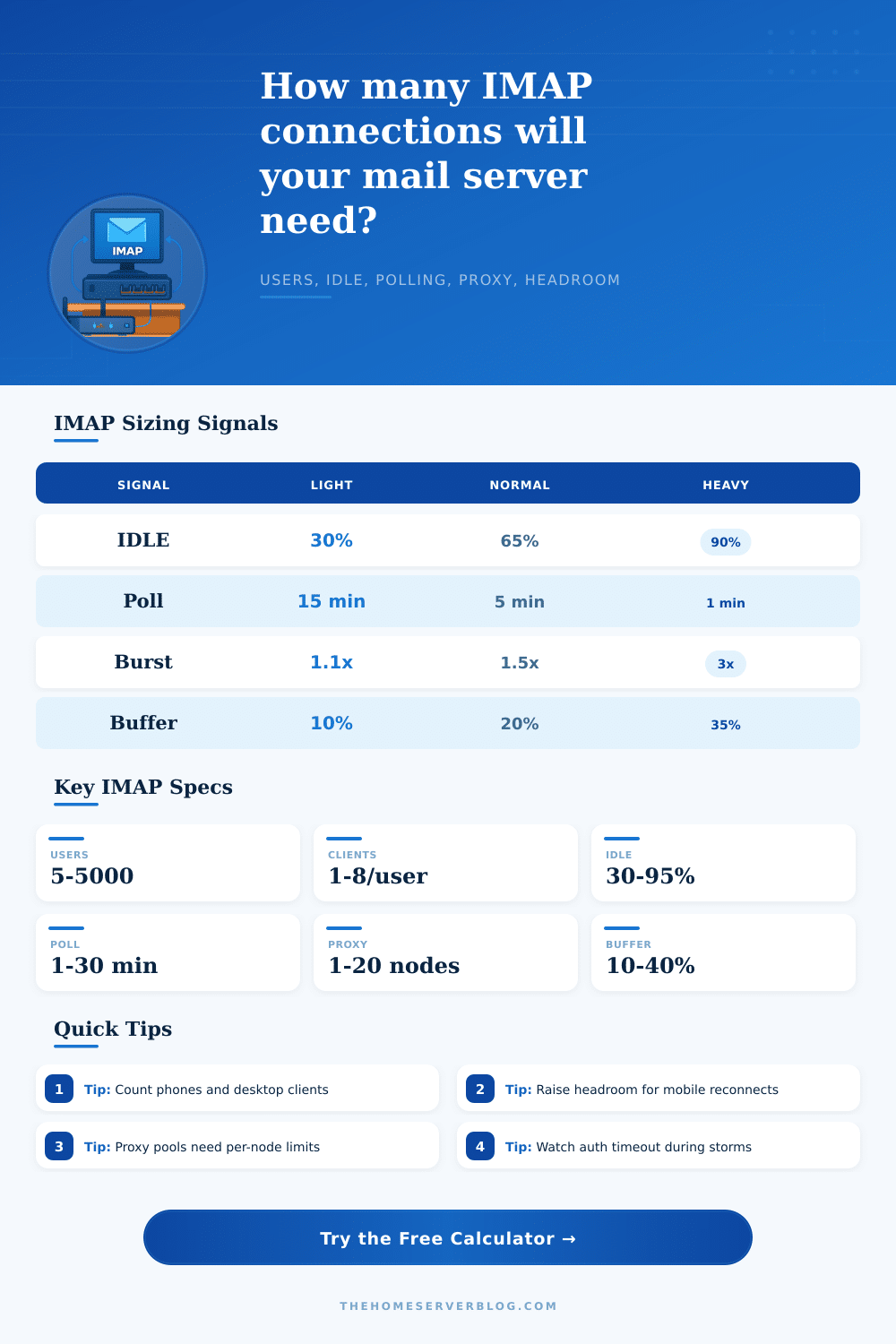
But that’s not all, what do your clients do? Do they use IDLE to leave their connections open so that incoming mail will notify them instantly? Or do they disconnect and then reconnect periodically to see if anything changed? Sounds good, but imagine 50 users doing this every minute: an endless flood of authentication requests. The calculator accounts for such behavior; IDLE sessions gobble up file descriptors and memory; polling spikes causes stress on the authen workers.
For many admins, one is optimized at the expense of the other (which kills the server). But there’s one more thing to consider: bursts. These can exceeds your normal averages by three or four times. Whether it’s a migration project, mass password reset or people logging in during the morning rush, they’re 3-4x higher then what we’d call “normal.” The tool has built-in burst multipliers so that you can size up for those moments, not just quiet days. Your server may be able to handle Tuesday, but if you don’t leave headroom it could fail on Monday morning.
Then there’s the added layer of load balancers/proxy pools. Ideally, traffic gets distributed evenly across all your front-end nodes. Sometimes it doesn’t distribute evenly. Uneven routing or sticky sessions will dump half the reconnect storm on one machine while others sits idle. Typical profiles for these scenarios are laid out in the reference tables. These help you understand what your setup look like: Is this a desktop focused office suite? Or is this a mobile heavy environment?
Changing the safety buffer percentage provides a cushion from uneven spikes. That’s what real world tuning is: not really about a specific #, but understanding the break points. Pay attention to auth timeout settings. Long logins from slow ldap or 2fa can holds open a slot that holds up other people trying to login in a storm. Freeing them clears space for people who need it. It does because it does. It doesn’t care about maxing connections, it just wants the front door to stay clear so no one gets locked out.
Prepare for the peak, plan for chaos, and leave some room for unexpected connection.