Private vs Public IP Checker
Classify an IPv4 or IPv6 address, detect special-use ranges, and choose the right home server repair path.
📌Real Home Server Presets
🔧Checker Inputs
🖥Equipment and Exposure Comparison
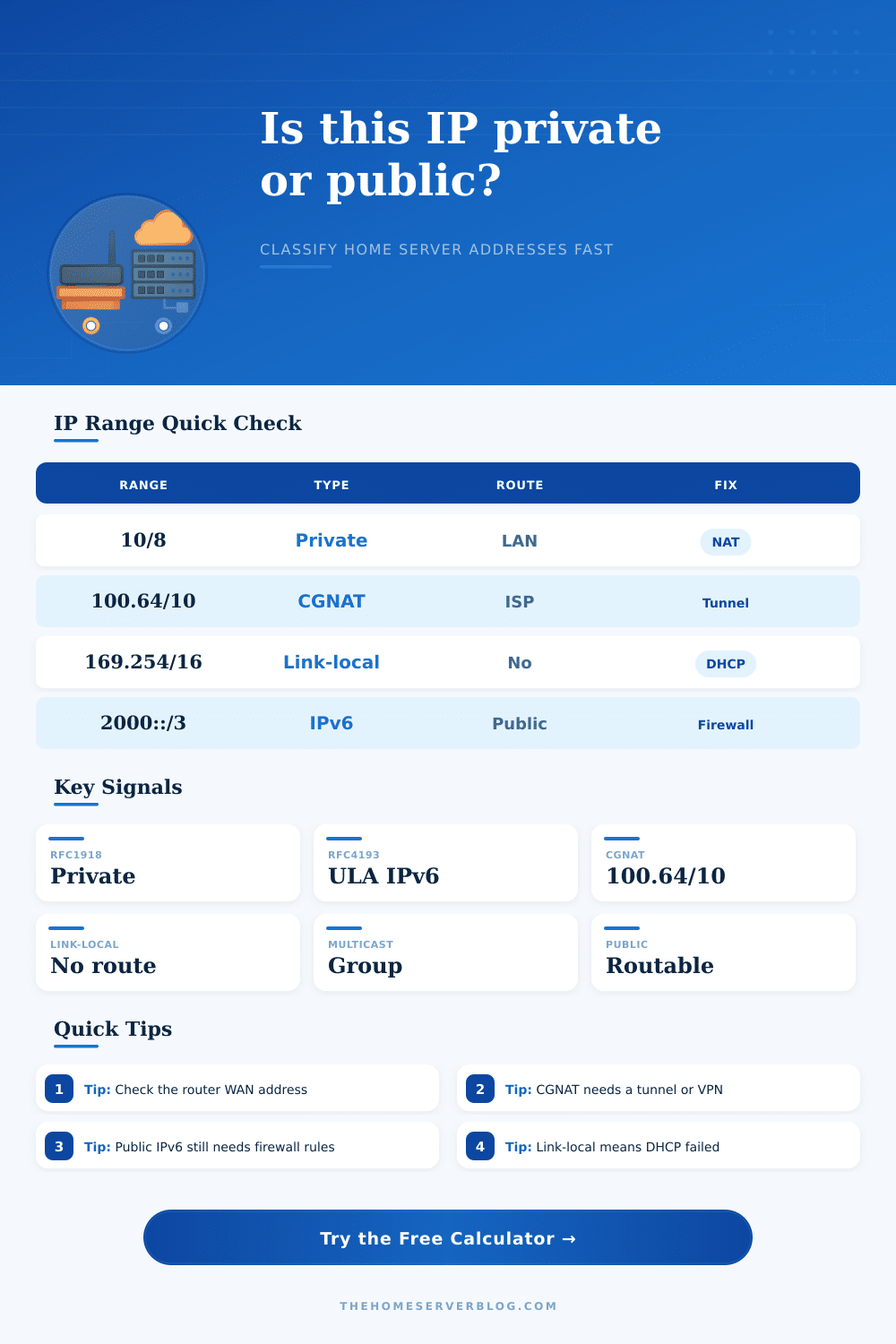
📚IPv4 Special-use Ranges
| Range | Classification | Home Server Meaning | Repair Direction |
|---|---|---|---|
| 10.0.0.0/8 | RFC1918 private | LAN, VPN, containers, lab networks | Use NAT, VPN, or a reverse proxy to reach from internet |
| 172.16.0.0/12 | RFC1918 private | Often Docker, VM bridges, or enterprise LANs | Avoid overlapping subnets between VPN sites |
| 192.168.0.0/16 | RFC1918 private | Most common home router LAN range | Forward from the router public WAN, not from the server IP alone |
| 100.64.0.0/10 | Carrier-grade NAT | ISP-shared WAN address, not directly reachable | Ask for public IP, use IPv6, VPN, or reverse tunnel |
| 169.254.0.0/16 | Link-local APIPA | DHCP failed or isolated direct cable segment | Repair DHCP, VLAN, cable, or static IP settings |
| 127.0.0.0/8 | Loopback | Only the same machine can use it | Bind service to LAN IP when other devices must connect |
| 224.0.0.0/4 | Multicast | Service discovery or streaming groups | Not a host address; inspect mDNS, SSDP, or routing |
| 192.0.2.0/24, 198.51.100.0/24, 203.0.113.0/24 | Documentation | Examples in docs and tutorials | Replace with your real address before testing |
🌐IPv6 Special-use Ranges
| Range | Classification | Scope | Home Server Check |
|---|---|---|---|
| 2000::/3 | Global unicast | Internet-routable when routed | Confirm firewall rules before publishing services |
| fc00::/7 | Unique local address | Private IPv6 site or lab | Use VPN, routing, or global IPv6 for external access |
| fe80::/10 | Link-local | Single network segment | Add an interface zone for commands and fix router advertisements if needed |
| ff00::/8 | Multicast | Group communication | Not a device address; check discovery protocol behavior |
| ::1/128 | Loopback | Local machine only | Change service bind address for LAN clients |
| 2001:db8::/32 | Documentation | Examples only | Replace with assigned prefix for testing |
| ::ffff:0:0/96 | IPv4-mapped IPv6 | IPv4 compatibility | Classify the embedded IPv4 address |
🛠Repair Strategy Matrix
| Detected Address | Works For | Fails For | Best Next Move |
|---|---|---|---|
| RFC1918 private | LAN dashboards, NAS, local game servers | Direct internet visitors | Use router WAN IP, VPN, or reverse proxy |
| CGNAT WAN | Outbound browsing and cloud sync | Normal inbound port forwarding | Request public IP or use tunnel-based ingress |
| Public IPv4 | Port forwarding and DNS A records | Unsafe broad exposure | Limit ports, patch service, and log inbound attempts |
| Global IPv6 | AAAA records and direct IPv6 clients | IPv4-only networks | Add firewall allow rules and keep IPv4 fallback if needed |
| Link-local | Neighbor discovery and emergency access | Routed subnet access | Repair DHCP, router advertisements, VLAN tags, or static config |
| Reserved or documentation | Examples, lab notes, non-production testing | Real internet routing | Replace with an assigned address before troubleshooting further |
📊Common Home Server Signals
| Scenario | Likely Address | Calculator Result | Practical Check |
|---|---|---|---|
| NAS on a home LAN | 192.168.x.x | Private, NAT required | Reserve DHCP lease before forwarding |
| ISP router WAN shows 100.80.x.x | 100.64/10 | CGNAT, not direct | Compare against an external IP checker |
| Docker container bridge | 172.17.x.x | Private bridge | Publish container port on host IP |
| Public VPS relay | Non-special IPv4 | Public routable | Use firewall and reverse proxy rules |
| IPv6 home prefix | 2xxx: or 3xxx: | Global IPv6 | Test from a non-LAN IPv6 client |
| Mac or PC self-assigned address | 169.254.x.x | Link-local | Repair DHCP before checking ports |
You just set up a home server and now no one can connect to it from the Internet. Why? Because private vs. Public IP addresses is different things (yet most of us treat them as the same). When something goes wrong, we’re lost because we don’t know why our port forward doesn’t work. Knowing what’s what gets you troubleshooting without guesswork.
So, the calculator tell you what type of address you’ve got and thus points you to a potential solution. That’s important because not all private addresses is equal. Some are standard local network addresses, which are designed to be private. Others are carrier-grade NAT addresses, meaning your ISP are sharing one single public IP among lots of user.
Fix Your Home Server Connection Problems
How do you account for that when planning remote access? Traditional port forwarding won’t cut it if your router has shared NAT, regardless of whether or not you configure your router correct. ISPs are using Carrier-Grade NAT because they is running out of v4 addresses.
What does this mean? If you look at the WAN page of your router you may see something like a public IP address assigned to you, which it isn’t. Why not? There’s no route from the outside world to that range. The tool will tell you by scanning certain RFC ranges. It’ll also flag any link-local addresses. Typically this means your DHCP server didn’t gave you a lease. It is an internal plumbing thing, not a routing problem in the internet itself.
The repair steps are intended to be a starting point. The checkers might recommend a VPN or tunnel because they know those will punch right through a blocked inbound connection. A reverse tunnel instead establish an outbound connection from your server to a publicly available relay. Traffic flows back through NAT barrier via this outbound pipe, which doesn’t open any holes in your firewall.
That’s typically more convenient than opening ports directly on your home router. Opening ports leaves you exposed to constant port scans by botnets seeking vulnerable services. Safety and convenience is at odds here. A tunnel meets both requirements.
The way we see firewalls also change with IPv6. Although there is huge address space, there is no more NAT to protect us from. With IPv6, every host get a global unicast address, which means: Public. It can be reached from anywhere. People who grew up using IPv4 tend to believe that NAT continues to protect their devices. It doesn’t. If you have an IPv6 host, all your protection are in firewall rules that block unwanted traffic. Your public IP needs active protection, not passive isolation.
For instance, you might not know that a change to your firewall settings can’t correct problems with DHCP. You might also think that the example ranges given in a tutorial will be active in your own network. (They won’t, those are reserved for demonstration purposes and do not pass traffic through the public internet.) Always check what range was actualy assigned to you using an outside checker.
The included reference tables describes the differences and how they’ll affect your efforts. Saving you the wasted time of working on addresses that aren’t capable of passing anything between network. Knowing what direction your traffic travels is part of getting your home server online. Knowing if your home has private, public, or shared addresses lets you select an appropriate way to proceed. It stops you from guessing what’s wrong with your connection and helps you configure your systems to work with your network reality. It makes a frustrating problem become something that you can manage.
You should of checked the settings first.