HomeServerBlog network calculator
Jumbo Frame Efficiency Calculator
Compare 1500-byte Ethernet against jumbo frames for storage and lab networks. The calculator estimates packet count reduction, wire overhead savings, effective useful throughput, CPU interrupt relief, and mixed-MTU risk from the same payload.
Live calculation breakdown
Standard Ethernet
1500General LAN default. Reliable through routers, firewalls, Wi-Fi bridges, and consumer switches.
Baby Jumbo
4000-4470Some older storage and virtualization gear supports this before full 9000-byte frames.
Storage Jumbo
9000Common target for NAS, iSCSI, NFS, SMB Direct, and VM migration networks.
Switch Max
9216Often a switch frame-size ceiling, leaving room for headers, tags, or vendor definitions.
| Metric | Standard MTU | Jumbo MTU | Change |
|---|---|---|---|
| Packets | 0 | 0 | 0% |
| Wire bytes | 0 | 0 | 0% |
| Useful throughput | 0 Gbps | 0 Gbps | 0% |
| CPU packet pressure | 0% | 0% | 0% |
This table updates from your actual inputs and uses the same payload size for both MTUs.
Jumbo MTU minus TCP/IP overhead.
Jumbo MTU plus Ethernet and VLAN bytes.
Expected extra transmissions from packet loss.
Entered endpoint packet ceiling.
| Byte component | Typical value | Included in calculator | Why it matters |
|---|---|---|---|
| Ethernet header + FCS | 18 bytes | Ethernet overhead bytes | Always sent per frame, so fewer frames save it repeatedly. |
| Preamble + inter-frame gap | 20 bytes | Ethernet overhead bytes | Consumes link time even though it is not packet payload. |
| 802.1Q VLAN tag | 4 bytes each | VLAN tags input | Storage VLANs and lab trunks can add one or more tags. |
| TCP/IP headers | 40 to 60 bytes | TCP/IP overhead input | Subtracted from MTU to get the useful data per packet. |
| Preset | Typical link | MTU target | Best use | Risk note |
|---|---|---|---|---|
| 1500 to 9000 NAS | 10GbE | 9000 | Large SMB/NFS file copies | Confirm every switch port supports jumbo. |
| iSCSI Storage VLAN | 10GbE | 9000 | Block storage with isolated VLANs | A single 1500-byte hop can stall sessions. |
| VM Migration | 10GbE or 25GbE | 9000 | vMotion, live migration, replica sync | Match host NIC, vSwitch, and physical switch MTU. |
| Backup Network | 2.5GbE to 10GbE | 9000 | Large sequential backup streams | Lossy links can erase the gain. |
| 25GbE Lab | 25GbE | 9000 | Fast home lab storage fabrics | CPU packet limit is often the real ceiling. |
| Symptom | Likely cause | Check | Calculator clue |
|---|---|---|---|
| Large transfers hang | Path MTU mismatch | Use DF ping at jumbo size between endpoints | Mixed MTU risk rises when jumbo is far above standard MTU. |
| Throughput barely improves | Link limited, not CPU limited | Compare CPU packet pressure before and after jumbo | Small CPU pressure change means overhead was not the bottleneck. |
| High retransmits | Dirty cable, bad optic, buffer drops | Inspect NIC counters for FCS, discards, and TCP retransmits | Packet loss input quickly reduces effective jumbo throughput. |
| Only one VLAN fails | Trunk or virtual switch MTU not updated | Audit switchport, bridge, bond, VMkernel, and storage VLAN settings | VLAN tags add bytes and raise the end-to-end frame size. |
Ever get a new, super-fast network drive hooked up and still get slow speeds? After hours of setting up VLANs, crimping Cat6 cables and getting your stack of switches set up just right, your bandwidth still feel as good as it did with old-school gear. But it’s rarely actualy the wires, is it? Not exactly. While hardware is definitely capable of better performance, it typically isn’t the wire.
Usually it’s something about how small amounts of data get shunted around in an inefficient way, adding a lot of overhead. This is where jumbo frames comes into play, and also why you need to tune them carefully to get maximum benefit.
How Jumbo Frames Help Your Network Run Faster
For regular old Ethernet traffic, each packet is 1500-bytes. That equate to a lot of header-overhead per packet. And if you’re moving a big database backup or video edit? That overhead become a huge percentage of your total bandwidth and CPU cycles. Instead of moving actual data, you spend those resources moving all those headers.
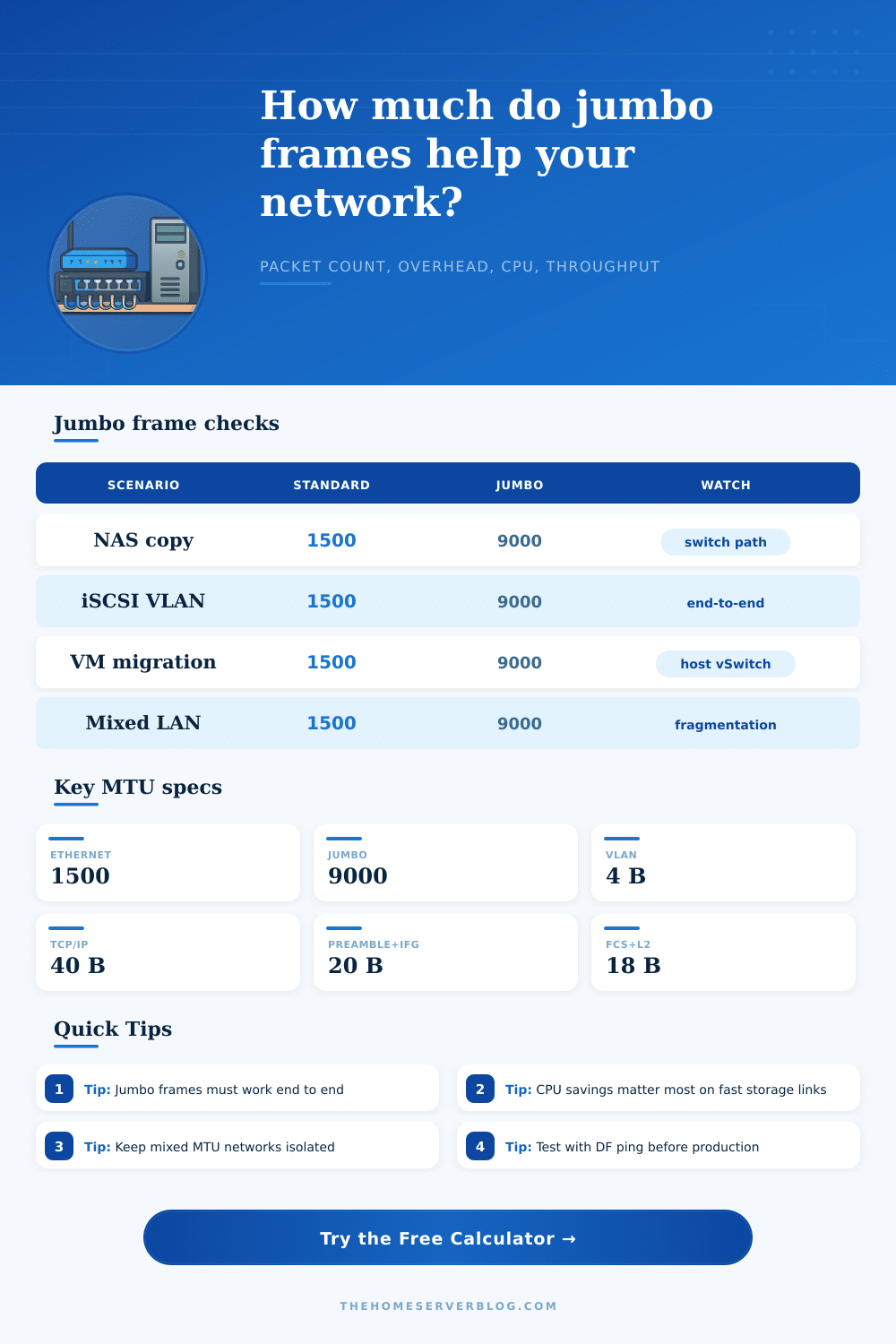
Jumbo frames (9000-bytes) eliminate some of this by requiring fewer packets to send the exact same amount of data. Fewer packet means fewer interrupt calls on your processor, and less time spent with preamble and inter-frame gap. Use calculator above to run the math for you; it shows exactly how much overhead savings you gain when you increase your MTU. In other words, it breaks out how many useful throughput bytes vs how many bytes over wire so you know what kind of efficiency gains you’re getting.
There’s no free lunch with jumbo frames, however. Jumbos require end-to-end support. Anything that can’t handle the bigger frame size will either drop the packet or fragment it. That mean dropping packets or destroying performance by adding latency. Why? Because of fragmentation. That’s why the tool includes a risk assessment for mixed MTUs. It lets you see how your network segments with different capabilities mix together, and what happens.
The page shows a chart comparing standard Ethernet with baby jumbo and full storage jumbo settings, pointing out where each work best. The main point is that you’ll want to check every hop. From the physical NIC, through the vSwitch and up into the NAS controller.
The silent network performance killer tend to be CPU use. Packet rates create more interrupts for the processor to handle, which will bottleneck your system well before reaching theoretical limit of the link. Jumbo frames reduces the number of packets, giving the CPU some breathing room. The tool estimates how many interrupts are reduced by the lower packet count based off the values you enter for loss rate and CPU limits. If you notice heavy CPU usage when transferring large files, bumping up the MTU is one of the rare software tweaks that translates into real hardware level benefits. Instead of having to chug along with thousands of tiny transactions, it let the network stack work with larger, more efficient blocks of data.
Never make production changes without testing. Test your configuration by pinging with the do-not-fragment bit set. Test using path MTU discovery. If a ping hangs right at 1500 bytes, bingo, there’s your problem. Isolate your storage traffic onto special-purpose VLANs for things like NFS or iSCSI. Don’t turn on jumbo frames across your general purpose internet facing LAN, there’s no need, and compatibility is always uncertain. Leave those networks alone so they don’t become part of your everyday web serving or browsing activities and cause problems there instead.
Larger frames move more data in less time. But that’s true only if everyone along the chain speak the same language. Speed isn’t so much an issue as it is efficiently. And if all devices down the line can use the right frame size, the network is no longer fighting against its own protocol overhead. No one needs faster hardware to get closer to what the actual link can do.
The whole idea here is a continuous stream of data flowing smoothly with minimal baggage, where the wire carries mainly payload. This is the sweet spot for both enterprise storage networks and home lab.