HomeServerBlog branch circuit planner
Circuit Load Calculator
Estimate circuit amps, usable breaker capacity, continuous-load derating, startup surge margin, apparent power, and heat for a home server rack, NAS shelf, UPS, PoE switch stack, network closet, or small lab.
Load breakdown
Reference draw for the selected equipment type, before count and accessory loads.
Used as a reality check when circuit VA and UPS sizing matter.
Small adapters have modest surge; disk and UPS events can be larger.
Match plugs, PDUs, UPS inputs, and receptacle ratings before deployment.
Edge Network
20-80 WONT, router, controller, and a small fanless switch usually fit easily on shared 15 A service.
NAS Shelf
60-180 WDisk count and scrub activity drive peaks; use measured idle and active watts when possible.
PoE Access
120-500 WSwitch base draw plus powered devices matters more than the switch electronics alone.
Rack Server
250-900 WDual PSUs do not always double running watts, but they can affect branch and UPS planning.
| Circuit | Nameplate watts | 80% continuous target | Typical home lab use | Planning cue |
|---|---|---|---|---|
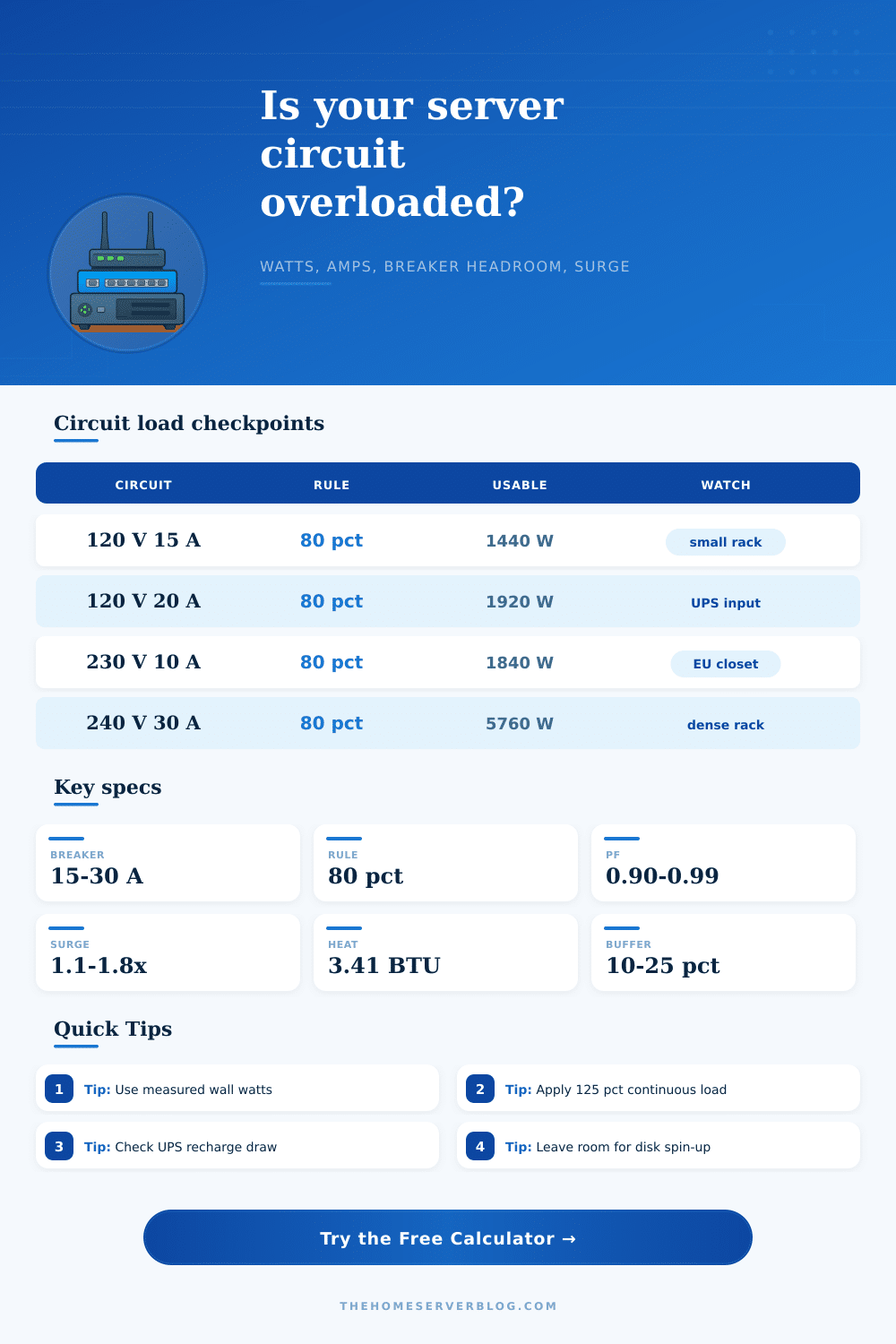
| 120 V / 15 A | 1800 W | 1440 W | Router, NAS, mini PCs, small UPS | Watch shared room outlets and space heaters. |
| 120 V / 20 A | 2400 W | 1920 W | Dedicated network closet or modest rack | Common upgrade target for dense home lab gear. |
| 230 V / 10 A | 2300 W | 1840 W | EU/UK style lab closet with one UPS | Higher voltage lowers current for the same watts. |
| 230 V / 16 A | 3680 W | 2944 W | Several servers, PoE, storage, and cooling | Check plug, cord, PDU, and UPS input ratings. |
| 240 V / 30 A | 7200 W | 5760 W | Dense rack PDU or split-load lab rack | Usually needs purpose-built branch equipment. |
| Check | Formula or value | Why it matters | Home lab example |
|---|---|---|---|
| Watts to amps | Amps = W / V | Real-power current checks branch loading. | 600 W at 120 V is about 5 A. |
| Apparent power | VA = W / PF | UPS and inverter limits are often VA and watt limited. | 600 W at 0.90 PF is 667 VA. |
| Continuous load | 125% check | Long-running loads need extra circuit margin. | 500 W continuous plans as 625 W. |
| Heat conversion | 1 W = 3.412 BTU/hr | Nearly all server power becomes room heat. | 750 W creates about 2559 BTU/hr. |
| Three hour cue | continuous load | Always-on servers, NAS, switches, and UPS units fit this pattern. | Use the 80% planning target. |
| Project | Equipment count | Typical steady load | Suggested circuit check | Secondary concern |
|---|---|---|---|---|
| ISP edge shelf | 3 to 5 small devices | 35 to 90 W | Usually light on a 15 A circuit | UPS runtime matters more than amps. |
| NAS backup closet | 1 NAS, 1 switch, 1 UPS | 90 to 220 W | Check disk spin-up and charger load | Ventilation for heat buildup. |
| PoE camera network | 8 to 24 powered ports | 180 to 520 W | Use actual PoE draw, not only budget | Night IR can raise load together. |
| Virtualization stack | 3 to 6 compute nodes | 300 to 900 W | 20 A or 230 V circuit may help | Startup sequencing reduces surge. |
| Dense rack lab | Servers, storage, PoE, UPS | 900 to 3000 W | Purpose-built branch and PDU planning | Cooling and cord ratings dominate. |
Your eyes move to your server rack. Lights blink steadily. Everything looks fine. But you know it’s complicated. There are two NAS unit with their spinning drives. There are three network switches. There is a quiet UPS in the corner. Lots of cables is nestling together on the power strip. And you suspect the wall outlet is pretty close to being maxed out.
For your hardware, proper load calculation is insurance. Enter your particular setup into the calculator and let it do the math. Not sure whether that new PoE switch are going to trip the breaker? Let the calculator handle the math for you.
Calculate Power for Your Server Setup
If a device has a 600 watt power supply, you may think it will pull 600 watts off the wall. Nope. Server gear pulls just a fraction of its rated capacity in normal operation. When all that stuff goes on the fritz simultaniously, that’s where things get dicey. Make the distinction between intermittent and continuous loads.
Your switches, storage arrays and idle servers is using a continuous load, their baseline heat as they sit there idling and chugging along with normal traffic. That’s what you’re managing day-to-day. Those are the spikes. They don’t last very long, just a momentary change in load. It could be a UPS shifting to battery operation after a momentary flicker of power. Or it could be a backup disk spinning up. Or an air conditioner kicking on in the same room.
For those couple of hundred milliseconds the hard drive will pull double what it normaly does as it speeds up the platters. And if you have ten drives starting at once, the load is still small but its enough to trip a sensitive breaker. You set a growth buffer and a surge multiplier. This is in case you expand beyond your comfort zone before your lab are ready.
Home users frequently get confused by power factor. The power factor is the ratio between apparent power (flowing through the wires) and real power (doing work). Cheap power supplies tend to be bad for power factor. Because there are phase differences in the AC signal, they pull more current out of the wall then the wattage meter will indicate. For example, a device with a power factor of 0.7 that draws 500 watts puts more strain on the circuit than its actual amperage suggest.
That’s why sometimes a UPS unit shuts down before the wattage limit is reached. The UPS unit hits its VA ceiling first. So knowing this puts you in a better position when you’re looking at thermal limits of breakers or when you want to size a backup battery. You need this information since just using a simple meter to read watts isn’t necessarily enough. The math prevents your circuit from overheating due to reactive current.
Small rooms are also very dangerous when it comes to heat. For every watt of power used by IT gear, that’s a watt of heat energy within the room. The closed closet does not offer any free cooling. A thousand watts is about 3,412 BTUs per hour. Pack that much heat into a typical network cabinet with little air flow and things will get hot. Components will start to throttle or even fail.
Because servers have no problem operating at high internal temperatures temporarily, you won’t necessarily feel it right away. But continuous exposure to heat decreases drive life span and harms capacitors. To help estimate the thermal output, check your load. Then adjust your cooling solution to match your level of equipment density.
Finally, there is 80 percent rule. Most electrical codes will tell you that no more than 80 percent of any breaker can be used continuously. Why? It protects the wires from degrading over time while also preventing annoying nuisance trips. With a basic 15-amp household circuit, you’re looking at roughly 1440 watts of constant load. That doesn’t sound like much but it goes fast once you include an input for a UPS. There is additional charge overhead required by the UPS itself.
By operating in this space, you’ll keep your lab up and running through both the summer heatwave and the winter storm. It’s not just about running; it is about lasting. You are building the machine.