Delta-T Cooling Calculator
Estimate airflow, BTU load, exhaust temperature, and cooling margin for home servers, racks, NAS shelves, and network closets.
Calculation Breakdown
Mini PC Node
NAS Shelf
Rack Server
PoE Switch
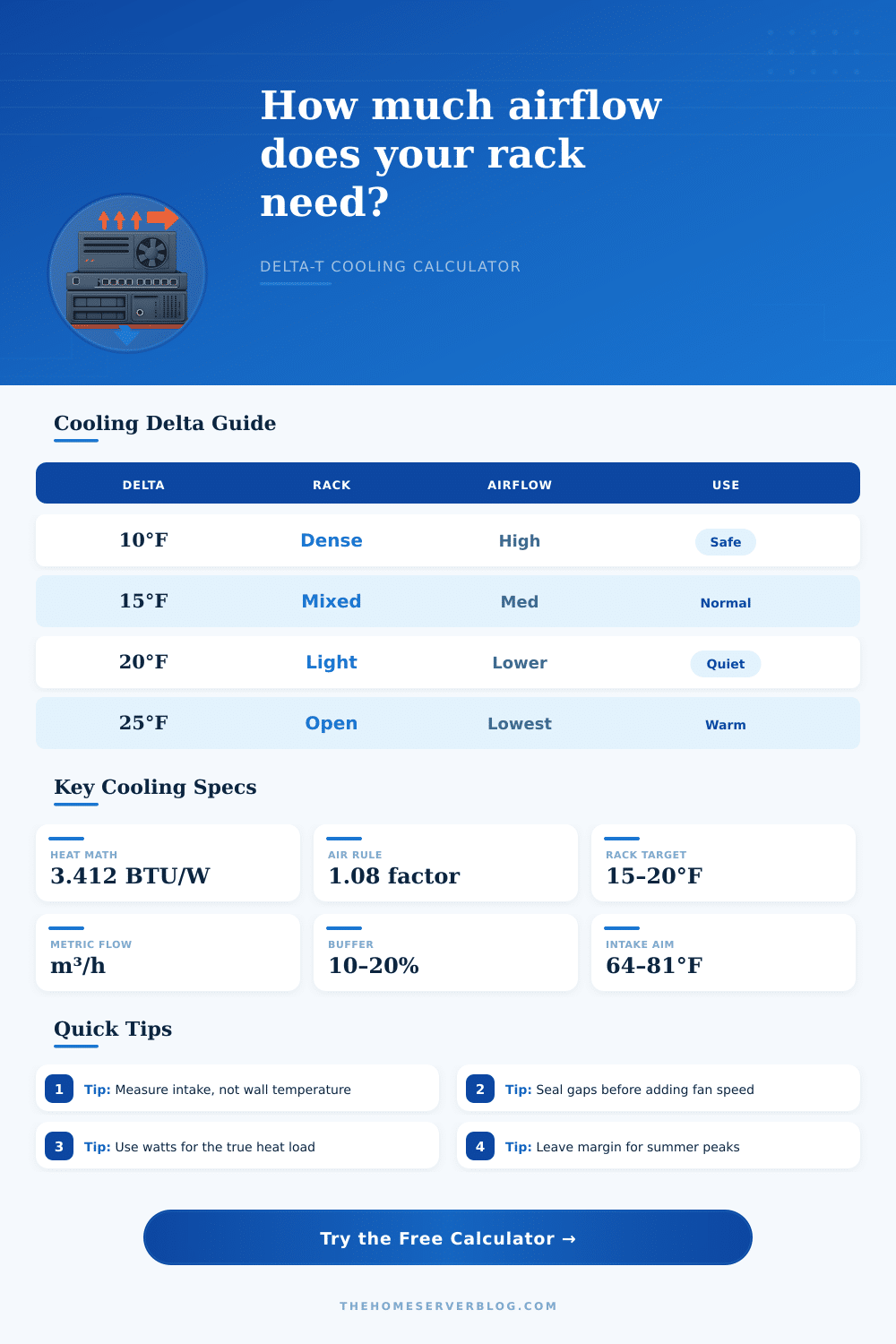
| Target Delta-T | Cooling Behavior | Typical Fit | Watch Point |
|---|---|---|---|
| 8-12°F / 4-7°C | High airflow, low exhaust rise | Dense 1U servers, hot rooms | More fan noise and dust movement |
| 13-18°F / 7-10°C | Balanced airflow and temperature | Mixed rack servers and NAS gear | Seal blank rack gaps first |
| 19-25°F / 11-14°C | Lower airflow, warmer exhaust | Open racks, mini PCs, switches | Check drive and PSU inlet temps |
| 26-30°F / 14-17°C | Quiet but warm operation | Light loads with cool intake air | Limited summer margin |
| Configuration | Effective Airflow | Good Delta-T Use | Planning Note |
|---|---|---|---|
| Open frame rack | 75-85% of fan rating | 15-25°F | Room mixing matters more than static pressure |
| Enclosed cabinet | 55-75% of fan rating | 12-20°F | Door perforation and filters reduce useful CFM |
| Network closet | 45-70% of fan rating | 10-18°F | Exhaust must leave the closet, not recirculate |
| Ducted rear exhaust | 85-98% of fan rating | 15-25°F | Best for separating hot and cold air paths |
| Heat Load | BTU/hr | CFM at 15°F | CFM at 20°F |
|---|---|---|---|
| 250 W | 853 | 53 CFM | 40 CFM |
| 500 W | 1,706 | 105 CFM | 79 CFM |
| 1,000 W | 3,412 | 211 CFM | 158 CFM |
| 2,500 W | 8,530 | 527 CFM | 395 CFM |
| Project Size | Likely IT Load | Cooling Target | Useful Check |
|---|---|---|---|
| Small NAS cabinet | 80-250 W | 20-60 CFM | Drive temperature trend |
| Home office rack | 300-800 W | 70-210 CFM | Closet exhaust path |
| Half rack lab | 900-2,000 W | 210-520 CFM | Hot air recirculation |
| Dense full rack | 2,500-6,000 W | 590-1,580 CFM | Dedicated room cooling |
If you’re building a home lab, most folks don’t give much consideration to getting heat out of room. Throw in a few server, perhaps a GPU node for AI workloads, and next thing you know your closet smells like ozone and the SMART errors from your NAS drives is piling up. Hardware typically isn’t failing, it’s the air that’s not moving.
The hot air are heavy. It sinks. And when it can’t escape your cabinet easy, your new 1U server begins breathing its own exhaust. This is a recipe for throttling and premature failure.
How to Cool Your Home Lab Properly
Once you measure your input watts and temp, you can enter them on top of the calculator, and it will do the work for you. That way, you know if your existing fan are doing what they’re supposed to be doing. It uses a standard conversion factor to turn electrical load into thermal load. Then, it divides that number by the temperature increase you want to achieve to find the needed air flow.
Before you twist anything, you should of understand this relationship. Watts in = heat out. Every joule of electricity your equipment eats up becomes thermal energy… With almost no exception. You shouldn’t work against that law of physics. That isn’t a real solution; it is just hoping for good luck.
This is where you really decide how much temperature change you’ll go after. Do you want a small amount of temperature change from intake to exhaust? Sounds good on paper! But that takes a LOT of air volume. What does this mean? You will have louder fans because they are turning faster, more dust drawn into your chassis, and higher costs for moving air that does not get very warm.
On the other hand, you could push the delta-t too high and your equipment will run hot even when lightly loaded. Typically, the sweet spot is somewhere between two extremes, where you trade a mild increase in temperature against acceptable fan noise levels and cleaner internal parts.
The other thing many folks miss is measuring what’s really coming in at front of rack. So they look up on their room thermostat. And that’s where most folks go astray. Even though your room might be comfortabley at 72 degrees, the air that gets trapped inside a packed cabinet has already been sitting there at 85 degrees thanks to recirculation.
Why? The calculator need that specific intake reading to keep the exhaust from exceeding safe temperatures. If you’ve got a warm intake, you either need better control over your heat source or more airflow. Feeding it warm air then hoping a tiny fan panel will perform miracles won’t do much good for cooling your gear.
Altitude matters because thinner air at high elevations has less density for the fans to blow through. That means a 100 CFM-rated fan at sea level may only be pulling 80 CFM in the mountains. If you enter your elevation into the tool, it will account for this automaticly. This prevents you from having unrealistic expectations based off sea-level conditions that won’t apply where you live.
It will also take into account how efficient your air path is. Poor cable management and leaky cabinets wastes a massive amount of the cooling potential of your fans. Blanking panels and sealing up gaps often outperform larger, louder fans.
How does this apply? The page has a reference table that quickly tells you how various setups will perform under load. Whether you are packing a tightly-packed full height server shelf or just a bunch of machines in a quiet office rack, the same rules applies. Cold in, hot out. No mixing of those two flows. Thermal instability comes from recirculation.
Size your airflow appropriately. Then put some margin on top to grow into. Labs grow. And while it’s inevitable you’ll one day stick in another power hungry thing, having that margin today means not suffering through a hot machine tomorrow.
Let the numbers help drive your component decisions, don’t guess on sound. Move the air. Seal the gaps.