Hex to ASCII Converter
Decode packet captures, serial console dumps, HTTP payloads, DNS labels, and config snippets into readable ASCII with byte-level diagnostics.
⚙ Real Home Lab Presets
🖧 Converter Inputs
Accepts spaces, commas, colons, hyphens, new lines, escaped bytes, percent bytes, and optional 0x prefixes.
💻 Equipment and Networking Spec Grid
📊 ASCII Control Reference
| Hex | Decimal | Name | Home Lab Use |
|---|---|---|---|
| 00 | 0 | NUL | Padding byte in binary captures and fixed-length fields. |
| 09 | 9 | TAB | Column spacing in CLI output, logs, and TSV exports. |
| 0A | 10 | LF | Unix line ending used by Linux services and shell output. |
| 0D | 13 | CR | Paired with LF for HTTP headers, SMTP, and Telnet-style text. |
| 1B | 27 | ESC | Starts ANSI terminal color and cursor-control sequences. |
🌐 Protocol Text Byte Patterns
| Protocol or Tool | Common Hex | ASCII Meaning | Check During Decoding |
|---|---|---|---|
| HTTP/1.x | 0D 0A 0D 0A | Blank line after headers | Headers should remain readable printable ASCII. |
| SSH | 53 53 48 2D | SSH- prefix | Banner usually ends with CRLF before key exchange. |
| SMTP | 48 45 4C 4F | HELO | Commands are plain text with CRLF delimiters. |
| Redis RESP | 2A 31 0D 0A | Array of one item | Bulk strings include length markers before payload text. |
| MQTT | 4D 51 54 54 | MQTT name | The protocol name sits inside a binary CONNECT packet. |
🔧 Delimiter and Parser Comparison
| Input Style | Example | Best For | Parser Note |
|---|---|---|---|
| Space pairs | 48 45 4C 4F | Packet notes and Wireshark copied bytes | Most readable and easiest to audit byte by byte. |
| Colon pairs | 53:53:48:2D | MAC-like dumps and hardware labels | Separator is ignored while pair boundaries remain obvious. |
| Continuous | 50494E47 | Compact checksums, hashes, and API fields | Odd nibble counts should be checked before trusting output. |
| Escaped bytes | \x48\x54\x54\x50 | Shell strings, source snippets, and exploit lab notes | Only the two hex digits after each marker become bytes. |
| Percent bytes | %48%54%54%50 | URLs, proxies, and web server logs | Percent mode decodes byte values, not full URL semantics. |
🗄 Equipment Spec Comparison
| Equipment Context | Typical Text Encoding | Useful Hex Clue | Operational Limit |
|---|---|---|---|
| Serial console adapter | ASCII over RS-232 or TTL UART | 0D or 0A line endings | Match baud and flow control before judging bad text. |
| Managed switch CLI | ASCII or UTF-8 terminal text | 1B 5B ANSI escape | Terminal color codes can hide inside copied logs. |
| HTTP reverse proxy | ASCII-compatible headers | 48 6F 73 74 for Host | Header fields end at CRLF and body may be binary. |
| DNS capture | Length-prefixed label bytes | 03 77 77 77 | Label length bytes are not printable characters. |
| IoT MQTT broker | UTF-8 strings inside binary frames | 4D 51 54 54 | Remaining-length bytes are binary, not ASCII digits. |
📝 Common Project Sizes
| Project | Typical Bytes | Primary Result | Secondary Result |
|---|---|---|---|
| Switch banner capture | 80 to 240 | Hostname and OS line | CRLF count confirms prompt breaks. |
| HTTP header sample | 300 to 1,500 | Readable method and headers | Blank-line offset marks payload start. |
| DNS label check | 20 to 120 | Printable domain labels | Length bytes separate each label. |
| Serial boot excerpt | 500 to 4,000 | Kernel and loader messages | ESC codes show terminal formatting. |
| IoT payload probe | 16 to 512 | Topic or JSON text | Binary frame bytes remain marked. |
💡 Practical Decode Tips
Sometimes when you paste in text from something like a packet capture or serial console, there’s just garbage, symbols, squares and other random characters. You’re seeing raw bytes, or the device is sending perfect data but your terminal interpret incorrectly. This converter helps bridge that gap by turning hex dumps into human-readable text. This allows you to know whether you misread something as the encoding or if connection failed.
But here’s the thing, it all comes back to applying context at decoding time. A raw hex string is noisy, it contains a mix of framing bytes, control codes, and binary headers. These are part of network traffic but are not part of data you are trying to read. So pasting a raw hex string into tool is akin to asking it to identify signal amidst the noise. The tool identifies the structural metadata (the bytes that tell us where one message ends and another begins) so we can extract just payload of message.
How to Read Hex Data
Then you want to tell the tool about the separator. Are the bytes separated by commas? Are they separated by colons? Are they separated by spaces? Or maybe there are no separators at all. Getting this correct makes a difference, because shifting one character can change everything. What if you have a space that should of been treated as data rather than a separator? Then you’ll get incorrect output.
After you’ve plugged in your preferred delimiter, the calculator does math for you. No more guessing about parsing logic. Where do people trip? At end of lines. On Unix it’s a line feed char (hex 0A). On windows and in network world, it’s usually a carriage return + line feed (0D 0A). Look for those 0D 0A pairs when you’re decoding something like an SMTP transaction or an http header. That tells you that the framing has been preserved. Seeing a single 0A tells you maybe what you have is a Linux shell output. Seeing nothing might mean you’ve got some malformed packet. Knowing this lets you diagnose your problems quickerer. Rather than thinking ‘why does my text look broken?’ you can think ‘where did the protocol break the rules’.
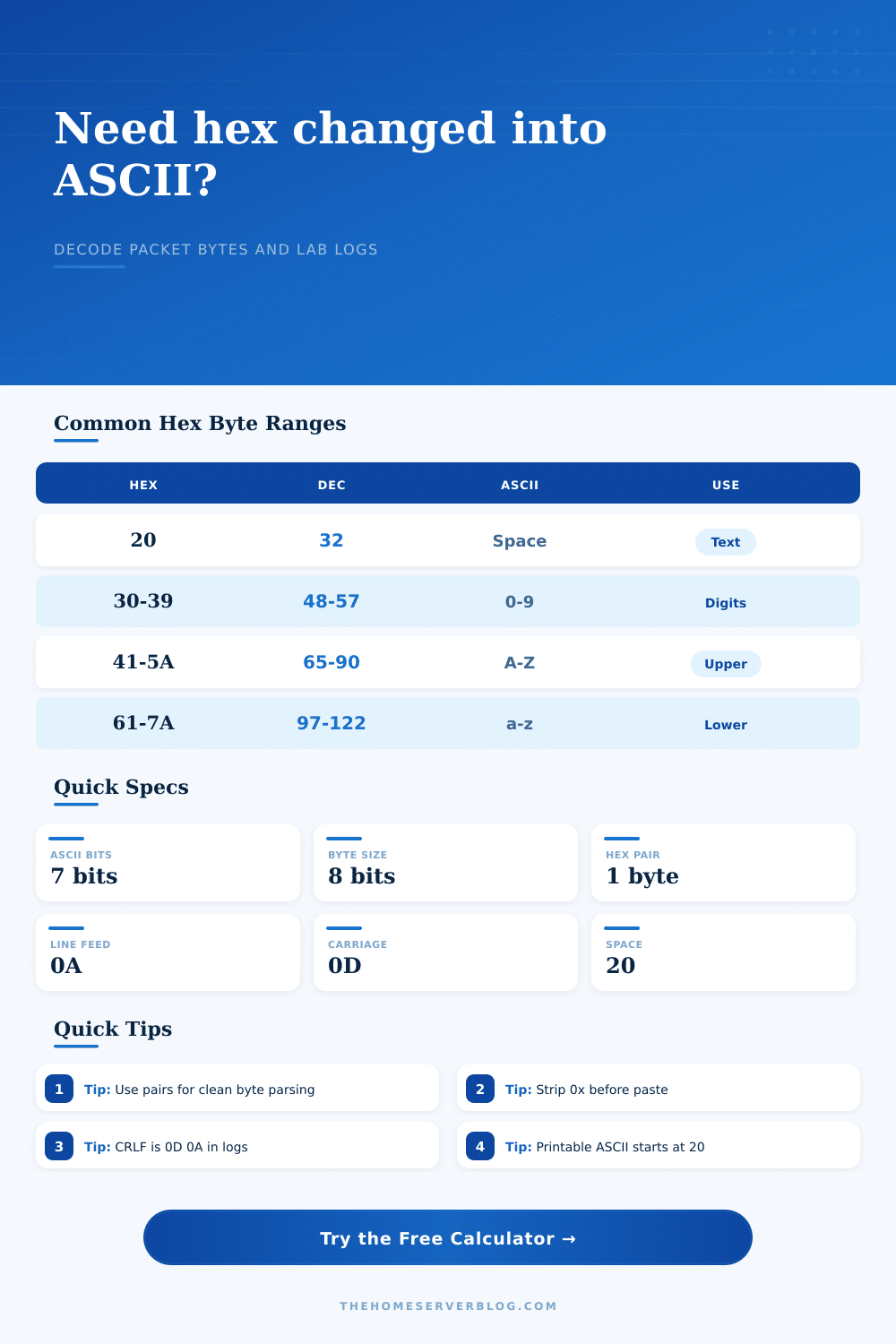
The reference table on page also clearly indicates hex code for each control action. What about encoding? For example, ASCII is limited to seven-bit values, which covers numbers, letters, and some common punctuation. In practice, however, many systems uses UTF-8 encoding patterns (or extended character sets). Feeding UTF-8 multi-byte characters into a rigid ASCII decoder results in either garbage or errors. You can configure the decoding mode with the hope that it’s matching reality. Probably you expect UTF-8 if you’re reading a JSON payload based off an IoT sensor; maybe you expect good old-fashioned ASCII if you’re trying to debug a legacy RS-232 line. Get this wrong and words look like they mean something, but what they say makes no sense.
Raw hex is ambiguous; it’s no longer so when you have something that represent it as text. You can read logs, look at a DNS query, or inspect a response from Redis. A picture where all the bytes make sense matters. Guesses become knowns. Fighting with what the screen says becomes fixing what the screen shows you. It is a little thing in the debugging journey, but it converts confusion into understanding.