Hex to Binary Converter
Convert server, network, and packet hex values into padded binary groups for MAC addresses, IPv6 blocks, VLAN tags, color codes, subnet masks, and hardware IDs.
⚙Home Lab Presets
🔢Conversion Inputs
Accepts 0x, colons, hyphens, spaces, dots, CSS color notation, and pasted packet field spacing.
🖧Equipment and Networking Spec Comparison
📊Reference Tables
| Hex Width | Binary Width | Common Home Lab Use | Grouping to Use |
|---|---|---|---|
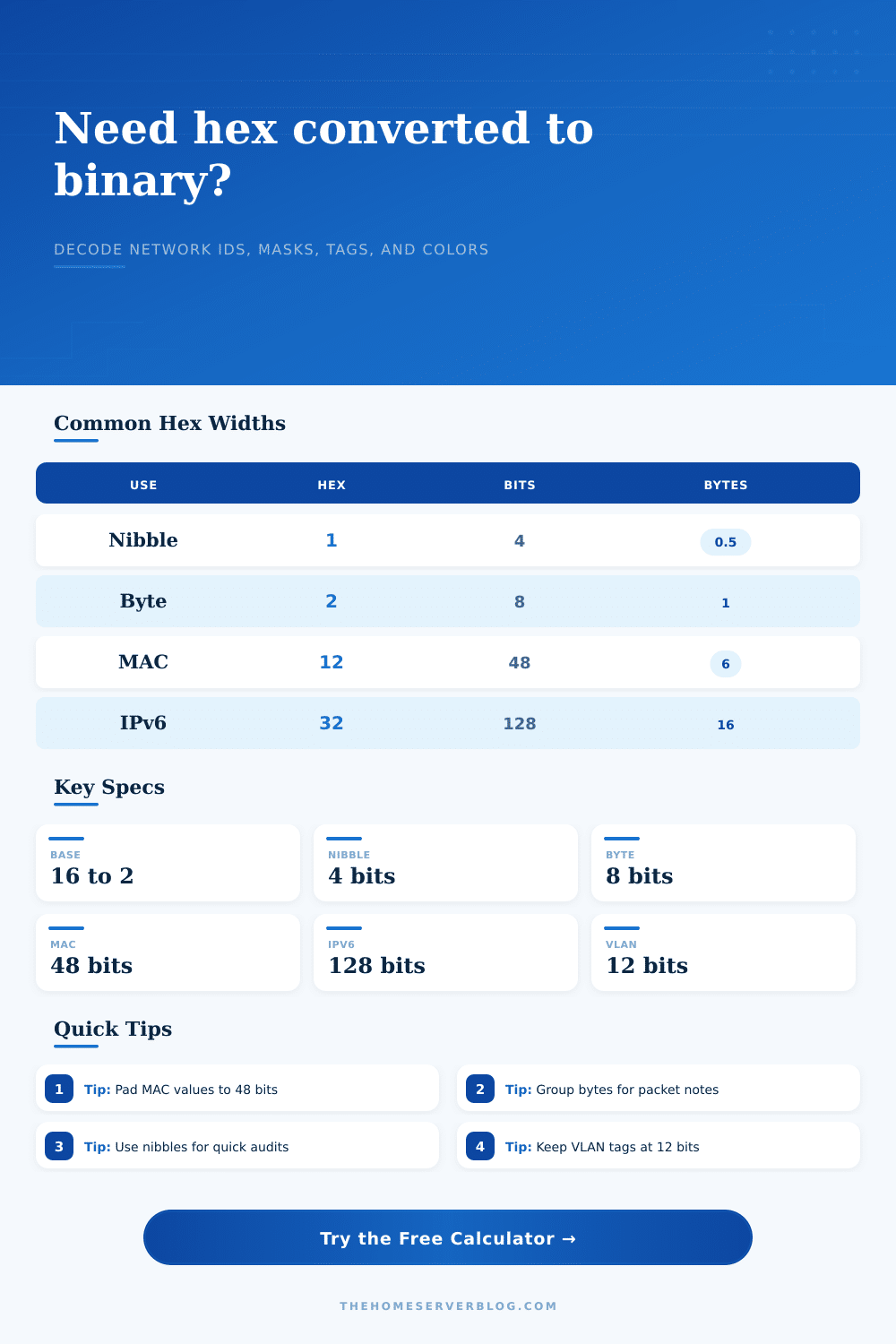
| 2 hex chars | 8 bits | One byte in packet dumps, DHCP options, RGB channels, or TCP flags | 8-bit byte |
| 4 hex chars | 16 bits | EtherType, TCP or UDP port, IPv6 hextet, or status register | 16-bit word |
| 6 hex chars | 24 bits | RGB rack lighting color or vendor OUI prefix | 8-bit bytes |
| 8 hex chars | 32 bits | IPv4 address, subnet mask, ARP field, or DHCP cookie | 32-bit line or 8-bit bytes |
| 12 hex chars | 48 bits | MAC address for NAS, switch, router, AP, or hypervisor NIC | 8-bit bytes |
| 32 hex chars | 128 bits | IPv6 address, lab identifier, or storage GUID fragment | 16-bit words |
| Protocol Field | Standard Width | Hex Example | Binary Check |
|---|---|---|---|
| 802.1Q VLAN ID | 12 bits | 064 | Keep values from 1 to 4094 after conversion |
| EtherType IPv4 | 16 bits | 0800 | Group as 00001000 00000000 for packet notes |
| EtherType IPv6 | 16 bits | 86DD | Case does not matter after cleaning |
| MAC Address | 48 bits | 001A2B3C4D5E | Preserve leading zero bytes before comparing |
| IPv6 Address | 128 bits | FD12000000000001 | Pad to full width when documenting prefixes |
| Subnet Mask | 32 bits | FFFFFF00 | Count leading ones to confirm CIDR length |
| Home Lab Scenario | Typical Hex | Expected Width | Best Output Delimiter |
|---|---|---|---|
| Switch CAM table audit | MAC address | 48 bits | Colon or space by byte |
| Firewall EtherType rule | 0800 or 86DD | 16 bits | Space by byte |
| VLAN plan migration | 001 to FFE | 12 bits | No delimiter or 12-bit group |
| IPv6 ULA documentation | FDxx prefix | 128 bits | 16-bit word groups |
| Rack status LED notes | RRGGBB | 24 bits | 8-bit bytes |
| Equipment Context | Field Usually Seen | Useful Binary View | Reason to Convert |
|---|---|---|---|
| Managed switch | MAC, VLAN, EtherType | Byte groups | Compare port tables, tags, and packet captures |
| Router or firewall | IPv4 mask, IPv6 prefix | 32-bit or 16-bit groups | Verify masks before writing access rules |
| Hypervisor host | vNIC MAC, VM ID fragment | Byte groups | Match VM inventory to DHCP reservations |
| NAS storage | WWN, GUID, adapter MAC | 16-bit words | Document identifiers without losing leading zeros |
| Wireless AP | BSSID, channel color, tag | Byte groups | Trace roaming logs and SSID mappings |
💡Conversion Tips
I know I’m going to get push-back on this one but here goes: If you think you know your network just because everything has a green light and you can ping all the devices, then good for you… until you take a packet capture and find there’s a flag set in some bit you didn’t know was even active.
The world of the wire is binary. The shorthand we use (which conveniently fits on our screens) are hexadecimal. Where the rubber meets the road and the true troubleshooting occurs is bridging that gap. This tool on this page will do the conversion for you instead of having to do it in your head while your outages is happening in production.
Why You Should Look at Binary
To most people who use their home labs, a MAC address is an opaque sequence of numbers and letters: you copy-paste it from your router’s interface, then paste it into a firewall rule without examining more closely. But a MAC address are simply a forty-eight bit container waiting to be parsed; convert the hex string to binary and you can see how it’s made up, the first three bytes is an Organizationally Unique Identifier given out by the hardware manufacturer, while the final three are serial number. This helps you see that boundary in binary form. This allows you to see when MACs is cloned or when someone has randomized a private MAC to appear static. By default, the calculator breaks these bits down by group because that is how switches actualy store them in their content addressable memory tables.
Another way where the hex is abstract until you look at the bits: Subnet masks. A human-friendly, though messy-to-logic subnet mask like /24 (255.255.255.0) are FFFFFF00 in hex, which converts back into binary to be a nice clean wall of zeroes and ones after thirty-two ones. Where’s that wall? Why do I need to know? When you’re debugging your routing table, or writing out ACLs, knowing exactly where that wall sits can save you from overlapping accidental. Or you might think, “close enough,” with that slightly different mask. But binary doesn’t do close enough; it’s either a match or a drop.
A VLAN tag is also small (twelve bits in an ethernet frame) but still strict. So it’s one to four thousand ninety-four, and yes, that seems ample space. But it isn’t. Your home lab plan fragments: storage VLAN, IoT VLAN, guest VLAN, voice VLAN, ten digits each, all crammed together on paper. When you draw them out in binary, you see what a tight squeeze those bits have on them. A single bit flip can send your most precious traffic off the secure management net and into some public guest zone. And that’s where maintaining leading zeros in your notes comes in: because it makes you treat the entire width of the field with respect instead of thinking of it as just a number.
IPv6 does this with one hundred twenty-eight bits, which is a lot of space (and hence why we use hex to compress it). IPv6 takes it further with one hundred twenty-eight bits. And it has a lot of space. So if you’re looking at prefix delegation, for example, or just making sure your neighbors are discovering each other correctly, you want to be able to see the bits. The converter lets you view the address as a single line or split into sixteen-bit words. This is important because IPv6 works in sixteen-bit chunks, and getting them wrong can lead to errors that are annoying to debug. The reference tables provided with the tool show what the standard splits should of be (no need to memorize).
Hex is fun, though. Another universal example of how common this encoding system is can be seen in color codes, like status LEDs or rack lighting, which are often expressed in hex as 24-bit RGB color values. Whether you are setting your LED strips to go blue or inspecting a network packet, the math is the same. There is nothing different about moving from base two to base sixteen except for number of bytes in each.
Hex is convenient precisely because it packs those four bits into a single char; a nibble is half a byte, after all, which means that two hex chars represent a full byte. Convenient for reading, sure; but the hardware still talk binary. People’s mistake is thinking “the conversion is just for show,” but it isn’t. It’s a translation layer from human readability to machine logic. Writing down the hex and its corresponding binary representation makes documenting your lab easier. It also helps you see what the network actualy looks like: on/off switches with real address values instead of some magical string of letters and numbers.
Once you’re used to looking at the bits, you’ll find yourself no longer treating your network IDs as magic strings but rather as structured data. This change in perspective alone is worth added couple seconds it takes to convert them. Respect your bit boundaries and keep your leading zeros. Let the tool do its tedious math for you so that you can concentrate on the architecture. When it comes time to look at those ones and zeros, the clarity you have are often the difference between knowing and guessing.