Video Conferencing Bandwidth Calculator
Estimate upload, download, daily data transfer, and network load for concurrent Zoom, Microsoft Teams, Google Meet, Webex, Jitsi, and room system meetings.
Calculated Bandwidth Plan
| Service profile | Planning upload | Planning download | Best fit |
|---|---|---|---|
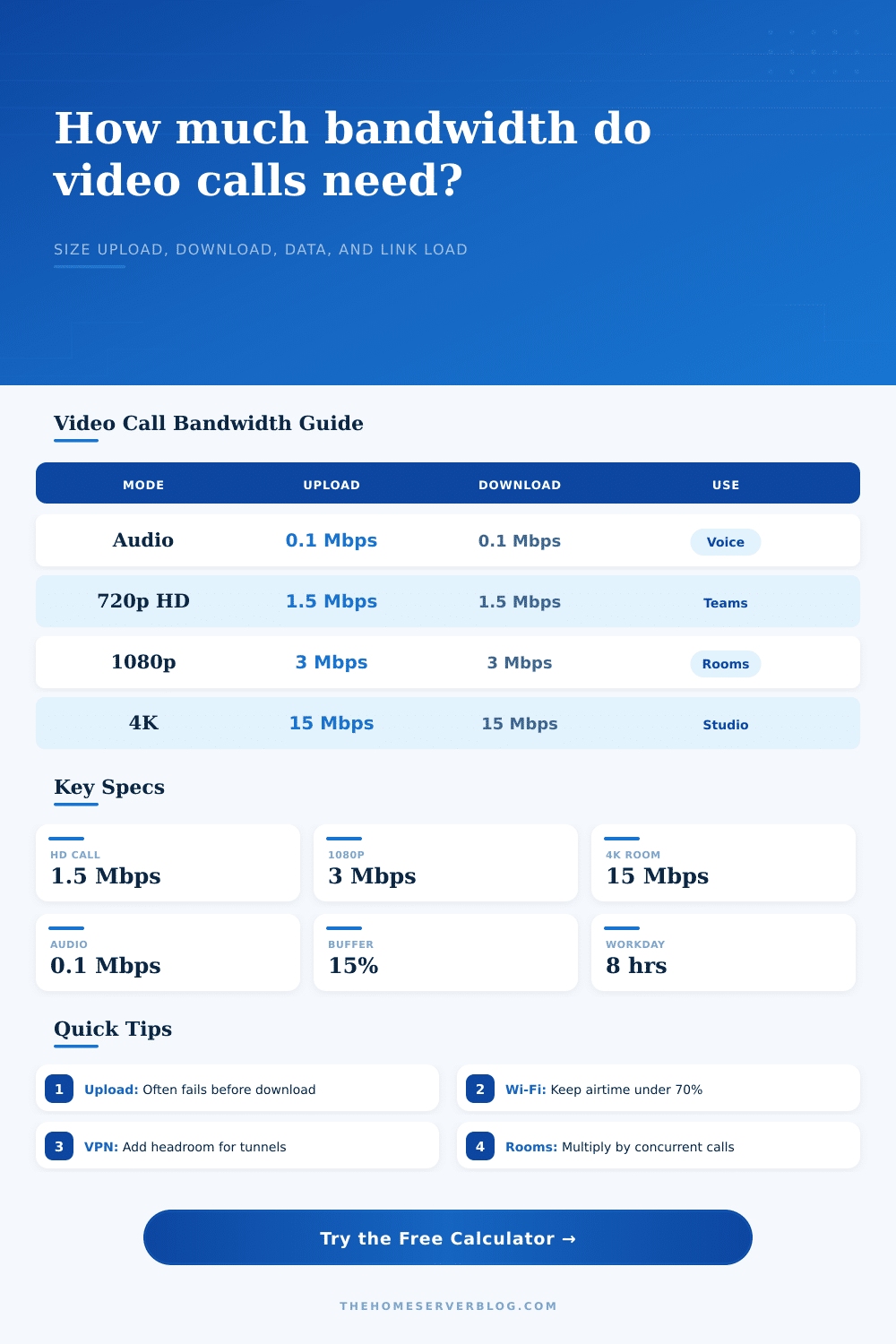
| Zoom group HD 720p | 1.5 Mbps per camera | 1.5 Mbps per visible stream | Home office and small meetings |
| Microsoft Teams 720p | 1.5 Mbps per camera | 1.5 Mbps per visible stream | Managed work meetings |
| Cisco Webex 1080p | 3.0 Mbps per camera | 3.0 Mbps per visible stream | Boardrooms and high detail |
| Jitsi 720p self-hosted | 1.7 Mbps per camera | 1.7 Mbps per visible stream | Home lab SFU testing |
| 4K room endpoint | 15 Mbps per room | 15 Mbps per room stream | Studio, lecture, and demo rooms |
| Configuration | Usable capacity | Metric equivalent | Planning note |
|---|---|---|---|
| 100/20 cable internet | 20 Mbps upload bottleneck | 0.020 Gbps upstream | Good for a few HD calls, weak for many rooms |
| 300/300 fiber internet | 300 Mbps symmetric | 0.300 Gbps both ways | Strong home office and small studio baseline |
| Gigabit Ethernet LAN | About 940 Mbps payload | 0.940 Gbps practical | LAN is rarely the limiter for conferencing |
| Wi-Fi 5 shared airtime | About 55 Mbps planning rate | 0.055 Gbps practical | Use lower load targets for busy channels |
| Wi-Fi 6 shared airtime | About 120 Mbps planning rate | 0.120 Gbps practical | Better concurrency with modern clients |
| Standard or limit | Value | Applies to | Calculator use |
|---|---|---|---|
| RTP over UDP/IP overhead | 5% to 15% | Real-time audio and video | Covered by the overhead dropdown |
| Ethernet payload planning | 940 Mbps per gigabit | Wired LAN links | Used for the gigabit equipment class |
| Wi-Fi airtime target | Under 70% busy | Shared wireless rooms | Prefer headroom before adding calls |
| Data conversion | 1 byte = 8 bits | GB per day estimates | Converts sustained Mbps to transfer |
| Monthly planning | 22 workdays | Office and school schedules | Used in the detailed breakdown |
| Common project size | Typical profile | Primary result | Secondary result |
|---|---|---|---|
| Solo home office | 1 room, 1080p, screen share | 4 to 8 Mbps upload | Fiber or strong cable preferred |
| Two remote workers | 2 rooms, 720p, mixed cameras | 8 to 14 Mbps upload | Upload bottleneck is common |
| Small training room | 1 room, 1080p, 12 viewers | 8 to 18 Mbps download | Wired endpoint recommended |
| Home lab Jitsi test | 3 rooms, 720p, SFU relay | 15 to 30 Mbps each way | Watch server egress and WAN |
| 4K demo studio | 1 room, 4K endpoint | 18 to 25 Mbps upload | Use wired LAN and QoS |
You’re on a video call with your colleague, and suddenly the picture freezes… Now just a grainy image, as she hears nothing but dead air. Awkward! Unprofessional! But all of this can be avoided once you know how bandwidth operate.
The common assumption is that our internet connection is one big pipe that gets filled up evenly. Video conferencing, however, is less like a pipe and more like a busy highway with clear lanes, with one lane for incoming (download) traffic and another for outgoing (upload) traffic. In most home office, that second lane is significantly narrower than the first. That’s where most home offices hit a wall.
How to Plan Your Internet Bandwidth for Video Calls
You enter how many people are on the call and what sort of meeting it is, such as a standup. Presentation?), and let the calculator do the math. No longer will you question if that burst of users in a boardroom is going to kill your fiber connection.
It knows what profile you chose, casual standup with Teams, or high fidelity presentation using Webex… And considers realistic sustained bitrates instead of theoretical max. That’s important because calls don’t fail due to a brief surge of data; they choke on the sustained flow when you exceed available bandwidth. Your system needs to know it’s steady state requirements, not the two-second burst.
The second input that’s often forgotten is how many camera are being actively used versus how many people is participating in a meeting. Maybe there are twelve people in a meeting room, but only four of them have video on? Your network doesn’t know those eight other folks exist because they’re simply audio packets now. And it really doesn’t matter how much upload bandwidth those eight others need because they aren’t using video. The fewer cameras in use, the less upload bandwidth you need.
Upload bandwidth is what gets filled first. Most of our internet connections are capped at 20-30 megs for uploads. This is why cable internet companies advertise such huge downloads (to watch Netflix) but don’t bother telling anyone their uploads will suck. Then when someone starts screen sharing, suddenly that single upload lane get clogged and your picture becomes nothing but pixelated noise.
It considers protocol overhead as well. That’s the unseen tax paid when your data transmits over the internet. You have headers on your packets, there’s some space needed for error correction, and Wi-Fi contention nibbles at your actual capacity. Fifteen percent isn’t pessimism. It’s realism. Without that buffer, what should of be a nice clean face becomes a mosaic of tiny squares whenever the network jitters for even an instant.
The page has a reference table that shows how much capacity you think you’ve got compared to real-world limits for different equipment classes. You can get a feel for whether you’re running lean or dangerously near capacity. Wi-Fi is a shared medium, and everybody’s talking at once. Your gigabit wireless link looks great, until the air is busy with people trying to watch real-time video. Use the calculator and you’ll see what percentage of your Wi-Fi links is in use. Plan on exceeding seventy percent during peak times? You’re probably going to have some lag.
To prevent this, run a wired connection straight from the switch into key conference rooms. Or invest in a newer generation of access points, which can handles multiple streams at the same time.
For those working remotely with a LTE/5G dongle and/or who are on a mobile hotspot/data plan that’s metered, it can be good to know how much data is used each day so they don’t hit the cap before the month ends. An entire day of full HD video adds up in just a few hours. Know this beforehand so you don’t run out of data in middle of a Tuesday.
Video conferencing is a question of planning, of setting expectations and respecting the limitations of your network. It is not a question of buying the most expensive plan on the market. Because ultimate it’s about fitting your network to how you use it. If you’re establishing a busy co-working space or a quiet home office, the exercise is identical. Clear the lane, allow some wiggle room, and understand that good video calls depends on upload speed. Match the activity to the bandwidth, and technology falls away leaving only conversation.