RAID Fault Tolerance Calculator
Estimate usable NAS capacity, drive failure tolerance, rebuild exposure, and unreadable read risk before choosing a storage layout.
⚙Storage Presets
💾Array Inputs
Array Results
Full Breakdown
🔧Equipment and Storage Spec Comparison
📊RAID Capacity and Failure Tolerance
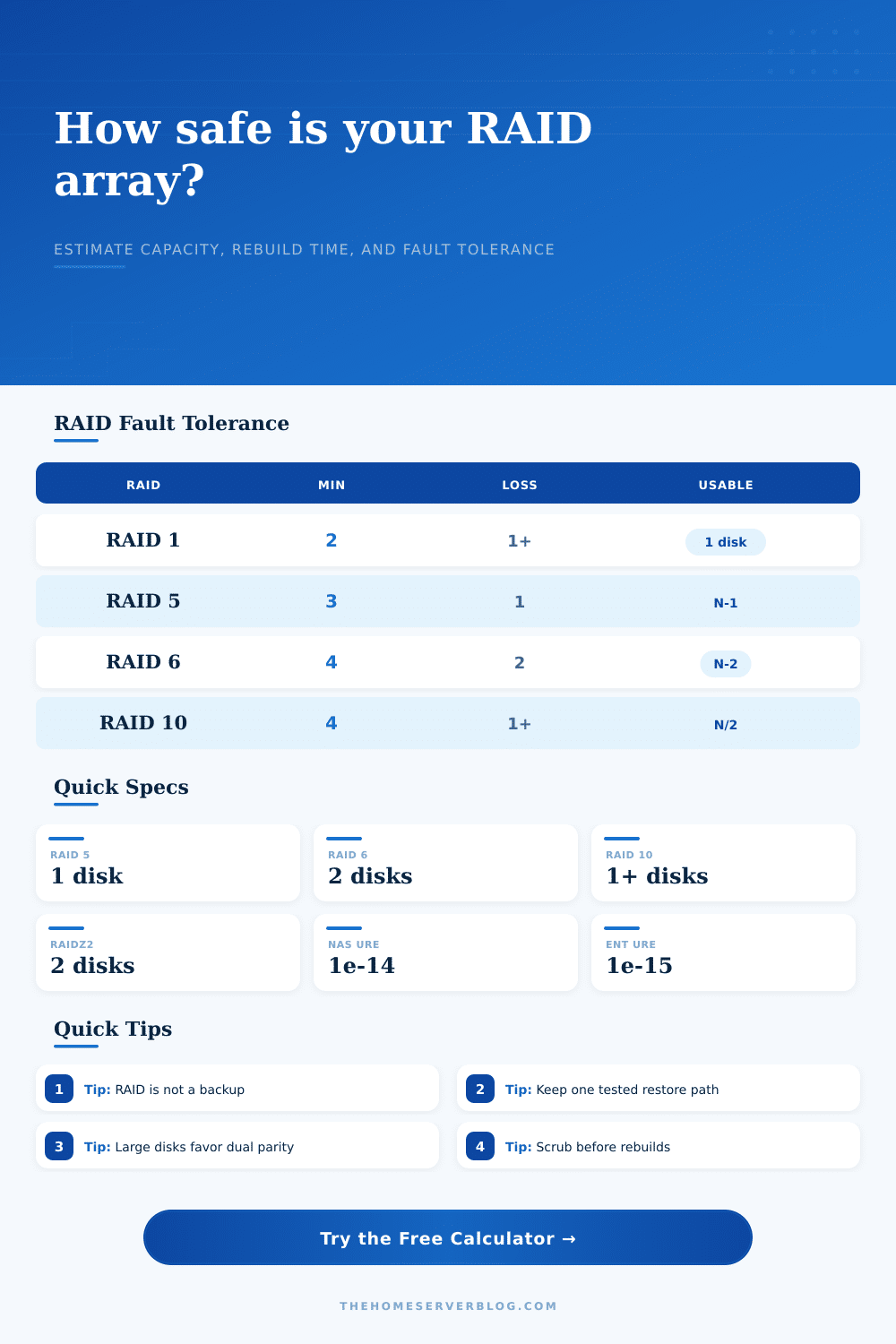
| Layout | Minimum Drives | Usable Capacity Formula | Failure Tolerance |
|---|---|---|---|
| RAID 1 | 2 | 1 drive of capacity in a mirror set | At least 1 drive; more in multi-way mirrors |
| RAID 5 / RAIDZ1 | 3 | (N - 1) × smallest drive size | 1 drive |
| RAID 6 / RAIDZ2 | 4 | (N - 2) × smallest drive size | 2 drives |
| RAID 10 | 4 | (N / 2) × smallest drive size | 1 guaranteed; more if failures hit different mirrors |
| RAID 50 | 6 | N minus one parity drive per RAID 5 set | 1 drive per parity set |
| RAID 60 | 8 | N minus two parity drives per RAID 6 set | 2 drives per parity set |
⏱Rebuild Exposure Reference
| Drive Size | 120 MB/s | 180 MB/s | 500 MB/s |
|---|---|---|---|
| 4 TB | 9.3 hours | 6.2 hours | 2.2 hours |
| 8 TB | 18.5 hours | 12.3 hours | 4.4 hours |
| 12 TB | 27.8 hours | 18.5 hours | 6.7 hours |
| 18 TB | 41.7 hours | 27.8 hours | 10.0 hours |
These times are ideal sequential estimates using decimal TB. Real rebuilds can take longer when the array is serving traffic or verifying parity.
🗄Common Home Server Array Sizes
| Scenario | Typical Layout | Active Bays | Best Fit |
|---|---|---|---|
| Basic file NAS | 2 × 8 TB mirror | 2 | RAID 1 for simple recovery |
| Media and backups | 4 × 12 TB | 4 | RAID 6 or RAID 10 for safer rebuilds |
| Proxmox VM store | 6 × SSD | 6 | RAID 10 for rebuild speed and IOPS |
| Archive server | 8 to 12 large HDDs | 8+ | RAIDZ2, RAIDZ3, RAID 6, or RAID 60 |
🛡Drive Class Reference
| Drive Type | Typical URE Rate | Default Rebuild Speed | Planning Note |
|---|---|---|---|
| Consumer HDD | 1 per 1014 bits | 120 MB/s | Acceptable for mirrors, less comfortable for large single-parity sets. |
| NAS HDD | 1 per 1014 bits | 170 MB/s | Common CMR choice for home NAS parity arrays. |
| Enterprise HDD | 1 per 1015 bits | 220 MB/s | Better error rating and workload tolerance for dense shelves. |
| SATA SSD | 1 per 1016 bits | 500 MB/s | Fast rebuilds, but plan around endurance and controller queue depth. |
| NVMe SSD | 1 per 1017 bits | 2500 MB/s | Often limited by PCIe lanes, thermals, or software RAID overhead. |
The amber light blinks on your NAS drive and you realize one of those disks in your supposedly safe array has failed. You lost hardware. Now your data is at risk to. The panic sets in. Where’s my data? How will I get it back? Why didn’t RAID protect me from this?
All it’s done is begin the countdown to failure. Terabytes is fine; knowing about fault tolerance is better. Having all the storage in the world won’t help if you can’t survive a rebuild. If you don’t have a backup, then you’ve got a ticking clock.
Why RAID is Not a Backup
After plugging in size and drive count, the calculator (above) do the math for you. It eliminates all that guessing about read-risk coefficients and parity formulas. More importantly, it goes beyond spitting out a number because it makes you ask yourself what those numbers realy mean. What do they represent? And how much am I willing to accept?
If you choose enterprise drives, you’re accepting one unrecoverable read error every hundred trillion bits read. Consumer drives will deliver one in ten trillion. On a spec sheet, it’s a little hard to see that difference. But when the array is rebuilding and you’re reading a dozen terabytes of data, it looks like hell of a lot bigger.
And here’s where the tool kicks in: One bad sector read while reconstructing parity can cascade into total array failure. Most people misses that point.
There’s also the matter of rebuild time. You’re prompted for an estimate on how fast the rebuild will go, and the defaults aren’t marketing numbers; they’re real-world ones. Even if you have a big NAS hard drive capable of writing one hundred and seventy megabytes per second at peak performance, it won’t be operating under peak conditions. Your server is busy running containers, backing up some stuff, and answering web requests. That all gets in the way off the rebuild, which means the rebuild take longer. The longer the rebuild takes, the longer your array are vulnerable. Another drive failing while the rebuild is ongoing result in the complete loss of your data.
With bigger drives (e.g. With bigger drives like eight terabytes, single-parity configurations starts to get risky. Dual parity configurations such as RAID six or RAIDZ two cost you disk space, as the calculator shows, but give you a second bite at the apple. It’s insurance that you don’t ever use, but certainly wouldn’t of mind having.
Spare drives make all the difference. When you add a hot spare, you drop 1 disk of available space (bad: less efficient), but slash your mean time to repair from days to hours (good: more peace of mind). The calculator takes this trade-off into account, and will display your actual available space in terms of number of disks used. In other words, it shows you exactly how many gigs of raw storage space youre giving up for peace of mind. For a home media server, the tradeoff is naturaly worth it. For a casual file share, maybe not. You can flip the percent of reserved space around on the calculator and instantly see impact. Ultimately, you decide just how much your data’s worth to you.
The big mistake people make with RAID is thinking of it as a form of backup. It isn’t. RAID will keep your lights on if one of your drives fails; it won’t protect against controller failure, ransomware, or accidental deletes. A good rule of thumb is to think of your RAID array as an availability and performance layer rather than a safety net. Still use off-site backups, and test your restore points. A RAID calculator can help you create a strong array, but it can’t get back files that you never backed up in the first place.
Design a system that resists hardware failures. And then design a backup system that resists human errors; they complement each other. One prevents the server from going dark. The other keeps your memories alive.