TCP Sequence Number Wrap Calculator
Estimate when a 32-bit TCP sequence space rolls over for one flow, including link speed, parallel streams, payload efficiency, MSS size, starting offset, capture duration, and timestamp safety margin.
▣TCP Sequence Presets
⚙Sequence Wrap Inputs
◈Live Sequence Space Snapshot
Full Breakdown
⚡Equipment / Spec Comparison Grid
ℹPractical TCP Notes
▤Wrap Interval Reference Table
| Payload rate per flow | Time for 2^32 bytes | Wraps in 60 seconds | Home lab example |
|---|---|---|---|
| 100 Mb/s | 343.60 seconds | 0.17 | Legacy Fast Ethernet or rate-limited WAN test |
| 940 Mb/s | 36.55 seconds | 1.64 | Practical 1 GbE bulk copy |
| 2.35 Gb/s | 14.62 seconds | 4.10 | 2.5 GbE home server backup |
| 4.70 Gb/s | 7.31 seconds | 8.21 | 5 GbE USB NIC under load |
| 9.40 Gb/s | 3.66 seconds | 16.42 | 10 GbE iperf or storage copy |
| 23.50 Gb/s | 1.46 seconds | 41.04 | 25 GbE direct attach iSCSI |
| 94.00 Gb/s | 0.37 seconds | 164.15 | 100 GbE lab spine single flow |
The interval uses 4,294,967,296 sequence bytes divided by payload bytes per second. It is independent of RTT, but RTT still affects bytes in flight.
▦MSS and Segment Rate Table
| MSS | Typical network | Segments at 1 Gb/s | Segments at 10 Gb/s |
|---|---|---|---|
| 536 bytes | Conservative fallback path | 219,216/s | 2,192,164/s |
| 1200 bytes | Tunnel-friendly TCP payload | 97,917/s | 979,167/s |
| 1448 bytes | PPPoE or VLAN-constrained path | 81,147/s | 811,464/s |
| 1460 bytes | Ethernet MTU 1500 over IPv4 | 80,479/s | 804,795/s |
| 8960 bytes | Jumbo MTU around 9000 | 13,114/s | 131,138/s |
⚖TCP Standards and Limits Table
| Item | Value | Why it matters | Calculator use |
|---|---|---|---|
| Sequence field | 32 bits | Limits the byte counter to 2^32 positions | Defines total wrap space |
| Sequence space | 4,294,967,296 bytes | One rollover after this many sent bytes | Base numerator |
| MSL reference | 120 seconds | Classic duplicate lifetime assumption | Risk comparison note |
| PAWS | TCP timestamps | Helps reject stale segments after wrap | Status message |
| Window scaling | Shift 0-14 | Large BDP paths need large receive windows | Bytes-in-flight context |
| MSS | Payload bytes | Changes segment rate, not byte wrap | Segment-rate output |
▥Common Project Sizes Table
| Project | Inputs to model | Main result to watch | Secondary check |
|---|---|---|---|
| NAS backup over 1 GbE | 1 flow, 94% payload, 1460 MSS | Wrap about every 36.6 seconds | Capture includes 1-2 wraps per minute |
| 10 GbE storage benchmark | 1-4 flows, 94% payload, 1448 MSS | Single flow wraps in about 3.7 seconds | Parallel flows reduce per-flow wrap count |
| VM live migration | 10-25 GbE, 2-8 flows, jumbo MSS | Wrap can be under 10 seconds per flow | Bytes in flight depends on RTT and window scale |
| WAN emulator capture | 100-1000 Mb/s, high RTT, 1200 MSS | Wrap may be slower than LAN | BDP can still demand large windows |
| 100 GbE lab spine test | 8-32 flows, 94% payload, jumbo MSS | Aggregate data is huge, per-flow wraps vary | NIC offloads can hide packet details |
Consider this: you’re troubleshooting a storage replication job that runs over a ten gigabit link, so you start a packet capture and grab some data. As they comes streaming by, you do your thing with the analysis tools. Then you see it. Suddenly your sequence numbers jumps backwards from billions down close to zero.
It looks suspicious, did the connection get reset? Is there a retransmission storm? Nope, the connection is perfectly fine. What you saw was the TCP sequence number wrap. This is a frequent gotcha for network engineers running high speed links.
Understanding TCP Sequence Number Wrap
The calculator above predicts when the roll-over will occur, so you’ll know what to expect before hitting record. It’s not a technical problem. It’s a math problem. TCP has a thirty-two bit field it use for sequence numbers. That gives you a finite space of about four point three billion bytes.
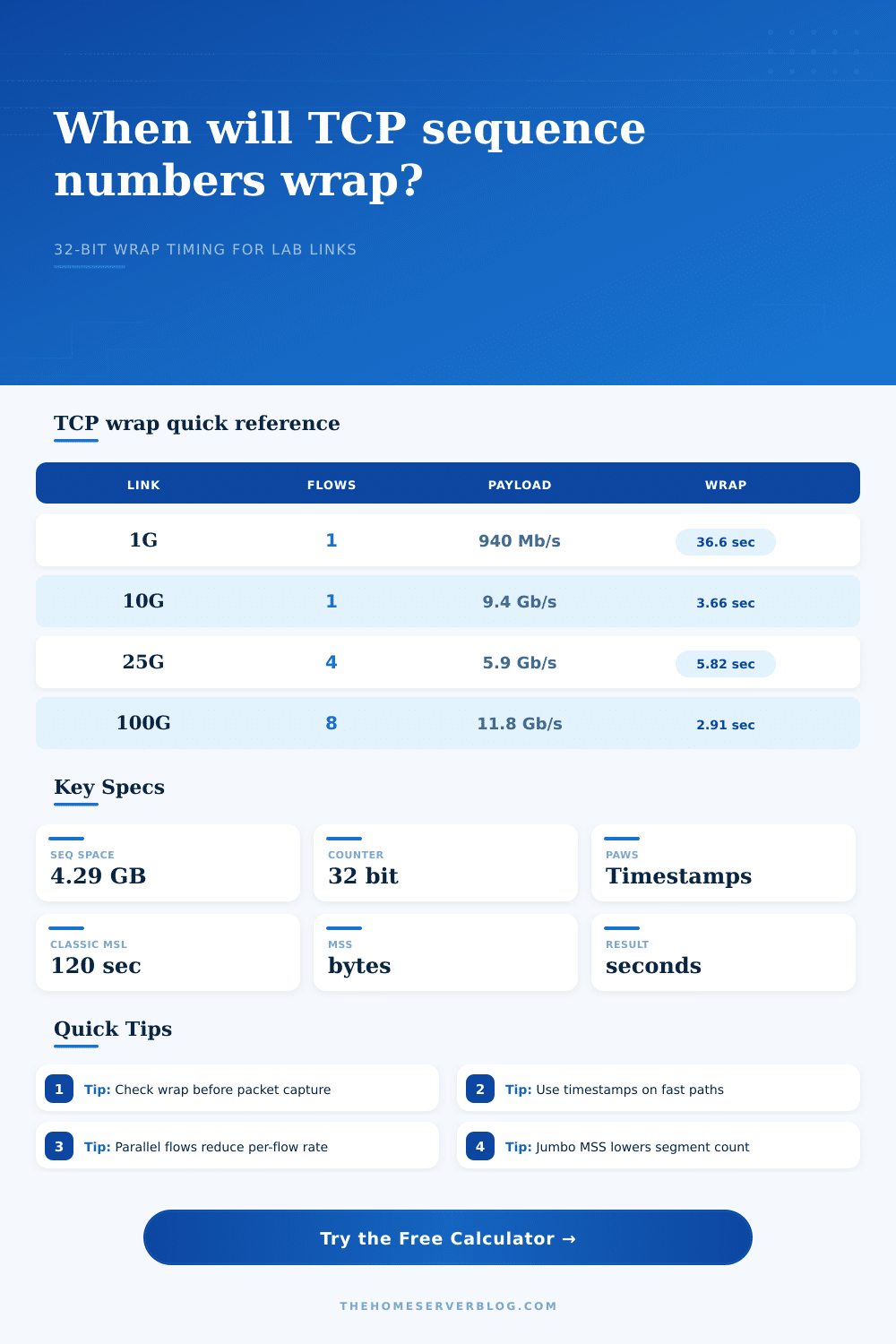
Sounds huge right? Until you realize that we’ve got storage networks moving terabytes around in minutes. Even at only a gigabit per second and assuming standard efficiency (which I’m being generous on), that four gigabyte counter rolls over in a little more than thirty seconds. Ten gigabits, and it’s under four seconds. Run a packet capture for more than that long and you’ll be rolling over the sequence number several times.
It is not a bug. It is just the math of infinite bandwidth meeting finite counters.
First, though, know what’s influencing this timeline. These factors includes the link speed and the payload efficiency. Payload efficiency is the number of bits in an Ethernet frame that aren’t part of the data being sent. Ethernet, IP, and TCP headers use up bandwidth without bumping up the data sequence counter. You can tweak the percentage using this tool (generally around ninety-four percent for standard Ethernet frames).
And finally there’s the Maximum Segment Size. A larger MSS carries less data per packet, so it increases the number of packets needed to send the same amount of data. That results in a lower packet rate at your capture tool, but not different byte rate. The only thing that cause the bytes to roll over is the fact that the counter spins, regardless of how many segments carried them. Using jumbos helps your CPU, but doesn’t prevent the counter from spinning.
It gets more complicated with parallel streams. When you’re copying across a big virtual machine, there can be multiple TCP flows running in parallel. Each one will have its own independent sequence space. The calculator tells you what your wrap time is on a per-flow basis, divide the link speed by the number of active streams.
For capture planning, this is critical. If you’ve got eight concurrent backup jobs and you filter down to see a single connection, then that particular flow could well wrap twice as fast as the total bandwidth implies. Don’t think about the width of the pipe; think about the slice of the pipe your looking at.
It has a safety feature, though. But it only works with certain conditions. It’s called Protect Against Wrapped Sequences. It uses TCP timestamps to tell the difference between new data after a rollover and old duplicate packets. This is enabled by default in most moddern operating systems.
If you’re working with a simple embedded device or some legacy system without timestamp support, however, then sequence wrap creates a real risk of ambiguity. And as this chart from the page shows, even a modest speed; two point five gigabits. Will burn through sequence space within about 15 seconds. Not much time for a mistake if your analysis tool isn’t well-behaved about handling the wrap.
Always compare expected wrap to test length when planning to capture on high speed link. If your test runs for sixty seconds and the wrap interval is four seconds, you will see fifteen rollovers. If your test runs for sixty seconds and the wrap interval is four seconds, you will see fifteen rollovers. Note that in your captures. This saves you from running around looking for ghost traffic in your captures later.
Plug in your flow count and link class into the tool and let the tool do the math. No chance of conversion errors.
Keep in mind though the wrap time isn’t impacted by round trip time. Round trip time does impact window scaling as it impacts number of bytes in flight but has no effect on how long before the wrap. The counter keeps going at line rate. You must know what you’re measuring.
The wrap matters immensely for capture planning and analysis; it’s a classic trap that can cause ambiguity risk if you don’t account for the fact that you’re measuring bytes transmitted, not packets received. Get the MSS right, look at the throughput. Generally, the numbers make perfect sense once you take into account the wrap. It is just a little thing, but it makes all the differance in the world if you need to show that the network is working properly.