HomeServerBlog IP address planning tool
DHCP Pool Utilization Calculator
Estimate current DHCP utilization, forecast free leases, renewal pressure, and the next subnet size before a home lab, guest Wi-Fi, IoT, or server VLAN runs out of assignable IPv4 addresses.
Addresses left after expected growth and the selected safety buffer.
Pool consumption if the 30-day device additions arrive.
Smallest listed subnet that can hold projected pool demand with buffer.
Estimated days until full at the same monthly device-growth rate.
OpenWrt dnsmasq
Router-integrated DHCP with simple lease files, static leases, and DNS tie-in.
Best: /24 to /22 Lightweight edge gatewayUniFi Gateway
Controller-managed scopes for homes, AP-backed networks, and small sites.
Best: VLAN sites Easy UI and reservationspfSense / OPNsense
Firewall DHCP with static mappings, multiple interfaces, logs, and relay options.
Best: lab VLANs CARP-friendly designsMikroTik RouterOS
Scriptable pools, queues, leases, and detailed per-interface DHCP controls.
Best: routed labs Flexible pool policiesWindows Server DHCP
MMC and PowerShell managed DHCP with failover, policies, and AD-friendly workflows.
Best: domain labs Built-in failoverISC DHCPd
Mature Linux DHCP service with lease files and classic failover for IPv4 scopes.
Best: legacy labs Stable, config-file basedKea DHCP4
Modern DHCP server with memfile or SQL backends, API control, and HA hooks.
Best: large scopes Automation friendlyOmada Gateway
Controller-driven DHCP scopes for small networks, guest VLANs, and branch-style sites.
Best: simple sites Small business UI| Subnet | Usable hosts | Typical DHCP pool | Home lab fit | Utilization note |
|---|---|---|---|---|
| /28 | 14 | 6 to 10 addresses | Tiny VPN, transit, isolated test bench | One reservation mistake can consume a large percentage. |
| /27 | 30 | 18 to 24 addresses | VPN users, small management network | Good for controlled scopes with predictable devices. |
| /26 | 62 | 40 to 52 addresses | Switches, APs, cameras, lab control plane | Watch reservation growth before adding cameras or nodes. |
| /25 | 126 | 90 to 110 addresses | Guest Wi-Fi, IoT, small office VLAN | Can feel roomy until mobile devices and sleep leases pile up. |
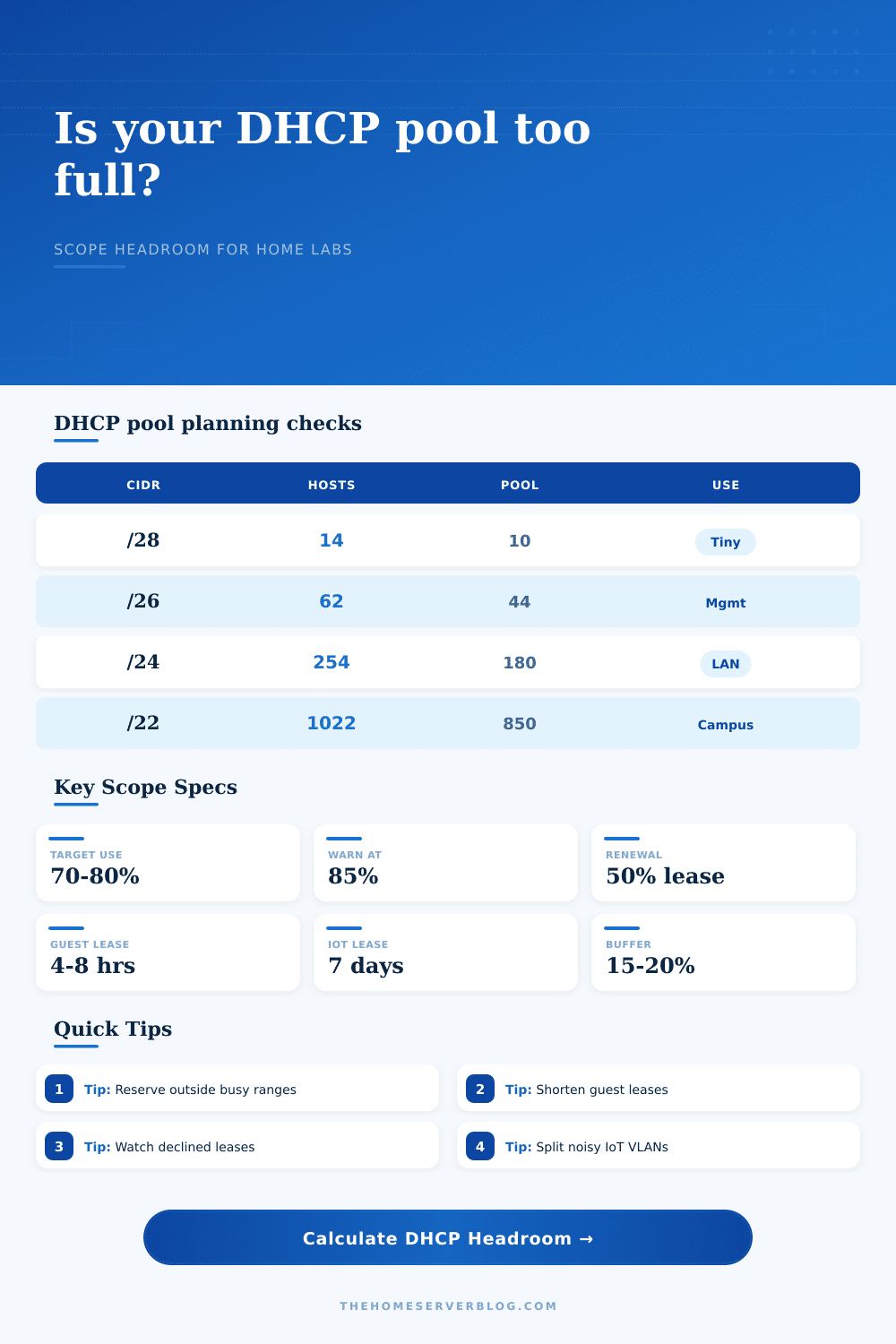
| /24 | 254 | 160 to 220 addresses | Default home LAN, IoT, mixed trusted devices | Plan a split when projected use stays above 85%. |
| /23 | 510 | 360 to 460 addresses | Large lab, container nodes, busy guest network | Broadcast domain size starts to matter for noisy clients. |
| /22 | 1022 | 700 to 900 addresses | Campus-style home lab or event Wi-Fi | Prefer VLAN segmentation if device types are unrelated. |
| Scope type | Common lease time | Renewal behavior | Recommended buffer | Why it matters |
|---|---|---|---|---|
| Trusted home LAN | 24 hours | Moderate, predictable | 10% to 15% | Phones and laptops sleep but usually return to the same lease. |
| Guest Wi-Fi | 4 to 8 hours | High churn | 20% to 25% | Short leases return addresses faster after visitors leave. |
| IoT VLAN | 3 to 7 days | Low churn, many devices | 15% to 20% | Long leases reduce chatter but hide stale devices longer. |
| Camera VLAN | 7 days or reserved | Low churn | 10% to 15% | Reservations simplify NVR mapping but consume scope space. |
| Lab and VM network | 8 to 24 hours | Bursty | 15% to 20% | Cloned VMs, containers, and rebuilds can create short spikes. |
| VPN pool | 8 to 24 hours | Low to moderate | 10% to 15% | Small pools are fine if clients disconnect cleanly. |
| DHCP platform | Lease storage | High availability path | Scope scale fit | Operational check |
|---|---|---|---|---|
| OpenWrt dnsmasq | Local lease file | Manual backup or router HA design | Home and small lab | Confirm flash health and lease file persistence. |
| UniFi gateway | Gateway/controller managed | Gateway replacement or site backup | Home, prosumer, small office | Check conflict alerts and stale client entries. |
| pfSense / OPNsense | Service lease file | CARP plus synchronized config | Multi-VLAN home lab | Watch static mappings and interface-specific pools. |
| Windows Server DHCP | Server database | DHCP failover relationship | Domain lab and office | Audit scopes with PowerShell before expanding ranges. |
| Kea DHCP4 | Memfile or SQL | Kea HA hooks | Large and automated labs | Monitor lease commits and backend latency. |
| Project size | Example devices | Suggested subnet | Dynamic pool | Planning trigger |
|---|---|---|---|---|
| Small apartment LAN | 20 to 45 phones, laptops, TVs, consoles | /24 | 120 to 180 | Use a separate guest scope before parties or rentals. |
| IoT-heavy home | 80 to 180 bulbs, plugs, speakers, sensors | /24 | 180 to 220 | Move cameras or guest traffic to their own VLAN. |
| Proxmox and NAS lab | VMs, LXCs, IPMI, NAS, backup hosts | /24 or /23 | 120 to 360 | Reserve stable infrastructure and keep VM churn separate. |
| Guest event Wi-Fi | Visitors with two or three devices each | /25 to /22 | 90 to 900 | Short leases matter more than long-term reservations. |
| Kubernetes worker lab | Nodes, pods using host networking, test appliances | /23 or /22 | 360 to 850 | Do not mix transient test clients with management leases. |
This calculator plans IPv4 DHCP pool capacity. It does not replace DHCP server logs, conflict detection, ARP inspection, or IPAM records when a network is already showing duplicate-address or declined-lease events.
It’s always at some crucial time. It happens when you’re deploying a container, when you clone a virtual machine, or when you connect a smart plug that doesn’t get its IP address assigned by your home lab. Panic sets in. You check the router and there it is, a silent exhaustion of resources! You’ve run out of address space! And this points out how static address space simply isn’t appropriate for our dynamic world.
Most people think “oh well, I got a /24 subnet; that’ll last forever!” No, it won’t last forever and you probably is depleting what little you have much quicker then you realize. Usually, the problem isn’t that there aren’t any addresses at all. It’s that there are lots of addresses… but not always very many free ones. Every connected device take one out of pool, whether it uses it for an hour or just for a second. When devices lose connection (or go to sleep) without first disconnecting cleanly, those addresses sits in the server’s hands until their time runs out.
How to Plan Your IP Addresses
And then there are your persistent devices, your NAS units, your printers, etc… That has reserved spots for themselves permanently. Those aren’t going anywhere, which means less pool for everyone else to use. Keep your guest/device/other temporary needs separated from your hard-wired infrastructure.
After plugging in your active leases and scope size, the calculator do the rest for you. It takes out all of the guesswork when it comes to conversions and coefficients. It forces you to visualize what is actualy usable versus how much total capacity you have. A lot of folks will glance at the overall amount of hosts and forget about the exceptions. Take away the reserved static IP‘s, the broadcast address, and the network address. That leave a huge decrease in the available number. You’ll also notice that the percentage used of the dynamic pool isn’t as high than the theoretical maximum.
Many administrators don’t touch lease duration until they run into trouble. A short lease, like four or eight hours for guest Wi-Fi, sends addresses back to the pool rapidly. This is great if devices tends to connect and disconnect frequently. A long lease, like three to seven days for IoT sensors, minimizes server load and protocol chatter. But a long lease will mask connections that go inactive. You’re stuck with a tradeoff: How much do you want to minimize server load vs how much do you need to clean up network address usage? Optimize for one or the other depending on what kind of traffic you have.
Well planned networks get undermined by growth. Sure, everything fits today. But what about next month? Maybe you buy 15 new devices? Maybe you move into a larger virtualized environment? What about users? What about visitors? Phone usage might surge out of nowhere. The tool predicts out growth for thirty days and then throws in a little bit of safety buffer to see if it can fit within the scope you’re at right now. Better to find out you’re low before you lose your service.
To see what different systems will support, we have some reference tables of different home router and server systems. Enterprise servers will be able to manage their lease database more effective than a home router, for example. Understanding the limitations of your system is an important step in determining if you want to adjust the configuration or expand the network.
Generally, if the expected use exceeds 85% you’re going to want to split up the network. Most of the time it’s better to divide a crowded /24 into two subnets (/25). Do this instead of simply increasing the lease duration.
Planning for IP addresses means predicting how they’ll be used, it’s more than arithmetic. It’s a game of connecting dots: handling a device’s life cycle end-to-end. Matching leases with churn is key; making sure reservations remains useful. This is the result. New devices will have an address instanly, no problems.