Zone File Size Calculator
Estimate DNS zone text size, DNSSEC expansion, edit buffer, AXFR payload, and compressed backup footprint from realistic record families.
Full Calculation Breakdown
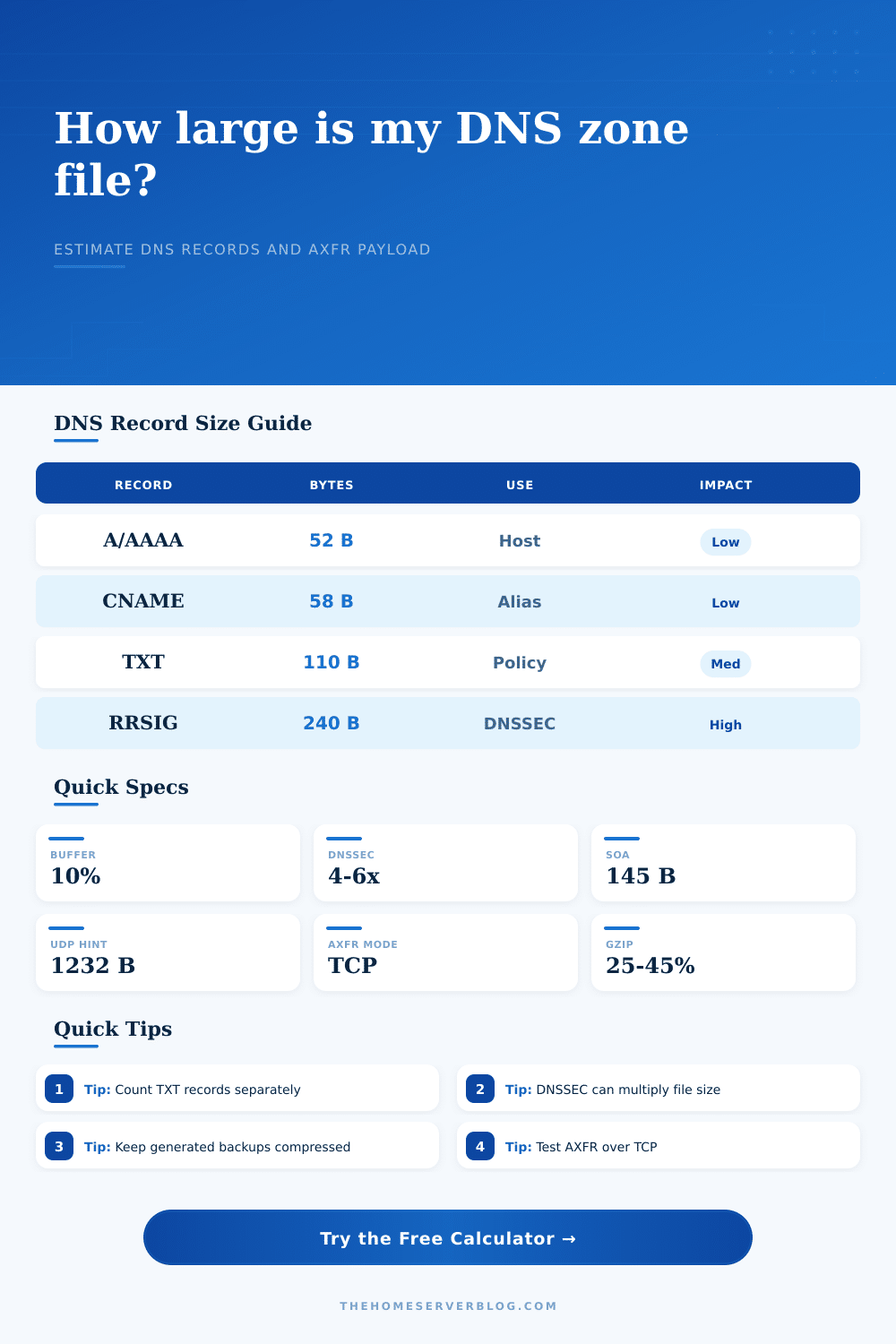
| Record family | Typical text bytes | What drives size | Calculator role |
|---|---|---|---|
| SOA and default TTL | 120 to 180 bytes | MNAME, RNAME, serial, timers, spacing | Base zone overhead |
| A and AAAA | 44 to 66 bytes | Owner name length, IPv6 text, TTL column | Host-address record group |
| CNAME | 50 to 72 bytes | Alias owner plus canonical target name | Alias record group |
| MX and TXT | 75 to 220 bytes | Quoted TXT strings, SPF includes, DKIM keys | Mail and policy group |
| SRV, NS, CAA, PTR | 62 to 110 bytes | Service prefixes, priorities, target names | Service and delegation group |
| RRSIG and NSEC3 | 190 to 360 bytes | Signature algorithm, base64, hashed owner names | DNSSEC expansion factor |
| Profile | Multiplier used | Best fit | Notes |
|---|---|---|---|
| BIND master file - compact | 0.94x text overhead | Lean unsigned home lab zones | Minimal comments and fewer aligned spaces. |
| BIND master file - standard | 1.00x text overhead | Readable public zones | Baseline used by the calculator. |
| PowerDNS SQL-style export | 1.18x text overhead | Database export reviews | Extra quoting and column fields add text. |
| Route 53 JSON-style export | 1.45x text overhead | API export or IaC snapshots | Repeated JSON keys increase file size. |
| BIND signed with NSEC3 | 5.20x signed zone | Public DNSSEC validation | RRSIG and NSEC3 records dominate text. |
| Knot DNSSEC signed compact | 4.60x signed zone | Compact signed authoritative DNS | Efficient formatting, still signature-heavy. |
| Estimated zone file | AXFR character | Secondary count planning | Operational note |
|---|---|---|---|
| Under 64 KB | Small | Easy for several secondaries | Still use TCP for full transfers. |
| 64 KB to 1 MB | Normal | Track transfer frequency | Good fit for most home and SMB zones. |
| 1 MB to 10 MB | Large | Prefer IXFR after initial AXFR | Check slow links and VPN tunnels. |
| 10 MB or more | Very large | Stagger refresh windows | Signed bulk zones need transfer monitoring. |
| Project type | Record count pattern | Typical unsigned file | Watch item |
|---|---|---|---|
| Minimal apex domain | SOA, NS, A, MX, TXT | 1 KB to 3 KB | SPF and verification TXT strings |
| Home lab internal zone | Dozens of A, AAAA, CNAME | 3 KB to 12 KB | Long hostnames and comments |
| Active Directory DNS | SRV-heavy service records | 12 KB to 80 KB | _sites and domain controller growth |
| Reverse IPv4 /24 | PTR for assigned addresses | 8 KB to 24 KB | PTR labels and target FQDN length |
| Signed public edge zone | Many RRsets plus RRSIG | 100 KB and up | DNSSEC algorithm and NSEC3 parameters |
Estimates are text-export planning values. Wire-format DNS messages, compressed database storage, and provider APIs can differ because each uses a different representation.
DNS admins typicaly think about number of records instead of file size. So your zone is tiny, just a handful of mail servers and maybe a dozen hosts. If you enable DNSSEC or export it as JSON API, you will be surprised by how big it gets. Long TXT records, formatting overhead, and text added by signatures do not matches up well with raw numbers. Use the calculator up top. It will do the math for you, taking into account all factors you can’t plan without.
No more guessing how much to backup and transfer secondaries. Typically it’s because those text entries is heavier. The “address” part of a typical A record is tiny: It’s a label plus an address. But then you have longer base64 keys and quoted string records that represents SPF, DKIM, and DMARC policies. These take up more space per line than address records. They also increase your zone size faster then the number of records suggests, especially if your zone has many mail-authentication record.
How Big Is Your DNS File?
That’s why it’s important to separate out policy records from simpler aliases when trying to get a sense of correct sizing. File size also depends on its formatting layer. Depending on how you export your records, they will appear different. When you write a BIND master file, it’s going to be a very small document with few white spaces and little repeated key values. A Route 53 JSON snapshot or a PowerDNS SQL dump of the same records will be larger because each record now includes its own structural parts like identifiers and metadata. That’s why the tool takes into account format multipliers.
For instance, it knows that a JSON export is heavier than plain text. Knowing that helps avoid guessing too low how much space backup or version control require. With DNSSEC, it’s all different. Adding a signature to a zone is more than just adding a few lines; it produces DNSKEY, RRSIG, and NSEC or NSEC3 records for each record set. The result is that it can quadruple to sextuple the size of the file. A relatively small public zone can quickly balloon past one-hundred-kilobyte size once signed.
That bloat makes transfers from secondary servers slower and take longer for the zone to load in memory. If you’re running signed zones, you can no longer base infrastructure plans on the size of unsigned file. Those growth factors are highlighted in the reference table on the page. You can see which types of records make up the combined weight. That’s handy when you’re considering breaking out a big zone into multiple child zones.
A big zone takes more time to transfer over TCP. Delays accumulate if you have secondaries on slow links. Delegating a subdomain may be useful even though logically you’d want to keep them grouped together so that the transfer payload remains manageable. This is the edit buffer.
Zones do evolve. Mail policies get updated. Old servers are retired. New services are added. The file which was just ten kilobytes may be twenty a year from now. When calculating your transfer timeout and backup script, include a realistic upper limit on how much it can grow. Ten to twenty percent above what’s currently used should of provide enough headroom. This provides enough headroom so it doesn’t fail when the zone naturaly grows.
Don’t worry about the precise number of bytes in each kind of record. Just be aware of the reasons for growth. The big ones is TXT records and DNSSEC signatures. There’s also a stable layer of overhead from the format choices. Plug your real world numbers for record types into the calculator and it will show you the total weight of that file.
That helps clarify things different than “a large zone”. Now you’ve got some numbers you can work with. These numbers let you plan your DNS infrastructure with confidence. You’ll know for sure how much stuff those secondaries has to pull down. That makes your backups run efficiently, and your transfers remain fast. And it converts that fuzzy notion of “big files” into a specific thing you can plan around.