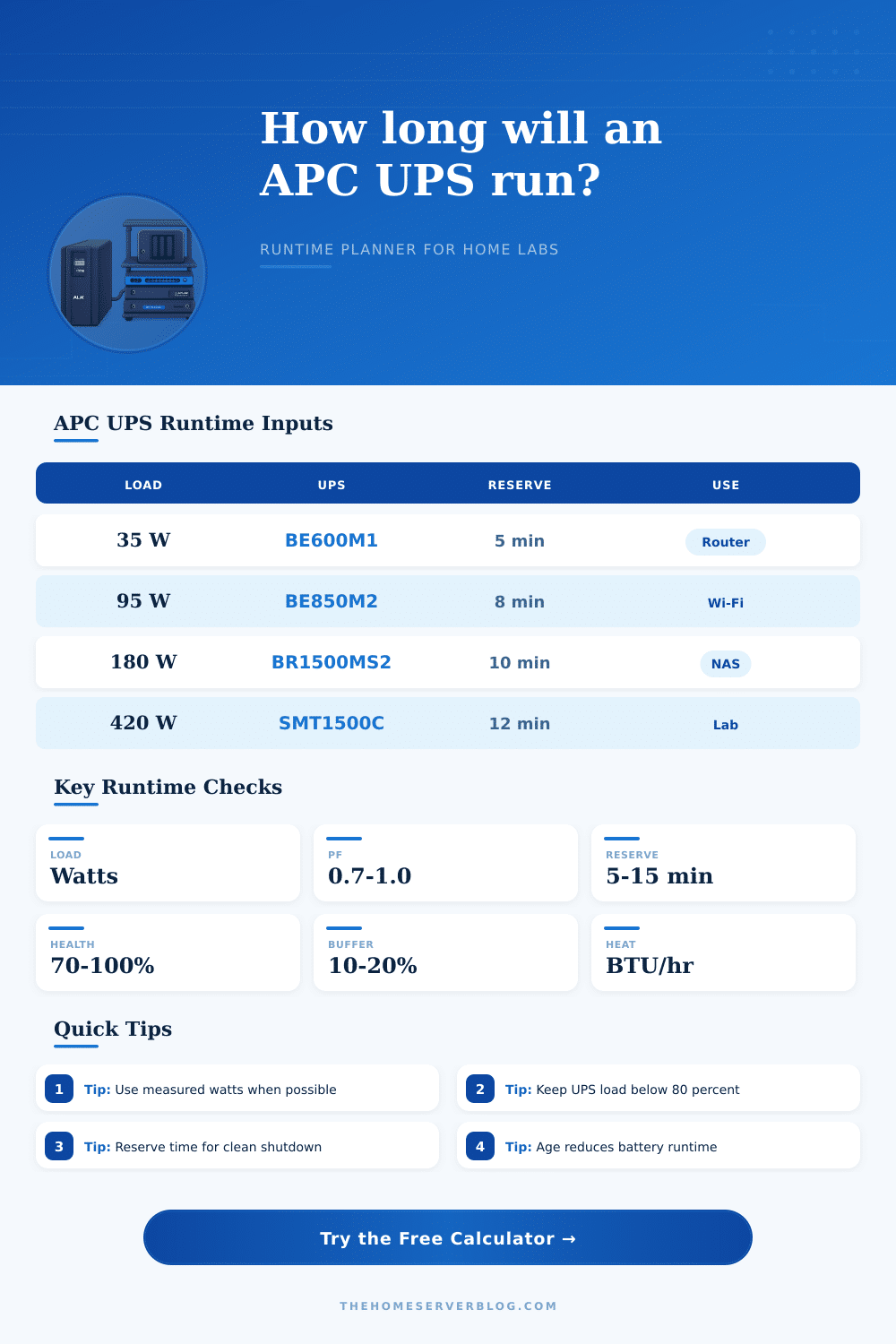
APC UPS Runtime Calculator
Estimate backup minutes, safe load headroom, battery reserve, and heat output for APC Back-UPS and Smart-UPS home lab setups.
Rated watts are the hard ceiling; runtime falls quickly as load approaches the rating.
Use a watt meter, PDU reading, NAS PSU telemetry, or UPS LCD load estimate.
Use 100 for fresh batteries, 85 to 90 for mid-life, and 70 or lower for aging packs.
Recommended baseline is about 77°F near the battery compartment.
| APC UPS model | Rated VA / W | Estimated battery class | Best home server use |
|---|---|---|---|
| Back-UPS BN450M | 450VA / 255W | Entry desktop | Fiber ONT, router, modem, or a small unmanaged switch. |
| Back-UPS BE600M1 | 600VA / 300W | Small network | Router stack, cable modem, low-power mini PC, and one access point. |
| Back-UPS BE850M2 | 850VA / 450W | Network plus PoE | Wi-Fi controller, PoE switch, gateway appliance, and modest NAS idle load. |
| Back-UPS Pro BR1500MS2 | 1500VA / 900W | High desktop | NAS shelf, router, switch, and a mini virtualization host. |
| Smart-UPS SMT1500C | 1440VA / 1000W | Server grade | Proxmox node, storage appliance, and core networking gear. |
| Smart-UPS SMT2200C | 1920VA / 1920W | Large tower | Full home lab rack with higher startup draw and clean shutdown needs. |
| Protected equipment | Typical watts | Power factor range | Runtime note |
|---|---|---|---|
| Fiber ONT, router, and 8-port switch | 20 to 45W | 0.60 to 0.80 | Small Back-UPS models can run a communications stack much longer than a server. |
| Wi-Fi gateway plus two access points | 45 to 95W | 0.70 to 0.85 | PoE injectors and AP radios make load less steady during client bursts. |
| Two-bay NAS and network core | 70 to 150W | 0.80 to 0.95 | Allow reserve for disk flush, filesystem sync, and graceful NAS shutdown. |
| Mini PC hypervisor and storage | 90 to 220W | 0.85 to 0.95 | Measure under backup, scrub, and VM restart loads, not only idle draw. |
| Short-depth server plus switch | 220 to 520W | 0.90 to 1.00 | Smart-UPS class units are a better match for sustained server loads. |
| Planning check | Why it matters | Good target | Warning sign |
|---|---|---|---|
| UPS load percentage | Runtime curves become steep near full load. | 40% to 70% for servers | Above 85% during normal operation. |
| Shutdown reserve | NAS and virtualization hosts need time to stop services. | 5 to 15 minutes | Runtime estimate equals shutdown duration. |
| Battery health | Lead-acid battery capacity falls with age and heat. | Replace before weak runtime tests | Runtime falls sharply after brief outages. |
| Ambient temperature | Hot closets shorten battery life and usable capacity. | Near 77°F or 25°C | Battery bay is warm to the touch. |
| Startup surge | Disks, PoE switches, and servers can spike at power return. | Keep watt headroom available | UPS overload chirps after utility returns. |
| Reference | Value | Use in calculator | Home lab interpretation |
|---|---|---|---|
| Watts to heat | 1W = 3.412 BTU/hr | Heat output card | Nearly all IT power becomes heat inside the closet or rack. |
| VA estimate | VA = W / PF | VA load check | Low power factor adapters can hit VA limits before watt limits. |
| UPS sizing margin | Use 10% to 20% | Runtime buffer | Reserve margin absorbs battery age, measurement error, and startup load. |
| Lead-acid baseline | 77°F / 25°C | Temperature derating | Warm battery compartments reduce practical runtime and battery life. |
| Graceful shutdown | USB, serial, or network | Reserve minutes | Runtime is useful only if the host receives and acts on UPS status. |
A runtime calculation will allow you to calculate how many second you have to safely shut down your equipment after a power outage occur. Should a power outage occur, your equipment will lose power and, unless you can safely shut it down, it may result in data corruption. Runtime calculations should not be used to try to calculate the maximum possible amount of seconds that your UPS battery will last.
Instead, you should use a runtime calculation to help determine if you have a certain number of minute before you must perform a clean shutdown of your equipment. If you do not have a certain number of minutes before a shutdown, you will have to make a guess as to when to perform a shutdown, which could result in corrupted volume or services of your equipment. The actual load on your Uninterruptible Power Supply (UPS) units is the most important variable to input into a runtime calculation.
Calculate Safe Shutdown Time for Your UPS
The actual load of your UPS units, however, may differ from the rated wattage of the UPS units that is printed on the box of the UPS. The rated wattage of the UPS units is the maximum amount of wattage that the UPS units can handle, but the actual load determine how quickly the battery on the UPS will empty. The power factor of the UPS units also has to be considered.
The power factor determine how many volt-amperes that your equipment will draw from the UPS units. Many small adapter and older power supply units have a low power factor, meaning that they will draw more volt-amperes from the UPS than the wattage reading of their equipment. If the load of your devices is close to the wattage limit of your UPS, introducing a low power factor could lead to an overload state of the UPS units, which will eventually lead to the UPS failure.
This calculator allows you to enter the watt and the power factor of your equipment to calculate the actual load of your UPS units. Another factor that affect how long your UPS will last is battery health. Many individuals often ignore battery health until they encounter a situation where there is a power outage.
The health of the battery that powers your UPS may be different from the health of it’s new battery. For instance, a battery that is three years old may only have seventy percent of the health or capacity of a new battery. The temperature of the UPS and its battery can also impact the health of the battery.
High temperature can drastically reduce the amount of energy that lead-acid batteries can produce. This calculator allows you to account for the health of the battery by allowing you to input the temperature of the area in which your UPS and equipment will be located. In addition to the health of the battery, another factor that you must account for is the number of minutes of reserve time for your UPS.
This field allow you to account for the time that an operating system need to complete a shutdown of the operating system and its virtual machines. Additionally, a buffer percentage is provided to account for errors in the measurement of equipment wattage and the fade in the capacity of batteries with time. In the case of home laboratories, it is likely that the amount of power that is drawn from the UPS will change.
For instance, a Network Attached Storage (NAS) device may draw seventy watt when idling, but may draw one hundred and fifty watts during a backup job to that NAS device. Similarly, a server may draw low amounts of power when the server is at its desktop state, but may draw high amounts of power when the disks of that server is spinning up. This device count field allow you to enter the number of devices in your home laboratory and distribute the power load of your equipment to each device.
This field allow you to determine the average amount of power that each device draw from the UPS. If each device draws an amount of power close to the maximum power rating of the UPS, the headroom field will indicate that the devices in your home laboratory will create a load that is too high for that UPS. Another factor to consider in the calculation of how long your UPS will provide power to your equipment is the factor of heat.
Every watt of power that is consumed by the equipment in your laboratory is converted into heat. That heat remains within the room in which your UPS and batteries are located. High ambient temperature in the room will reduce the runtime of your UPS, as well as shorten the life of the batteries of your UPS.
If the heat output of the equipment within the laboratory is high, this field will allow you to account for the amount of airflow that must be provided to the room in which the UPS and batteries are located. Providing adequate airflow to the room will help to prevent the heat from damaging the batteries of your UPS. Many individuals make mistake when performing a runtime calculation.
For instance, many individuals make optimistic assumption about the amount of power that their equipment will require. Many individuals may measure the amount of power that is drawn from their equipment when the equipment is idle, but the power draw may be higher when the equipment is performing certain job. Many individuals treat the power ratings of the UPS as a target that they wish for their equipment to meet, but the ratings are a ceiling to the amount of power that can be provided to that UPS.
Many individuals may set the amount of reserve minute to the amount of estimated runtime of the UPS, which provides no time to safely shut down the equipment. The goal of a runtime calculation is not to determine what brand and model of UPS units has the highest Volt-Ampere (VA) rating. Instead, the goal of performing a runtime calculation is to determine if your equipment’s load, the health of the batteries of your UPS, and the amount of time you require for shutdown all fit within the capacity of your current UPS.
If the runtime of your UPS after providing the reserve and buffer minutes is determined to be ten minutes or more, you are within a safe time limit. However, if the runtime is determined to be less than ten minute, you are in a marginal situation with your current UPS units, and you may have to prepare to change the UPS (or the equipment in your home laboratory).