Azure Archive Storage Calculator
Plan Azure Blob Archive storage with custom rate units, restore percentage, rehydration hours, redundancy, metadata overhead, retention months, and restore batch sizing.
Classify
Separate cold data, legal hold data, and data likely to be restored during an incident.
Archive
Move blobs to archive tier after lifecycle conditions and retention expectations are clear.
Rehydrate
Choose standard, high, or internal priority logic and batch the restore work by target hours.
Validate
Confirm manifest counts, restored TB, application access, and any copied online destination blobs.
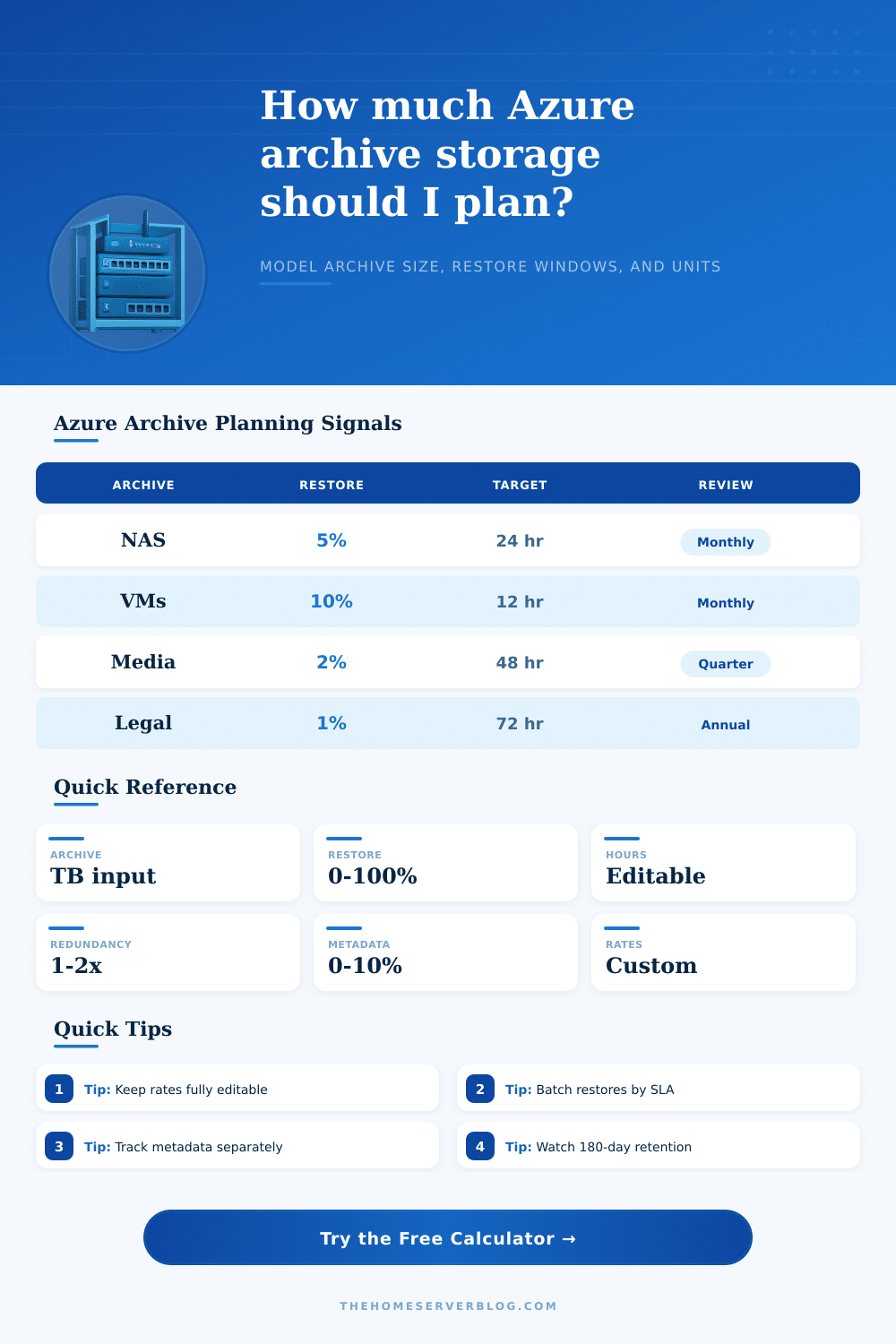
| Preset | Archive TB | Restore share | Typical goal |
|---|---|---|---|
| Home NAS cold backup | 8 to 20 TB | 3% to 8% | Recover selected folders |
| Proxmox image vault | 10 to 40 TB | 8% to 20% | Restore recent VM images |
| Media master archive | 40 to 250 TB | 1% to 4% | Pull individual projects |
| Legal retention set | 5 to 80 TB | 0.5% to 2% | Preserve records long term |
| Restore mode | Planning window | Batch pattern | Best fit |
|---|---|---|---|
| Standard priority | Several hours | Large scheduled waves | Planned analytics or audit work |
| High priority | Shorter target | Small urgent batches | Incident recovery or executive request |
| Copy to online tier | Tracked by copy status | New hot, cool, or cold blob | Avoid changing the source archive blob |
| Set blob tier | Tracked by tier change | Same blob becomes online | Simpler path when retention allows |
| Input | Meaning | Units | Why it stays editable |
|---|---|---|---|
| Storage rate | Archive footprint over retention | Unit per TB-month | Accounts, regions, and terms vary |
| Retrieval rate | Data requested for restore | Unit per TB restored | Use your own export or internal model |
| Operation rate | Object-touch allowance | Unit per million objects | Small-file workloads behave differently |
| Priority factor | Rehydration urgency multiplier | Custom multiplier | Emergency restores deserve a separate model |
| Check | Planner value | Risk if ignored | Calculator input |
|---|---|---|---|
| Minimum retention | Six months as a baseline | Early deletion exposure | Retention months |
| Metadata availability | Catalog remains readable | Manifests not sized | Metadata overhead |
| Object count | Millions of blobs matter | Slow restore orchestration | Object count |
| Batch restore size | Set by operations team | Unrealistic rehydration plan | Restore batch size |
Managing cloud costs doesn’t require understanding the prices on some spreadsheet; all you have to grasp is physical reality of whatever you’re putting there. You also need to know how much effort you will use to get it back later. By definition, archive storage are cheap. But this affordability carries a big tax on flexibility and speed.
Once you enter your retention windows and expected retrieval rates, the calculator above do the math for you, saving you from having to guess at overhead and factors. It converts abstract ideas into tangible units. Most teams massively underestimate metadata overhead. You’d imagine “twelve terabytes of video footage” equals just “twelve terabytes”. But there’s an entire layer of catalog files, index tags, and manifests attached to each and every blob. Ignore that layer and your footprint estimates will becomes wildly inaccurate. The tool allows you to tweak a percentage for this hidden weight, and this changes baseline cost before you’ve moved a single byte. Because people frequently forget: storage isn’t just about raw file sizes; it’s about the admin burden of tracking it.
How to Calculate Your Cloud Storage Costs
Archive tier is a digital version of a cold storage locker, and actual rehydrating is where heavy lifting occurs. How quickly you want that data back is the choice: standard priority will be slower but cheaper; higher priority will get your data pulled faster at a more higher cost-per-gigabyte. For good reason, pulling data from cold storage take time, and the calculator lets you specify a custom priority factor (because the public rate card that the cloud providers post may not align precisely with your own internal billing). Tweak that one number and you can model out both a routine audit pull vs. You can also model an emergency restore scenarion. It makes you think about urgency and assign a value to it.
There is another wrinkle: the retention policy. The minimum retention time with Azure Archive is typically several months (six). And if you delete prior to the end of that period, there’s a penalty, or else you get charged longer. The tool lets you model this by entering number of retention months. So it’s not only modeling your desire to retain data as long as possible, but also modeling the potential cost of retaining it for too little time. This becomes clear from looking at the examples in the reference table on the page, which break down typical media archive vs legal hold scenarios. Media files is constantly moving, but usually in small increments; whereas legal data never move.
The silent killer in archive planning: object count, since a single big video file at ten terabytes acts very different than ten million tiny text logs. Each one will cost more operational overhead because it needs to go through a request/response cycle all on its own. To help you estimate operational costs apart from storage costs, the calculator has a field for object counts in millions. This helps you avoid surprise bills if your team think small files are free to handle. In reality, you must pay for both their storage space and cost of handling them.
It’s useful because a lot of people forget about this practical limitation until it’s too late: You can’t simply throw fifty terabyte backups at an S3 bucket and expect them all to rehydrate in one shot; you’ll hit the throughput cap, or maybe take longer than you want. It is better to break up restores into batches you can handle. That is why the tool includes an option for setting a batch size, which tell you exactly how many restore actions it will perform. That makes a vague “let’s just restore everything” concept into something with clear steps, and shifts workload on your team to match.
Wherever your usage pattern is, we want to match your spending to your actual behavior. So if you don’t get data out, then you shouldn’t pay storage for something you never use. But if you use it every day, an archive tier isn’t the right spot. The calculator doesn’t suggest where to store your data. It tells you how much it’ll cost if you do, which lets you make a deliberate decision about what tradeoffs to make instead of making them by accident. That lets you plan, not guess.
Yes, archive storage takes time; get used to that fact. Yes, data is heavy (beyond its byte count) and yes, speed costs. When you model those factors, you’ll be protected from unrealistic recovery expectations and surprise bills. It’s just math… Yet the context makes all the difference. Stay honest about your assumptions and make sure your rates are editable. That way, you can affordably keep your cloud footprint in play at the exact moment it matters: now.