Baud Rate Calculator
Plan UART, RS-232, RS-485, Modbus RTU, MIDI, DMX512, and serial-console links by converting payload, framing, polling intervals, cable length, and timing margin into a practical baud-rate choice.
Calculated Serial Link Plan
Baud Rate Breakdown
| Serial Profile | Common Baud Rates | Framing Usually Seen | Planning Notes |
|---|---|---|---|
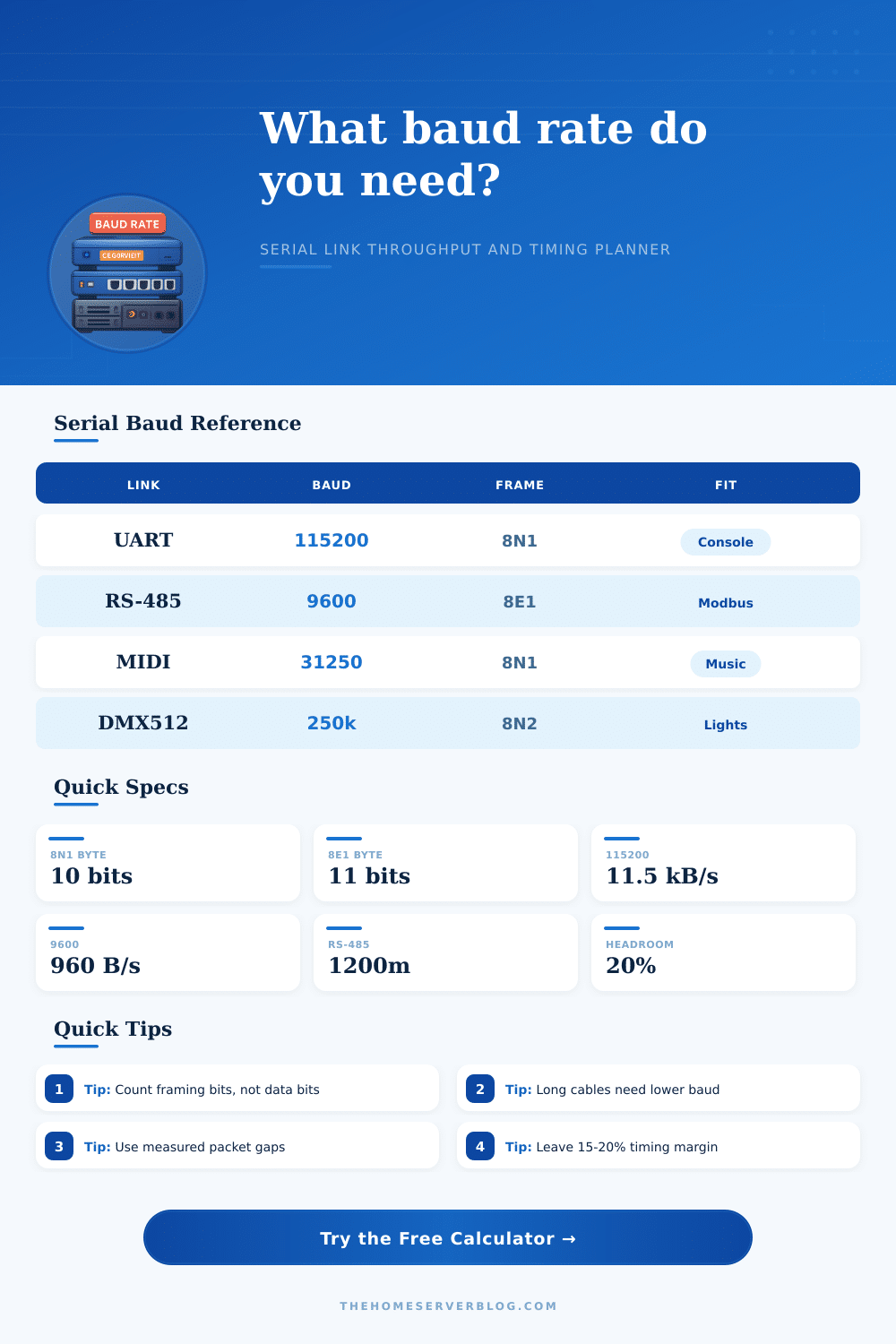
| UART TTL console | 9600, 38400, 115200, 921600 | 8N1 | Short board-level links can run fast, but boot ROMs and BIOS consoles often default to 115200. |
| RS-232 console | 9600, 19200, 38400, 115200 | 8N1 or 7E1 | Older equipment and long unbalanced cables favor conservative speeds and clean ground reference. |
| RS-485 Modbus RTU | 9600, 19200, 38400, 115200 | 8E1 or 8N2 | Include silent intervals, slave response delay, and turnaround time before comparing utilization. |
| NMEA 0183 GPS | 4800, 9600, 38400 | 8N1 | High-rate GNSS receivers can exceed old 4800-baud defaults when many sentences are enabled. |
| MIDI DIN | 31250 fixed | 8N1 style | MIDI uses a fixed rate, so payload density and running status matter more than selecting baud. |
| DMX512 | 250000 fixed | 8N2 with break | DMX adds break and mark-after-break timing outside the normal character frame. |
| Frame Format | Bits Per Character | Payload Efficiency | Example Payload at 115200 |
|---|---|---|---|
| 8N1 | 10 bits | 80.0% | 11,520 bytes per second before higher-layer overhead |
| 8E1 or 8O1 | 11 bits | 72.7% | 10,472 bytes per second before higher-layer overhead |
| 8N2 | 11 bits | 72.7% | 10,472 bytes per second before higher-layer overhead |
| 7E1 | 10 bits | 70.0% | Works for legacy ASCII terminals, not binary payloads |
| 9N1 | 11 bits | 81.8% | Sometimes used for multidrop address-bit protocols |
| 8E2 | 12 bits | 66.7% | More timing margin for receivers, less payload rate |
| Baud Rate | 8N1 Payload Rate | 1 KB Transfer Time | Typical Home Lab Use |
|---|---|---|---|
| 4800 | 480 bytes/s | 2.13 seconds | Legacy GPS, slow meters, simple text sensors |
| 9600 | 960 bytes/s | 1.07 seconds | Modbus RTU defaults, UPS monitoring, serial appliances |
| 38400 | 3840 bytes/s | 0.27 seconds | Faster RS-232 consoles and low-latency device control |
| 115200 | 11520 bytes/s | 0.089 seconds | Linux console, routers, SBCs, microcontroller logging |
| 250000 | 25000 bytes/s | 0.041 seconds | DMX512 style timing, 3D-printer firmware links |
| 921600 | 92160 bytes/s | 0.011 seconds | USB serial bridges, firmware flashing, high-rate telemetry |
| Common Project | Input Example | Calculated Concern | Practical Check |
|---|---|---|---|
| UPS serial monitoring | 64 byte status every 5 seconds | Low baud demand, reliability matters more | Use stable 9600 and verify cable pinout. |
| Rack console server | Text console at 115200 8N1 | Terminal bursts can fill scrollback | Enable flow control if boot logs are dense. |
| RS-485 energy meters | 24 meters polled twice per second | Turnaround and slave delay dominate | Measure full request-response cycle time. |
| GNSS timing receiver | Multiple NMEA sentences at 10 Hz | 4800 may overflow sentence output | Disable unused sentences or raise baud. |
| MCU firmware flash | 512 KiB in 45 seconds | Needs high baud plus bootloader overhead | Test error rate before relying on max speed. |
| DMX512 controller | 512 channels refreshed at 44 Hz | Fixed baud with break timing | Scope the break and mark-after-break timings. |
Baud rate refer to the number of symbols that can be sent per second during a serial connection. Baud rate determine the speed at which data will move between the connected devices. Choosing a wrong baud rate can result in the failure of the devices to communicate with each other.
Although it may seem like a great idea to use a baud rate that is thought to be fast, this can cause error in the serial connection if the wiring or length of the cable are not suitable for the baud rate that is chosen. Baud rate is not the same as data throughputs. Data throughputs will be less than the baud rate because baud rates includes extra bits of data that are not part of the actual data that is transmitted.
Baud Rate: What It Is and How to Choose It
These extra bits include start bits, stop bits, and parity bits. For instance, with an 8N1 frame, ten symbols is required to transmit one byte of data. The data throughput would be less then the baud rate.
To calculate baud rates correctly, extra bits must be accounted for, which is why baud rate calculators makes allowances for this and display the actual amount of data that will transceive through the serial connection. Another factor that can affect the baud rate is the length of the serial cable that is being use to make the connection. High baud rates require shorter length of serial cables.
This is because high baud rates result in signal edges arriving very quick at the receiving ends of the serial cable. Shortening the length of the serial cable will allow the signal edges to travel further before they settle. Using very long serial cables with high baud rates can result in bit error.
To avoid this problem, the baud rate will have to be lowered if very long serial cables is to be used, or different method of signaling will have to be used. The protocol that is used between the devices can also impact the baud rate. Some protocols require silent interval between the frames of data that is transmitted.
These silent intervals are a form of protocol overhead that reduce the data that is actualy transmitted. The baud rate calculator can be used to calculate these silent intervals to provide an accurate calculation of the baud rate for the serial connection. Baud rates can also be impacted by the system on which the serial connection are made.
Factors such as the operating system in which the serial connection is made can impact the baud rate. A baud rate that works well for a computer with no other task open at the time may not work well when the computer is processing other tasks at the same time. It is therefore important to consider these system variables when the baud rate is to be set.
Baud rates should be selected according to the worst-case scenario in which the serial connection will be made rather than the average case. Some serial connections may send data in bursts while others may be of a constant rate of data movement. It is important to ensure that the baud rate is high enough to accommodate the largest bursts of data that will be sent.
It is therefore better to use a lower baud rate that is highly reliable than to use a baud rate that may result in packet loss. Finally, reference tables for baud rates can be used to compare the baud rate of a serial connection to other baud rate standards. These standards refer to the payload rates that will result from each of these baud rates.
By comparing the baud rate that is to be use with these reference tables, it is possible to ensure that the baud rate is appropriate for the serial connection.