BGP Keepalive Timer Calculator
Model BGP timer negotiation, hold-time detection, keepalive packet rate, update churn, and router control-plane load before changing neighbor timers.
Full Breakdown
| Profile | Keepalive / Hold | Detection Target | Practical Use |
|---|---|---|---|
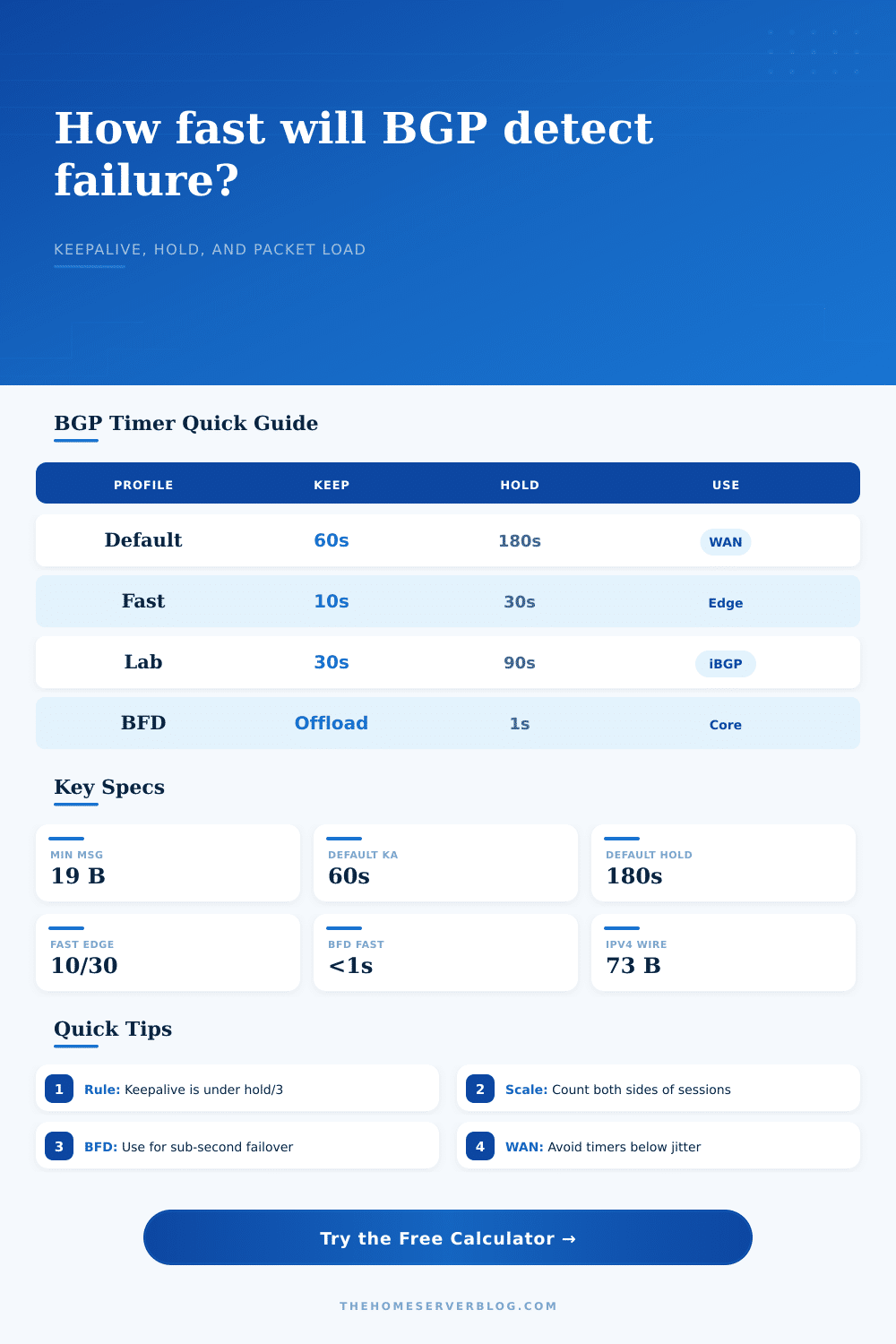
| Classic default | 60s / 180s | Up to 180 seconds | Stable eBGP WAN, conservative peering, low CPU overhead. |
| Moderate iBGP | 30s / 90s | Up to 90 seconds | Home lab route reflector or small internal mesh. |
| Fast edge | 10s / 30s | Up to 30 seconds | Dual uplink failover when BFD is unavailable. |
| Aggressive lab | 3s / 9s | Up to 9 seconds | Testing only unless jitter and CPU headroom are known. |
| BFD-assisted | 60s / 180s plus BFD | Sub-second to a few seconds | Fast failure detection while BGP timers stay relaxed. |
| Platform Or Stack | Common Default | Timer Style | Home Lab Note |
|---|---|---|---|
| Cisco IOS / IOS XE | 60s / 180s | Neighbor timers or peer-group timers | Often paired with BFD for fast edge failover. |
| Juniper Junos | 30s / 90s commonly seen | Hold-time driven with keepalive behavior derived from it | Check group-level settings before blaming one peer. |
| Arista EOS | 60s / 180s | Global, peer-group, or neighbor configuration | Leaf-spine fabrics usually prefer BFD over tiny hold timers. |
| FRRouting | 60s / 180s | Neighbor timers are easy to override | Popular for Proxmox, Linux routers, and lab route reflectors. |
| BIRD | Implementation profile dependent | Protocol-level keepalive and hold controls | Useful for Linux route servers and small IX-style labs. |
| OpenBGPD | Conservative defaults | Neighbor or group-oriented configuration | Favor stable timers on small firewalls with limited CPU. |
| Layer Counted | Bytes Used | Formula Basis | When To Use |
|---|---|---|---|
| BGP message only | 19 bytes | BGP marker, length, and type fields | Protocol documentation or message-only math. |
| BGP over TCP IPv4 | 59 bytes | 19 BGP + 20 TCP + 20 IPv4 | Router CPU receive queue estimates without Layer 2. |
| BGP over TCP IPv6 | 79 bytes | 19 BGP + 20 TCP + 40 IPv6 | IPv6 peering sessions without Layer 2 framing. |
| Ethernet plus IPv4 | 73 bytes | 59 Layer 3 bytes + 14 Ethernet | Rough wire load on switched home lab links. |
| VLAN Ethernet plus IPv4 | 77 bytes | 73 bytes + 4 byte 802.1Q tag | Tagged transit, lab trunks, and router-on-stick links. |
| Scenario | Sessions | Timers | Why It Matters |
|---|---|---|---|
| Single ISP eBGP | 1 | 60s / 180s | Default behavior is usually fine for a single uplink. |
| Dual-WAN edge | 2 | 10s / 30s | Faster route withdrawal after broadband failure. |
| IXP peering router | 80 | 30s / 90s | Many peers make small timer changes visible in pps. |
| Route reflector pair | 40 | 30s / 90s | iBGP scale is mostly session count and churn sensitivity. |
| BFD-assisted core | 24 | 60s / 180s | BFD handles fast failure; BGP stays calm. |
Use the calculator to test your assumptions before you touch the configuration. Set your timers wrong and it won’t be faster or more stable, it will be unstable. You don’t want the fastest border gateway protocol config, you want to find the sweet spot between too much on the control plane and not enough time to detect an issue.
That leaves us with the hold timer. That’s the glue in this relationship, the thing that will tell your neighbor when it’s okay to say, “The connection is dead.” And then there’s the heartbeat, the keepalive. According to RFC 4271, the keepalive needs to be no less than a third of the hold time. Why? Because if you have too much delay between scheduling the keepalives they might miss each other’s heartbeats or talk over one another. So if you shorten your hold time down to ten seconds, you need to shorten the keepalive. You can’t get quick failover if your heart isn’t beating quickly.
Finding the Right Balance for Your Network Timers
These timers is normally considered a static number (they are typically copied from blogs or the manual). Little thought is given to physical cost of this little packet. Sure, it’s tiny, barely nineteen bytes of payload in a BGP keepalive, but you’re sending it all the time. 100 times? Double that for return traffic. Add your TCP and IP headers. You’re creating a continual stream of overhead. The tool reflects those layers on the wire, and what had been a trivial setting becomes a measurable load on an already busy route reflector.
The actual problem is route updates. While keepalives are regular, UPDATEs is a mess. One link flap cause hundreds of announcements and withdrawals. To model that noise, the calculator add a churn multiplier. It shows the contrast between an orderly internal network and a peering session at the edge of the internet.
How do you know whether your router has enough CPU cycles to handle those updates while keeping pace with the keepalive rhythm? Because if the parser gets behind due to churn it may miss a keepalive and time out erroneously. And that’s where folks mess up. They look at the fastest possible detection time and they forget about their processing budget. Sub-second failure detection is nice in a data center fabric. Three minutes could of being just right in a stable WAN edge or a home lab. The reference tables on the page outline how each profile strikes a balance between speed and resource usage.
This is where BFD often comes into play. BFD take over the detection job from BGP. That means the protocol timers can be kept relaxed and BFD monitors the link for silence. This division of labor make the control plane calm.
Jitter is another silent killer. Packets don’t show up on time in a congested link. Too-tight timers makes a small delay in the queue appear as a link failure. You flap routes for no reason. Acknowledge the imperfect nature of networks and use a jitter margin when you use the calculator. It’s a practical adjustment to account for real-world conditions.
So yes, fine tune your BGP. But do so with restraint. Responsiveness sounds exciting, but a fast timer will result in instability. Resilience is what you’re after, not reactivity. You can’t react to every ripple; your network must be able to ride out the storm.
Test your assumptions first using the tool. What’s the CPU load? How many packets per second? Respect the hold time. This is a small thing, but it matters. Actually, it should of mattered more.