Buffer Size Calculator
Estimate practical buffer memory for home server networking, media streaming, disk bursts, and service queues without guessing from a single average speed.
Recommended Buffer Plan
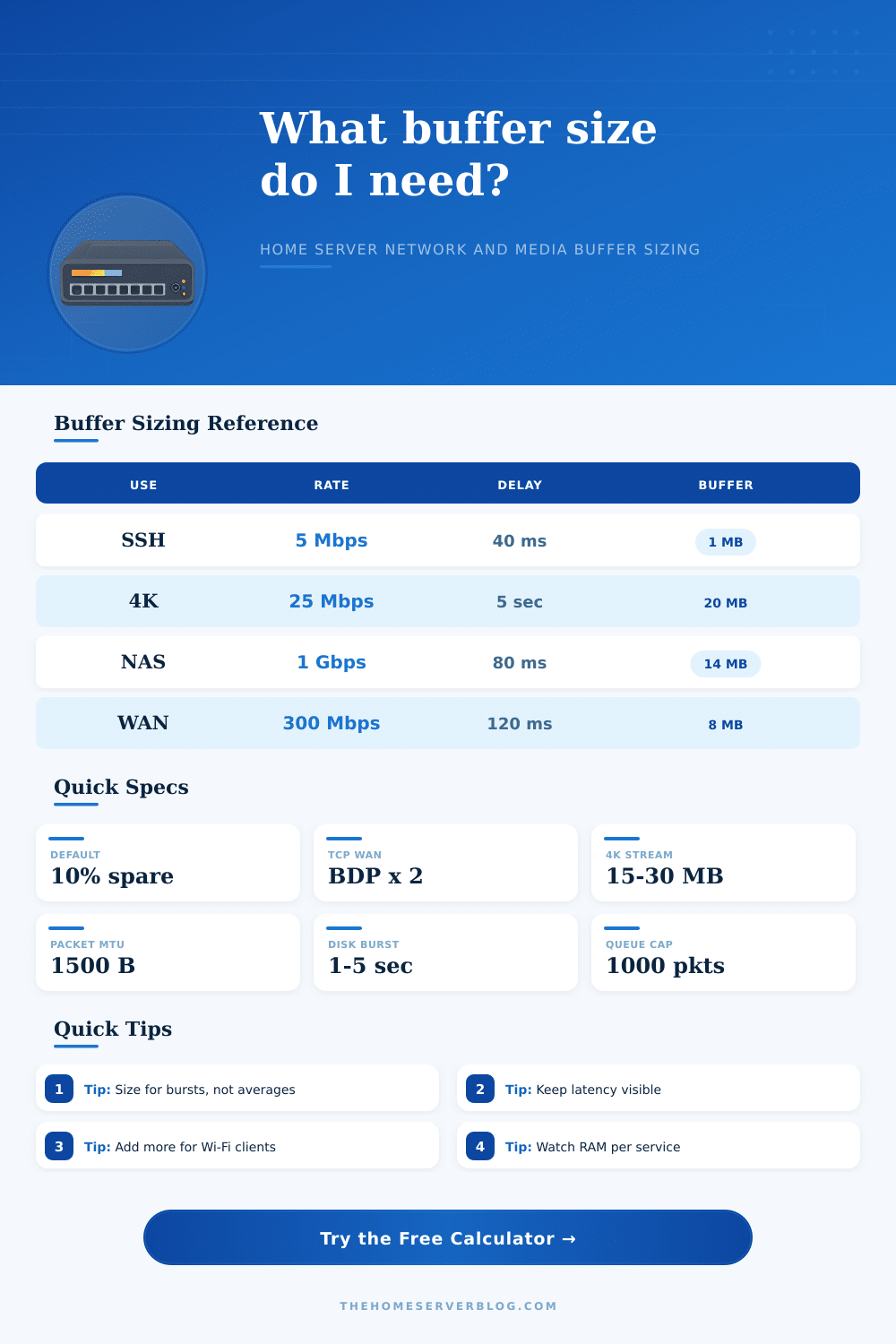
BDP means bandwidth-delay product: throughput multiplied by round-trip time. It is the useful starting point for TCP socket buffers, then real workloads need burst and jitter allowance.
| Profile | Best For | Multiplier | Practical Buffer Target |
|---|---|---|---|
| 1 GbE TCP service | LAN web apps, SSH, SMB browsing | 1.25x BDP | 1 to 16 MB per busy socket |
| 2.5 GbE TCP service | Fast NAS, VM image transfer | 1.35x BDP | 4 to 64 MB per transfer |
| Wi-Fi 6 client burst | Wireless media and sync traffic | 1.6x BDP | Add jitter allowance for airtime changes |
| Remote WAN/VPN path | Off-site backup, VPN file access | 2x BDP | Often 8 to 128 MB depending on RTT |
| Plex or Jellyfin stream | Playback cache and transcode burst | 1.2x burst | 15 to 60 MB for common HD and 4K streams |
| Redis or app queue | Short service spikes | 1.1x message load | Cap queue depth to protect RAM |
| Workload | Input That Matters Most | Secondary Guardrail | Warning Sign |
|---|---|---|---|
| TCP network socket | Throughput and round-trip latency | Socket memory limit | Throughput stalls on high RTT links |
| Media streaming cache | Bitrate and burst seconds | Clients streaming at once | Playback pauses during Wi-Fi dips |
| Disk or NAS burst | MB/s and write flush delay | RAM reserved for cache | Large copies make apps sluggish |
| Service message queue | Message size and worker count | Maximum queue depth | Old messages pile up after a spike |
| Camera or NVR buffer | Bitrate per camera and cameras | Seconds before disk catches up | Dropped frames during disk activity |
| Common Project | Typical Inputs | Starting Buffer | Capacity Check |
|---|---|---|---|
| Small Home Lab 12U | 1 GbE, 20 to 40 ms RTT, 2 services | 4 to 16 MB | Keep each service under 5% RAM |
| Full Rack 42U NAS | 2.5 GbE, 4 workers, disk bursts | 64 to 256 MB | Watch ARC, page cache, and VM memory |
| 10 Device PoE Network | Mixed Wi-Fi and wired clients | 8 to 32 MB | Latency should not climb under load |
| Remote Backup Server | 100 to 500 Mbps WAN, 80 to 160 ms RTT | 16 to 128 MB | Buffer helps only if sender can fill it |
| NVR Storage Box | 6 to 12 cameras, 4 to 8 Mbps each | 32 to 128 MB | Leave disk queue headroom for writes |
Network performance is determine by the size of the network buffer. A network buffer is a section of memory that holds data as it moves from one point on the network to the next. Many people blames the hardware of their network for the slow speeds they recieve.
However, if the network buffer is set to too small of a size, it can cause issue with data movement and the movement of files. Network performance is not determine by the speed of the network connection, but also by the gap between the data arrival speed at the destination and the application speed to process the data. The bandwidth-delay product is a measurement of the data that can be in flight between two points at any given time.
How to Find the Right Network Buffer Size
The bandwidth-delay product is a useful measurement of the amount of memory a server must use to hold the data while the receiving node acknowledge the data. If the network has a high latency, such as if it uses a VPN or performs remote data backup, then the server will have to use more memory to hold the data during the latency period between the data packet’s arrival at the server and acknowledgment from the receiving device. If the network buffer size is too small for the network, the data must stop at the network buffer to await acknowledgment from the receiving device.
This waiting period for the data to be acknowledged will reduce the amount of data that can travel across the network. For example, the bandwidth-delay product for a 1 Gbps link with 100 ms of delay requires a much larger network buffer size than a 10 Gbps link with a 1 ms delay because of the higher delay between the data arriving at the server and the acknowledgment of the data. Many people will attempt to solve the slow data movement issues by adding more RAM to the machine or using the default setting for network data movement.
However, adding too much RAM to the network buffer can create an issue called bufferbloat. Bufferbloat is the result of using too much memory for the network buffer. The data packets that are waiting to be processed sit in the network buffer for long periods.
What begins as a temporary increase in data movement within the network becomes a permanent spike in the lag that the network experience. Finding the balance between having enough memory to hold the data while it is being transferred and not having too much memory for the network buffer to create a network bottleneck for the applications is essential for an efficient network. The behavior of the data that is to be transferred over the network will impact the size of the network buffer that is used.
Media data does not move in a continuous stream from the source to the receiving machine. Instead, it moves in bursts as the media player machine retrieve the data needed to play the media files. For this reason, there must be enough memory within the network buffer to store the data during periods of Wi-Fi connection instability.
The burst in data from a disk is different than media data because it is the difference in speed between RAM and mechanical disk drives. By using a calculator to combine these network variable, it is possible to avoid having to calculate the bytes per second that the network buffer requires to handle the data that will pass through it. The network buffer has a few different input that will impact the network buffer size.
One of these is the jitter of the network. Data that arrives in a stream will not be experienced in a steady flow if the jitter is high. In this case, there must be additional memory allocated in the network buffer to account for this, or the application will experience data gap.
Another of these variables is the number of clients that are connected to the network concurrently. If three tablets are streaming the same data from a machine, for example, it is not simply the size of the network buffer for one tablet that needs to be multiplied by three to provide for the three tablet clients. The network traffic pattern on the network must be considered, as well as the number of clients to which the server will be sending data.
The results of properly planning for the data movement will show how much of the reserved memory for the machine is being used by the network buffer. If a network buffer use 80 percent of the memory allocated to the machine for a given service or application, then the machine is entering a danger zone. For systems that use RAM to hold data, high RAM use can lead to swapping of the data between RAM and the hard drive.
This data swapping will destroy the network performance more faster than a small network buffer will. Therefore, finding a middle ground for the amount of memory to allocate to the network buffer is essential. There should be enough memory to permit the network buffer to hold data bursts, but there should be limit to the amount of memory allocated to the network buffer.
In tuning a home server, people must move from guessing the appropriate settings to measuring the impact of those settings. Many home servers utilize presets for the parameters of data movement. These can be tweaked based off the results of the network data movement.
The latency in a network will dictate the size of the network buffer. Data movement performance depends upon the gap between the speed of the network wire and the speed of the application being used on the network.