Carrier Grade NAT Port Block Calculator
Size deterministic, dynamic, and hybrid CGNAT port blocks for IPv4 sharing, utilization, and logging.
| Range | Ports | Common Name | CGNAT Use |
|---|---|---|---|
| 0–1023 | 1,024 | System / well-known | Normally excluded from subscriber translation blocks. |
| 1024–49151 | 48,128 | User / registered | Often used for deterministic NAT pools when low ports are excluded. |
| 49152–65535 | 16,384 | Dynamic / private | Useful for outbound mappings, but may be too small alone. |
| 1024–65535 | 64,512 | Typical usable pool | Common planning range before vendor and operational reservations. |
| Block Size | Subscribers Per IPv4 Per Protocol | Best Fit | Operational Risk |
|---|---|---|---|
| 64 ports | Up to 1,008 | IoT telemetry, restricted guest access, low session devices. | High risk for browsers, app updates, VPNs, and gaming. |
| 128 ports | Up to 504 | Mobile prepaid, IPv6-first traffic, light residential use. | Moderate risk during busy-hour app bursts. |
| 256 ports | Up to 252 | Balanced broadband with strong IPv6 adoption. | Watch UDP-heavy users and low timeout values. |
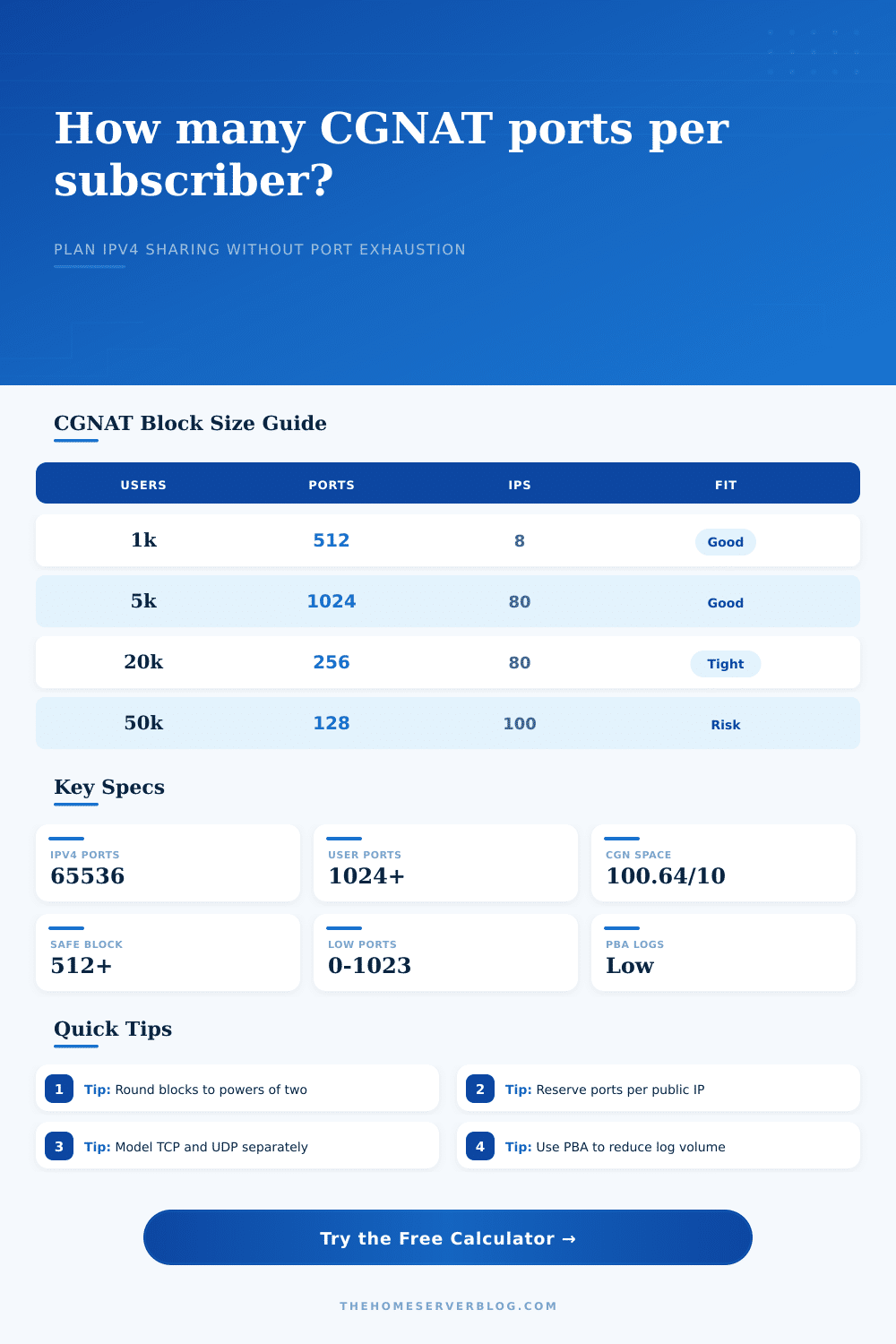
| 512 ports | Up to 126 | Typical residential CGNAT planning block. | Usually workable when monitoring detects top talkers. |
| 1024 ports | Up to 63 | Premium tiers, gaming support, heavier home offices. | Lower exhaustion risk, higher IPv4 pool demand. |
| 2048 ports | Up to 31 | Business-like residential, static inbound exceptions, PCP users. | Low exhaustion risk, poor address sharing ratio. |
| Public Pool | IPv4 Count | 512-Port Capacity | 1024-Port Capacity |
|---|---|---|---|
| /30 | 4 addresses | About 504 subscribers per protocol | About 252 subscribers per protocol |
| /28 | 16 addresses | About 2,016 subscribers per protocol | About 1,008 subscribers per protocol |
| /26 | 64 addresses | About 8,064 subscribers per protocol | About 4,032 subscribers per protocol |
| /24 | 256 addresses | About 32,256 subscribers per protocol | About 16,128 subscribers per protocol |
| 100.64.0.0/10 | 4,194,304 private CGN addresses | Internal subscriber side only | Not a public translation pool |
| Strategy | How Blocks Are Assigned | Logging Impact | Best Use Case |
|---|---|---|---|
| Fixed deterministic | Subscriber maps to a predictable public IP and fixed port span. | Lowest ongoing records; reverse mapping can be computed. | ISPs prioritizing audit simplicity and stable customer mapping. |
| Dynamic PBA | Subscriber receives one or more temporary port blocks on demand. | Moderate records; logs one block lease instead of every session. | Residential pools with bursty demand and limited IPv4 space. |
| Hybrid deterministic | Base fixed block plus dynamic overflow when thresholds are crossed. | Low for base use, moderate for bursts. | Broadband providers wanting predictable support plus flexibility. |
| MAP-E / A+P | Address plus port set is delegated by algorithmic sharing rules. | Low after provisioning state is known. | IPv6-first access networks carrying shared IPv4 over IPv6. |
| PCP-friendly | Outbound block plus reserved inbound-capable ports per subscriber. | More records for reservations and lease changes. | Gaming, peer-to-peer, or managed inbound application support. |
| Subscriber Group | Typical Sessions | Suggested Block | Planning Note |
|---|---|---|---|
| IoT LTE meters | 5–25 | 64 ports | Short periodic telemetry with strict idle timers. |
| Mobile handset APN | 80–180 | 128–256 ports | Good IPv6 adoption can lower IPv4 pressure. |
| Residential broadband | 200–450 | 512 ports | Model streaming, app stores, browser tabs, and QUIC. |
| Gaming households | 350–800 | 1024 ports | Reserve inbound-friendly ranges when PCP is offered. |
| Student housing NAT | 500–1200 | 1024–2048 ports | High device count and short bursts require headroom. |
Instead of wondering if you’ll exhaust your NAT pool at busy times, calculator is able to show port exhaustion in advance, translating a complex issue into a set of variables you’re able to manage. Verify your routes. Check your addresses. Still, when the busy hour arrives, there’s a lot of demand for those ports. Your family is streaming video. Gaming consoles is negotiating sessions. That port space dissapears. This tool helps you avoid that panic.
There aren’t enough IPv4 addresses, and the demand for ephemeral ports are limitless. While sitting idle, your phone may create hundreds of connection. It pings servers and syncs with cloud. Sixty-four ports just isn’t enough anymore. Chances are, someone will try to do something interesting. They always do.
How to Plan Your NAT Pool Size
Plug in how many subscriber you have and what you think their peak sessions might be. Let the calculator work out the math. If a 512-port block is sufficient for a student dorm room or a gamer’s home, you’ll never need to guess again.
How should you allocate? Think hard. Deterministic fixed blocks can be easily debugged because of predictable mapping from the system to the customer. You know exactly which ports belongs to which customer. Easy: just read the label. They’re also horribly inefficient. Why give a user 500 ports if they only require 20? That’s just wasted capacity!
By contrast, dynamically allocated port-blocks are leaner. When a user requests a port, you provision one for him. When his subscription expire, you reclaim that port. This means less waste, but at the cost of operational overhead. How do you keep track of which block was assigned to whom? What if you recieve a lawful intercept request and must trace an offending IP address back to its owner? Without proper logging, this won’t work.
Operators end up moving towards some kind of hybrid solution. Give each user a little block as their foundation to fill in the background. When traffic increases, let them automatically expands into other ranges. To play with this use “safety overhead” slider and the “burst multiplier“. Ten percent is typical. If you have lots of BitTorrent client or gamers in your user base, go up another few percentage points.
For gaming protocols, there’s often an expectation of inbound connectivity which complicates the NAT table further. Make sure to reserve ports for PCP or NAT-PMP, otherwise outbound traffic will overwrite them.
The page has a reference table illustrating the effect various block size have on subscribers per address. This shows the hard limit of your existing IPv4 inventory. CGNAT deployments generate large logging volume. Moddern systems log port-block leases instead of every single flow to avoid cost spirals. This results in rising storage costs. Most modern systems does port-block allocation logs. They only log when the block is leased, not every flow within the block. This calculator estimates how many records per day are generated given your lease duration and churn rate. More precise leases result in more detailed logging. It also result in more log entries. There’s a tradeoff between forensic precision than database bloat.
But this isn’t about backup. This is about an escape hatch. The less of your traffic relies on CGNAT, the more you’ll of be able to move to native IPv6. Think of your CGNAT deployment as a bridge, not a destination. Design it so that you can reduce the size of the pool with increased adoption, but still have enough in place to support what’s left… The legacy traffic that hasn’t made the leap yet.
Your objective is to make the NAT layer as invisible to the user as possible while making it manageable for you. And when you get the block sizing correct, the busy hour doesn’t feel like a crisis, it just feels like another Tuesday.