PAT Port Utilization Calculator
Estimate how many translated ports your home lab, VPN edge, or small office NAPT gateway needs before ephemeral port exhaustion starts dropping flows.
Client Ephemeral Port
Chosen by the inside host for the original socket. It may be reused by other clients because private addresses make each tuple unique before translation.
PAT Translated Port
Chosen by the gateway on the public address. This is the scarce shared resource when many inside hosts overload one IPv4 address.
NAT Table Entry
The mapping that binds inside address, inside port, protocol, outside address, and translated source port until timeout or session close.
| Profile | Typical Flow Pattern | Port Pressure Driver | Practical Sizing Note |
|---|---|---|---|
| Web browsing and CDN apps | Many short TCP and QUIC connections | Connection bursts plus UDP 443 | Watch peak multiplier more than average clients |
| Video conferencing | Fewer sessions, long UDP media flows | UDP idle timeout and keepalive behavior | Short UDP timeouts help reclaim stale mappings |
| Peer-to-peer sync | Hundreds of parallel remote peers | Simultaneous outbound sessions per client | Limit per-client connections before adding IPs |
| Container and CI runners | Burst pulls from registries and mirrors | Brief flow spikes across many workers | Use high headroom for scheduled build windows |
| Port Range | Usable Count | Common Use | NAT Planning Impact |
|---|---|---|---|
| 1 to 1023 | 1,023 | Well-known service ports | Usually excluded from dynamic PAT pools |
| 1024 to 49151 | 48,128 | Registered and legacy ephemeral space | Some routers start dynamic PAT here |
| 49152 to 65535 | 16,384 | IANA dynamic/private port range | Cleaner but smaller if used alone |
| 1024 to 65535 | 64,512 | Broad overload pool | Maximum single-IP home router pool before reserves |
| Timeout Setting | Typical Range | What It Protects | Tradeoff |
|---|---|---|---|
| TCP established | 30 to 120 minutes | Long downloads, SSH, remote work sessions | Long values keep dead mappings around longer |
| TCP closing states | 30 to 240 seconds | Orderly session teardown | Too long can amplify short-web burst pressure |
| UDP idle | 30 to 300 seconds | DNS, voice, games, QUIC, telemetry | Too short can disrupt quiet UDP applications |
| ICMP query | 10 to 60 seconds | Ping and diagnostic mappings | Normally a minor share of PAT capacity |
| Scenario | Clients | Peak Translations | Single-IP Guidance |
|---|---|---|---|
| Small home lab plus family devices | 20 to 45 | 2,000 to 8,000 | Usually comfortable with one public IPv4 |
| Guest Wi-Fi party or workshop | 80 to 180 | 15,000 to 45,000 | Use captive portal limits and 20% headroom |
| CI workers pulling containers | 10 to 60 | 10,000 to 70,000 | One IP can be tight during synchronized jobs |
| P2P or heavy sync clients | 5 to 25 | 20,000 to 100,000 | Cap per-client peers or add public addresses |
Home lab. Maybe you host a Kubernetes cluster. Perhaps you’re running a Proxmox cluster. Maybe youve got a dozen IoT cameras and need to segregate them from your home guest Wi-Fi network.
Whatever it is, you configured firewall rules and VLANs. You’re feeling smug. And then it’s a Tuesday night. Your kids starts a video call. Someone starts a big file transfer. Your router drops packets. Oh no, what happened? Did the internet go down?
How to Stop Your Router From Running Out of Ports
Nope. The router didn’t have any more ports left. That’s PAT port exhaustion, the silent mode of router failure. No red lights, just no more new connections until the old ones time out. If only we understood how that works, right? It goes beyond bandwidth and deeper into the guts of address translation.
So what’s the issue? Here it is: Most home routers don’t display it for you in real-time. And it’s just arithmetic. You’re given a single public IPv4 address. This address supports approximately sixty-four thousand unique combinations of source port and destination IP/port. One of these slots goes away every time an active connection is made on your router from inside your network.
If your phone opens up ten connections to social media apps while your gaming PC open up twenty to a server, you’re burning through that pool. The calculator above takes care of the math for you, all you need to do is plug in your traffic profile and your client count. You won’t have to guess whether your current set-up will hold. Abstract numbers becomes a concrete risk assessment.
The kicker: not all connections are created equal. There can be five TCP sessions opened as part of a single web page load that close within a few seconds. Or there can be a few long-lasting UDP streams used for a video conference call that don’t want to die. It is able to tell the difference thanks to adjustable timeout settings.
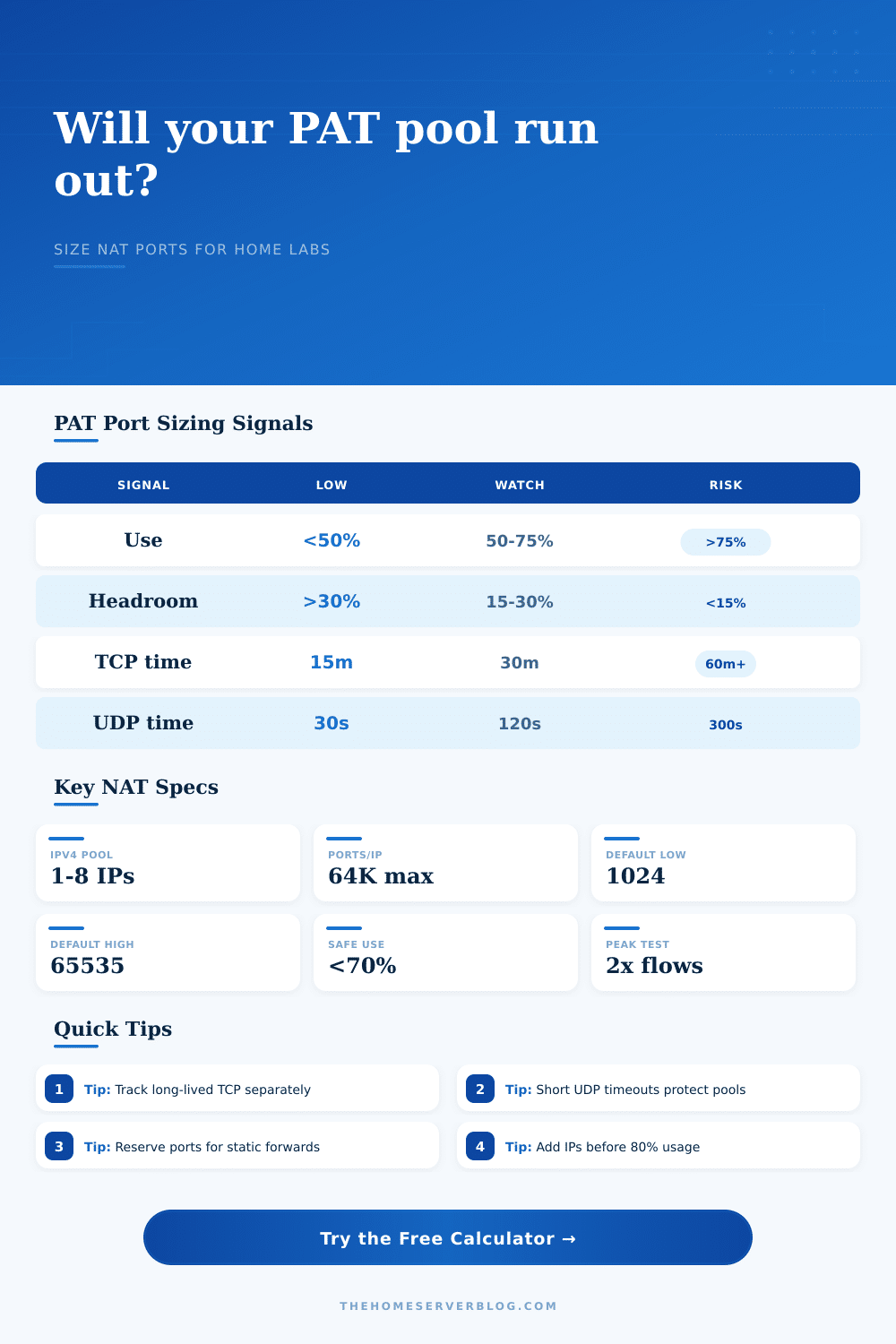
Drop your TCP established timeout down to fifteen minutes? The pool stays fresher with less stale entries taking up space. Set it to an hour instead? Stale entries linger longer and consume more space, the router gets the ports back quicker. If you are too aggressive, those timeouts could cut off an active download. Keep them short and the pool stays fresh. The calculator lets you see this balancing act based on how long your timeouts should last. And what impact they’ll have on the number of simultaneous translations.
What about peak concurrency? Maybe youve got 30 devices connected, and only 10 are ever uploading/downloading anything at once, so those 10 is what count towards your usage. But when there’s a firmware update window, they’ll all pull down an image in unison, which means you’re suddenly doing 30 devices worth of download at once.
Enter the concept of a peak multiplier, how much higher than normal should we expect to be when we do that kind of bursty work? And without it, your sizing appears totally adequate except when everything goes sideways! It’s a tiny little input, but oh does it make a world of difference to stability. You need to know whether your pool will withstand a spike, not just steady state.
Then there’s static port forwarding. You’ve got certain ports that you use at home to run an SSH jump host, or maybe a web server. Now those ports aren’t being translated dynamically and aren’t available. The calculator then deducts them from the remaining pool. Reserve five hundred ports for services and suddenly you’ve just reduced your available capacity by less than one percent. Sounds small, but if you’re running close to capacity it matters… Because each slot counts.
The page has a handy table showing how different traffic profiles tax the system differently. This is especially true of video conferencing, which runs over UDP. UDP is stateless. The router must guess when a flow ends. If your UDP idle timeout is set to three hundred seconds, a video call can hold up a port for five minutes even once the call has ended. Do this times several users, and you’ll fill the pool with ghosts.
Changing the UDP timeouts is often the quickest remedy. Reduce these from five minutes down to two minutes and you can recover a lot of capacity without upsetting most apps.
Last but not least is the matter of public IPs. By default most residential plans grant you one IP. More likely, business plans may grant you three. For each additional IP you multiply your port pool size by sixty-four thousand. Does this mean you need more IPs? Or perhaps you just need some tweaks to your timeouts? That’s where the calculator comes in. Typically it’s good enough to tweak.
You don’t necessarily need a large pool of IPs for a home lab. This is true unless you are using peer-to-peer sync clients that open up hundreds of connections. Often it’s better just to limit the number of connections from the client side. You want to avoid silence. You don’t necessarily care about maximizing throughput.
If the pool runs dry, new connections will fail in silence. There is no error message. It is just a timeout. Sizing your pool properly means that even if everyone suddenly decides to go online, the network remains responsive. It’s an outage turned into a non-event.
The lights stay on, the streams continue to flow and the labs keep chugging along. This is what checking your headroom realy buys you.