Cluster Failover Capacity Calculator
Estimate whether the surviving nodes in a home lab, edge, or small production cluster can restart the workload after node loss, maintenance, drain, dual failure, or a stretched-site event.
1Failover Presets
2Cluster Inputs
3HA Policy Grid
Survivor lanes
3 / 3Anti-affinity groups have enough surviving node lanes.
Restart storm
10%Temporary restart overhead is included in demand.
Admission reserve
15%Reserve is removed before fit checks.
Bottleneck
RAMThe highest utilization resource drives the pass/fail result.
4Reference Tables
| Resource | Raw surviving | After reserve | Required with overhead | Headroom |
|---|
| Failed nodes | Survivors | Bottleneck utilization | Resource fit | Policy lane fit |
|---|
| Policy target | Typical reserve | Capacity model | Best use | Watch item |
|---|---|---|---|---|
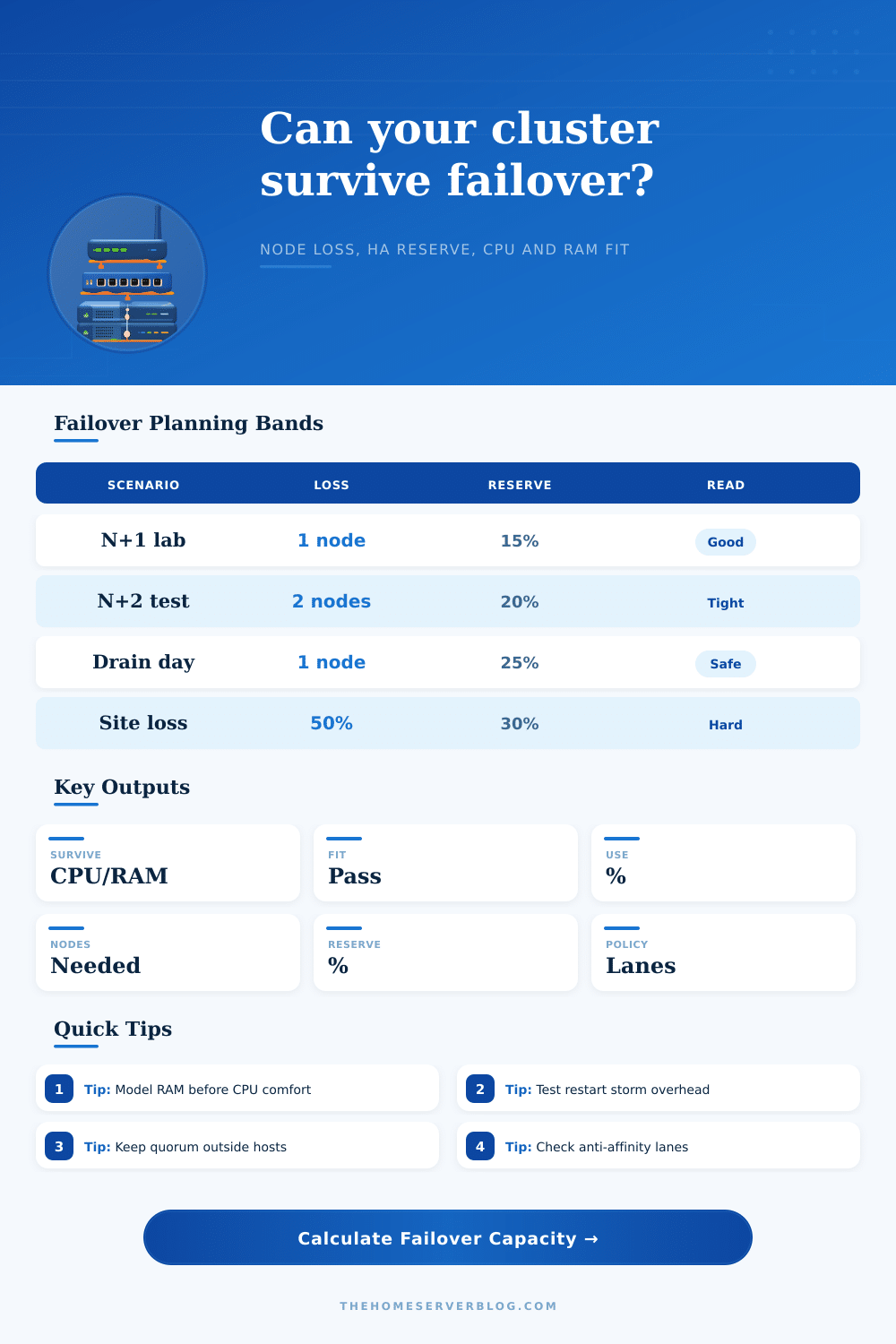
| N+1 admission | 10-20% | One host removed from schedulable capacity | Proxmox, VMware HA, Hyper-V | RAM pressure after restart |
| N+2 / dual failure | 20-30% | Two hosts removed before workload fit | Important services, patch windows | CPU burst overlap |
| Drain plus reserve | 20-35% | Maintenance host removed plus buffer | Kubernetes, rolling upgrades | Pod disruption budgets |
| Stretched site loss | 25-40% | One site removed and policy lanes checked | Two-room or two-site labs | Quorum and storage witness |
| Preset | Nodes | Failure target | Workload shape | Why it matters |
|---|---|---|---|---|
| Proxmox Node Loss | 4 | 1 node | Mixed VMs, moderate RAM | Good first-pass N+1 lab check |
| VMware HA Admission | 6 | 1 node | Larger reserved workload | Mirrors admission-control thinking |
| Kubernetes Node Drain | 5 | 1 node | Container services with restart uplift | Tests drain plus pod reschedule pressure |
| 5-Node Ceph Apps | 5 | 1 node | Apps sharing storage-heavy nodes | Leaves room for Ceph and OSD recovery |
| Hyper-V Cluster | 3 | 1 node | Windows VM consolidation | Small clusters often run RAM tight |
| Two-Node Edge HA | 2 | 1 node | Compact edge workload | Shows the hard limit of one survivor |
| Maintenance Window | 6 | 1 node | Planned patching with extra reserve | Useful before firmware or kernel work |
| Dual Failure Test | 7 | 2 nodes | Stress case for critical services | Surfaces weak capacity margins early |
| Stretched Site Loss | 8 | 4 nodes | Half-cluster failure event | Combines site loss with placement lanes |
5Failover Tips
You create a home lab and spend weeks getting your hypervisor configured just right. You tweak storage policies and make sure that your high availability settings look good on paper. And then you suffer a hardware fault or need to do some maintenance. Your cluster start up trying to reboot its dozen or so virtual machines on whatever hosts is left running.
This is where theory meets reality, the result is generaly poor. Most planners calculate if they have enough total resources to cover their steady state load. Failover is a dynamic event, though, and there’s large temporary overhead involved.
Why Your Home Lab Needs Extra Memory and CPU Buffer
Here’s where the issue arises: When you restart multiple service, you have a surge in demand, a burst of demand greater then the static footprint of those services. Use the calculator above to run the math, but knowing why it matters can save you from an outage (and cost).
Add the buffer. The buffer is what you call the temporary increase in memory or CPU when containers or VM start all at once. If you don’t add the buffer, your cluster may appear fine on paper but crash in real life. Failed starts or swapped-out workloads will grind to a halt.
In these cases, memory are typically the limiting factor. While bursty tasks can be queued up by the CPU cores, RAM is a fixed capacity. Without sufficient physical memory, once you remove dead nodes the hypervisor won’t start spinning up virtual machines. There may well be idle processor cycles, but where are they going to store application data and operating system kernels?
To model this, the tool first reduces the available memory by a reserve percentage to account for storage overhead and the host operating system. Then, it checks if it still fits. That reserve is a non-negotiable part of the calculation. If you leave zero slack, your workloads will inevitably experience starvation when the system are under stress.
A second complication that looking only at the number of resources ignores is anti-affinity rules. Given your three remaining nodes, all things being equal, you may believe that you could fit five critical services into the remaining resources. Two of those critical services happens to be tagged with a rule that keeps them apart; i.e., neither can exist on the same host as the other. Your math appears sound, yet you’re unable to place them. Even though resources appear available, placement is restricted by rules, as illustrated in the reference table on the page. Small details makes a world of difference when hitting reliability and compliance targets.
Each platform tackles it differently. In a VMware environment, you may have complicated resource pools. On Proxmox, you typically has basic admission control. A Kubernetes administrator must think of things like taints and pod disruption budgets. The tool’s presets account for this diversity, they adjust the default failure assumptions and percentage of reserve accordingly.
If you’re configuring a stretched site, which loses half your capacity instantly if one datacenter fails, you should of assume a much larger reserve. On the other hand, a simple node drain for patching only takes down one host at a time; you don’t need as large a buffer there. Select the correct preset to match your real-world operational risk profile.
This isn’t to say we’re building a cluster so resilient it could withstand any and all catastrophes. Because that’s ridiculously expensive. It’s to say that by having a clear sense of the trade-offs, you can make reasoned decisions: do I buy more hardware? Am I willing to accept this much risk? Are there specific points of failure where losing two will push me past my limits? If so, you’ll want to ensure that doesn’t happen.
Do I need more RAM, or fewer CPU cores? Losing memory immediately makes things crash; contention for CPU cores merely makes them slower. Having that clarity helps turn vague high-availability anxieties into actionable decision-making.
At its core, high availability is as much a matter of setting, and meeting, expectations as it is technology. There’s no such thing as a truly bulletproof cluster, but a good model does fail gracefully instead of catastrophically. It accounts for the rigid placement policies and the chaos of restart storms. It transforms hope into knowing which piece breaks first, giving you the power to strengthen weak spots before they turn into problems.
Next time a node goes dark, will you be guessing whether or not the other nodes will be able to handle the load? Or will you already know?