Data Cap Overage Calculator
Project your billing-cycle usage from real home-server traffic, streaming, cloud backups, cameras, and network appliance overhead.
Adds baseline browsing, app updates, DNS, telemetry, and smart-home chatter.
| Equipment workload | Typical data effect | Network spec to check | Best cap-control setting |
|---|---|---|---|
| Router plus Wi-Fi controller | 0.3 to 1 GB per day for logs, telemetry, and updates | WAN counter accuracy, monthly reset day, per-device accounting | Enable ISP-cycle traffic reports and exclude LAN-only traffic |
| NAS with cloud sync | 5 to 50 GB per week during normal photo or document sync | Snapshot churn, dedupe behavior, upload throttle support | Cap upstream schedule and pause bulk re-indexing near cycle end |
| Plex or Jellyfin remote server | 2 to 15 GB per viewer-hour depending on transcode quality | Hardware transcoder, remote bitrate limit, direct-play ratio | Set remote streaming bitrate and disable automatic 4K remote play |
| NVR or cloud camera bridge | 2 to 10 GB per camera per day for cloud clips or low bitrate upload | Codec, frame rate, motion zones, continuous upload mode | Record locally and upload clips only when motion is detected |
| Hypervisor or home lab node | 10 to 80 GB per lab day from ISOs, container pulls, and patches | Image cache, registry mirror, VM update cadence | Use a local package cache and keep ISO downloads on a schedule |
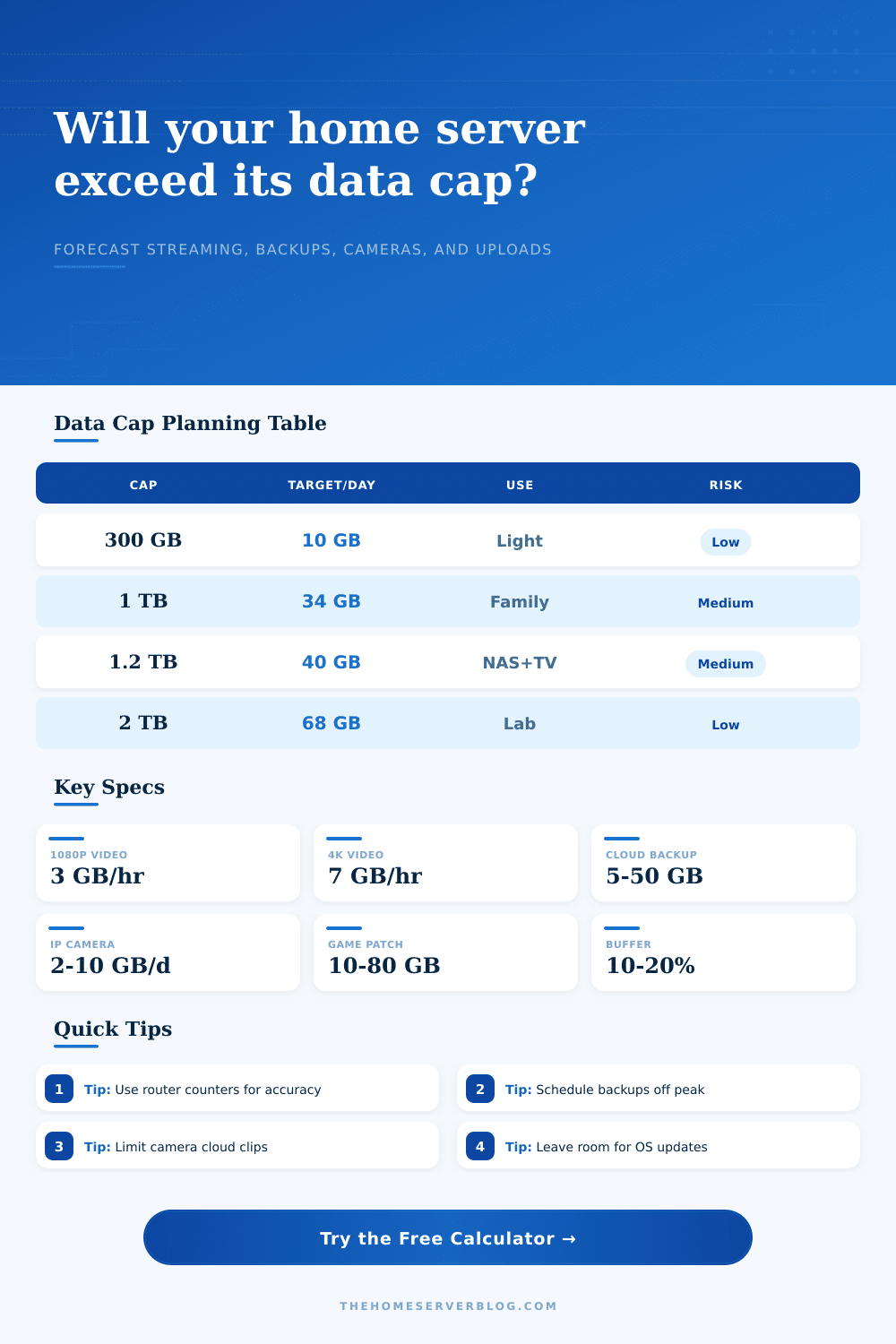
| Monthly cap | Daily target on 30 days | Good fit | Common pressure point |
|---|---|---|---|
| 300 GB | 10 GB per day | Light browsing, email, software updates, audio streaming | 4K video, game downloads, continuous cloud cameras |
| 600 GB | 20 GB per day | Small household with light NAS sync and HD streaming | Several HD streams plus weekly full-image backups |
| 1 TB | 34 GB per day | Typical family network with a modest home server | Game patch weeks and remote media serving |
| 1.2 TB | 40 GB per day | Streaming household with NAS, VPN, and smart devices | 4K streaming mixed with camera cloud uploads |
| 2 TB | 68 GB per day | Busy home lab, media server, and frequent backups | Initial cloud seeding or multiple remote viewers |
| Traffic type | Typical rate | Monthly impact | Planning note |
|---|---|---|---|
| 720p video stream | About 1.5 GB per hour | 45 GB for 1 hour per day | Useful for tablets, small TVs, and metered links |
| 1080p video stream | About 3 GB per hour | 90 GB for 1 hour per day | A common HD household planning baseline |
| 4K UHD stream | About 7 GB per hour | 210 GB for 1 hour per day | Quickly dominates a 1 TB or 1.2 TB cap |
| IP camera cloud clips | 2 to 4 GB per camera per day | 60 to 120 GB per camera | Depends heavily on motion zones and clip length |
| Continuous camera upload | 6 to 20 GB per camera per day | 180 to 600 GB per camera | Local NVR storage is usually cap-friendlier |
| Cloud backup delta | 5 to 50 GB per week | 22 to 215 GB per month | Initial seed jobs can be much larger than deltas |
| Scenario | Equipment count | Primary data driver | Expected cap behavior |
|---|---|---|---|
| Small home lab | Router, NAS, 1 mini server | Updates, container pulls, photo sync | Usually safe under 1 TB with scheduled downloads |
| Streaming family | 4 users, 2 TVs, tablets, consoles | HD or 4K video hours | Often close to 1.2 TB when 4K is common |
| Remote media server | NAS plus Plex or Jellyfin host | Upstream remote streaming | Remote bitrate limits matter more than LAN speed |
| Cloud camera home | Doorbell plus 3 to 6 cameras | Motion clips or continuous upload | Can exceed smaller caps even without heavy streaming |
| Satellite or hotspot site | Travel router and a few clients | Updates, video calls, cloud sync | Needs strict throttles and update windows |
It usualy starts with a movie night. You spend a few hours streaming in high definition, checking your phone while watching, and letting your smart home talk to itself. A few hours streaming in glorious HD, checking the phone while watching, letting your smart home talk to itsself. Everything look good on ISP portal. Kids grab a big game update. Cloud backup loads up vacation pics from trip. The home server syncs. By Tuesday, it’s all used.
And the issue isn’t how much bandwidth you have. It’s the cap. Most residential cable/fiber plans offers a seemingly generous bucket each month. Until today’s media guzzles it down. Which is where this calculator come in. It doesn’t just tell you if you’re going over-budget. It helps you spot when you’ll hit the wall, helping you course-correct before the cycle complete.
How to Stay Under Your Data Limit
Know what you’re counting An ISP counts all traffic originating from your home network. Video you view, yes. But also data sent by your server to other users. Motion clips uploaded by your security cameras. Telemetry pings your router send back to its maker. You might think only about download speeds without paying attention to upload amounts. A single 4K stream burns through gigabytes per hour. You should of also add in a Plex server pushing video around for friends. The math add up fast.
Plugging in what you estimate you’ll do every day, plus what you actualy already do, the tool calculates numbers for you. This saves you from guessing whether a weekly backup job will send you spiraling into overage fees.
So let’s begin with what’s already there: Your starting point. How many people actually use the network? What’s the average bitrate of videos that run through it? Streaming something in 1080p consumes about three gigabytes per hour, It adds up quickly. Three hours of streaming video every day mean your household has consumed ninety gigabytes by month’s end, leaving precious little space for anything else.
This is why it’s smart to include a planning buffer when using the calculator. I suggest adding an additional ten or twenty percent for unplanned downloads and operating system updates. Background updates don’t require permission; they simply occurs.
Data caps also face another risk: camera systems. Short motion detection clips don’t look like much. But a doorbell cam or a security camera facing a busy street or driveway can trigger thousands each day. Unless you limit them, all will be uploaded to the cloud. The reference table below explains how common rates would work out, between continuous cloud uploads versus local recording. A terabyte could last only a couple of weeks on former. On the latter, it stays inside your home network. It is often a choice between staying under the limit or going over it and hitting penalties.
You can use this tip: schedule things. If you’re nearing your limit, stop those big backups. Let them run during next cycle. Most of these home server apps lets you set limits on what times transfers can occur and how much bandwidth they’ll eat up. Make sure large downloads gets pushed through once the counter resets. It takes some discipline.
Think of your data cap as a budget. Don’t blow through all of it in the first week, Spread it around. Use the calculator and it will tell you roughly how much you should download each day going forward. When the number is unattainable, then it’s time to turn off the camera uploads for a few days…or stop streaming that 4K stream. It’s not about reducing quality permanent. It’s about the peaks. Seeing overages helps prevent them.
You can’t manage what you don’t measure. When you track your usage and compare it with a reasonable forecast, you reclaim that control. You no longer worry about bills. You improve how you use data. Yes, you can go out for that movie night. Just learn to hit pause on the backup job.