DVD Data Rate Calculator
Estimate disc capacity, muxed Mbps, video bitrate headroom, audio tracks, subtitle bitrate, menu extras, and DVD format limits before authoring.
Enter a DVD authoring plan and calculate.
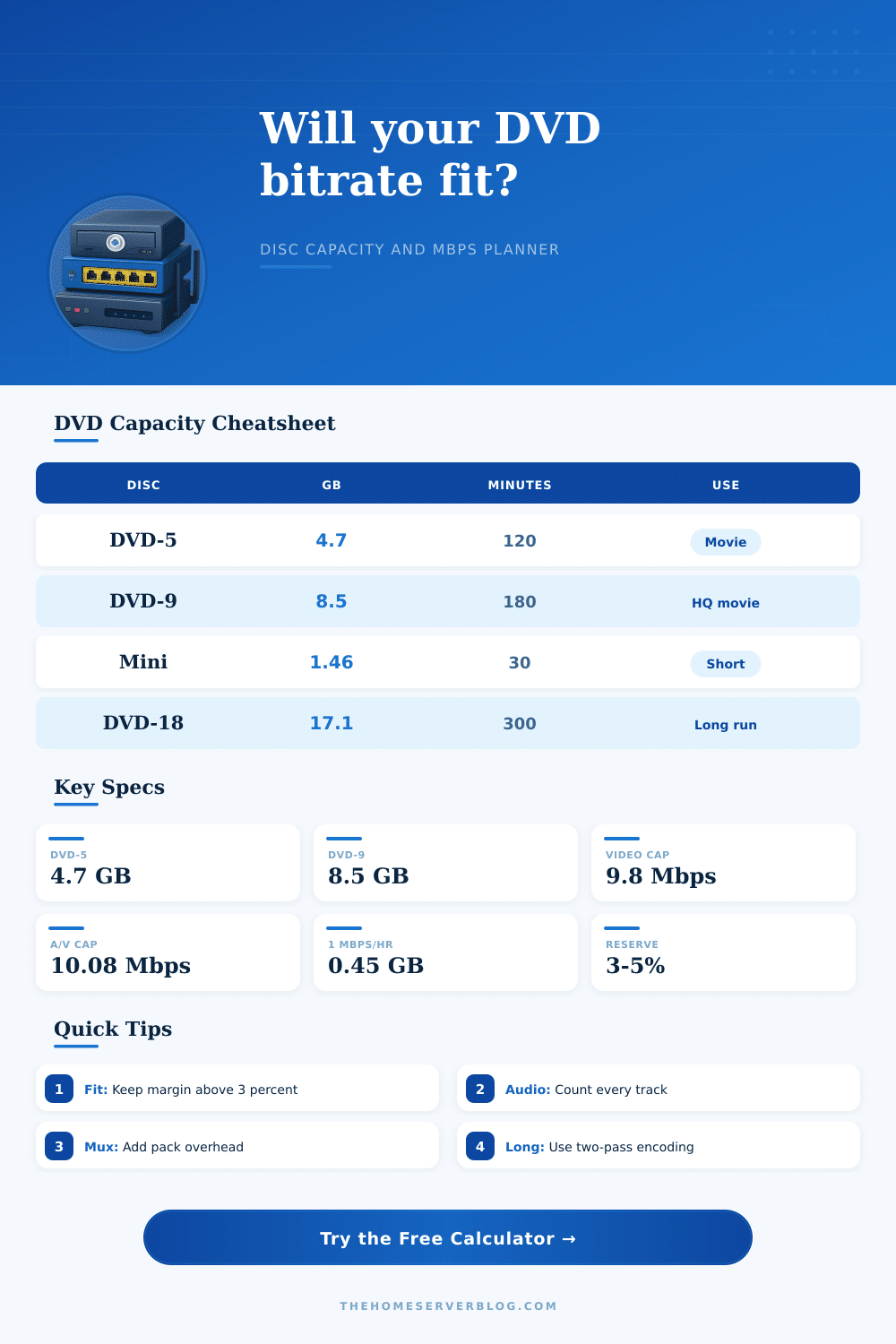
| Disc type | Nominal capacity | Layer and side layout | Best authoring use |
|---|---|---|---|
| DVD-5 | 4.70 GB decimal, about 4.38 GiB | Single layer, single side | Short films, 90 to 130 minute standard titles |
| DVD-9 | 8.50 GB decimal, about 7.92 GiB | Dual layer, single side | Feature titles with higher video bitrate or multiple audio tracks |
| DVD-10 | 9.40 GB decimal, two DVD-5 sides | Single layer, double side | Two separate sides, flip required between programs |
| DVD-18 | 17.08 GB decimal, two DVD-9 sides | Dual layer, double side | Long archive titles where side changes are acceptable |
| 8 cm mini DVD | 1.46 GB single layer or 2.66 GB dual layer | Small form factor disc | Camcorder-style short programs and compact demos |
| Stream item | Practical value | Calculator use | Authoring note |
|---|---|---|---|
| MPEG-2 video maximum | Up to 9.80 Mbps | Caps recommended video result | Leave audio and pack overhead room below the combined limit |
| Combined DVD-Video stream | About 10.08 Mbps | Checks video plus audio plus subtitles | Very high rates can fail on older players and marginal media |
| AC-3 stereo audio | 192 to 224 kbps | Common default for space-efficient discs | Good fit for tutorials, episodes, and home video transfers |
| AC-3 5.1 audio | 384 to 448 kbps | Use per track before multiplying track count | Multiple languages reduce available video bitrate quickly |
| LPCM stereo audio | 1536 kbps | Large audio draw | Excellent compatibility, but expensive for capacity |
| Average muxed rate | 30 minutes | 60 minutes | 120 minutes |
|---|---|---|---|
| 2.0 Mbps | 0.45 GB | 0.90 GB | 1.80 GB |
| 3.5 Mbps | 0.79 GB | 1.58 GB | 3.15 GB |
| 5.0 Mbps | 1.13 GB | 2.25 GB | 4.50 GB |
| 7.0 Mbps | 1.58 GB | 3.15 GB | 6.30 GB |
| 9.0 Mbps | 2.03 GB | 4.05 GB | 8.10 GB |
| Preset | Disc and duration | Video target | Expected result |
|---|---|---|---|
| 45 Min Episode DVD-5 | DVD-5, 45 minutes | 7.0 Mbps | High margin for menus and one AC-3 track |
| 120 Min Movie DVD-5 | DVD-5, 120 minutes | 4.6 Mbps | Balanced single-disc movie target |
| 180 Min Long Play DVD-5 | DVD-5, 180 minutes | 2.8 Mbps | Tight video bitrate, best with careful VBR encoding |
| HQ Movie DVD-9 | DVD-9, 120 minutes | 7.2 Mbps | Strong quality with room for extras |
| Concert Archive DVD-9 | DVD-9, 240 minutes | 3.6 Mbps | Works when audio tracks are controlled |
When you plans a DVD, you must make a decisions about how much picture quality to sacrifice for the purposes of getting all of the datas that represents the DVD to fit on the DVD that you are burning. The capacity of a DVD is less than the data capacity that is advertised for a DVD-5 or DVD-9 disc. In order to determine the actual amount of data that can be stored on a DVD, you must account for the data that is used for safety margin, for multiplexing of video and audio and subtitles data and navigation packs, and for menu and still images.
Once you understands each of these variables that affect DVD capacity, the DVD authoring process becomes easier to understand. Many people makes the mistake of thinking that the capacity of a DVD is a fixed bucket of data in which the video data can be stored. However, the data used for other data streams within the DVD can reduce the amount of data that can be allocated to the video stream.
How DVD space limits video quality
For instance, if a DVD is recorded with multiple audio track, if the subtitles is active, or if the data is encoded with constant bitrate, the amount of data that can be allocated to the video stream is reduced. For example, if an additional audio track is included in the DVD at 448 kilobits per second, the DVD can lose almost half a megabit per second of data. Thus, if such a second audio track is included that plays for two hour, the video track will have to sacrifice approximately a quarter gigabyte of data.
The DVD bitrate calculator account for this data loss for DVD authoring projects. Another factor that affect the amount of data available for the video stream is the encoding mode. For example, if the encoder is to encode the video using variable bitrate (two-pass encoding), the encoder can select the bitrate that is required for each scene so that the average bitrate remains within the capability of the DVD.
However, if the video is encoded using constant bitrate, a higher safety reserve data rate is required because the bitrate cannot drop to account for scene that have less detail than other scenes within the same video. Additionally, if the data is encoded using low-delay mode (such as for live video capture), a small amount of data is lost due to the video encoder not being able to look ahead as many frame as in a non-low-delay mode. Each of these modes can be accounted for in the calculator to provide an accurate estimate for the video quality.
Another factor that can reduce the available data for the video is the amount and type of audio data that is included on the DVD. For example, if stereo audio is used for the main video track, if 5.1 audio is used at 448 kilobits per second, and if additional audio tracks are included (such as audio commentary tracks or additional language audio tracks), the amount of data that can be allocated to the video can be quick reduced. In addition to audio data, data is also used for subtitle tracks and button highlight for menus, which also reduces the available data for the video.
An overhead percentage can be used to account for these data streams in the calculator. Another consideration for DVD data limitations is the amount of space that is required for menus, motion thumbnails, and extra still images galleries. These element of the DVD are not played during the main video, but require some of the data to be allocated to their definition and creation.
For instance, if a menu with subtitles and motion background is created that includes multiple language buttons, the menu can take up 200 or even 300 megabytes of data. Thus, such data can be quickly swallowed up by a single menu on a single-layer DVD. On a dual-layer DVD, this data can also have an impact on the data that can be allocated to other features within the disc.
By accounting for menus within the DVD bitrate calculator, you can understand whether you will have to sacrifice video quality in order to include such a menu. Another consideration for DVD data limitations is the combined stream limit of 10 megabits per second. Beyond this limit, some DVD players will stutter in their playback or refuse to load the DVD.
Thus, it is important to ensure that the combined stream is maintained at a bitrate that is a few percent below 10 megabits per second in order to provide some breathing room for the data to be read from the disc, especially if the DVD is subject to damage or misalignment of the laser. Similarly, a safety reserve percentage is used to account for data error that can occur during the burning of the DVD. A three-percent safety reserve is generally enough for data burned to high-quality media, but five or eight percent is used as a safety margin for projects that is to be burned to inexpensive media or to discs that may be played on other players.
For projects that include video content that is longer than a few minutes, there is additional considerations beyond those mentioned above. For instance, if the project includes video content that is three hours in length, the video will have to be encoded at a bitrate that allow for reduced detail within dark scenes. For such projects, switching to DVD-9 will provide some breathing room for the video, but the authoring software will have to be instructed to create layer breaks within the DVD so that a pause in the video will be least noticeable.
The calculator can estimate the data rates for both DVD-5 and DVD-9 discs with the project’s length, but a decision will be required as to whether reduced video quality is acceptable or if the project will have to switch to dual-layer disc. Mini DVDs have a smaller diameter than full-sized DVDs, which limits the data capacity of mini DVDs and reduces the stability of the mini DVD’s rotation. Thus, a video that is smoothly played on DVD may have dropouts when played on mini DVDs, especially on older laptop tray drives that have reduced stability.
To prevent dropout error on mini DVDs, the multiplexed data rate must be reduced and the safety reserve increased. By setting these variables within the DVD bitrate calculator, your project will avoid any error with mini DVDs without having to perform additional tests on each computer that will play the discs. Overall, the use of the DVD bitrate calculator provides an author an understanding of how DVD data limitations will impact video quality.
By knowing how much data is available for the video stream, an author can make adjustments to the project without having to wait for the creation of the discs to determine if they will meet the author’s desired video quality standard.