Exchange Server Sizing Calculator
Estimate mailbox role CPU, RAM, mailbox database storage, database counts, DAG copies, transaction logs, transport queues, IOPS, and failover headroom for an on-premises Exchange deployment.
The calculator estimates mailbox role sizing for planning. It does not replace the official Exchange sizing calculator, load testing, storage validation, supportability checks, or a complete high availability design review.
Formula Breakdown
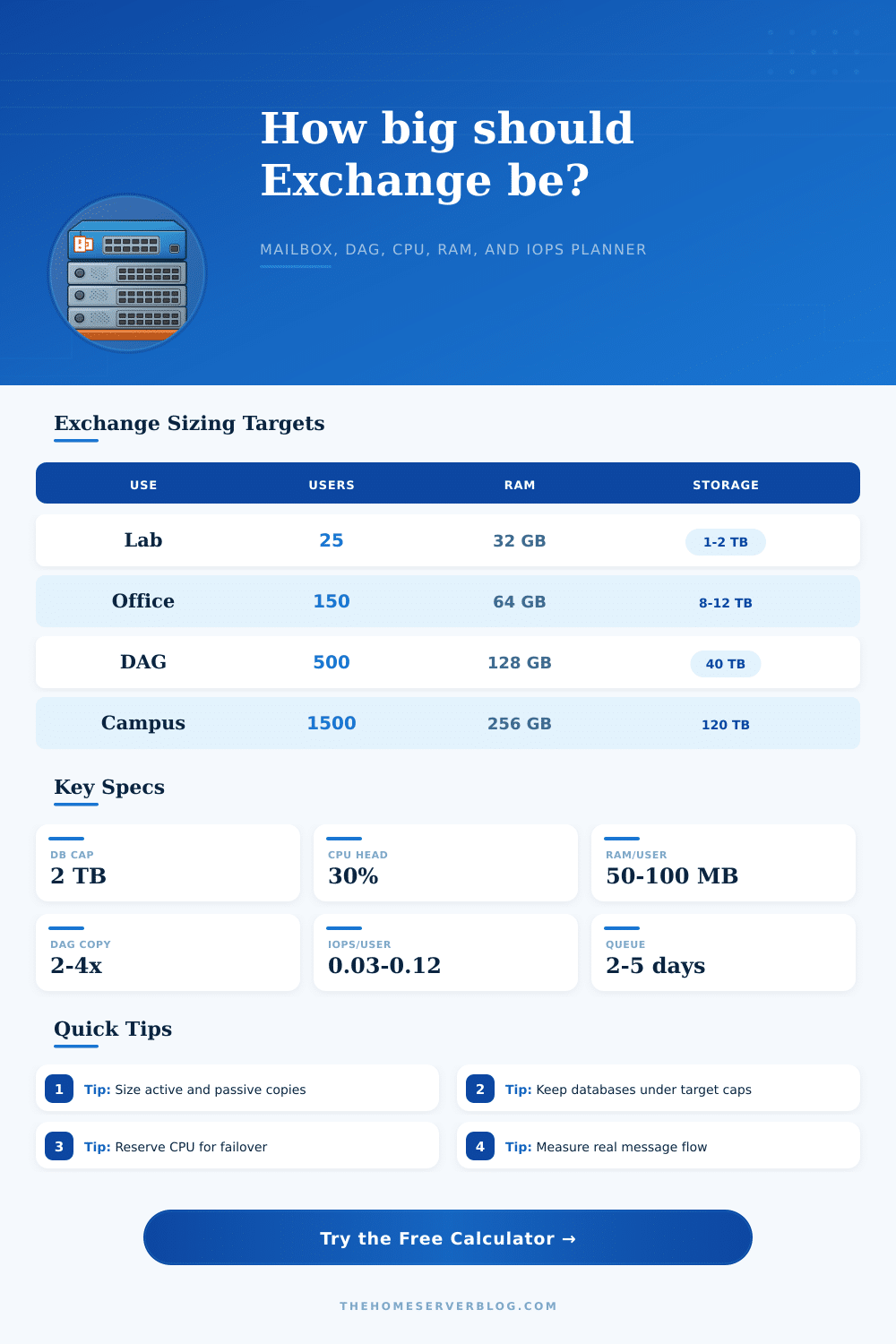
| Deployment pattern | Typical mailbox count | Primary sizing driver | Planning note |
|---|---|---|---|
| Home lab or pilot | 10 to 50 users | RAM floor and database overhead | Small Exchange builds still need enough memory for services, search, and Windows. |
| Small business server pair | 75 to 250 users | Mailbox growth and two database copies | Storage reserve and transport queue space usually matter more than raw CPU. |
| Clinic or professional office DAG | 250 to 600 users | Compliance retention and failover | Plan for passive copies becoming active during maintenance or a server outage. |
| Enterprise site pair | 1000 users and up | Database distribution and network flow | Keep active database counts balanced and validate replay capacity under failure. |
| Formula item | Expression used | Result affected | Practical limit |
|---|---|---|---|
| Projected mailbox footprint | mailboxes x mailbox size x growth | Active database size | Use real mailbox reports when migrating from an existing system. |
| DAG storage footprint | active DB data x database copies | Total mailbox disk | Passive copies consume full database storage plus logs and reserves. |
| IOPS estimate | active users x IOPS per mailbox | Storage latency target | Validate with storage testing and keep database volumes below latency thresholds. |
| Transport reserve | daily message volume x queue days | Log and queue disk | Large attachments can make queue disks grow faster than mailbox databases. |
| Sizing input | Conservative value | Moderate value | When to increase |
|---|---|---|---|
| CPU headroom | 40% to 50% | 25% to 35% | Use more headroom for DAG failover, antivirus, journaling, and weak storage. |
| RAM per active mailbox | 90 to 120 MB | 50 to 80 MB | Increase for search-heavy users, mobile clients, and large cached profiles. |
| Deleted item reserve | 20% to 35% | 10% to 20% | Increase for litigation hold, delayed cleanup, and longer recoverable item periods. |
| Database target size | 1 TB | 1.5 TB to 2 TB | Use smaller databases when restore windows or reseed operations are tight. |
| Project example | Inputs to collect | Primary output | Secondary output |
|---|---|---|---|
| New small office Exchange | Mailbox count, quota, message rate | CPU and RAM target | Database and queue disk footprint |
| Two-node DAG refresh | Active database count, copy count, failover plan | Per-server active load | Storage copy multiplier and replay room |
| Hybrid anchor server | On-prem mailboxes, relay flow, migration waves | Transport and CPU headroom | Mailbox database size if anchors remain hosted |
| Archive-heavy legal estate | Hold policy, recoverable items, growth rate | Total database storage | Database count and restore management pressure |
Use these estimates as an early planning model. Production Exchange designs should be verified with Microsoft guidance, storage latency testing, backup validation, real mailbox statistics, and failover drills.
Question: What is involve in the process of calculating the hardware requirement for a server? Answer: Calculating the hardware requirements for a server involves calculating the amount of CPU, RAM, and storage that is required for that server. The failure of that server would result in all mailbox within that database moving to the remaining hardware within the deployment.
Therefore, that remaining hardware must have enough resource to handle those mailboxes. Tools is available to calculate these requirements prior to the occurrence of the server that would require such an installation of hardware and replacement of the server that is failing. Sizing calculators for Exchange Server involve the following information within the tool: The mailbox count and the average mailbox size within the organization will allow for the understanding of the amount of data that needs to be protected.
How to Calculate Server Hardware Needs
The growth rate of the organization and the planning horizon for that organization will allow the sizing calculator to account for the change in mailbox sizes over time. The message volume and average message size will help with the calculation of the CPU and IOPS requirements of the server. The percentage of mailbox concurrency allow for the understanding that not all mailboxes need to be active at once; however, the busiest hour will impact that percentage value that is calculated.
Storage space calculations involves several different variables. Beyond the amount of data that the organization is to store, the number of database copies that are created will increase the amount of storage space required for that database. Additional storage space is required for deleted item within mailboxes and for transport queue reserves; organizations do not always operate at perfect efficiency.
For instance, if the organization is backing up databases outside of the calculated time frame, log space will be required for those databases. If log space is removed, errors will occur in the storage of those databases. Therefore, additional variables must be accounted for within the storage sizing calculator to make sure that storage space is provided for these scenarios.
The calculations for CPU and RAM involve the calculation of the headroom percentage for that organization’s servers. The headroom percentage will provide headroom for one server within the deployment to absorb the databases of the failing partner server. If there is no headroom percentage calculated, the remaining servers may become saturated with the databases of the failed server.
In addition to the calculation of the amount of RAM required for the active users of the organization, additional factors impact that calculation. For example, search indexing for the mailboxes, mobile synchronization, and the number of large cached profiles increase the amount of RAM that is required for each active user. The reference tables that are provided within the sizing calculator provide information regarding the different types of deployments for Exchange Server.
For instance, tables can indicate whether small offices often reach their storage limit prior to reaching their CPU limits. Additionally, large deployments with four nodes may reach limits with the database counts for those servers. These different tables can assist in the decision of whether the organization should increase their size of databases or if they should simply add another node.
Many people tend to make mistakes when sizing an Exchange Server based off the results of the sizing calculator. For example, the sizing calculator results for new installations may not reflect the results after six month of the installation of the servers and databases. Therefore, those figures must be entered again into the calculator with the updated statistics of the organizations mailboxes.
Additionally, it is common for people to only calculate the number of servers that is needed for normal operation of the organization. However, those calculations must also account for failover scenarios, since the organization cant afford to have any incorrect calculations of the hardware that is required for those servers. The network capacity that is calculated for the organization will depend upon factors like DAG replication and the number of clients that will connect to the servers.
Calculations of the message volume that will flow through the organization will help determine the network capacity requirement. Additionally, the number of databases that are replicated will impact the amount of data that is sent through the network during the replication process. While the network capacity of the organization may not have an influence upon the purchase of new hardware for those servers, it will have an influence upon whether the existing network links will remain healthy while the servers are operating at full capacity.
The calculation of each of these variables and the sizing of the hardware for an organization’s servers will help to determine what the organization would like to protect. For instance, is the organization interested in surviving the failure of a single server within the deployment? Or should the organization want to maintain its current capacity?
Additionally, an organization must decide whether it would like to allow its databases to grow in size to reduce the number of databases in the organization, or whether it would like to have faster restore times for those databases. These sizing calculations will help to make such a decision prior to the installation of the hardware. Once the organization is comfortable with the calculations of the CPU, RAM, storage, and IOPS requirements for the servers, the actual mailbox reports and storage can be run to validate those calculations.
Should any of the calculations for CPU, RAM, storage, or IOPS be tight with the organization’s current calculations, the sizing calculator can be used to determine whether the organization should have fewer databases, fewer copies of each database, or whether they should add another node to their existing servers. The purpose of the sizing calculator, therefore, is not to provide an organization with the perfect hardware requirement for their servers. Rather, the sizing calculator will help an organization understand which variables and hardware components are flexible with the organization, and which components of the hardware will limit the organization’s future decisions and installations of new hardware.