Hosting Overselling Ratio Calculator
Model shared hosting, reseller, VPS, or WordPress hosting capacity from physical storage, RAM, CPU, account behavior, inode caps, backup overhead, burst reserve, noisy-neighbor reserve, and risk tolerance.
⚙ Named Hosting Presets
🖥 Physical Server Resources
📦 Advertised Quotas Per Account
📊 Average Actual Usage
🛡 Reserves, Backups, and Risk
🗂 Resource Comparison Grid
Headroom is based on actual average consumption, backup overhead where relevant, and reserves that protect bursts and noisy-neighbor events.
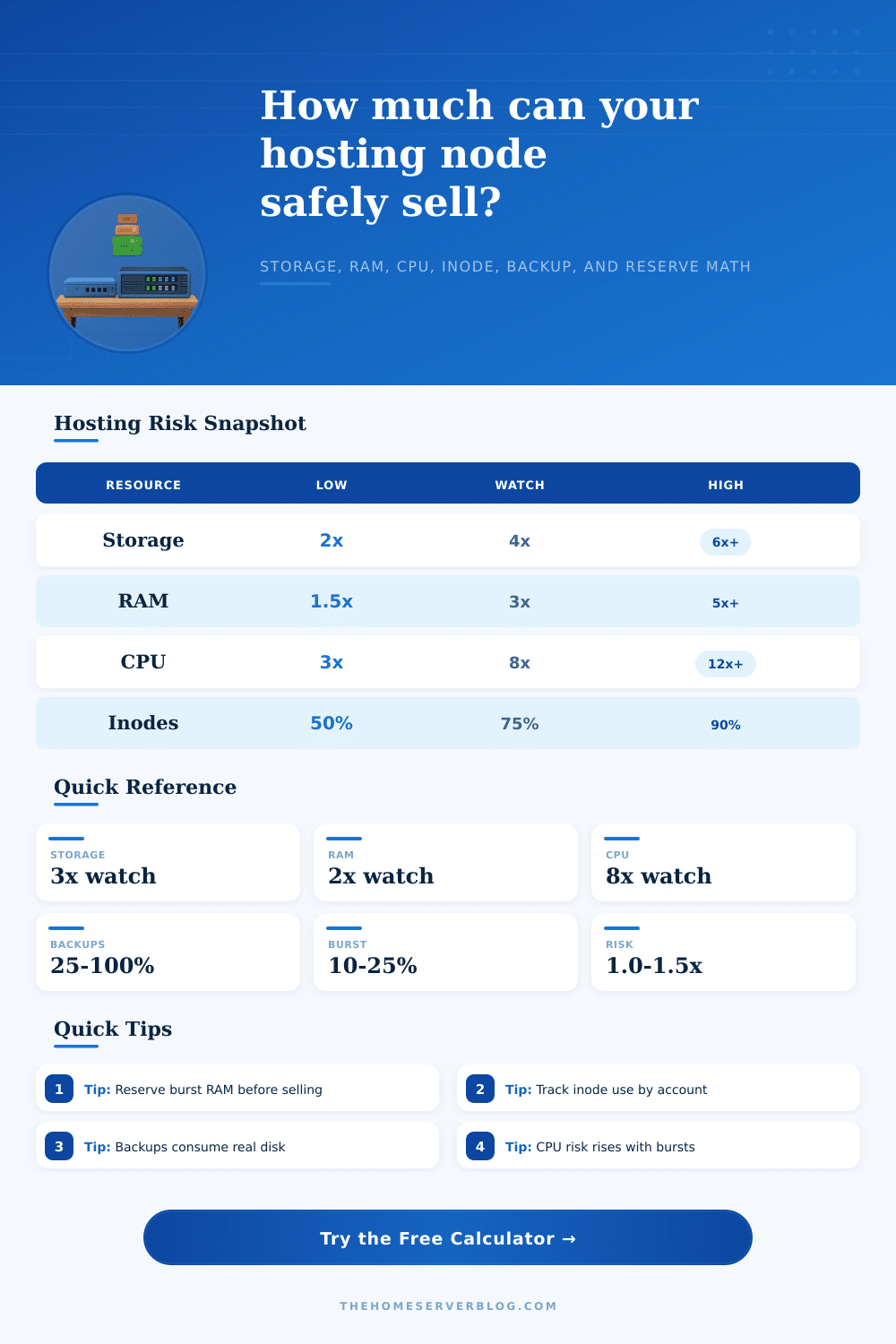
📋 Overselling Risk Bands
| Resource | Low Risk | Watch Closely | High Risk |
|---|---|---|---|
| Advertised storage quota | Under 2x physical usable | 2x to 4x when usage is measured | Above 4x without enforced quotas |
| RAM or memory burst | Under 1.5x physical RAM | 1.5x to 3x with swap alerts | Above 3x on dynamic sites |
| CPU share or vCPU | Under 4x core count | 4x to 8x with throttling | Above 8x on busy accounts |
| Inode pool | Below 55% average use | 55% to 80% average use | Above 80% average use |
💾 Hosting Plan Reference
| Plan Type | Typical Advertised Quota | Typical Actual Use | Watch Item |
|---|---|---|---|
| Small shared hosting | 10 to 50 GB storage | 1 to 8 GB storage | Mailboxes and backups |
| Managed WordPress | 10 to 30 GB storage | 3 to 12 GB storage | RAM spikes from plugins |
| Reseller hosting | 50 to 250 GB storage | 15 to 80 GB storage | Uneven customer behavior |
| VPS host node | 1 to 8 vCPU per VPS | 5% to 30% sustained CPU | Noisy CPU tenants |
🔧 Reserve and Overhead Guide
| Reserve | Common Range | Why It Matters | When to Raise It |
|---|---|---|---|
| Backup overhead | 25% to 100% | Snapshots, local backups, and restore points consume real disk | Daily local backups or long retention |
| Burst reserve | 10% to 25% | Keeps RAM and CPU available for traffic spikes | WordPress, stores, forums, or cron-heavy sites |
| Noisy-neighbor reserve | 5% to 20% | Protects tenants when one account runs hot | Loose limits or mixed reseller workloads |
| Risk factor | 0.85x to 1.55x | Adjusts capacity for conservative or aggressive sales posture | Promo campaigns or unproven usage history |
📝 Capacity Examples
| Scenario | Primary Limit | Healthy Signal | Warning Signal |
|---|---|---|---|
| SSD cPanel shared server | Storage and inodes | Actual storage under 65% | Mail folders push inode growth |
| NVMe WordPress node | RAM and CPU burst | Low sustained load average | Plugin jobs overlap during cron |
| Reseller hosting server | Uneven account spread | Top 10 accounts under 40% | One reseller consumes the pool |
| VPS host machine | RAM commitment | Ballooning rarely triggered | Swap or steal time increases |
💡 Practical Tips
The reason hosting is oversold is because there’s enough chance behind it that most people don’t ever max out their accounts at the exact same time. They offer so much RAM and storage because they know most people will never hit that maximum capacity at any given moment. It makes money until everyone wants the max available at once and then the whole thing falls over.
With the calculator tool, you remove the marketing speak from the equation and get an idea of how many accounts your product can actualy handle. Plug in what RAM and storage you’ve advertised and your physical specs for the server itself to get an actual calculation.
How Shared Hosting Works
Storage capacity is also affected by space needed for backups, which most operators ignore. Keeping daily archives, or even just local snapshots, takes up space on the same disks as your live sites. This cuts down on storage. A four-terabyte server really only has two terabytes available for customer use if it is keeping a 50% overhead of backups. To make accurate calculations, you need to take into account this hidden cost. The tool makes you honest with yourself about what you can reasonably deliver and how much you’re advertising.
But here’s the thing: Shared hosting is a reality, which means you do have the chance of annoying neighbors. A site that gets a traffic spike or has a resource-hogging script can eat up all the resources you’re sharing. That’s where the noisy-neighbor buffers and burst reserves comes into play. They are set as a percentage of your overall CPU and RAM pool. They carve off some of the pie, and then use those reduced values to determine how many accounts will fit on the box. You want those reserves to keep your stable accounts safe from someone else’s instability.
Storage ratios feel safe until they hit inode limits. While disk space is measured by volume, an inode counts the total number of files, no matter how small (or large). Thousands of log files or tiny images will quickly consume your inodes quota, even if you have plenty of room left on the disk itself. That’s why the page has a clear explanation in the reference table. Average usage below 60% is low risk; above 80% pushes into the danger zone. Instead of just watching storage bytes, you are monitoring file creation events which slows down the whole node.
The core tension of overselling is how shared hosting makes money by advertising storage quotas while knowing not everyone will use them at once. Unlike storage, CPU and RAM are dynamic resources. You don’t need to leave advertised RAM below one point five times your physical memory, it’s a conservative figure. Some sellers are aggressive (aiming for three or four times that), counting on sleeping processes and swap space to keep things stable. It’s a dangerous game, as too many accounts waking up simultaneously can cause the server to choke.
In the results section, you’ll notice a risk score indicating what becomes the bottleneck first: Storage? Inodes? Or memory pressure during peak hours? Storage? Inodes? Peak hour?
The other wrinkle is that different plan types impact things differently, certain workloads are harder on a server than others. Static HTML websites don’t have any cron jobs or plugins running on them, so they won’t affect servers the same way as a managed WordPress node. A reseller account exposes you to an unknown set of customers. To get an accurate picture of how your particular workload will impact a server, you shouldn’t rely on average industry stats. You should model it. That’s where the tool comes in with its presets that can load common profiles for, say, an NVMe WordPress pool or an SSD shared server. Those profiles represent what happens in the real world, not some theoretical worst case scenario.
They sell by the label of the raw hardware. This is the largest noob trap that new hosts fall into. Four terabytes of a disk drive does not mean four terabytes of usable space once formatted and put into RAID. Thirty-two cores in a processor doesn’t mean that I’m going to be able to do thirty-two virtual CPUs all running full bore at 100% use all day every day. Actual consumption versus advertised quota… That’s where you live, and that’s where you die. That’s where your reputation is made and broken if you handle it wrong.
Demand can spike due to viral content or holiday sales. You’re gonna have an outage sooner rather than later if you don’t pay attention to reserve math. The key to overselling is balancing revenue and reliability. On one hand, you want to fill all available bytes of your unused capacity. On the other hand, you don’t want to be caught flat-footed by unexpected demand.
This is where the tool comes in. It transforms your vague anxiety about being caught short into hard numbers, and lets you dial in exactly what that cushion should be. A low risk factor multiplier makes for a conservative approach and gives you more headroom, while a high multiplier gets you more revenue but less room for error. There is no right or wrong answer, just a choice based off data.
That’s where knowing your tenants comes into play. Are they running heavy databases? Hoarding mail? Using optimised plugins? How are they using the service? The calculator gives you the framework; now you have to fill in the gaps with real-world data. Continue monitoring your usage and look out for trends. When do averages begin to creep towards advertised quota levels? Time to upgrade hardware or tighten limits. Don’t wait for a crash: create the buffer before you should of required it.