HSTS Max-Age Calculator
Plan Strict-Transport-Security duration, preload readiness, includeSubDomains blast radius, staged rollout timing, rollback cache exposure, and HTTPS coverage before publishing the header.
🔒 HSTS Rollout Presets
⚙ Policy and Rollout Inputs
📊 HSTS Duration Reference
| Duration | Seconds | Approx months | Best use | Rollback impact |
|---|---|---|---|---|
| 5 minutes | 300 | 0.0001 | Header syntax and redirect smoke test | Very short cache exposure |
| 1 hour | 3600 | 0.0014 | Small canary group or staging domain | Most users recover the same day |
| 1 day | 86400 | 0.03 | Initial production enforcement | Bad certs can hurt for a day |
| 7 days | 604800 | 0.23 | Early rollout with monitoring | A week of cached enforcement |
| 30 days | 2592000 | 1.0 | Stable site with known subdomains | Rollback is slow for returning users |
| 90 days | 7776000 | 3.0 | Mature HTTPS estate | Quarter-long browser memory |
| 180 days | 15552000 | 6.0 | Preload rehearsal or compliance target | Long-lived client enforcement |
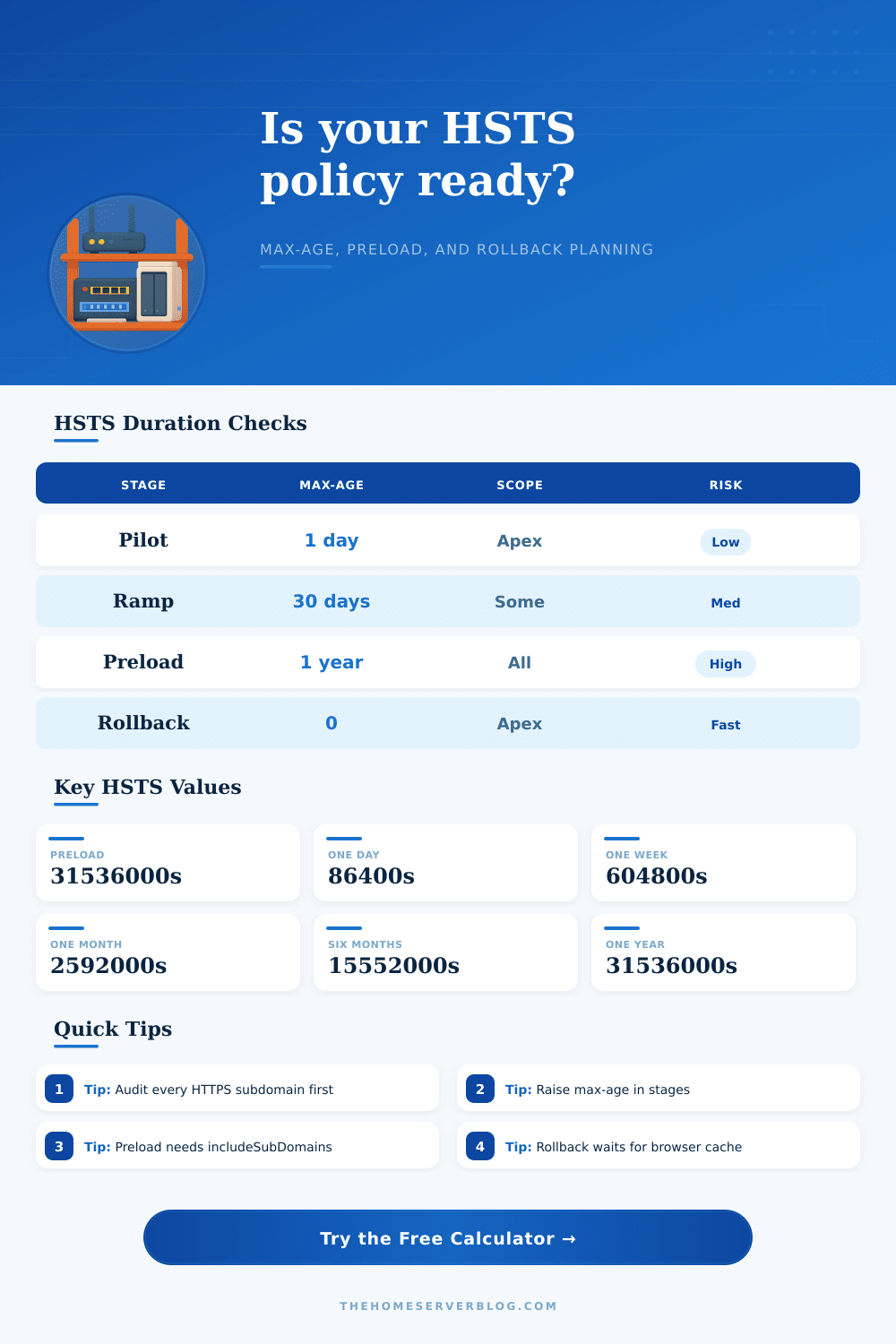
| 365 days | 31536000 | 12.0 | Preload-ready production policy | One year rollback window |
| 2 years | 63072000 | 24.0 | Very mature high-assurance domains | Hard to unwind after mistakes |
🧭 Policy Comparison Grid
| Policy mode | Example header | Operational requirement | Preload status | Use when |
|---|---|---|---|---|
| Observe only | No HSTS header | HTTPS audit, redirect check, mixed content cleanup | Not eligible | You are discovering hosts and dependencies. |
| Canary | max-age=300 | Monitor cert validity, redirects, and app logins | Not eligible | You want fast rollback while testing real traffic. |
| Short enforce | max-age=86400 | Stable TLS on apex and primary hostnames | Not eligible | The main site is ready but the fleet is not proven. |
| Subdomain enforce | max-age=2592000; includeSubDomains | Every subdomain must serve valid HTTPS or be unused | Not enough duration | You have inventory and want broad browser enforcement. |
| Preload candidate | max-age=31536000; includeSubDomains; preload | One year max-age, includeSubDomains, preload token, HTTPS everywhere | Eligible if audited | You are ready for browser preload review. |
| Rollback | max-age=0 | Header must reach users before cached entries expire | Remove separately | You need to stop renewal of HSTS cache. |
🗂 Rollout Planning Tables
| Rollout stage | Suggested max-age | Gate to advance | Monitoring focus | Fallback |
|---|---|---|---|---|
| Syntax test | 300 to 3600 seconds | Header appears once, no duplicate conflict | Response headers and redirects | Remove header |
| Apex canary | 1 day | No cert, login, or redirect failures | TLS expiry, 301 chain, auth cookies | max-age=0 |
| Core services | 7 to 30 days | Renewal automation passes twice | ACME jobs, CDN config, uptime checks | Shorter max-age |
| Subdomain scope | 30 to 90 days | Inventory shows HTTPS readiness near 100% | Legacy hosts, wildcard DNS, forgotten CNAMEs | Disable includeSubDomains |
| Preload rehearsal | 180 days | No emergency exceptions after full cache cycle | All owned hostnames and third-party aliases | Pause at current stage |
| Preload submit | 365 days or more | Meets preload requirements and owner approval | Browser preload status and removal process | Request preload removal |
| Readiness item | Pass signal | Risk signal | Why it matters |
|---|---|---|---|
| Certificate automation | Renewals tested before expiry | Manual cert rotation | Expired certs become hard failures under HSTS. |
| HTTP redirect | HTTP redirects directly to HTTPS | Long chains or conditional redirects | Browsers upgrade future visits and expect HTTPS. |
| Subdomain inventory | All names known and classified | Wildcard DNS with unknown apps | includeSubDomains covers the full namespace. |
| Mixed content | No active HTTP assets | Old scripts, iframes, or API endpoints | HSTS can expose missed HTTP dependencies. |
| Third-party CNAMEs | Vendors serve valid HTTPS | Vendor owns TLS lifecycle | Your policy can break delegated hostnames. |
| Rollback channel | Config can ship max-age=0 quickly | Header managed by several teams | Rollback does not clear existing browser cache instantly. |
✅ Practical Tips
Sysadmins wonder what HSTS is. It’s just a configuration flag for enabling HTTPS. It is no big deal until you actualy set it and run into trouble.
Everything works as expected: Your primary website loads over HTTPS, great! Everyone are happy for a while. A week later, however, a user tries to visit your stats dashboard (on `stats.example.com`) using the wrong protocol: HTTP. And your browser say nope. Your users can’t reach a vital system because that one subdomain happens to still contain some legacy code which doesn’t speak TLS.
Why You Need to Plan Before Using HSTS
Browsers aggressively cache the HSTS header, they remember their decision for the duration specified in your max-age header. This is great for security, it’s why we like HSTS, but it also locks you into a corner if your infrastructure isn’t prepared. How long does the lock last? Can all of your system handle the enforcement? Work out those numbers.
That’s where the calculator comes in: it models out this risk prior to deployment. It doesn’t just do the math between days and seconds for your server config; it also makes you think about the consequences of your actions. How long is that max-age going to be? What happens when that period elapses? Thirty days without a fallback…what if something goes wrong with your cert renewals on day twenty nine? Users gets hard errors until either they refresh their cache or someone else (you) steps in manually to help. The tool takes all of this into account and gives an estimate of how long it would of take to roll back.
Disabling HSTS in production won’t remove previously cached copies from browsers, they’ll need to forget. When used incorrectly, the includeSubDomains directive can get you into trouble. This directive applies your policy to all hostname within your domain, even those you may have forgotten about. Shadow IT is rife with old staging environments, vendor portals, IoT dashboards, etc. If one of these do not serve valid HTTPS, then your entire domain falls victim to this.
Based off how many subdomains you report and what percentage is covered by HTTPS, our calculator will rate your readiness. Anything below a score of ninety indicates that you’ve got some inventory holes. Don’t let that number slip by. That’s telling you to leave your initial max-age low as you track down those rogue hosts.
But there’s one more level of finality: preloading. Submitting your domain to the browser preload list bakes your HSTS policy into the browser binary itself. No HTTP request ever gets made by users; they just know they need HTTPS. It is great for security but more horrible than flexibility. Once you’re on a preload list, removing yourself is a slow, manual process. Only do this once you’ve run a staged rollout with a long max-age (e.g., one year) and confirmed no failures. The calculator checks if you has enough time and the necessary includeSubDomains flag to qualify for preload submission. These are the technical requirements for being listed.
Begin with baby steps. Use the max-age as your safety net when starting out, setting it to five minutes or maybe just one day. This proves that your redirects work and that certificates is valid without trapping users for weeks. Once you’re confident, gradually increase the period of time. A month is an industry-standard sweet spot for sites nearing stability. For more mature estates preloaded for the long haul, a six-month-to-one-year window are the norm. The tool includes a table of reference periods so you can check how yours measures up against industry standards.
In the end, it boils down to planning for uncertainty (and time). For how long do you think you’ll have control over your infrastructure? How long does your infrastucture need to stay secure? That’s a judgement call, but the math is provided by the calculator. Check your certificate rotation jobs. Audit your subdomains. Make sure all your API endpoint speak TLS. Do that work first. Then set the header. Don’t leave it until after someone complains that they couldn’t log into their account for a month because of an expired cert on a forgotten test server. Better to err on the side of caution now.