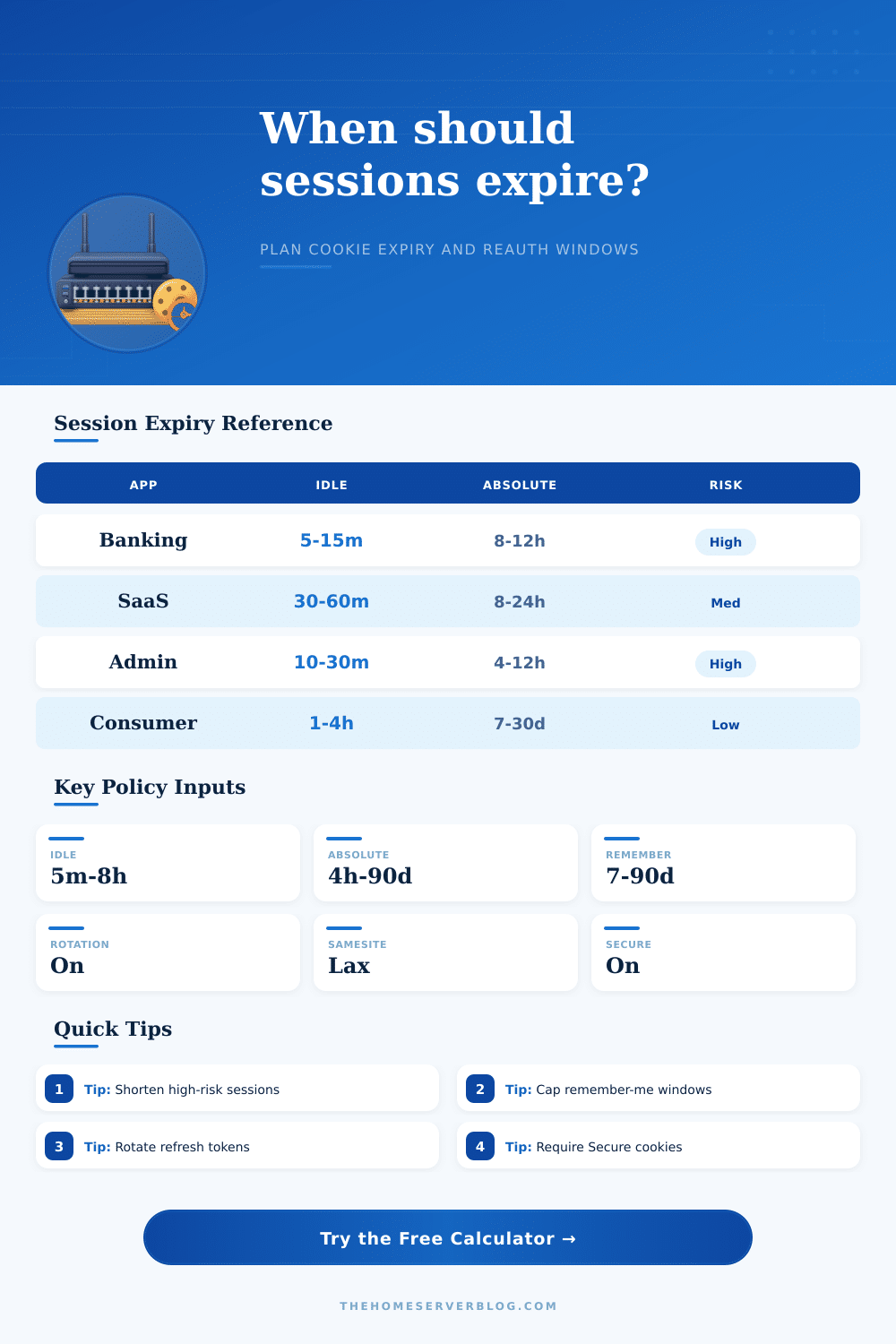
Session Cookie Expiry Calculator
Model idle timeout, absolute lifetime, remember-me duration, refresh rotation, device trust, cookie flags, compliance target, and reauthentication frequency for web app sessions.
📌 App Session Presets
⏱ Timeout Policy Inputs
📊 Session Policy Summary
🔒 Cookie Security Table
| Control | Recommended Setting | Expiry Impact | Watch For |
|---|---|---|---|
| Secure | Required for HTTPS cookies | Allows normal expiry only over encrypted transport | Local development exceptions should not leak to production |
| HttpOnly | Required for session identifiers | Does not change time, but reduces script theft risk | Frontend code cannot read the cookie by design |
| SameSite=Lax | Default for most apps | Supports reasonable session length with CSRF reduction | Cross-site embeds and SSO callbacks may need testing |
| SameSite=Strict | High-risk admin and finance flows | Can justify less cross-site exposure | May surprise users following external links |
| SameSite=None | Only for required third-party contexts | Usually needs shorter idle and stronger CSRF controls | Must be paired with Secure |
| Server revocation | Keep active session records or token denylist | Allows emergency termination before cookie expiry | State cleanup and cache consistency |
⚖ Policy Comparison Grid
| Policy Target | Typical Idle | Typical Absolute | Remember-Me | Reauth Pattern |
|---|---|---|---|---|
| General consumer app | 1 to 4 hours | 7 to 30 days | 14 to 90 days | At password change or unusual activity |
| B2B SaaS | 30 to 60 minutes | 8 to 24 hours | 7 to 30 days | Daily or for admin actions |
| SOC 2 / ISO 27001 | 15 to 60 minutes | 8 to 12 hours | 7 to 30 days | Risk based with audit trail |
| HIPAA-style sensitive data | 10 to 30 minutes | 4 to 12 hours | 0 to 14 days | Per shift or sensitive record access |
| PCI payment environment | 15 minutes or less | 4 to 8 hours | Usually disabled | Before payment/admin operations |
| NIST-aligned federal | 15 to 30 minutes | 12 hours or less | Limited by assurance level | Authenticator and risk event driven |
📝 App Preset Reference
| Preset | Idle | Absolute | Remember-Me | Security Notes |
|---|---|---|---|---|
| Online banking | 10 minutes | 8 hours | Disabled | High risk, strict flags, step-up MFA |
| Patient portal | 15 minutes | 8 hours | 7 days | Sensitive records need short idle windows |
| Admin console | 20 minutes | 8 hours | Disabled | Limit concurrent sessions and require revocation |
| DevOps dashboard | 30 minutes | 12 hours | 7 days | Rotate refresh tokens and log device posture |
| B2B SaaS | 45 minutes | 12 hours | 14 days | Balanced security and workday continuity |
| Support desk | 30 minutes | 10 hours | 7 days | Customer data should trigger step-up checks |
| Ecommerce account | 2 hours | 30 days | 30 days | Step up before checkout, cards, and addresses |
| Learning platform | 4 hours | 30 days | 45 days | Long lessons benefit from forgiving idle windows |
| Community forum | 8 hours | 60 days | 90 days | Lower risk, but protect moderation actions |
| Mobile web app | 4 hours | 30 days | 60 days | Use device binding where practical |
| Shared kiosk | 5 minutes | 1 hour | Disabled | Public devices need aggressive expiry |
| Internal intranet | 60 minutes | 1 day | 14 days | Managed devices can tolerate moderate windows |
🛡 Practical Expiry Tips
This calculator provides planning guidance, not legal advice. Match the final timeout policy to your threat model, incident history, user population, regulator expectations, and product workflow.
Most security audits fail because of something that seems simple: a session cookie lives longer than it should. It’s the bug you already know about. You get up from your desk to grab lunch and when you come back three hours later you’re still logged in, this is great, until someone steals a token during transmission or sits down at your computer.
Yet expiration is generaly treated as an afterthought by most team. They pull some number out of thin air with nothing modeled around real-world risk exposure. The calculator above removes the guesswork behind a sensible policy rooted on device trust, idle time and absolute limits.
How to Set Safe Login Time Limits
To start with, there are two distinct setting: absolute lifetime and idle timeout. They do two different things. A tab that’s been abandoned is handled by idle timeout which kicks in if the user stops typing or clicking around. Absolute lifetime is more like a hard stop, it will force the user to reauthenticate even though they’re still active.
Setting an absolute limit of, say, thirty days with a fifteen-minute idle timeout mean you’ve just opened up a huge security hole for the user who leaves his browser on overnight. The calculator calculates these variables and shows which one triggers expiration first so users won’t fall into trap of having a very tight idle window but a long absolute one.
You should also consider the remember-me functionality. This cuts down on user login pain; nobody loves having to log in over and over again. But it massively increases your liability window. Where a typical session cookie might last just one hour, a remember-me token could stick around for months or weeks at a time. And if someone manages to get their hands on that token, they’ve got a long runway.
Banking platforms typically turns off this option completely due to the higher risk. Community forum apps may be able to get away with longer windows, since cost of compromise isn’t as high. The tool will ask about your app type and compliance targets here too and tailor its suggestions accordingly, maybe you’re creating a casual blog? Or perhaps a healthcare portal dealing with protected data?
These choices also rely heavily off device trust. You shouldn’t grant nearly as much leeway to a session initiated on a public library computer as you would one on a managed company laptop. When your users often use it from untrusted or shared computers, you should limit both your absolute and idle time limits accordingly. To help with that, the calculator allows you to show the device context and then will recommend stricter limits based off increased ease of session hijack in public environments.
Those windows may just surprise you. How much shorter they’ll have to be different than what you set internally on your intranet.
Cookie flags are another level of protection that is frequently neglected. Adding the Secure and HttpOnly attributes doesn’t alter the duration for which a cookie remains valid, rather they modify which parts of the application is able to read it. A cross-site scripting vulnerability immediately puts your user accounts at risk if a script can read your session ID. Limiting exposure by keeping cookies away from scripts reduces the attack’s blast radius. SameSite settings further reduce the threat of cross-site request forgery. How each flag interacts with your expiry strategy is laid out in the reference table on the page.
Scope matters too, not just when. In addition, think about step-up authentication. Rather than making your users re-authenticate at every brief interval, authenticate them when they do something risky. This includes making a change that affects their account, such as changing a password or trying to export their data. That way you have tight control when it matters, but a smoother workflow most of the time.
This create a smarter security stance and a better user experience. But selecting the proper expiry policy isn’t about discovering the magic number. It’s about balancing the risks against the convenience. You need your users locked out frequently enough to be secure, yet infrequently enough that they don’t give up on using your product.
Begin with the presets and tweak as necessary to suit your audience. Let the numbers do the talking. Try for a system that expires on its own terms before any trouble could of begun.