Linux Hugepages Calculator
Size static HugeTLB pools for shared memory, databases, pinned VM memory, DPDK, NUMA placement, and page table savings.
Hugepages sizing result
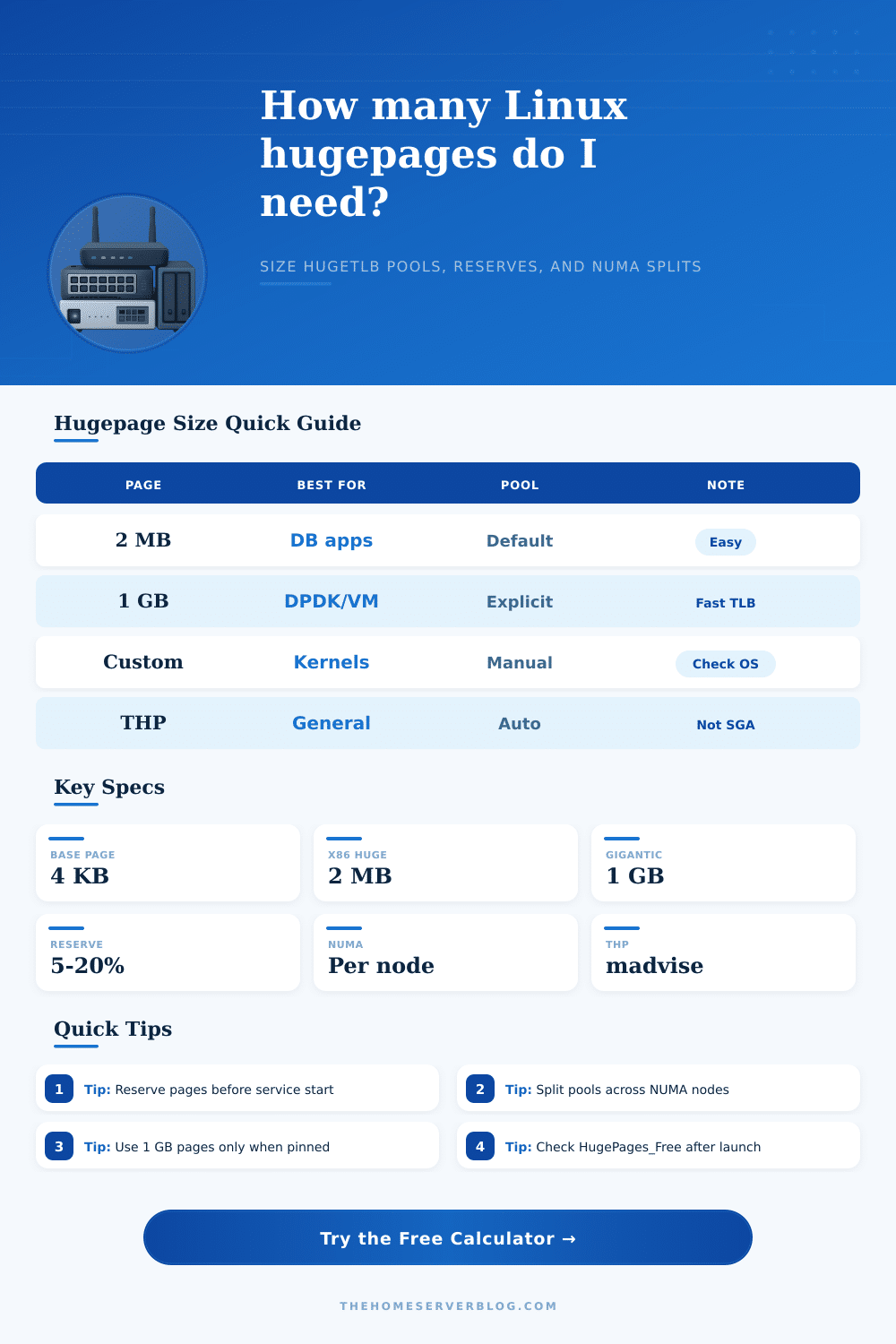
| Linux page type | Typical size | Common workloads | Operational note |
|---|---|---|---|
| Base pages | 4 KB on many x86_64 systems | General process memory | Flexible, but uses many PTEs for large mappings |
| HugeTLB pages | 2 MB on x86_64 | PostgreSQL, Oracle, MariaDB, JVM, KVM | Static pool; often set through vm.nr_hugepages |
| Gigantic HugeTLB | 1 GB on supported CPUs | DPDK, NFV, pinned VM memory, low-latency hosts | Best reserved at boot with explicit kernel parameters |
| Transparent Huge Pages | Usually 2 MB | Anonymous memory that benefits from promotion | Automatic and not a replacement for a required HugeTLB pool |
| Workload | Hugepage target | Preferred size | Reason to use static HugeTLB |
|---|---|---|---|
| PostgreSQL shared_buffers | shared_buffers plus small reserve | 2 MB | Reduces page table pressure for large buffer caches |
| Oracle SGA | SGA target or memory_target equivalent | 2 MB or 1 GB | Locks the SGA into explicit hugepages |
| KVM or QEMU VM RAM | Pinned VM memory total | 2 MB or 1 GB | Improves TLB reach for dedicated guests |
| DPDK hugepage pool | Socket memory per NUMA node | 1 GB | Fewer TLB misses and cleaner NUMA allocation |
| Kubernetes hugepages | Pod resource requests | 2 MB or 1 GB | Matches static resources advertised to kubelet |
| Goal | Example setting | Use when | Check with |
|---|---|---|---|
| 2 MB global pool | vm.nr_hugepages=N | Single node database or moderate VM pool | /proc/meminfo HugePages_Total |
| Per-node split | nr_hugepages per node sysfs | Workload is pinned to CPU sockets | /sys/devices/system/node/node*/hugepages |
| 1 GB pages | hugepagesz=1G hugepages=N | Boot-time contiguous memory is needed | grep Hugepagesize /proc/meminfo |
| THP mode | always, madvise, or never | Anonymous memory needs automatic promotion | /sys/kernel/mm/transparent_hugepage/enabled |
| Mapped memory | 4 KB PTE count | 2 MB PTE count | 1 GB PTE count |
|---|---|---|---|
| 8 GB | 2,097,152 entries | 4,096 entries | 8 entries |
| 32 GB | 8,388,608 entries | 16,384 entries | 32 entries |
| 128 GB | 33,554,432 entries | 65,536 entries | 128 entries |
| 512 GB | 134,217,728 entries | 262,144 entries | 512 entries |
So you tuned a database server: the latency just doesn’t feel right, despite numbers looking great on paper. Your application stutters under load, even though you’ve given it all memory it could want. By this point, you’re almost certainly upping your buffer pool or adding more RAM to your virtual machine. In reality, the bottleneck isn’t usually how much memory you have available; its the overhead needed to manage that memory. And that’s where Linux hugepages enter the picture, and also why most admins loses their sleep over them.
Getting those pools sized correctly is a game of exact balance against messy real world of fragmented system memory. It’s an idea that is easy to grasp over coffee but difficult to pull off. Most Linux systems allocate pages of memory in units of four kilobytes. While that makes the system flexible, it means that if you’re running a big application that uses a sixty-four gigabyte shared pool, the operating system need to maintain millions of little mappings to underlying physical addresses. These take up room in the Translation Lookaside Buffer (TLB) and consume some amount of CPU cycles to keep track of. To access any of that memory, the processor will have to go back and re-walk page tables when it gets a miss from the TLB. Each such “miss” adds a delay of microseconds to every single memory operation.
How Hugepages Work
With hugepages, we eliminate these many, many small mappings in favor of one large mapping for thousands of small ones. Once you know how much memory you want to assign, the tool will calculate the rest. You don’t even need to divide gigabytes into pages yourself, thanks to calculator above. The first important choice you make is whether to use one gigabyte (commonly known as gigantic) or two megabyte pages.
The latter are the workhorses for most databases such as Oracle or Postgres. They are relatively easy to get because they needs contiguous blocks of memory. These can be easily allocated in static pools set up using sysctl parameters. Even more efficient than two megabyte pages is one gigabyte pages, though these must be reserved strictly at boot time. Once the kernel initializes and you fail to use the reserved block, that piece of memory become unallocated and impossible to reclaim later.
This is why the tool needs a safety reserve input field: you can’t expect all of physical RAM to be free for hugepages whenever system boots. Before your application has even started running, some will have been claimed by other applications, drivers, and even the kernel itself. Ten to twenty percent headroom ensure the system doesn’t fail to allocate desired pool size at startup.
Many also forget that multi-socket servers have yet another wrinkle: memory connected to one processor isn’t the same as memory connected to another. There are latency penalties in accessing remote memory, which can swamp the gain from using hugepages. Splitting the hugepage pool across nodes ensures that data remains local if your workload is pinned to a single socket. This is laid out clearly in the reference table on the page, which shows how different workloads can benefit (or sometimes even need) one gigabyte pages with explicit NUMA binding, such as in a high-frequency trading setup or DPDK. General purpose applications may not care quite so much, though anything latency sensitive has no choice but to respect the hardware topology.
For certain use cases, Transparent Huge Pages are an easy way out. If your workload is using memory in a contiguous fashion, the kernel can automatically promote small pages to large pages. Unfortunatly, this is not very predictable and frequently at odds with other applications’ memory needs. For example, some databases want to allocate a fixed amount of memory to be pinned into hugepages using /dev/hugepages. Having a known space reserved means they don’t have to worry about changes caused by relying on automatic promotion. This causes inconsistent benchmarking results.
The calculator enables you to see where you should of specify explicit reservations for key services versus those that the kernel may perform automatically for you.
In summary, tuning big pages isn’t really about making things go faster so much as it’s about reducing variation, you want the system to perform identically on Monday morning as it did under peak loads on Friday afternoon. Getting the pool size right means memory management overhead is no longer a factor and won’t cause jitter. Don’t think of it as, “I need to load this stuff in RAM.” Think of it more like, “I need to get this data into my processor where it won’t make him break a sweat trying to find it.” That consistant, low-latency behavior is what makes all the trouble worth it.