🖧 IP Address to Binary Calculator
Convert any IPv4 address and subnet mask to binary instantly — with full octet breakdown, network class, and bit visualization
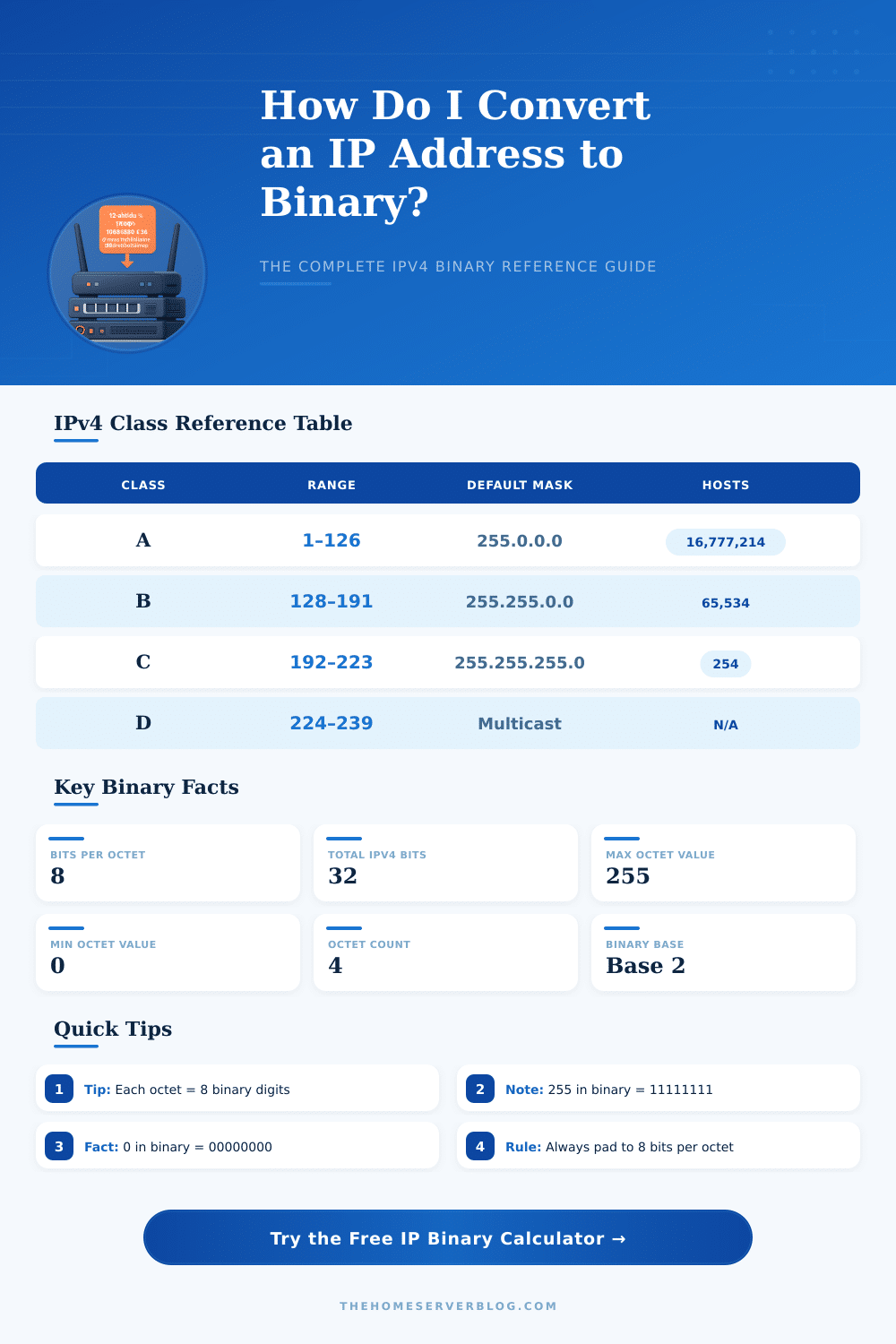
| IP Class | First Octet Range | Default Subnet Mask | Binary Prefix | Max Hosts/Network |
|---|---|---|---|---|
| Class A | 1 – 126 | 255.0.0.0 /8 | 0xxxxxxx | 16,777,214 |
| Class B | 128 – 191 | 255.255.0.0 /16 | 10xxxxxx | 65,534 |
| Class C | 192 – 223 | 255.255.255.0 /24 | 110xxxxx | 254 |
| Class D | 224 – 239 | N/A (Multicast) | 1110xxxx | N/A |
| Class E | 240 – 255 | N/A (Reserved) | 1111xxxx | N/A |
| Loopback | 127.x.x.x | 255.0.0.0 /8 | 01111111 | Local Only |
| CIDR | Dotted Decimal | Binary | Usable Hosts |
|---|---|---|---|
| /8 | 255.0.0.0 | 11111111.00000000.00000000.00000000 | 16,777,214 |
| /16 | 255.255.0.0 | 11111111.11111111.00000000.00000000 | 65,534 |
| /24 | 255.255.255.0 | 11111111.11111111.11111111.00000000 | 254 |
| /25 | 255.255.255.128 | 11111111.11111111.11111111.10000000 | 126 |
| /26 | 255.255.255.192 | 11111111.11111111.11111111.11000000 | 62 |
| /27 | 255.255.255.224 | 11111111.11111111.11111111.11100000 | 30 |
| /28 | 255.255.255.240 | 11111111.11111111.11111111.11110000 | 14 |
| /30 | 255.255.255.252 | 11111111.11111111.11111111.11111100 | 2 |
| /32 | 255.255.255.255 | 11111111.11111111.11111111.11111111 | 1 (Host) |
| Bit Position | Bit 7 (MSB) | Bit 6 | Bit 5 | Bit 4 | Bit 3 | Bit 2 | Bit 1 | Bit 0 (LSB) |
|---|---|---|---|---|---|---|---|---|
| Decimal Value | 128 | 64 | 32 | 16 | 8 | 4 | 2 | 1 |
| 192 = 11000000 | 1 | 1 | 0 | 0 | 0 | 0 | 0 | 0 |
| 255 = 11111111 | 1 | 1 | 1 | 1 | 1 | 1 | 1 | 1 |
| 128 = 10000000 | 1 | 0 | 0 | 0 | 0 | 0 | 0 | 0 |
| IP Address | Purpose | Full Binary | Class |
|---|---|---|---|
| 192.168.1.1 | Home Router Default | 11000000.10101000.00000001.00000001 | C |
| 10.0.0.1 | Class A Private | 00001010.00000000.00000000.00000001 | A |
| 172.16.0.1 | Class B Private | 10101100.00010000.00000000.00000001 | B |
| 8.8.8.8 | Google DNS | 00001000.00001000.00001000.00001000 | A |
| 127.0.0.1 | Loopback | 01111111.00000000.00000000.00000001 | Loopback |
| 255.255.255.255 | Broadcast | 11111111.11111111.11111111.11111111 | — |
| 0.0.0.0 | Default Route | 00000000.00000000.00000000.00000000 | A |
| 1.1.1.1 | Cloudflare DNS | 00000001.00000001.00000001.00000001 | A |
All devices connected to the net have an IP Address. Usually we see it written in dotted decimal form, for instance 192.168.10.1. It seems quite simple.
Even so computers do not use decimal numbers for their work. They operate with Binary values, that is made up of only 0 and 1 signs. To truly grasp how IP Addresses operate, you need to learn to convert the decimal form to Binary.
How IP Addresses Work in Binary
An IP Address forms itself from four different parts. Each of those parts is called an octet. An octet matches to eight Binary signs.
So four octets, each with eight elements, result in a 32-bit amount. Like this every IP Address represents a 32-bit number. When an admin of the net enters an address with dots the computer quietly converts it to Binary octets under the surface.
Here is how that happens in practice. We take each of the four decimal values and convert them to Binary. When signs are missing, we fill in with zeros to the left, so that each part has exactly eight signs.
Later we tie the four parts to form one long Binary sequence of only 0s and 1s. For instance, the address 192.168.10.1 matches to 11000000 for the first octet, 10101000 for teh second, 00001010 for the third and 00000001 for the fourth.
Another example: the decimal number 13 in Binary is 00001101. You can check that, because 8 plus 4 plus 1 equals 13. Like this an address like 154.31.16.13 converts too 10011010.00011111.00010000.00001101.
You can use online tools, that simplify this. Just enter the IP Address in the field, click the button, and the program shows the 32-bit Binary form. Such a tool works on Windows, Mac, Linux and browsers like Chrome, Firefox, Edge and Safari.
Grasping the Binary knowledge is key for subnetting. A subnet mask also consists of four octets. A very common sample is 255.255.255.0, that converts to 11111111.11111111.11111111.00000000.
The ones in the mask tell the computer which bits of the IP Address define the net. Another sample is 255.255.255.240 with 28 bits set to 1. Mask 255.255.255.248 leaves space for 6 hosts, while 255.255.255.240 allows 14 of them.
Each subnet costs two IP Addresses: one for the net name and one for thebroadcast address.
The Binary system forms the core of everything about address handling and subnetting. The whole system rests on Binary numbers sorted in four groups of eight signs, because eight signs fit well in one byte.