🎥 Video Resolution Bandwidth Calculator
Calculate exact bandwidth & storage requirements for any video resolution, codec, and stream count
⚡ Quick Presets
🧮 Configuration
📦 Codec Bandwidth Reference
📋 Resolution & Codec Bitrate Table
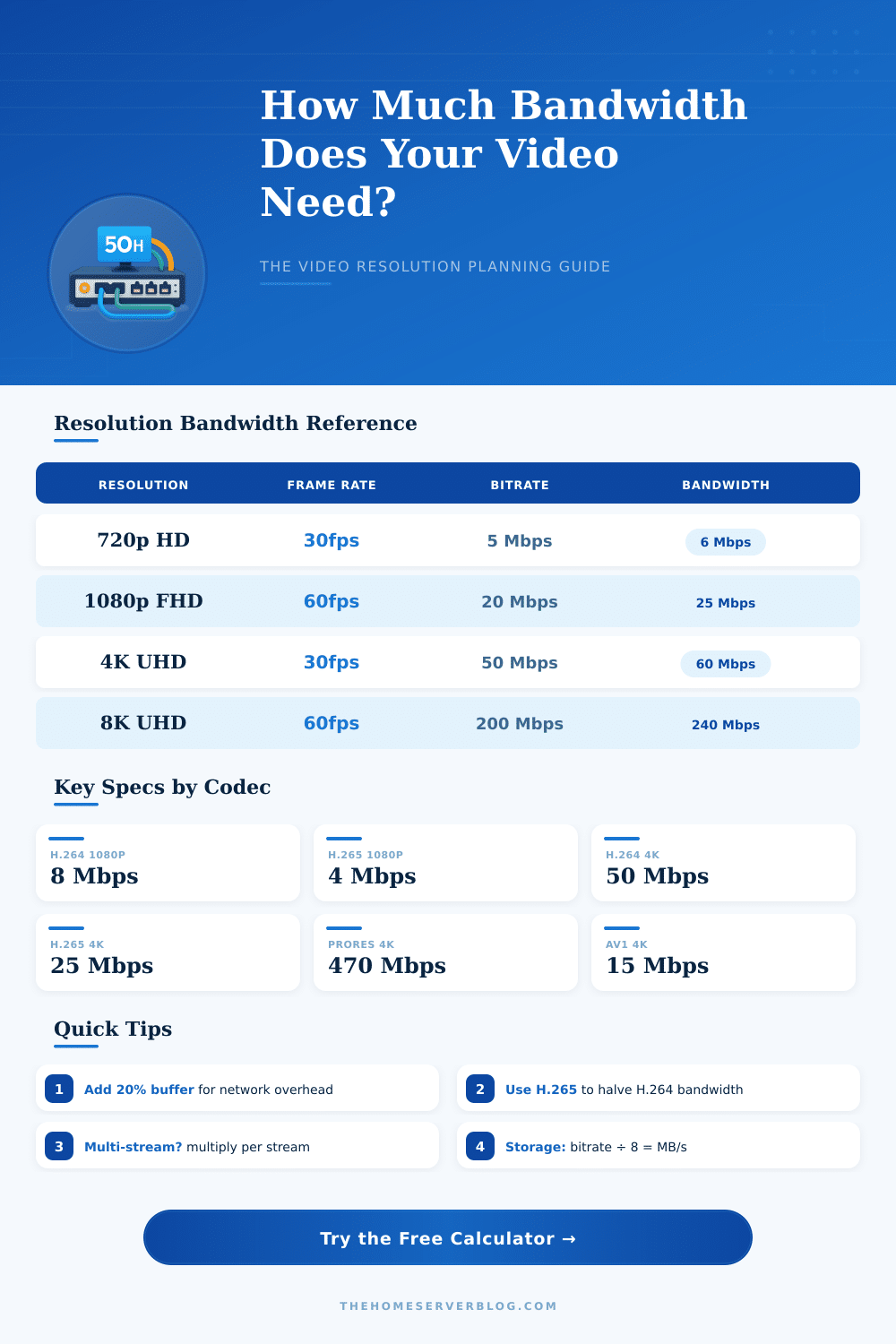
| Resolution | H.264 Bitrate | H.265 Bitrate | AV1 Bitrate | ProRes 422 |
|---|---|---|---|---|
| 360p (30fps) | 1 Mbps | 0.5 Mbps | 0.4 Mbps | — |
| 480p (30fps) | 2.5 Mbps | 1.2 Mbps | 0.9 Mbps | — |
| 720p (30fps) | 5 Mbps | 2.5 Mbps | 2 Mbps | — |
| 1080p (30fps) | 8 Mbps | 4 Mbps | 3.5 Mbps | 147 Mbps |
| 1080p (60fps) | 16 Mbps | 8 Mbps | 7 Mbps | 220 Mbps |
| 1440p (30fps) | 20 Mbps | 10 Mbps | 8 Mbps | — |
| 4K UHD (30fps) | 50 Mbps | 25 Mbps | 15 Mbps | 470 Mbps |
| 4K UHD (60fps) | 100 Mbps | 50 Mbps | 30 Mbps | 940 Mbps |
| 8K UHD (30fps) | 200 Mbps | 100 Mbps | 60 Mbps | 1,880 Mbps |
📶 Streaming Platform Recommended Bitrates
| Platform | Max Resolution | Recommended Bitrate | Max Bitrate |
|---|---|---|---|
| YouTube Live | 4K 60fps | 15–51 Mbps | 51 Mbps |
| Twitch | 1080p 60fps | 6 Mbps | 8 Mbps |
| Facebook Live | 1080p 30fps | 4 Mbps | 4 Mbps |
| Zoom Video | 1080p 30fps | 3.8 Mbps | 3.8 Mbps |
| Netflix (4K HDR) | 4K HDR | 15–20 Mbps | 25 Mbps |
| Disney+ (4K) | 4K HDR | 20–25 Mbps | 25 Mbps |
| RTSP/NVR CCTV | 4K 30fps | 8–25 Mbps | 50 Mbps |
🏗 Common Project Bandwidth Requirements
| Project | Resolution / Codec | Total Bandwidth | Storage / hr |
|---|---|---|---|
| Home Live Stream | 1080p H.264 | 8.8 Mbps | 3.96 GB |
| 4-Camera NVR | 1080p H.265 | 17.6 Mbps | 7.92 GB |
| 4K YouTube | 4K H.265 | 27.5 Mbps | 12.4 GB |
| 16-Cam Security | 720p H.264 | 88 Mbps | 39.6 GB |
| Film Production | 4K ProRes | 517 Mbps | 232 GB |
| Zoom 10-Person | 1080p H.264 | 38 Mbps | 17.1 GB |
Resolution and bandwidth always go together when talking about video, one simply can not talk about one without mentioning the other. At the base the resolution is made up of the smallest unit, that your eyes can spot on the screen, and that unit fully depends on the amount of bandwidth that the signal can use. Have more bandwidth?
Then you get more sharp and clear image. Have less? Then everything becomes a bit dark and blurry.
How Bandwidth and Resolution Change Video Quality
Here comes the bit rate. It shows how many data flow through the net each second, and it affects directly the video quality. Expand the bit rate, and the image looks much more good, even though that costs (you use more bandwidth).
Similarly happens with the resolution. When more pixels appear on the screen, the flow requires more bandwidth to work well. Add high frame rate and you also raise the need for bandwidth.
The needs of bandwidth adjust strongly according to the intended resolution. Video in high definition requires around 3 Mb/s, while full high definition reaches almost 6 Mb/s. Four-K?
It is a whole other thing, almost 30 Mb/s. One sees clear difference comparing 480p with 720p, the second uses 50% more data. When you pass to 720p with 30 frames each second, you require between 2500 and 4000 kb/s.
Raise it to 1080p with same frame rate and the amount climbs to 4000 up to 6000 kb/s. For 1080p with 60 frames each second, one finds himself in the range of 6000 up to 8000 kb/s. Standard resolution for stable flow usually requiers around 3 Mb/s to stay steady.
Everything becomes crazy when one looks at raw four-K. With 24-bit color and 60 frames each second, one talks about 12 gigabits each second, what is totally unreal for any streaming server. So one packs everything using lossy methods.
Most of four-K content with high dynamic range after compression sits between 12 and 20 Mb/s. Formats of ultra-high definition want 15 up to 25 Mb/s, while 360-degree video in virtual reality can force 50 up too 100 Mb/s.
The cables that carry all those data matter a lot. VGA, DVI, HDMI, DisplayPort and Thunderbolt each has its own limits of bandwidth, that decides what resolution, frame rate and color depth they can truly support. DisplayPort in High Mode above USB-C uses only two lanes for the video send.
Stream compression is lossless in theory, but turn the compression ratio too high and the display quality suffers truly.
The encoder settings are where truly happens the magic. Camera can record in high quality, but the bit rate encoder and frame rate decide, with what resolution you end up. When the bandwidth is limited, set the bit rate to that limit to reach the best quality.
The frame rate does only little difference, when the bit rate is set. Staying between 24 and 30 frames each second commonly works well. The size of the screen does not affect the bandwidth.
That same video stream uses the same amount of data, whether it plays on a small monitor or stretches across several big screens. The complexity of the content, though, that matters. Scenes with fast motions require morebandwidth to escape pixelation.