IP Allocation Calculator
Plan IPv4 private subnets for VLANs, static devices, DHCP pools, gateway and DNS reservations, HA VIPs, growth margin, and wasted addresses.
Private ranges keep LAN routes away from public IPv4 space.
Use active devices plus expected DHCP clients.
Allocation results
| CIDR | Subnet Mask | Total Addresses | Usable Hosts | Typical VLAN Use |
|---|---|---|---|---|
| /30 | 255.255.255.252 | 4 | 2 | Point-to-point transit |
| /29 | 255.255.255.248 | 8 | 6 | Firewall HA or tiny services |
| /28 | 255.255.255.240 | 16 | 14 | Management slice |
| /27 | 255.255.255.224 | 32 | 30 | Small server VLAN |
| /26 | 255.255.255.192 | 64 | 62 | IoT, cameras, lab nodes |
| /25 | 255.255.255.128 | 128 | 126 | Busy Wi-Fi or office LAN |
| /24 | 255.255.255.0 | 256 | 254 | Default home VLAN |
| /23 | 255.255.254.0 | 512 | 510 | Large client VLAN |
| /22 | 255.255.252.0 | 1024 | 1022 | Campus or guest pool |
| /21 | 255.255.248.0 | 2048 | 2046 | High-density wireless |
Infrastructure
Reserve gateway, DNS, DHCP relay, controller, NTP, and monitoring addresses at the start of each VLAN.
Static Devices
Servers, NAS, printers, cameras, switches, hypervisors, and appliances should be counted before DHCP sizing.
DHCP Pool
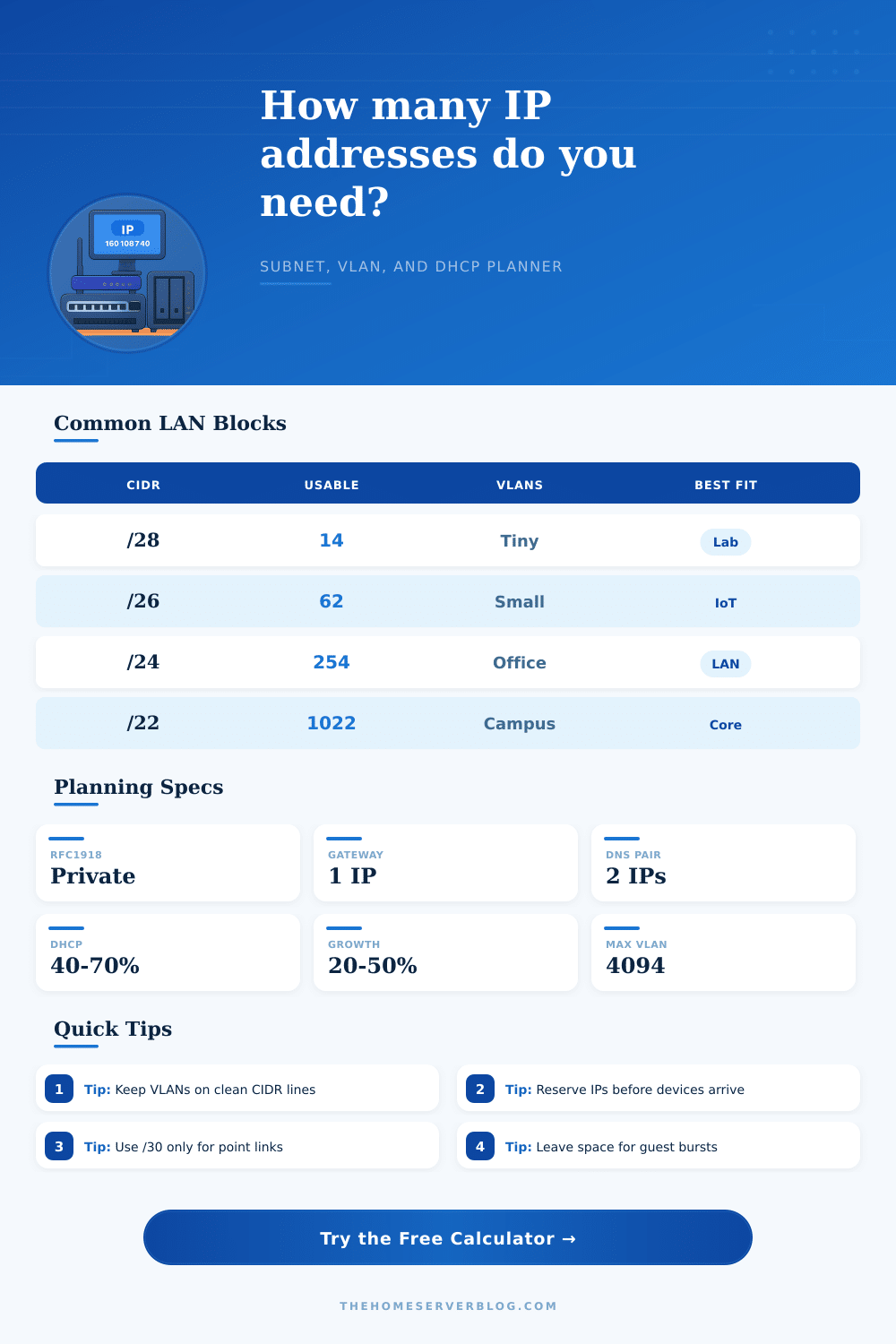
A 40% to 70% pool is usually enough for mixed LANs. Guest and Wi-Fi VLANs often need more.
Growth
Apply growth to client and static devices, then choose the smallest prefix that still leaves free room.
| Plan | VLANs | Typical Prefix | DHCP Share | Notes |
|---|---|---|---|---|
| Flat home LAN | 1 | /24 | 50% | Simple but broad broadcast domain |
| Core home lab | 4 | /25 to /24 | 40% | LAN, servers, IoT, guest |
| Proxmox cluster | 5 | /27 to /24 | 30% | Management, storage, VMs, backup |
| Camera network | 1 | /26 | 20% | Mostly static, reserve NVR and switches |
| Guest wireless | 1 | /23 to /22 | 80% | Large DHCP pool, short leases |
| Small office | 6 | /24 | 60% | Users, voice, printers, servers, guest |
Networks grow organically. You start by adding a few phones and laptop. Soon you’ve added a security camera, followed by a smart TV and maybe a printer. Then perhaps you install a server for cloud storage. Before you know it, you’re juggling more device than you can count.
The internet gives everything an IP address, but that address needs to live somewhere on your network’s structure. And this is where things get tricky. Now it’s less about plugging things together and more about controlling a limited amount of resources across what feels like infinite space.
How to Plan Your Network IP Addresses
The default range (e.g., 192.168.0.0) is convenient; most routers is set up like that. But this convenience causes pain when you need to plug into several networks, such as working from home, plugging in at work, or connecting two location together.
Early on, you have to decide whether to go with 192.168, 172.16, or 10. You should of chose the 10 block if you want millions of addresses. This is good if you’re setting up a lab or connecting multiple sites and want to do some clean route summarization. Go with 172.16 if you want something in-between and don’t want to risk having conflicts with your local network (for example, if your company uses 192.168 internally but you have remote VPN user). Choose incorrectly today and you’ll pay the price later by doing painful renumbering.
Next up is determining how many subnets you will need within the overall range. At this point the math becomes real-world planning; when subnetting, try to group devices based off purpose rather than each one having its own broadcast domain. Guest Wi-Fi should never touch your servers. Desktop computers has little reason to talk to IoT devices. Keeping things segmented limits the chaos in your network.
The calculator size these segments for you based on expected clients. It also takes into account hidden overhead that eats away at space. In small networks, this overhead can be problematic. “I’ve got twenty-five hosts. A small subnet will do,” except that each VLAN must have a gateway address to route its traffic. And you probably want at least two DNS resolver for redundancy. Oh, and a DHCP server, too; that has to have an IP address. The clients gets their leases. Then there are static reservations for your NVRs and printers and virtual IPs for your redundant firewalls. Before you know it, those twenty-five hosts becomes forty.
Now most people building out their home networks go wrong here: they size their network to what they need now. Then things happen. You purchase that new laptop. You add that game console. Host your friend’s group of people all wanting some sort of device on your network. Twenty percent buffer seems about right for a well established setup. Fifty percent buffer seems about right if you’re trying lots of stuff out or think you’ll be expanding rapidly.
To help with this, the tool will calculate the wasted addresses so you can see how much you waste based off the prefix you choose. A /24 subnet contains two hundred and fifty-four usable hosts. So if you’re using only half of them, you are wasting space. That’s not a flaw in the system. That’s a feature. When subnets gets overfull they cause broadcast storms. Empty space keeps things quiet and stable.
For perspective, here’s a sample table of common CIDR blocks (from the same page): A /28 is good for a small set of IoT devices or a separate section for some kind of management. You get 14 available hosts from that one block. This is a typical office setup. Match your prefix size to your expected traffic pattern.
If you need two hundred guest phones, don’t shove them all into a /27 subnet because it “saves” address space. Your router won’t thank you and it will choke on the broadcast traffic before you even run out of numbers.
Predicting how people will behave is crucial to good IP allocation. You’re drawing lines around possible chaos. There will be some addresses that never get used. Having a tidy plan is worth more then cramming as many in as you can.
Review your results. Consider the count of free pool. If it’s way too large, then reduce the size of your prefix. If it’s way too small, then increase its size. Remember: efficiency isn’t everything. Leave space for future devices you don’t even own yet.